15 Best AI TikTok Video Tools of 2026 for Brands and Sellers

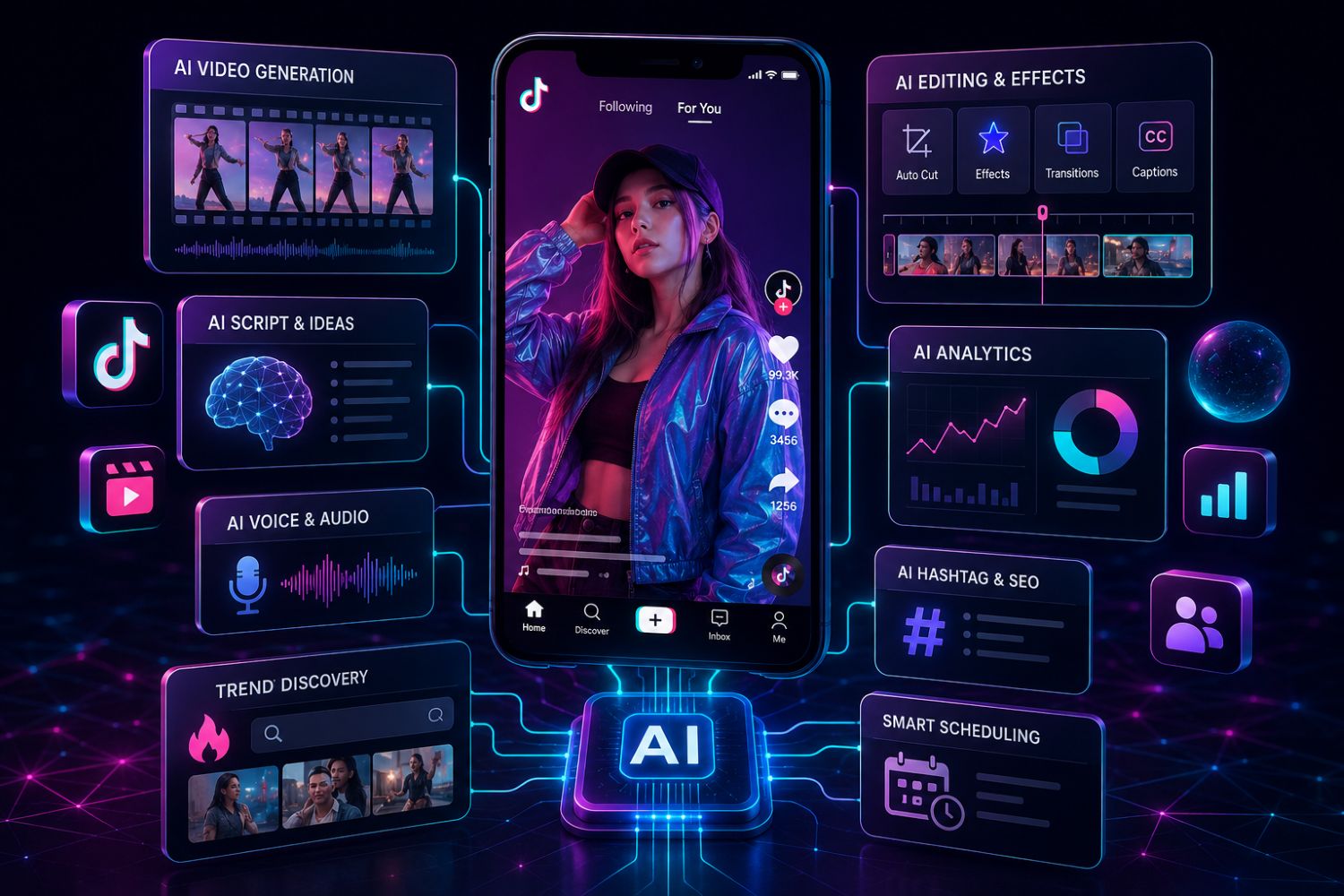
TikTok content production has changed.
In 2026, the problem is no longer “Can AI make a video?”
It can.
The real problem is whether that video is worth making.
Most brands are now surrounded by AI tools that can generate scripts, avatars, captions, subtitles, product videos, UGC-style ads, multilingual clips and faceless storytelling content. But volume alone does not build a TikTok brand. A seller can generate dozens of videos and still get weak views, poor comments and zero product demand if the creative direction is wrong.
That is why the smarter question for TikTok Shop sellers, agencies and brands is not:
“Which AI video tool should I use?”
The better question is:
“Which workflow helps me find the right product angle, write the right script, match the right creator, and publish videos that TikTok users actually care about?”
This guide breaks down the 15 best AI TikTok video tools of 2026, but with one important difference: we are not ranking tools only by editing features. We are looking at how each tool fits into a real TikTok growth system.
For sellers who care about TikTok Shop, product videos, creator campaigns and live commerce, EchoTik should sit at the center of that system.
Quick Match: Which AI TikTok Tool Should You Use?
Tool | Best For | Where It Fits in the Workflow |
|---|---|---|
Data-backed scripts, titles and TikTok Shop creative planning | Strategy + script generation | |
TikTok Symphony Creative Studio | TikTok-native AI ad creation | Paid and organic TikTok creative |
CapCut | Fast TikTok editing and templates | Editing and publishing |
Creatify | Product URL to UGC-style ads | Ecommerce ad production |
HeyGen | AI avatars and multilingual explainers | Avatar-led product education |
Runway | Cinematic AI video generation | High-end visual storytelling |
OpusClip | Long-form to short-form clips | Repurposing content |
Descript | Text-based video and audio editing | Podcasts, talking-head clips |
VEED | Browser-based AI editing and subtitles | Lightweight brand production |
InVideo AI | Script-to-video content | Educational TikTok videos |
Synthesia | Business avatar videos | Training, B2B, product explainers |
Canva AI Video | Brand-friendly AI video design | Simple branded assets |
Pika | Creative AI motion clips | Experimental visual hooks |
ElevenLabs | AI voice and dubbing | Voiceover and localization |
Predis.ai | Social post and short-video planning | Content calendars and variants |
The Big Shift: AI Video Is Cheap, Attention Is Expensive
AI has made content creation faster. That is useful, but it also creates a new problem.
When everyone can produce more videos, average content quality drops. Feeds get crowded with similar hooks, similar AI voices, similar avatars and similar “top 5 products you need” scripts.
The brands that win in 2026 will not be the ones producing the most AI content. They will be the ones producing the most relevant content.
That relevance comes from data.
Before a TikTok Shop seller creates a video, they should know:
What product is already gaining attention?
Which creators are making the category move?
Which product comments reveal buyer intent?
Which video hooks are working this month?
Which live rooms are converting attention into sales signals?
Which trends are short spikes and which have real staying power?
This is where EchoTik E-commerce Analysis becomes the foundation. EchoTik’s public page shows 13 TikTok leaderboards, 14 product selection dimensions with over 60 metrics and charts, 17 influencer filtering dimensions with nearly 100 metrics and charts, and 12 live-streaming dimensions with over 40 metrics and charts.
That means EchoTik is not just another AI writing tool. It helps sellers decide what content should exist in the first place.
1. EchoTik AI Tools: Best for Data-Backed TikTok Shop Content
Most AI video tools start with a prompt.
EchoTik starts closer to the market.
The EchoTik AI Tools workspace includes a Script Extractor, Video Ideas Generator, Promotion Script Generator and Video Title Generator. Its public page says the Script Extractor can analyze ad introductions, tags, store information and similar products, then extract or rewrite strong content. The Promotion Script Generator uses product information, EchoTik big data and the Doubao large model to generate promotional video scripts.
That matters because TikTok Shop content is not just about sounding clever. It has to connect product, buyer, creator and trend.
EchoTik is especially strong for:
TikTok Shop product scripts
Short video selling points
Creator outreach content
Product title optimization
Video title generation
Ad script extraction and rewriting
Market-backed creative planning
The best use case is simple: use EchoTik to find the product and angle, then use a video generation or editing tool to produce the final asset.
2. TikTok Symphony Creative Studio: Best Native AI Tool for TikTok Ads
TikTok Symphony Creative Studio is TikTok’s own AI-powered creative suite. TikTok describes it as a tool for generating and remixing videos, avatar videos, scripts, translation, dubbing and video editing.
For advertisers, the biggest advantage is platform fit. Symphony is designed around TikTok-style creative, not generic horizontal video.
Use it when you need:
TikTok-native ad ideas
Fast script drafts
Avatar-style videos
Multilingual versions
Paid ad creative testing
The limitation is that Symphony helps you make TikTok creative, but it does not replace market research. You still need to know which product, creator and audience angle to test. That is where EchoTik can come in before production.
3. CapCut: Best Everyday TikTok Editor
CapCut remains the default editing tool for many TikTok creators because it is fast, familiar and deeply connected to short-form editing behavior.
It works well for:
Auto captions
Templates
Transitions
Mobile editing
Trend-style videos
Short product demonstrations
CapCut is not the place to build your full strategy. It is the place to execute quickly once the strategy is clear.
A practical workflow:
Use EchoTik to find product and creator signals.
Use EchoTik AI Tools to generate hooks and scripts.
Use CapCut to edit the video into TikTok-native form.
4. Creatify: Best for Product URL to UGC-Style Ads
Creatify is built for ecommerce teams that want to turn product URLs into AI-generated video ads. Its official site positions the platform around AI image and video ads, social channel delivery and product URL-based ad creation.
This is useful for sellers who need many creative variants fast.
Best for:
TikTok Shop product ads
DTC product testing
UGC-style ad production
Creative A/B testing
Fast product launch campaigns
But there is one danger: if you feed a weak product or generic selling point into any ad generator, you simply get a polished weak ad.
Use EchoTik first to validate product demand and buyer language. Then use Creatify for production.
5. HeyGen: Best for AI Avatars and Multilingual Product Education
HeyGen is one of the strongest AI avatar tools. It is useful for product explainers, creator-style educational videos, multilingual campaigns and faceless brand accounts.
Use HeyGen when:
You need a spokesperson-style video
You want to localize content into multiple markets
You need consistent product education
You do not have a human creator available
For TikTok Shop, HeyGen works best when the script is short, concrete and product-specific. Avoid overly polished corporate language. TikTok users can feel when the video sounds like a training module.
6. Runway: Best for High-End AI Visual Storytelling
Runway is stronger for cinematic and visually ambitious content. Runway’s Gen-4 messaging focuses on consistency across styles, subjects and locations.
For TikTok, Runway is useful when you need:
Cinematic product worlds
Concept visuals
Brand storytelling
Fantasy or lifestyle scenes
High-end visual hooks
It is not always the fastest tool for daily TikTok Shop content. But for premium product launches, hero creatives or visual campaigns, it can help a brand stand out from template-heavy content.
7. OpusClip: Best for Turning Long Videos Into TikTok Clips
OpusClip is designed to turn long videos into short clips. Its official site positions the product around transforming long videos into multiple short-form clips and publishing to social platforms.
Use it for:
Podcasts
Webinars
Livestream recordings
Founder videos
Long product demos
YouTube-to-TikTok repurposing
This is especially valuable for brands that already have content assets but do not have time to manually cut them into TikTok clips.
Pair it with EchoTik by checking which topics, keywords and product angles are trending before selecting which long-form moments to repurpose.
8. Descript: Best for Talking-Head and Founder-Led TikToks
Descript is strong for text-based editing, transcription, captions, screen recordings and audio cleanup. It is a good fit for brands where the founder, product expert or creator talks directly to camera.
Use Descript for:
Founder clips
Product walkthroughs
Podcast shorts
Educational TikToks
Thought leadership content
Audio cleanup and captions
This tool is less about flashy AI visuals and more about making human content easier to edit. That is valuable because the strongest TikTok videos still often feel human, opinionated and specific.
9. VEED: Best Lightweight Browser-Based AI Editing Suite
VEED is a practical tool for teams that want AI editing, subtitles, dubbing, avatars, background removal and browser-based video production in one place.
Use VEED for:
Fast subtitles
Short-form clips
Basic product videos
Team-based editing
Social media formatting
Simple AI talking videos
It is not always the deepest tool in one category, but it is convenient for teams that need a flexible daily production workspace.
10. InVideo AI: Best for Script-to-Video Educational Content
InVideo AI is useful for turning scripts or prompts into complete videos. For TikTok, it works best when the topic is educational, list-based or explainer-driven.
Use it for:
“How to” videos
Product explainers
Beginner guides
Category education
TikTok Shop tips
Faceless educational content
For ecommerce, the key is to avoid generic scripts. Start with real buyer objections from EchoTik comments and video data, then turn those into short educational TikToks.
11. Synthesia: Best for Business Avatar Videos
Synthesia is more business-oriented. Its official positioning focuses on AI-generated videos, avatars and voiceovers across many languages.
Use Synthesia for:
B2B explainers
Training content
Product onboarding
Brand education
Internal enablement
Professional avatar videos
For TikTok, Synthesia is not always the most native-feeling tool. But for SaaS, agencies and business education accounts, it can work well when combined with sharp hooks and tight editing.
12. Canva AI Video: Best for Branded Social Assets
Canva AI Video is useful for teams that already use Canva for brand design. Canva’s official AI video generator page says users can turn text prompts into AI-generated videos and edit them inside Canva.
Use it for:
Branded TikTok posts
Simple AI video clips
Product announcement assets
Social carousels adapted into video
Campaign visuals
Short branded explainers
Canva is not the most advanced AI video engine, but it is one of the easiest tools for keeping brand consistency.
13. Pika: Best for Experimental Visual Hooks
Pika is more playful and experimental. It is useful for motion effects, surreal visual ideas and creative short clips.
Use Pika when you need:
Unusual visual hooks
AI motion experiments
Faceless entertainment clips
Scroll-stopping opening scenes
Creative transitions
For TikTok Shop, Pika is best used in the first few seconds of a video to create attention, then combined with a clear product demo or offer.
14. ElevenLabs: Best for Voiceovers and Localization
ElevenLabs is useful for AI voice, narration and multilingual audio workflows. For TikTok, voice quality matters because a weak AI voice can make a video feel cheap immediately.
Use ElevenLabs for:
Voiceovers
Narration
Localization
Product explainers
Faceless accounts
Short-form storytelling
The key is to keep voiceovers natural. TikTok does not reward content just because it sounds clean. The voice needs rhythm, personality and pacing.
15. Predis.ai: Best for Social Content Planning and Variants
Predis.ai is useful for generating social post ideas, captions, creatives and content variations. It is not only a TikTok video generator, but it can support the planning layer.
Use it for:
Content calendars
Caption variants
Post ideas
Social media planning
Creative testing angles
For teams that need structure, it helps keep publishing consistent. But for TikTok Shop sellers, it should still be combined with real product and trend data from EchoTik.
The Real Winning Stack for 2026
No single AI TikTok video tool does everything.
The best teams build a stack.
For TikTok Shop sellers, I would not start with video generation. I would start with data.
A serious workflow looks like this:
Use EchoTik E-commerce Analysis to find rising products, creators, videos and category signals.
Use EchoTik AI Tools to extract scripts, generate product video ideas, write promotion scripts and create titles.
Use TikTok Symphony, CapCut, Creatify, HeyGen or another production tool to create the actual video.
Use EchoTik Live Monitor to study competitor live rooms, product sequences and sales pitch patterns.
Use EchoTik Data API if your team needs to build internal dashboards, creator scoring systems or product trend monitors.
This is the difference between AI-assisted posting and data-driven TikTok growth.
June 2026 EchoTik Data Points to Use Before Creating Videos
Before making a batch of TikTok videos, pull these data fields from EchoTik:
Data Field | Why It Matters |
|---|---|
Product ranking movement | Shows whether the product is gaining momentum |
Product price trend | Helps shape offer and positioning |
Associated creators | Shows who is already selling or explaining the product |
Associated videos | Reveals working creative formats |
Comment word analysis | Finds buyer objections and real customer language |
Creator engagement trend | Prevents choosing creators based only on follower count |
Live stream peak viewers | Shows whether the category works in live commerce |
Live GMV signal | Helps judge commercial strength |
Trending keywords | Supports TikTok SEO and captions |
Trending music/topics | Helps content feel native to the current feed |
This is where EchoTik becomes more than a tool. It becomes the decision layer before AI production.
The 30-Day AI TikTok Content Sprint
If you want to turn this into execution, do not start by generating random videos.
Use this sprint.
Week 1: Research the Market
Use EchoTik to identify:
5 rising products
20 relevant creators
10 competitor videos
5 live rooms worth studying
Common buyer objections in comments
The goal is to understand what the market already wants.
Week 2: Build the Creative Library
Use EchoTik Script Extractor and Video Ideas Generator to create:
20 hooks
10 product scripts
10 educational angles
5 comparison scripts
5 live-selling talking points
Do not publish everything. Build a library first.
Week 3: Produce Fast
Use CapCut, Creatify, HeyGen, TikTok Symphony or VEED to create the first batch.
Produce different formats:
Founder talking-head
UGC-style product demo
Problem-solution video
Comparison video
Comment-reply video
Live clip remix
AI avatar explainer
The goal is not perfection. The goal is controlled testing.
Week 4: Read the Data and Double Down
Review:
Which hooks kept attention
Which videos created comments
Which comments showed buyer intent
Which creator style felt natural
Which product angle repeated across winners
Which videos should be turned into ads or live scripts
Then repeat the cycle.
That is how brands scale with AI without becoming generic.
Why 100% AI Content Still Fails
AI can create speed. It cannot automatically create taste.
The weak version of AI TikTok content usually has these problems:
The hook sounds copied.
The avatar feels too polished.
The voiceover has no rhythm.
The product benefit is vague.
The video looks nice but says nothing specific.
The creator has no opinion.
The script ignores real buyer objections.
That is why human review still matters.
Use AI for speed, variation and production. Use human judgment for taste, emotion, humor, product truth and cultural timing. Use EchoTik for data.
That three-part system is much harder to copy.
Final Verdict
The best AI TikTok video tool in 2026 depends on what you are trying to scale.
If you need editing, use CapCut or VEED.
If you need avatars, use HeyGen or Synthesia.
If you need product ads, use Creatify.
If you need long-form repurposing, use OpusClip or Descript.
If you need cinematic AI visuals, use Runway or Pika.
If you need TikTok-native ad creation, use TikTok Symphony.
But if you are a TikTok Shop seller or ecommerce brand, start with EchoTik.
Because the hardest part is not making more videos.
The hardest part is knowing which product, creator, hook, comment, live room and trend deserve your attention this week.
That is where EchoTik gives your AI video workflow a brain.
