Are TikTok Analytics Tools Safe? Security Checklist for 2026

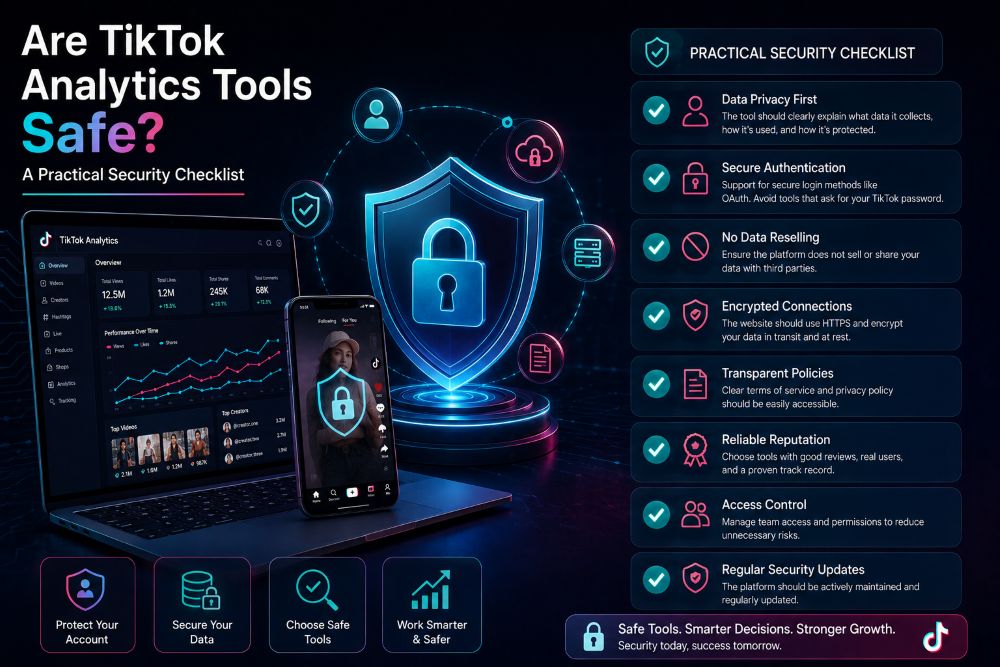
Are TikTok Analytics Tools Safe? A Practical Security Checklist
Choosing a TikTok analytics tool is not just about features or price.
Before you connect an account, check how the tool handles logins, permissions, data sources, and privacy. A useful dashboard is not worth risking your TikTok account or your customer data.
The good news is that you can review most of these risks before you sign up. You do not need to be a security expert. You just need to know what a normal request looks like—and what should make you stop.
What Data Can TikTok Analytics Tools Access?
TikTok analytics tools can work with different kinds of data. The level of access depends on what you want the tool to do.
The first type is public data. This may include public profiles, videos, views, engagement, hashtags, and publicly visible shop or product activity. You usually do not need to connect your TikTok account to view this kind of data.
The second type is officially authorized data. A tool may use TikTok-approved access methods or APIs to pull information from an account you choose to connect. This can include account-level performance data, depending on the permission you approve.
The third type is data you upload or connect yourself. This might include TikTok Shop data, advertising data, sales reports, or team data. This information requires more care because it may include business performance or customer-related details.
Before connecting anything, ask one simple question: What data does this tool actually need to do its job?
Do TikTok Analytics Tools Need Your Password?
A normal third-party TikTok analytics tool should not ask you to directly hand over your TikTok password.
A safer login flow usually uses OAuth or another official authorization process. This sends you to a TikTok-controlled login page, where you can approve specific access permissions. The tool receives an authorization token instead of your password.
That is very different from a form that asks you to type your TikTok username and password directly into the analytics platform.
If a tool asks for your TikTok password outside an official TikTok login flow, treat that as a serious warning sign.
Also remember: OAuth is safer than sharing a password, but you should still review the permissions before approving them.
Public Data Tools vs. Account-Connected Tools
Not every TikTok analytics tool needs the same level of access.
A public-data tool can help you research competitors, creators, videos, hashtags, products, and market trends. In many cases, you can use these features without connecting your own TikTok account.
An account-connected tool gives you access to more detailed information about your own performance. It may need permission to read account analytics, advertising results, or shop data.
A TikTok Shop or ad-account connection may require deeper access because it handles more sensitive business information. That does not automatically make the tool unsafe. It means you should be more careful about what permissions you approve.
Use the lowest level of access that still supports your goal.
If you are researching competitors, you may not need to connect your account at all. If you need first-party performance reporting, connect only the account and permissions that are necessary.
Security Red Flags to Check Before Connecting an Account
A safe TikTok analytics tool should be clear about how it works.
Watch for these red flags:
It asks you to enter your TikTok password directly.
It does not explain where its data comes from.
It requests broad permissions without explaining why.
It makes it hard to disconnect your account.
It has no privacy policy or legal information.
It does not explain how long it keeps your data.
It requires teams to share one master login.
It gives every employee the same account access.
A legitimate platform should make basic security information easy to find. You should be able to understand what data is collected, why it is needed, and how to remove access later.
If those answers are vague, do not connect your account until you have more clarity.
How to Evaluate Data Accuracy
No third-party platform should promise that every number is 100% identical to every TikTok dashboard at every moment.
Data can differ because of reporting delays, date-range settings, time zones, rounding, API limits, and differences between estimated and first-party metrics.
The best way to evaluate a TikTok analytics tool is to compare it with your native TikTok reporting.
Check the same date range, account, and market. Then compare:
Views
Engagement
Follower growth
Product performance
Orders and GMV, where applicable
Date range and time zone
A small difference does not automatically mean a tool is unreliable. But large or unexplained differences deserve a closer look.
The important question is whether the platform clearly labels estimates, updates data consistently, and gives you enough context to understand the numbers.
TikTok Analytics Tool Security Checklist
Use this checklist before you connect an account or give a team member access.
Check | What to look for | Warning sign |
|---|---|---|
Login method | Official authorization or public-data access | Requests your account password |
Permissions | Only the access required for the feature | Requests full account control without a reason |
Data source | Clearly explains where data comes from | No source disclosure |
Account removal | Easy way to disconnect or revoke access | No clear removal option |
Privacy policy | Clear data handling and retention terms | Missing or vague policy |
Team access | Role-based access for each person | Shared login credentials |
Data retention | Explains how long data is stored | No retention information |
Support | Clear contact and account-security process | No real support channel |
A quick review of this table can prevent most avoidable mistakes.
How Agencies and Teams Should Manage Access
Teams create extra risk when everyone uses the same login.
Do not share the owner’s TikTok password with employees, agencies, freelancers, or creators. Use role-based permissions whenever possible. Give each person access only to the accounts and data they need.
Review permissions on a regular schedule. Remove access when an employee leaves, a campaign ends, or an agency relationship changes.
It also helps to keep a simple access list. Record which tool is connected, who has access, what permissions were granted, and when the connection was last reviewed.
This is not complicated. It is basic account hygiene.
How to Choose the Right Analytics Platform
Start with your use case, not the product name.
Decide whether you need to analyze your own account, competitors, or both.
Decide whether you need TikTok Shop, ad, creator, or public video data.
Review the tool’s data source and permission requirements.
Use a trial or limited account connection to verify the data.
Then compare features, pricing, exports, and team controls.
For a detailed comparison of features, use cases, and pricing, read our best TikTok analytics tools guide.
The right platform is the one that gives you useful data without requesting more account access than necessary.
Frequently Asked Questions
Are third-party TikTok analytics tools safe?
They can be, but safety depends on the platform’s login method, permissions, privacy practices, and team controls. Review these before connecting an account.
Can analytics tools access my TikTok password?
A reputable tool should not need your TikTok password directly. Safer tools use official authorization methods that allow you to approve specific permissions without sharing your password.
Can TikTok analytics tools get an account banned?
No tool can guarantee there is zero risk. Use tools that follow TikTok’s rules, avoid platforms that request your password, and review the permissions you grant. Do not use services that make unrealistic promises or encourage suspicious account activity.
Are public TikTok analytics tools legal?
Tools that analyze publicly available information are commonly used for research. However, you should still review the platform’s terms, privacy policy, and applicable rules in your market before using any service.
How can I remove a connected analytics tool?
Check your TikTok account’s connected apps or authorization settings and revoke access where available. You should also remove the connection inside the analytics platform and contact its support team if you need account data deleted.
What permissions should a TikTok analytics platform request?
Only permissions that match the feature you are using. A tool that provides account analytics may need read access to performance data. A tool that asks for broad account control without explaining why should be treated carefully.
