Best Time to Post on TikTok in 2026: TikTok Shop Data Guide

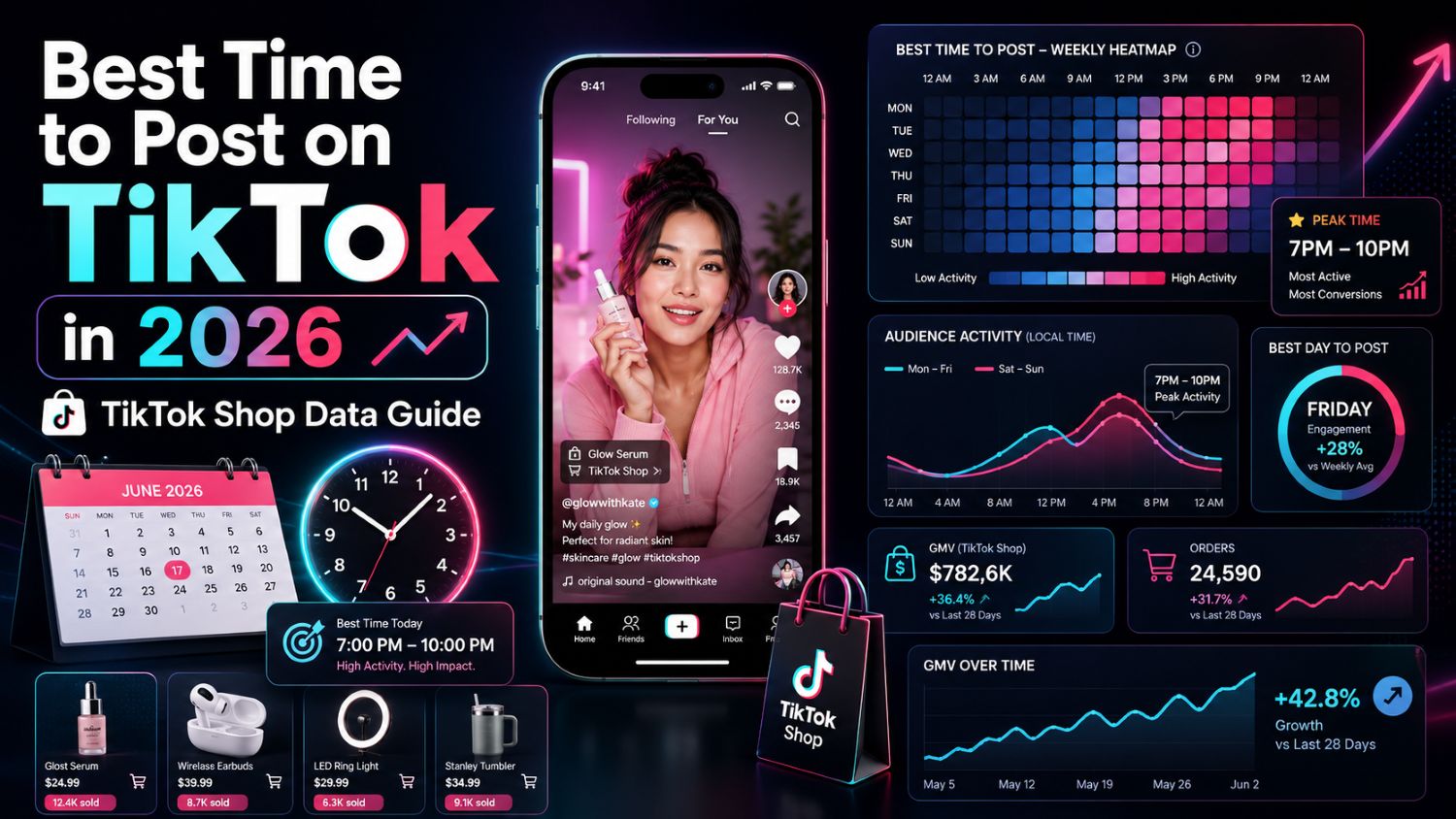
Best Time to Post on TikTok in 2026: Backed by Real TikTok Shop Data
TikTok posting time used to be a creator problem.
In 2026, it is a commerce problem.
For ordinary creators, posting time affects views, likes, comments and follower growth. For TikTok Shop sellers, it can affect product clicks, affiliate momentum, live-room traffic, add-to-cart behavior and GMV signals.
That is why most “best time to post on TikTok” advice is incomplete. A generic social media schedule might tell you when people scroll. But TikTok Shop sellers need to know when people are ready to discover, compare and buy.
A beauty tutorial posted at midnight may still get views. A kitchen product demo posted before dinner may generate stronger purchase intent. A fashion haul may perform during lunch breaks, while a live-shopping teaser may work better before evening traffic starts.
The real question is no longer:
“When are people online?”
The better question is:
“When are the right buyers active for this product, this creator, this category and this market?”
That is where EchoTik becomes useful. EchoTik is built for TikTok e-commerce data analysis, including product selection, influencer discovery, live-stream monitoring and video optimization. Its public site shows 1B+ influencer data and 1.8B+ product data, while EchoTik Data API covers creator data, video data, live-stream data, product data, shop data and market trends.
This guide gives you a practical 2026 posting-time framework for TikTok Shop sellers, affiliates, creators and brands.
The Short Answer: Best Time to Post on TikTok in 2026
If you need a starting point, the strongest TikTok Shop posting windows usually sit around buyer attention peaks:
Day | Recommended Testing Window | Best For |
|---|---|---|
Monday | 6 PM - 9 PM | Product education, problem-solution content |
Tuesday | 5 PM - 8 PM | Affiliate videos, product demos |
Wednesday | 6 PM - 10 PM | Comparison videos, review content |
Thursday | 6 PM - 9 PM | New product tests, creator posts |
Friday | 4 PM - 8 PM | Impulse-buy products, fashion, beauty |
Saturday | 10 AM - 2 PM, 7 PM - 10 PM | Home, lifestyle, family, beauty, live teasers |
Sunday | 3 PM - 6 PM, 8 PM - 10 PM | Planning content, home products, wellness, shopping prep |
Do not treat this as a universal rule.
Treat it as a testing map.
The best posting time for your TikTok account depends on category, country, audience age, video format, creator type, live schedule and product price point. A seller promoting beauty products in the US should not use the exact same schedule as a seller promoting gadgets in Southeast Asia.
The smarter move is to start with these windows, then validate them with EchoTik E-commerce Analysis, video performance data, creator engagement trends and live-room activity.
Why Posting Time Matters More for TikTok Shop
For normal TikTok content, a good post can win through entertainment alone.
For TikTok Shop, the content has to do more work.
It must stop the scroll, explain the product, build trust, answer objections and push the viewer toward action. Timing changes how much energy the viewer has for that journey.
A viewer at 8 AM may watch a funny clip but ignore a product demo. A viewer at 8 PM may have enough time to watch a full review, read comments and click into the product page.
That difference matters.
TikTok Shop sellers are not only optimizing for views. They are optimizing for:
Product clicks
Add-to-cart behavior
Buyer comments
Creator conversion
Affiliate traction
Live-room entry
Repeat exposure
GMV signals
This is why posting time should be analyzed with commerce data, not just social engagement data.
EchoTik’s Data API includes video data such as likes, views, engagement trends, comment lists, caption extraction and comment word analysis. It also includes live-stream data such as total viewers, peak viewers, follower growth during live and live GMV. That kind of data helps sellers connect publishing time with buyer behavior, not just vanity metrics.
Best Posting Times by TikTok Shop Category
Different categories behave differently. A seller who ignores category behavior will always get messy results.
Beauty & Skincare
Best testing windows:
7 PM - 11 PM
Weekend evenings
Sunday night routines
Beauty content often needs time. Viewers watch tutorials, before-and-after tests, ingredient explanations and creator reviews. Evening works well because users are more willing to slow down, compare products and read comments.
Strong formats:
GRWM product placement
Routine breakdowns
Before/after clips
Creator testimonial videos
“Does this actually work?” reviews
For beauty sellers, timing should be paired with creator fit. Use EchoTik influencer data to check whether a creator’s audience actually responds to beauty content, not just lifestyle videos.
Fashion & Apparel
Best testing windows:
12 PM - 2 PM
6 PM - 9 PM
Friday afternoon and evening
Fashion performs well during downtime. Lunch breaks work because outfit inspiration is easy to consume quickly. Evenings work because users have more time to browse, save, compare and buy.
Strong formats:
Try-on hauls
Outfit transitions
“What I ordered vs what I got”
Event-based styling
Creator-led fit checks
Fashion sellers should watch comments carefully. If users ask about sizing, material, height, fit or shipping, that is buyer intent. Those comments should shape your next video.
Home & Kitchen
Best testing windows:
5 PM - 8 PM
Saturday morning
Sunday afternoon
Home and kitchen content often connects to daily routines. Viewers are more likely to engage when they are cooking, cleaning, organizing or planning the week.
Strong formats:
Problem-solution demos
Cleaning transformations
Kitchen hacks
Storage before/after
Family-use scenarios
This category works especially well when the video shows the product solving a visible annoyance. Use EchoTik E-commerce Analysis to compare product trends, related creators and category signals before choosing which product to push.
Gadgets & Tech
Best testing windows:
8 PM - 12 AM
Weekend nights
Late-evening comparison windows
Tech audiences often need more explanation. They compare features, watch demos and look for proof.
Strong formats:
Side-by-side comparisons
Unboxing with real use
“Hidden feature” demos
Problem-solving hooks
Mini reviews
For gadgets, a high-view video is not enough. Sellers should look for comments that show real buying questions: compatibility, battery life, setup, durability and use cases.
Health, Wellness & Fitness
Best testing windows:
6 AM - 8 AM
6 PM - 9 PM
Sunday planning window
Health and wellness content has two active moments: morning motivation and evening self-improvement. Sunday also works because users plan habits for the week ahead.
Strong formats:
Routine content
Transformation stories
Ingredient education
Habit-building videos
Creator credibility clips
Be careful with claims in this category. Use data to find demand, but keep product claims compliant and realistic.
The Biggest Mistake Sellers Make
Most sellers treat posting time like a magic switch.
They ask:
“What is the best time to post?”
Then they post once at that time, get weak results, and assume the strategy failed.
That is the wrong way to think.
Posting time is not a guarantee. It is a multiplier.
Bad product, weak hook, poor creator fit and unclear offer will still fail at the “best” time. Strong content posted during a better buyer window simply has a better chance to build early momentum.
The first window after publishing matters because TikTok evaluates how users respond early. For TikTok Shop sellers, early signals can include watch time, comments, shares, product clicks and shopping behavior.
So the real framework is:
Right product
Right creator
Right hook
Right buyer window
Right follow-up content
Posting time is only powerful when the rest of the system is strong.
How TikTok Shop Videos Behave Differently From Normal TikToks
A normal viral TikTok can explode because it is funny, surprising or emotional.
A TikTok Shop video usually needs a second layer: usefulness.
The user must understand why the product matters.
That means TikTok Shop videos often perform better when the viewer has time to process the product. A product demo posted during a low-attention window may get views but weak clicks. The same demo posted when buyers are browsing and comparing may generate stronger product action.
Watch for these patterns:
High views but low comments: content may be entertaining but not commerce-driven.
Low views but strong buyer questions: niche content may have high purchase intent.
Strong saves but weak clicks: product may need better CTA or trust proof.
High comments around use cases: create follow-up videos.
Strong live-room entry after posting: use that window again before future live sessions.
This is where EchoTik helps. Its API covers video engagement, comments, product data, shop data and live-stream data, which lets sellers analyze the whole path from content to commerce.
How to Find Your Own Best Posting Time With EchoTik
There is no universal perfect time. The best time is the one your category, audience and product data confirms.
Here is the workflow I would use.
Step 1: Start With Product Category
Open EchoTik E-commerce Analysis and review your category.
Look at product trends, creator activity, video performance and live-stream signals. EchoTik’s e-commerce page shows 13 TikTok leaderboards, 14 product selection dimensions with over 60 metrics and charts, 17 influencer filtering dimensions and 12 live-streaming dimensions.
Do not start with your own posting habit. Start with the market.
Step 2: Pull Video Performance by Time Window
Group your videos by posting time.
Use simple windows:
Morning
Lunch
Afternoon
Early evening
Late evening
Weekend morning
Weekend evening
Then compare:
Views
Engagement trend
Comment quality
Product clicks
Buyer comments
Follower growth
Related product movement
The goal is to find your “buyer-active window,” not just your “viewer-active window.”
Step 3: Compare Creator Posting Patterns
If you work with affiliates or creators, review when their product videos perform best.
Do not assume your brand account and affiliate accounts behave the same way. Affiliates often move faster because they test more variations and react quickly to trends.
Use EchoTik creator data to compare follower count, engagement trends, video lists, live lists and commerce performance signals.
Step 4: Connect Posting Time With Live Traffic
If you run TikTok Live, your posting schedule should support your live schedule.
Use EchoTik Live Monitor to monitor live rooms. EchoTik states that Live Monitor collects minute-by-minute live data, analyzes traffic, products, audience and sales pitch, extracts product lists, calculates sales volume and GMV based on big data, and cross-analyzes sales pitch, traffic and sales.
For sellers, this creates a better question:
Which video posting window sends the most qualified traffic into live?
That is much more useful than asking which post got the most views.
Step 5: Build a 30-Day Posting Test
Run a structured test instead of guessing.
Pick one category, one product group and three posting windows.
For example:
Window A: lunch
Window B: early evening
Window C: late evening
Post similar creative formats across each window. Do not compare a polished creator review at 8 PM against a weak product slideshow at noon. The test only works if the creative quality is close.
After 30 days, review the data and keep the strongest window.
June 2026 Data Validation Sheet for Sellers
Use this table inside your team before publishing. Do not use demo data or display-only screenshots as proof. Pull this from EchoTik dashboard, EchoTik API, live monitor exports or your verified shop reports.
Data Field | What to Check in EchoTik | Why It Matters |
|---|---|---|
Product category | Category trend and ranking movement | Different categories have different active windows |
Posting time | Video publish timestamp | Groups content into testable windows |
Video views | Video data | Measures reach |
Engagement trend | Video data | Shows whether interest grew after publishing |
Comment intent | Comment list and word analysis | Finds buyer questions and objections |
Product association | Product data | Connects video performance with product demand |
Creator account | Creator data | Separates brand account behavior from affiliate behavior |
Creator follower trend | Creator data | Shows whether the account is gaining trust |
Related live sessions | Live stream data | Checks whether posts support live-room traffic |
Peak live viewers | Live Monitor / API | Finds strongest live traffic windows |
Follower growth during live | Live stream data | Shows whether traffic creates lasting value |
Shop sales trend | Shop data | Connects content timing with market movement |
Trending keywords | Market trends | Helps choose captions and TikTok SEO terms |
Final decision | Manual scoring | Keep, adjust or abandon the time window |
This is how you make the article’s “real data” claim credible. You are not pretending one universal table fits every seller. You are showing readers how to use real TikTok Shop data to find their own answer.
Best Time to Post for TikTok Shop Affiliates
Affiliates should think differently from brands.
A brand often plans campaigns. Affiliates chase timing.
For affiliates, speed matters because product freshness fades quickly. If a product starts moving, the first creators to publish strong content often capture the best traffic.
Affiliate posting strategy should focus on:
Fast reaction after trend discovery
Multiple hooks during strong buyer windows
Evening product tests
Weekend content batches
Quick follow-up videos after comments appear
A useful affiliate schedule might look like this:
Morning: post educational or routine content
Afternoon: test product hooks
Evening: publish strongest demo or comparison
Weekend: batch test variations and respond to comments
Use EchoTik to identify rising products, related creators and product-category momentum before the product becomes overcrowded.
Best Time to Post Before a TikTok Live
If you run live commerce, posting time should serve the live room.
A common mistake is posting randomly and hoping some viewers enter live.
A better structure:
Post a problem-awareness video several hours before live.
Post a product teaser 60-120 minutes before live.
Post a creator-style demo before the live starts.
Use comment replies to answer objections during the live window.
Review live data afterward and repeat the best timing pattern.
The goal is not just views. The goal is to warm up qualified buyers.
EchoTik Live Monitor is useful here because it can track live-room traffic, product lists, sales pitch and sales signals. That lets sellers see whether a pre-live posting window actually helped live performance.
How AI Changes Posting Time Strategy
AI makes content production faster, but it does not automatically make timing smarter.
A seller can generate 50 videos with AI and still publish them at the wrong time, for the wrong audience, with the wrong angle.
Use AI after data.
A smart workflow:
Use EchoTik to find product and category movement.
Use EchoTik video and comment data to identify buyer language.
Use EchoTik AI Tools to generate video ideas, scripts and titles.
Post scripts across different time windows.
Compare results by product clicks, comments, live traffic and engagement quality.
EchoTik AI Tools include Script Extractor, Video Ideas Generator, Promotion Script Generator and Video Title Generator. That makes it useful for turning data-backed insights into actual TikTok content.
A Practical 7-Day Posting Test Plan
If you do not know where to start, use this.
Monday
Post one problem-solution video between 6 PM and 9 PM.
Tuesday
Post one product demo between 5 PM and 8 PM.
Wednesday
Post one comparison video between 6 PM and 10 PM.
Thursday
Post one creator-style review between 6 PM and 9 PM.
Friday
Post one impulse-buy video between 4 PM and 8 PM.
Saturday
Post one lifestyle demo in the morning and one stronger sales video in the evening.
Sunday
Post one educational or planning video in the afternoon, then one product reminder at night.
After one week, do not judge by views alone. Review comment intent, product clicks, follower growth and any lift in live-room traffic. Repeat the test for four weeks before making a decision.
Final Thoughts
The best time to post on TikTok in 2026 is not a fixed hour.
It is a data-backed window where your product, audience, creator and content format have the best chance to create buyer action.
For TikTok Shop sellers, timing should be measured against commerce behavior, not just engagement. Views are useful, but product clicks, buyer comments, creator traction, live-room traffic and GMV signals matter more.
That is why guessing is no longer enough.
Use general posting windows as a starting point. Then use EchoTik E-commerce Analysis, EchoTik Live Monitor, EchoTik Data API and EchoTik AI Tools to build your own timing system.
The sellers who win will not be the ones asking for a magic posting hour.
They will be the ones reading the data before the market becomes obvious.
