A Complete Guide to TikTok Analytics for Creators

Have you ever thought about why some tiktok videos get really popular but others do not? This complete guide for 2026 will help you find out why. You will learn how tiktok analytics can help you make better choices. It can also help you reach your tiktok goals. Many creators say looking at tiktok numbers helps them see what works and what does not work. If you want more tiktok followers, you should start watching tiktok changes with this complete guide for 2026.
“Spikes in profile view analytics should also be reflective of growth in followers. If views are up but followers are flat, the content isn’t really converting.”
This Overview of TikTok Analytics shows how tiktok can help you get more engagement. It can also help you become a smarter tiktok creator. Use this complete guide for 2026 to get better at tiktok and turn your ideas into real results.
Key Takeaways
Use TikTok analytics to learn about your audience. Look at follower age and activity to make better content.
Find trends by checking your best videos. See what gets more likes and comments to make content people enjoy.
Post when your audience is online the most. This helps your videos get more views and likes.
Check your analytics often to set goals. Change your content plan based on what works well.
Do not only look at follower numbers. Study each video’s results for better ideas.
Overview of TikTok Analytics
What Is TikTok Analytics?
If you want to get bigger on TikTok, you need to know what works. TikTok analytics shows you how your videos are doing. It is a dashboard that tracks your video numbers and audience actions. You can see things like views, likes, comments, and shares. You can also find out who is watching your videos. TikTok analytics is special because it focuses on short videos and how people interact with them.
Here are some main things you can see in TikTok analytics:
Follower details like gender, age, and where they live
When viewers are most active on TikTok
Info about profile visits and link clicks
Data about trending videos
Where your traffic comes from, like For You page or search
What people are searching for
Filters for time and posts
Ideas for future videos based on what viewers like
These tools help you know what your audience likes and when they use TikTok. TikTok analytics helps you make smart choices for your next videos.
Why Analytics Matter
You may wonder why analytics are important. TikTok analytics shows more than just numbers. It helps you learn about your audience and make better videos. You can see who watches your videos, how old they are, and where they live. You can also track how your followers grow and which videos get the most likes and comments.
TikTok analytics is important for creators. It gives you info about audience engagement, video performance, and ways to grow. By looking at views, likes, comments, shares, and follower details, you can make your content better, post at good times, and keep viewers interested.
TikTok analytics lets you compare your results with other platforms. For example:
Metric | TikTok Analytics | Instagram Analytics |
|---|---|---|
Algorithm Behavior | Content-first, focuses on viral videos and engagement | Relationship-first, cares about followers |
Content Performance | Video-only, looks at watch time and completion | Multi-format, checks different types of posts |
Audience Insights | Popular with Gen Z, lots of engagement | Older users, focuses on buying and curated posts |
Commerce & Conversion | Uses creators for sales, less direct shopping | Easy shopping features built in |
With TikTok analytics, you can set goals, check your progress, and see what makes your videos special. This helps you grow on TikTok and reach more people.
Accessing TikTok Analytics
Native Analytics Tools
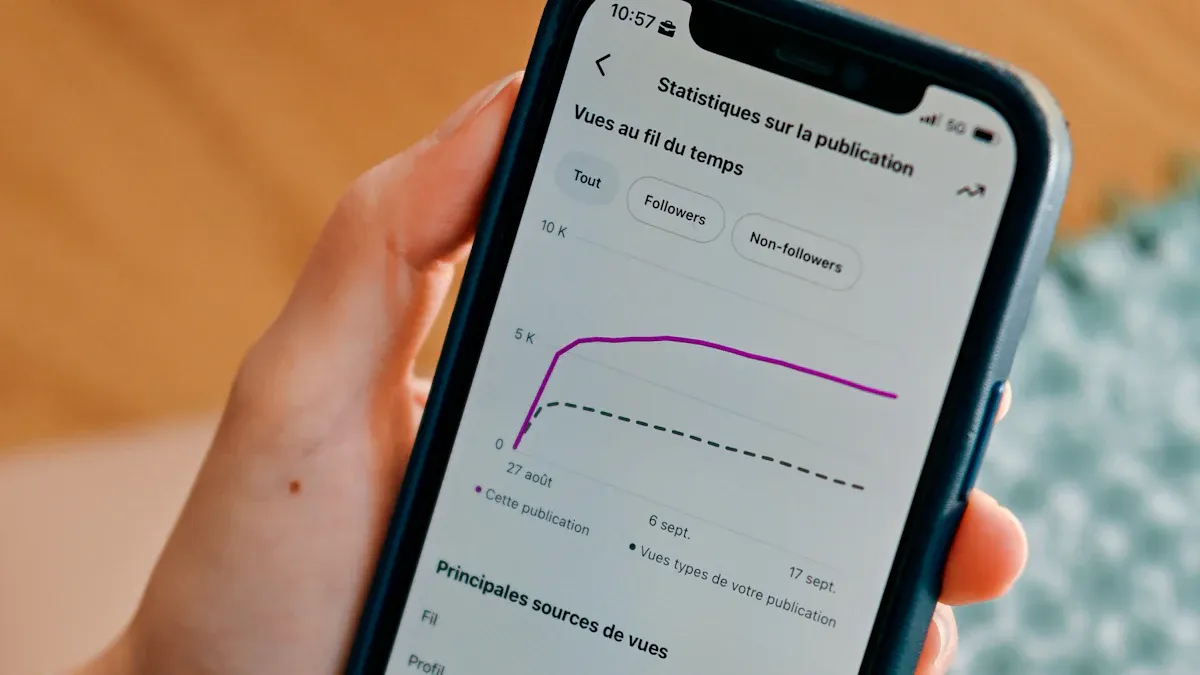
You can use the tools in the tiktok app to check how you are doing. These tools are already in the app. They show you simple facts about your audience and videos. If you want to see your tiktok analytics, do these steps: 1. Log in to your tiktok account. 2. Go to your profile. 3. Tap 'Creator tools' in the menu. 4. Pick 'Analytics' to see your dashboard. This is how you look at video analytics for each post. You can see views, likes, comments, and shares. Video analytics on tiktok help you know what your audience likes. If you want to see analytics for one video, tap the video and find the analytics button.
Third-Party Analytics Platforms
You can use other tools to get more details about your tiktok account. These platforms give you more information and let you compare your results with other creators. Here is a table that shows how native tools and third-party platforms are different:
Feature | Native TikTok Analytics | Third-Party Analytics Platforms |
|---|---|---|
Cost | Free | Varies (Free to Premium) |
Data Insights | Basic viewer demographics, engagement metrics | Advanced insights, competitor benchmarking |
Reporting | Standard performance reports | Custom reporting dashboards, white-label reports |
Performance Analysis | Limited to TikTok only | Cross-platform performance analysis |
Predictive Analytics | Not available | Predictive trend forecasting |
Real-time Alerts | Not available | Real-time performance alerts |
Audience Retention Analytics | Basic insights | In-depth audience retention analytics |
Many creators use Socialinsider, Agorapulse, Sendible, Keyhole, Analisa.io, Modash, CreatorIQ, and HypeAuditor. These tools help you keep track of content pillars, manage your community, and check if influencers are real. Brandwatch also lets you handle tiktok and other social channels in one place.
Setting Up Analytics
You have to set up your account before you use analytics. Here is how you can see tiktok analytics for the first time: 1. Change your account to Creator or Business. Personal accounts cannot use analytics. 2. Post at least one public video. 3. Open the tiktok app or use the desktop site to see analytics. After you set up your account, you can start using video analytics on tiktok to make your content better. Analytics will help you see what works and what does not.
TikTok Analytics Metrics
Audience Metrics
You can use tiktok analytics to learn about your viewers. These important numbers help you know who watches your videos. You also see when they are online the most. You can check how many followers you have. You can see if more boys or girls follow you. You find out which countries your fans live in. Follower activity shows the best times to post. Audience insights help you see how your group changes and grows. Here is a table with the top metric to watch for audience insights:
Metric | Description |
|---|---|
Info about gender and top countries or regions of your followers. | |
Engagement Rates | Numbers that show how much followers interact with your posts. |
Content Performance | Details about how well your posts do by views, likes, and shares. |
Total followers
Gender
Top territories
Follower activity
Content Metrics
Tiktok analytics gives you numbers to check how your posts do. You can see total likes, shares, and views for each video. These numbers show how your videos connect with fans. You also see total play time. This helps you know if people watch your videos all the way. Engagement ratio compares all interactions to how many times people see your video. This is the most important number to watch for content relevance and tiktok performance. You use these analytics to get a better spot in the algorithm and reach the for you page.
Total likes, shares, and views
Total play time
Engagement ratio
Engagement Metrics
Engagement metrics in tiktok analytics show how fans react to your videos. You track likes, comments, shares, and saves-to-views ratio. These numbers help you know which videos get popular and why. Shares help your videos reach more people and show up on the for you page. Engagement rate measures all interactions compared to views or followers. This is the most important number to watch for algorithm success and community growth.
Metric | Description |
|---|---|
Likes | Shows if people enjoy your video and is a basic number for feedback. |
Comments | Shows active interest and gives clues about what people think. |
Shares | Is the best kind of engagement and helps your video reach new viewers. |
Engagement Rate | Measures all interactions compared to views or followers and shows active interest. |
Saves-to-Views Ratio | Shows strong engagement and tells if people save your video for later. |
Growth Metrics
Growth metrics in tiktok analytics show how your follower count changes over time. You track new followers added each week. This is the most important number to watch for measuring how well your posts work and if people like them. Follower count alone does not show true tiktok performance. You need to watch how your group grows and if your posts stay interesting. These numbers help you change your plan for the algorithm and for you page.
New followers added weekly
Follower count trends
Community growth signals
Conversion Metrics
Conversion metrics in tiktok analytics help you see how well your call-to-action works. You track conversions, cost per conversion, and click-through rate. These numbers show how your posts get people to act or buy something. You use these analytics to get a better spot in the algorithm and reach more users on the for you page. Here is a table with conversion metrics:
Metric | Description |
|---|---|
Conversions | Number of times your ad got a result based on your goal and settings. |
CPA | Average money spent on a conversion, calculated as cost/conversion. |
Conversion Rate
Cost Per Conversion
Click-Through Rate
Tip: Use tiktok insights from analytics to find the most important number to watch for your goals. This helps you do better, get more interactions, and grow your group.
Analytics Strategies for Creators
Identifying Trends
You can use tiktok analytics to find new trends early. This helps you stay ahead and do better. First, look at your best videos from the last month or two. Pick three to five videos with the most engagement. Try to spot patterns in these videos. Check the sound, format, hook, visuals, and topic. These things show what your audience likes most.
Next, compare your results with the For You page. Watch what other creators in your niche are doing. If you see the same trends, you are on the right path. Make new videos using these trends. See how well these new videos do. This helps you change your strategy and get better results.
Tip: Use tiktok analytics to see which trends your audience likes best. This helps you make content that stands out.
Optimizing Posting Times
You can use tiktok analytics to find the best time to post. This helps you get more views and do better. Go to your profile and open the analytics dashboard. Look for the Followers tab. Here, you can see when your audience is most active. Posting when your followers are online helps you get more engagement.
Many creators say weekdays work well. Monday to Thursday afternoons between 5 and 9 p.m. are good times. Check your old posts to see which times got the most likes, comments, and views. Look at total play time and average watch time. These numbers show when your audience enjoys your videos most.
Check follower activity in the Content tab.
Look at play time, watch time, and reach to pick the best posting schedule.
Getting more engagement on tiktok starts with posting at the right time. This easy step can help your videos do much better.
Refining Content
You can make your videos better by using tiktok analytics. The Content Insights feature helps you plan new ideas and improve your creative strategy. Focus on what makes your top videos popular. Look for favorite sounds, songs, or formats. Try using these things in your next videos.
Use tiktok analytics to see which sounds or trends your audience likes.
Make videos with trending audio to reach more viewers.
Watch your engagement rates and view counts to see what works.
Try new ideas and see how your audience reacts. This keeps your content fresh and helps you do better. When you use tiktok analytics, you can make your videos better and have a better chance of going viral.
Note: Analytics can show you which parts of your videos people like most. Use this info to make your next videos even better.
Iterating for Improvement
You can get better as a creator by using analytics to guide your choices. Study your audience profile to learn who watches your videos and how they interact. This helps you make content that fits their needs and boosts tiktok performance.
Use retention graphs to see where viewers stop watching. Change your videos to keep people interested longer. Test different titles and thumbnails to find what gets more clicks. Make content for different groups based on age, location, or interests.
Here are steps you can follow:
Let data help you plan your content calendar. Focus on videos that do well.
Spend more time or money on content that brings the best results.
Use analytics to check if your campaigns work and make changes fast.
You can also compare tiktok analytics with other platforms. This helps you see where you do best and where you can improve.
Tool | What It Does |
|---|---|
YouTube Analytics | Shows where viewers come from, watch time, and audience details. |
Vimeo Analytics | Gives heatmaps and engagement data for videos. |
Google Analytics | Tracks website performance and video conversions. |
Facebook & Instagram Insights | Measures video views, engagement, and reach. |
Wistia & Vidyard | Offers viewer tracking and lead capture. |
HubSpot | Connects video views to customer actions and sales. |
Remember: Use tiktok analytics often. This helps you grow as a creator and do better over time.
Guide to TikTok Algorithm Insights

Understanding the Algorithm
You should learn how the tiktok algorithm works. The algorithm picks which videos show up on the For You page. It checks many things to choose the best videos for each person. You can use analytics to see how your videos do and get better results.
Here is a table that lists the main things that affect the tiktok algorithm in 2026:
Factor | Description |
|---|---|
User Interactions | Likes, shares, comments, and how long people watch. These matter most for the algorithm. |
Video Information | Uses things like sound, hashtags, and captions. This helps the algorithm know what your video is about. |
Device and Account Settings | Checks country and language settings. These matter less but still help the algorithm show your video to the right people. |
The tiktok algorithm uses these things to decide who sees your videos. If you get more likes, shares, and comments, your video will reach more people. You can use analytics to see which videos get the most attention. This helps you make better videos for the tiktok algorithm.
Tip: Look at your analytics to see which videos get the most likes and shares. This shows what the tiktok algorithm likes.
Leveraging Analytics for Distribution
You can use analytics to help the tiktok algorithm show your videos to more people. The tiktok algorithm treats every upload as a new chance. This means you can try different ideas and see what works best. You get insights from analytics to make your content better and reach more viewers.
Here is a table with ways to use analytics for better tiktok algorithm results:
Strategy | Description |
|---|---|
Temporal Optimization | Post at different times to find when your audience is most active. |
Narrative Architecture Testing | Try different hooks and openings to see what keeps viewers watching. |
Semantic Positioning | Use different captions and hashtags to reach new groups. |
Demographic Targeting | Test hashtags to see which ones work for different ages or locations. |
You can also follow these steps to get more from the tiktok algorithm:
Try posting videos with different sounds and hashtags.
Check analytics to see which uploads get the most views and likes.
Use what you learn to change your posting time or style.
Watch for patterns in your analytics to find what the tiktok algorithm likes.
The tiktok algorithm helps creators who use analytics and insights to improve. You can get more views by testing new ideas and learning from your analytics. This helps you grow on tiktok and reach more people.
Turning Analytics into Action
Making Data-Driven Decisions
You can use tiktok analytics to help you make smart choices. The tiktok algorithm likes creators who study their numbers and change their plans. When you look at your analytics, you see what works and what does not. You can use tools like Kleene.ai to compare your results with other creators. This helps you know if your videos are as good as others.
Here is a table with tips for making smart choices using data:
Best Practice | Description |
|---|---|
Use analytics tools | Track your numbers and compare with what is normal. |
Change video length or style if people stop watching early. | |
Leverage third-party analytics | Get more details about your audience and what they do. |
Post at optimal times | Share videos when your fans are online for more likes. |
Analyze audience retention | Focus on the first seconds to keep viewers watching and get a better tiktok ranking. |
Your Follower Activity data gives you an advantage. Most creators post at random times. You can use analytics to post when your fans are online. This helps you get noticed by the tiktok algorithm.
Setting and Tracking Goals
You need clear goals to check how you do on tiktok. Start by picking targets, like getting more followers or more watch time. Use the analytics dashboard to see how you are doing. Look for patterns in your numbers. If your engagement rate goes up, your plan is working.
Set goals you can measure and that fit your main plans.
Check your analytics often to see changes in your results.
Use what you learn to make your content better.
Track your results over time to see if you reach your goals.
Compare your numbers with other creators to see how you are doing.
Watching your analytics over time helps you know what the tiktok algorithm likes. You can use these tips to make better videos and grow your audience.
Avoiding Common Mistakes
Many creators make mistakes when looking at tiktok analytics. You should try not to make these errors to get the best results from the tiktok algorithm.
Do not only look at your follower details. The tiktok algorithm cares more about who watches each video, not just your followers.
Do not only check big campaign numbers. Look at each post to see what gets more likes and what the algorithm likes.
Do not think one viral video means you will always grow. The tiktok algorithm wants you to keep getting engagement, not just one big hit.
You can use analytics and tips to avoid these mistakes. Study your numbers, change your plan, and keep learning. This will help you do better on tiktok and reach more people with the tiktok algorithm.
You can use tiktok analytics to help you grow and do well. If you check tiktok analytics often, you find out what your audience likes. You also see how your videos do. The table below shows how looking at analytics helps you get better results on tiktok.
Evidence Type | Description |
|---|---|
Knowing how people react to videos helps creators make content fans enjoy. | |
Business Results | Watching numbers like website visits and sales shows how tiktok helps your business. |
Content Optimization | Checking analytics often lets you change your content plan to do better. |
I noticed my own growth got much faster when I started using analytics as a way to learn, not just to keep score. Every video is a test, and the numbers show what worked.
Analytics changes guessing into real proof. You can see which videos do best, when your followers are online, and where your views come from.
You should keep using tiktok analytics to try new ideas and reach more people. Stay curious, look at your tiktok numbers, and let analytics help you on your journey.
FAQ
How do you access TikTok analytics?
You open the TikTok app and tap your profile. You select Creator tools, then choose Analytics. This guide shows you each step. You see your video numbers and audience details right away.
What metrics should you focus on in TikTok analytics?
You should check views, likes, comments, shares, and follower growth. This guide helps you pick the best numbers for your goals. You learn which videos get the most attention on TikTok.
Can you use third-party tools with TikTok analytics?
Yes, you can use other platforms to get more details. This guide lists tools like Socialinsider and HypeAuditor. You compare your TikTok results with other creators and see deeper insights.
How often should you check TikTok analytics?
You should look at your analytics every week. This guide recommends regular checks to spot trends and improve your TikTok strategy. You see what works and change your plan for better results.
Does TikTok analytics help you grow faster?
Yes, TikTok analytics shows what your audience likes. This guide teaches you to use data for smarter choices. You improve your videos and reach more people on TikTok.
See Also
A Complete Guide To Understanding TikTok Analytics
The Definitive Resource For TikTok Analytics Tools
Steps To Access Analytics Data On TikTok
