TikTok AI Content Labeling Rules 2026

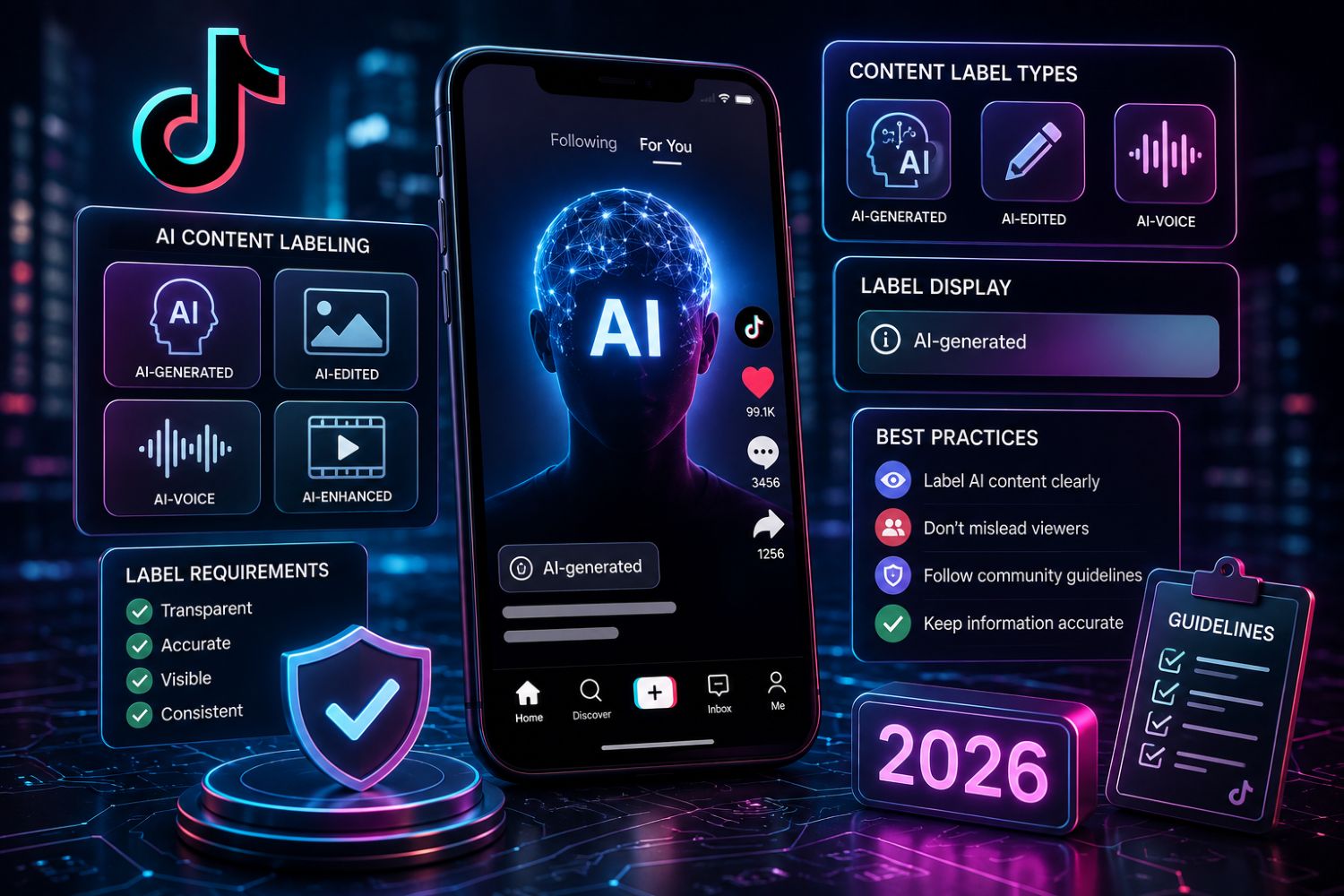
TikTok’s AI content labeling rules in 2026 require creators and sellers to disclose AI-generated or significantly AI-edited content when it includes realistic images, audio, video, synthetic people, digital humans, altered voices, or scenes that viewers may mistake for real footage.
For TikTok Shop sellers, the safest workflow is simple: use AI to improve scripts, titles, product copy, creator outreach, and content planning, but label the final post when AI substantially creates or changes realistic visual or audio content.
EchoTik AI Tools help sellers create TikTok scripts, video titles, product titles, outreach emails, and content ideas. The smart way to use these tools is not to hide AI, but to build a faster, clearer, and more compliant content workflow.
Outline
What Are TikTok AI Content Labeling Rules?
Why AI Labeling Matters for TikTok Sellers in 2026
Key Takeaways
May 2026 AI Labeling Compliance Checklist
When Do Sellers Need to Label AI Content?
What EchoTik AI Tools Can Help Sellers Create
Step-by-Step Workflow: How to Use EchoTik AI Tools Safely
How to Create AI-Assisted TikTok Scripts Without Misleading Buyers
How to Use AI Titles and Product Titles Responsibly
Final Thoughts
What Are TikTok AI Content Labeling Rules?
TikTok AI content labeling rules are platform requirements that help viewers understand when content is fully generated or significantly edited by artificial intelligence.
According to TikTok’s Help Center, creators are encouraged to label content that is completely generated or significantly edited by AI. TikTok also requires labels for AI-generated content that contains realistic images, audio, or video. This includes synthetic people, altered voices, AI-generated scenes, or realistic edits that could make viewers believe something happened when it did not.
For sellers, this is not just a creator policy. It is a trust issue.
A TikTok Shop seller may use AI to write a script, generate a product title, translate image text, clean an image, or create a content idea. That is usually different from publishing a realistic AI-generated person, voice, product demo, or product result.
The risk begins when AI changes what buyers believe about the product.
If AI makes a product look more effective than it really is, creates a fake expert endorsement, changes the product appearance, or presents synthetic footage as real proof, the content can become misleading.
That is why sellers need two workflows:
AI creation workflow
AI compliance review workflow
EchoTik AI Tools can help with the first. Sellers must apply policy judgment to the second.
Why AI Labeling Matters for TikTok Sellers in 2026
TikTok Shop sellers are under pressure to produce more content. More videos. More hooks. More titles. More creator briefs. More product pages. More live scripts.
AI helps with that speed.
But speed without labeling discipline creates risk.
TikTok’s Seller Center policy on AI-generated content says AI-related content must be truthful, accurate, and not misleading. It specifically warns against false product efficacy, false endorsement, impersonation, misleading product representation, and AI-generated content that makes a product look more powerful than it is.
That matters because sellers often use AI in sensitive moments:
Product demonstrations
Before-and-after visuals
Beauty and wellness claims
Digital humans or AI hosts
Voiceovers
Product images
Expert-style scripts
Live selling materials
Creator briefs
The safest seller mindset is this:
AI can help produce content faster, but it should never create a false product reality.
Key Takeaways
TikTok requires labeling for realistic AI-generated or significantly AI-edited content.
AI-assisted scripts, titles, and outreach drafts are useful, but final content must still be truthful.
Sellers should label content when AI creates or significantly changes realistic visuals, voices, people, product demonstrations, or scenes.
Content made only with official TikTok AI effects may be automatically labeled by TikTok.
TikTok may also auto-label content using Content Credentials or other detection systems.
Turning on an AI-generated content label is not supposed to reduce distribution by itself if the content follows platform rules.
EchoTik AI Tools help sellers create scripts, video titles, product titles, outreach emails, and image workflows faster, but sellers should still review every output for policy and product accuracy.
May 2026 AI Labeling Compliance Checklist
Use this May 2026 checklist for June 2026 TikTok Shop content planning. It is designed for sellers using AI tools like EchoTik AI Tools, not for creators posting random AI entertainment.
May 2026 Check | What to Review | Why It Matters | Seller Action |
|---|---|---|---|
AI use type | Script, title, image, voice, avatar, product demo, translation, image edit | Different AI use cases carry different disclosure risk | Separate planning AI from final media AI |
Realistic AI visuals | Synthetic people, scenes, product demos, before-after effects | Viewers may mistake them for real footage | Use AI-generated label if realistic |
AI voice or voice clone | Synthetic narration, cloned creator voice, altered speech | Audio can mislead viewers | Disclose and avoid impersonation |
Product accuracy | Size, color, material, performance, use case | AI must not change product reality | Compare final content with real product |
Product claims | Health, beauty, performance, results, safety, guarantee | High-risk claims can trigger enforcement | Remove unsupported claims |
Expert persona | AI doctor, scientist, reviewer, authority figure | Fake authority can mislead buyers | Avoid fabricated endorsements |
Creator disclosure | Whether influencer content uses AI significantly | Creator posts can affect seller risk | Add AI disclosure rules to briefs |
TikTok AI effect | Whether official TikTok AI effects were used | TikTok may auto-label some effects | Still review if third-party AI was also used |
Content Credentials | Whether uploaded content has C2PA metadata | TikTok may auto-label eligible content | Do not rely only on auto-labeling |
Final review | Does the post need a label, edit, or rejection? | Prevents avoidable compliance issues | Build a pre-publish checklist |
This checklist is the difference between using AI like an operator and using AI like a shortcut.
When Do Sellers Need to Label AI Content?
Label When AI Creates Realistic Visuals
If a video includes realistic AI-generated people, product scenes, backgrounds, or events, label it. This is especially important when viewers could reasonably believe the footage is real.
Label When AI Significantly Edits Real Footage
TikTok describes significant AI editing as changes beyond minor corrections or enhancements. If AI changes what a person appears to say, do, look like, or experience, disclosure is needed.
Label When AI Creates or Alters Realistic Audio
AI voiceovers, cloned voices, synthetic speech, or altered speech can mislead viewers if not disclosed.
Label When AI Generates a Digital Human or Virtual Figure
For sellers using AI avatars, digital hosts, or virtual influencers, disclosure should be part of the workflow.
Label When AI Changes Product Demonstration Meaning
If AI makes a product look faster, stronger, cleaner, brighter, smoother, or more effective than it actually is, the issue is bigger than labeling. That content may be misleading and should be changed or rejected.
You May Not Need a Label for Basic AI-Assisted Planning
Using AI to draft a script, brainstorm video ideas, generate title options, or write an outreach email is usually not the same as publishing realistic AI-generated media. Still, the final post must be accurate and not misleading.
That is the safest way to use EchoTik AI Tools: generate ideas and drafts, then publish truthful content.
What EchoTik AI Tools Can Help Sellers Create
EchoTik AI Tools are built around TikTok seller workflows.
Script Extractor
Script Extractor helps sellers analyze TikTok video scripts and content structure. It can extract or rewrite strong script patterns so sellers can study what works without copying blindly.
Video Ideas Generator
This tool helps sellers create batches of content ideas based on topics, products, or market needs.
Promotion Script Generator
Product Placement Short Video Script Generator helps sellers generate promotional scripts from product information, target users, selling points, product features, promotion information, duration, and language.
Video Title Generator
Popular Short Video Title Generator helps sellers generate TikTok-style titles based on video topic, audience, and language.
Product Title Optimizer
TikTok Product Title Optimization helps sellers improve product titles for clarity, exposure, and conversion.
Outreach Email Generator
Influencer Promotion Invitation Email Generation helps sellers draft creator collaboration emails from influencer information, product details, selling points, and language.
Image Translator and Image Text Eraser
These tools help sellers localize product images and clean image text. Sellers should still ensure the final image accurately represents the product.
Step-by-Step Workflow: How to Use EchoTik AI Tools Safely
Step 1: Decide What AI Is Doing
Before using any AI tool, define the role.
Is AI helping with:
Script planning
Title generation
Product title rewriting
Creator outreach
Image translation
Image cleanup
AI voice
AI person
AI product demo
AI background
Planning tools have lower risk. Realistic generated media has higher disclosure and accuracy risk.
Step 2: Research the Product First
Before generating scripts, use TikTok E-commerce Analysis to review product demand, competitor shops, product-linked videos, creator activity, and live commerce signals.
AI should not create content for a product you have not validated.
Step 3: Generate Script Ideas
Use Script Extractor or Promotion Script Generator to create drafts.
A safe seller script should include:
Real product use case
Clear problem
Honest benefit
Practical demonstration
No unsupported claims
No fake expert endorsement
No false before-after result
Step 4: Generate Titles
Use Video Title Generator to create options. Then remove clickbait.
Good titles are specific and truthful:
“How This Product Solves One Small Daily Problem”
“Before You Buy This TikTok Shop Product”
“What Buyers Ask About This Product”
“Testing This Product Feature in Real Use”
Bad titles overpromise:
“This Fixes Everything Instantly”
“Guaranteed Results”
“Doctor Approved” if not true
“Official” if not authorized
Step 5: Optimize Product Titles
Use Product Title Optimizer to improve clarity. Product titles should help buyers understand what the item is, who it is for, and what problem it solves.
Do not use AI to stuff keywords or misrepresent product features.
Step 6: Review Whether the Final Post Needs a Label
Ask:
Did AI create realistic visuals?
Did AI alter someone’s face, voice, or action?
Did AI generate a digital human?
Did AI create a product demonstration that looks real?
Did AI change product size, shape, color, material, or performance?
Could a viewer mistake the content for real footage?
If yes, label it or revise the content.
Step 7: Publish with Disclosure When Needed
TikTok allows creators to apply a creator label before posting. TikTok’s Help Center says creators can turn on the AI-generated content setting in post settings or more options, depending on the post type.
TikTok may also auto-label some content, especially content made with TikTok AI effects or uploaded with Content Credentials.
Do not rely only on auto-labeling. If your content meets the disclosure scenario, disclose it yourself.
Step 8: Monitor Performance and Risk
After publishing, monitor:
Comments
Buyer questions
Product misunderstandings
Creator feedback
Content flags
Account health
Product link performance
AI content should be reviewed not only for engagement, but for trust.
How to Create AI-Assisted TikTok Scripts Without Misleading Buyers
The safest AI-assisted script is grounded in real product truth.
Use Real Buyer Questions
Pull questions from comments, live rooms, product reviews, and competitor videos. Then use EchoTik AI Tools to turn those questions into scripts.
Keep One Claim Per Video
Do not overload one video with every possible benefit. One video should explain one clear use case.
Avoid Fake Authority
Do not create AI doctors, scientists, experts, or news anchors to promote product efficacy unless there is real authorization and the content complies with policy.
Use Real Demonstrations
If a product removes dust, show a real cleaning test. If it organizes drawers, show a real drawer. If it is a beauty product, avoid AI-generated unrealistic results.
Add Human Review
AI can draft the structure. A human seller should check whether the script is true, natural, compliant, and useful.
How to Use AI Titles and Product Titles Responsibly
AI-generated titles can help sellers move faster, but titles can also create risk.
Good AI Title Workflow
Generate multiple title options.
Remove exaggerated claims.
Keep the buyer promise specific.
Match the title to the actual video.
Avoid restricted claims.
Test title angles in batches.
Product Title Rules
A product title should be:
Clear
Specific
Searchable
Honest
Matched to the actual product
Free from unsupported claims
Use TikTok Product Title Optimization to improve clarity, not to make the product sound like something it is not.
Final Thoughts
TikTok AI content labeling rules in 2026 are not anti-AI. They are anti-deception.
Sellers can use AI to move faster. They can use EchoTik AI Tools to create scripts, video titles, product titles, outreach emails, translations, and content ideas. But they should not use AI to fake product results, fabricate authority, impersonate people, or make buyers believe synthetic footage is real.
The winning workflow is simple:
Use EchoTik data to understand the market.
Use EchoTik AI Tools to generate content assets.
Use human judgment to check truth, tone, and compliance.
Label AI-generated content when the final post requires it.
Test, learn, and improve.
Start with:
