TikTok Business Account Login & Anti-Ban Ads Guide

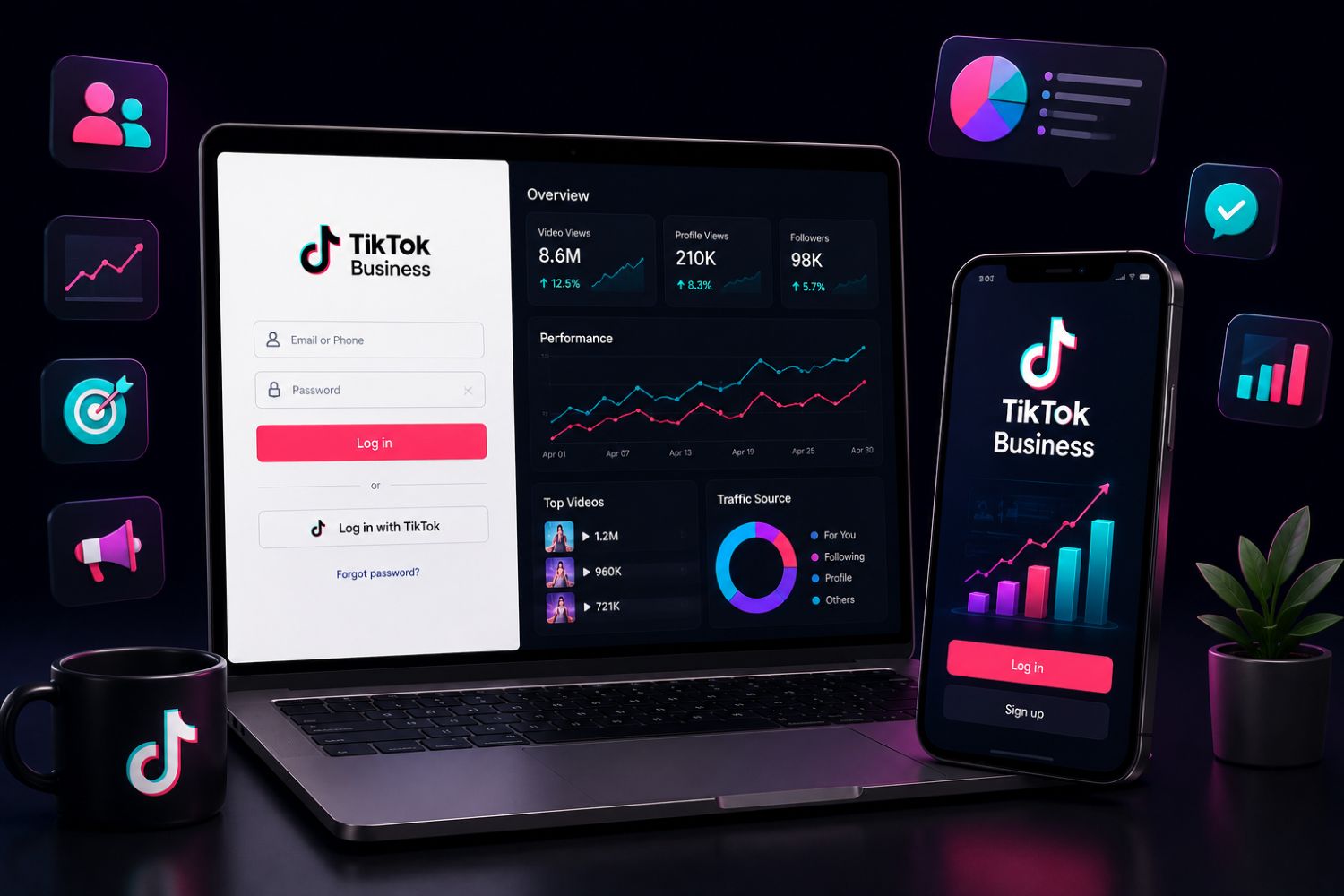
TikTok Business login usually refers to signing in to TikTok Business Center or TikTok Ads Manager. Business Center is used to manage business assets, members, permissions and ad accounts. Ads Manager is used to create, manage and analyze TikTok advertising campaigns.
If you want to log in, use TikTok’s official business or ads websites. If you want to understand what to do after logging in, use EchoTik TikTok E-commerce Analysis to study TikTok Shop products, creators, shops, live streams and competitors before making campaign or product decisions.
EchoTik is not a TikTok login portal. It is a TikTok commerce intelligence platform that helps business users make better decisions after they understand the market.
Outline
What Is TikTok Business Login?
TikTok Business Center vs TikTok Ads Manager
May 2026 TikTok Business Workflow Snapshot
Before You Log In: What Business Users Should Prepare
Step-by-Step: How to Access TikTok Business Tools
What to Do After Login: The Data Most Teams Miss
How EchoTik Complements TikTok Business Login
Product Research After Login
Creator and Influencer Research After Login
Competitor and Shop Intelligence After Login
Common Login and Workflow Mistakes
FAQ
Final Thoughts
What Is TikTok Business Login?
TikTok Business login is the entry point for people who manage business activity on TikTok. Depending on your role, you may be trying to access TikTok Business Center, TikTok Ads Manager, an ad account, a business account, or a team-managed asset.
For many business users, the login process is only the first step. The real challenge begins after access.
Once you enter the account, you still need to answer harder questions:
Which products should we promote?
Which creators fit our market?
Which competitors are growing?
Which TikTok Shop categories are active this month?
Which videos and live streams are shaping buyer interest?
Which campaigns deserve more testing?
TikTok’s own tools help you manage business assets and advertising activity. EchoTik helps you understand the market around those decisions.
That distinction matters.
A login page gives access.
A data platform gives direction.
TikTok Business Center vs TikTok Ads Manager
Many users search “TikTok business login” because they are not sure which TikTok business tool they need.
TikTok Business Center
TikTok Business Center is a central place for managing business and advertising assets. According to TikTok’s help center, Business Center helps teams manage multiple accounts, assets, members and permissions in one place.
Use Business Center when you need to:
Manage multiple users
Add team members or agencies
Control permissions
Manage ad accounts and assets
Organize business-level access
Improve security and account structure
TikTok Ads Manager
TikTok Ads Manager is the advertising workspace. TikTok describes Ads Manager as a tool for creating campaigns, managing ad resources, monitoring data and optimizing advertising.
Use Ads Manager when you need to:
Create campaigns
Manage ad groups and ads
Review campaign performance
Build audiences
Manage creative assets
Check analytics and reports
In short:
Business Center manages access and business assets. Ads Manager manages campaigns.
For TikTok Shop sellers, ecommerce brands and agencies, both tools may be useful. But neither replaces market research. That is where EchoTik becomes valuable.
May 2026 TikTok Business Workflow Snapshot
For May 2026, TikTok business users should not treat login as the whole workflow. The stronger workflow is: log in, check account status, study the market, then act.
May 2026 Business Need | Where to Start | What EchoTik Adds | Best Next Action |
|---|---|---|---|
Manage ad access | TikTok Business Center | Competitor and product context | Review permissions, then research market demand |
Launch campaigns | TikTok Ads Manager | Product, creator and content signals | Build campaigns around validated trends |
Promote products | TikTok Shop or Ads Manager | Product momentum and shop intelligence | Choose products with active market signals |
Find creators | TikTok tools and creator workflows | Creator category fit and product relevance | Build a creator outreach shortlist |
Study competitors | Manual checking or reports | Shop, video, creator and live data | Create a competitor watchlist |
Review live commerce | TikTok live activity | Live room monitoring and product signals | Study scripts, product order and audience questions |
Build internal reports | Ads Manager reporting | Broader TikTok commerce intelligence | Combine campaign data with market data |
This current-month workflow is more useful than simply logging in and looking at dashboard numbers. Business growth comes from connecting account data with market data.
Before You Log In: What Business Users Should Prepare
A smooth TikTok Business login starts before the login page.
Confirm the Correct Account Type
Make sure you know whether you are logging into:
A TikTok for Business account
TikTok Business Center
TikTok Ads Manager
A personal TikTok account connected to business tools
An organization or agency-managed account
Confusing these account types can lead to access problems.
Check Your Role and Permissions
If you are part of a team, login access does not always mean full access. You may need admin permissions to manage settings, assets, users or ad accounts.
Use Official Login Pages
Avoid search ads, suspicious links or unofficial login pages. Business accounts are valuable, and phishing risk is real. Always use official TikTok business domains.
Prepare Verification Methods
Business accounts may require email, phone, two-factor authentication or organization access verification. Make sure the correct team member has access before urgent campaign work begins.
Keep Asset Ownership Clear
If you work with agencies or freelancers, do not share passwords casually. Use Business Center roles and permissions whenever possible.
Step-by-Step: How to Access TikTok Business Tools
Step 1: Go to the Official TikTok Business Website
Start from TikTok’s official business or ads website. If your goal is Business Center setup, TikTok’s help center says to go to the Business Center website and click “Log in” in the top right corner.
Step 2: Sign In With Your TikTok for Business Account
Use the email, phone number or connected login method linked to your TikTok for Business account.
Step 3: Choose the Correct Business Center
If you manage more than one business, select the correct Business Center. This is especially important for agencies and multi-brand teams.
Step 4: Check Business Settings
Once inside Business Center, review business settings, user roles, ad accounts, connected assets and account security.
Step 5: Open Ads Manager If You Need Campaign Access
If your goal is advertising, go to TikTok Ads Manager. Ads Manager is where you manage campaigns, ad groups, ads, creative tools, audiences and reporting.
Step 6: Confirm Tracking and Reporting Setup
Before launching campaigns, check whether reporting, events, audiences, catalogs and creative assets are properly set up.
Step 7: Use Market Data Before Spending
Before increasing campaign activity, review current market signals with EchoTik TikTok E-commerce Analysis. This helps you avoid promoting products or content angles that no longer match current demand.
What to Do After Login: The Data Most Teams Miss
Many teams log in to TikTok Business tools and immediately look at their own account performance. That is necessary, but incomplete.
Your own dashboard tells you what happened to your campaigns. It does not always explain what is happening in the market.
You also need to know:
Which products are gaining attention this month
Which shops are growing in your category
Which creators are influencing buyer trust
Which competitor videos are working
Which live rooms are driving product education
Which product questions appear repeatedly
Which categories are becoming more competitive
That is why business users should combine TikTok Business login with external market intelligence.
A campaign dashboard tells you how your ads performed.
EchoTik helps explain what the market is responding to.
How EchoTik Complements TikTok Business Login
EchoTik is useful after TikTok Business login because it helps teams make better decisions before they create campaigns, contact creators or choose products.
EchoTik Helps You See Product Demand
Instead of guessing which product to promote, you can review product movement, category signals, related creators and competitor shops.
EchoTik Helps You Understand Creators
A creator with a large audience may not fit your category. EchoTik helps users look at creator relevance, product history, content style and live commerce potential.
EchoTik Helps You Study Competitors
Competitor research helps business users see what other shops are testing, which products they push and what content formats they repeat.
EchoTik Helps You Review Live Selling
For TikTok Shop teams, live commerce can reveal product questions, host scripts, traffic changes and competitor selling patterns. EchoTik Live Monitor is designed for this workflow.
Product Research After Login
After logging in to TikTok Business tools, product teams should not choose campaign products based only on inventory or internal preference.
Use product research to answer:
Is the Product Active This Month?
A product that performed earlier may no longer be the best choice. Check whether it is still appearing in videos, shops, creator content and live rooms.
Are Competitors Promoting Similar Products?
If competitors are testing similar products, the category may be heating up. That can be opportunity or saturation depending on your angle.
Is the Product Easy to Explain?
TikTok works best when viewers understand the value quickly. If the product needs education, live content or creator demos may matter more.
Is There a Stronger Product Angle?
Sometimes the product is fine, but the message is weak. Use competitor and creator research to find better hooks and objections to address.
For deeper product workflows, use EchoTik’s guide to Best TikTok Shop Product Research Tools.
Creator and Influencer Research After Login
TikTok Business tools can help manage campaigns, but creator selection still requires market research.
Before contacting a creator, ask:
Does this creator match the product category?
Has the creator promoted similar products?
Does the audience show buying intent?
Are comments meaningful or generic?
Is the creator better for short video, live selling or both?
Does the creator overlap with competitor products?
Use EchoTik’s browser extension to support creator and product analysis while browsing TikTok, then turn strong candidates into outreach lists.
The goal is not to find the biggest creator. The goal is to find the creator whose audience understands the product.
Competitor and Shop Intelligence After Login
Competitor analysis should be part of every TikTok business workflow.
A competitor shop can show:
Which products are being pushed
Which categories are expanding
Which creators are involved
Which video styles repeat
Whether live selling is part of the strategy
Whether the shop relies on one hero product or a broader catalog
Use EchoTik TikTok E-commerce Analysis to build a competitor watchlist. Review it weekly and compare market movement with your own campaign performance.
This helps you avoid one of the biggest mistakes in paid marketing: spending more before understanding why the market is moving.
Common Login and Workflow Mistakes
Using the Wrong Login Page
Always use official TikTok business or ads pages. Avoid unofficial links, especially from emails or unknown search results.
Sharing Passwords Instead of Managing Permissions
Use Business Center roles and permissions when working with teams or agencies.
Confusing Business Center and Ads Manager
Business Center manages assets and access. Ads Manager manages campaigns.
Logging In Without Checking Security
Review user access, admin roles and account security regularly.
Launching Campaigns Without Market Research
Do not spend based only on internal assumptions. Check products, creators, competitors and category demand first.
Looking Only at Your Own Dashboard
Your account data matters, but competitor and market data explain the larger picture.
FAQ
What is TikTok Business login?
TikTok Business login refers to signing in to TikTok Business Center or TikTok Ads Manager to manage business assets, ad accounts, campaigns, users and permissions.
Where do I log in to TikTok Business?
Use TikTok’s official business or ads websites. TikTok’s help center explains that Business Center users should go to the Business Center website and click “Log in.”
What is the difference between TikTok Business Center and Ads Manager?
Business Center is used for managing business assets, users, permissions and account structure. Ads Manager is used for creating, managing and analyzing ad campaigns.
Is EchoTik a TikTok Business login tool?
No. EchoTik is not a TikTok login portal. It is a TikTok commerce intelligence platform that helps users analyze products, creators, shops, live streams and competitors.
How can EchoTik help after TikTok Business login?
EchoTik helps business users research product demand, creator fit, competitor shops, TikTok Shop trends and live commerce signals before making campaign or product decisions.
Can EchoTik help agencies?
Yes. Agencies can use EchoTik to prepare market reports, competitor watchlists, creator shortlists and TikTok Shop product research before launching campaigns.
Can I use EchoTik data with internal reports?
Yes. Teams that need structured TikTok commerce data can explore the EchoTik TikTok Data API.
Final Thoughts
TikTok Business login gives you access to business tools. But access alone does not create growth.
After you log in, the real work begins:
Which products should you promote?
Which creators should you trust?
Which competitors are gaining attention?
Which videos are shaping buyer demand?
Which live rooms are educating customers?
Which categories are still worth entering this month?
That is where EchoTik becomes useful.
Use TikTok Business Center and Ads Manager to manage assets and campaigns. Use EchoTik to understand the market before you make the next move.
Start with:
