How to Track and Improve Your TikTok Content Performance

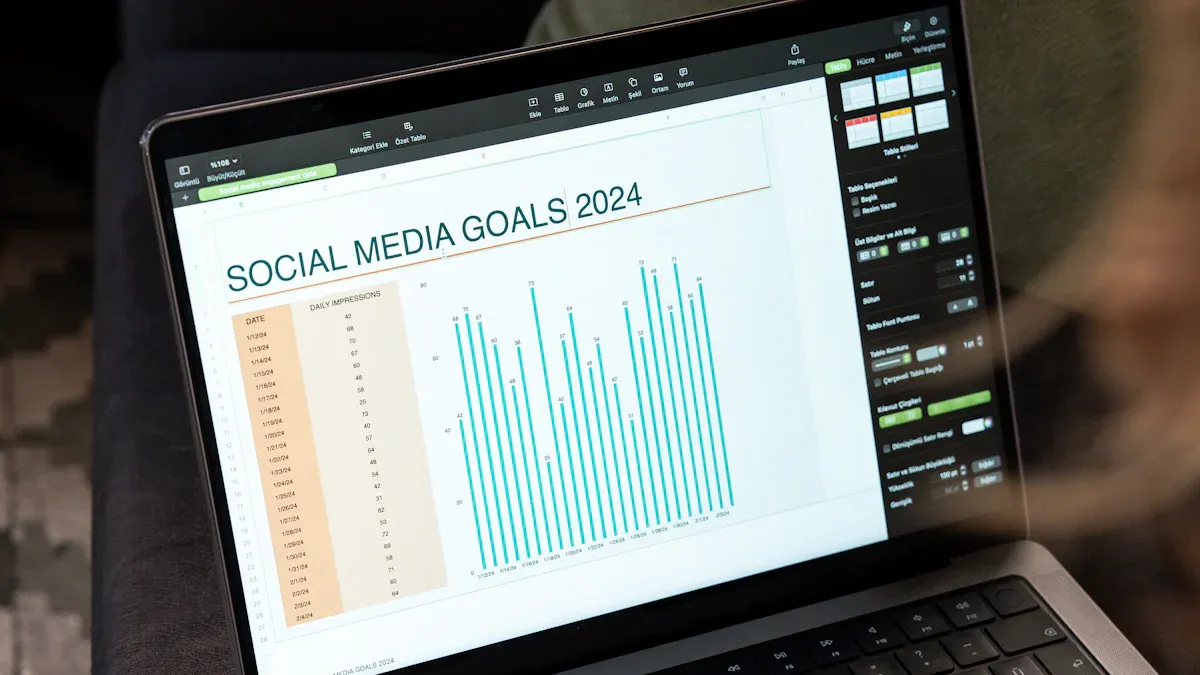
TikTok content analytics give you the power to understand what your audience loves. When you use these tools, you can track how your videos perform and find ways to make your content even better. Many creators notice big changes when they start paying attention to the numbers:
Creators who use analytics tools see 34% higher engagement rates.
They post 28% more often and grow their followers 41% faster over six months.
Posting two to five times each week can boost your views by 17%.
Sticking to a regular schedule brings 2.5 times more follower growth than posting randomly.
You do not need special skills to get started. Anyone can use tiktok content analytics to grow on tiktok and make content that stands out.
Key Takeaways
Look at TikTok analytics to see what your audience likes. This helps you make videos that connect with viewers.
Post often, about two to five times each week. Posting regularly helps you get more followers and keeps people interested.
Check your analytics after every post to spot patterns. Small changes can make your videos better over time.
Study when your audience is active to find good times to post. Posting at the right time can help more people see and like your videos.
Try different video styles and themes. Use A/B testing to find out what your audience likes most.
Why Use TikTok Content Analytics
Benefits for Creators
If you want to grow on TikTok, you need to know what works and what doesn’t. TikTok analytics give you a clear picture of your content’s performance. You can see which videos get the most views, likes, and shares. This helps you spot patterns and understand what your audience enjoys. When you use tiktok content analytics, you get more than just numbers—you get a roadmap for making better videos.
Here’s a quick look at why creators like you use these tools:
What TikTok Analytics Show You | Why It Matters |
|---|---|
What works and what doesn’t | You can focus on content that gets results |
Who’s watching your videos | You can target the right audience |
How to improve your content | You can make changes that boost performance |
When your followers are active | You can post at the best times |
You can treat your analytics as a creative feedback loop. Instead of just checking scores, look for patterns. This helps you grow faster and smarter. If you see that your followers are mostly from a certain city or time zone, you can adjust your posting schedule. That way, more people see your content when they’re online.
How Analytics Support Growth
TikTok analytics help you track important metrics like completion rate, average watch time, and share rate. These numbers show you how well your content connects with viewers. For example:
A high completion rate means people watch your videos all the way through.
If your share rate is above 2%, your content spreads to new people.
Follower conversion rate tells you if your videos attract the right audience.
Regular posting is key for growing engagement. When you post often, you stay on your followers’ minds. Long breaks can make people forget about you, and the algorithm might show your content less. By tracking your analytics, you can see which posting times and styles work best for your audience.
TikTok analytics stand out because they give you real-time, detailed data. The dashboard is easy to use, and you can see everything you need in one place. This makes it simple to adjust your strategy and keep improving your performance.
Tip: Check your analytics after each post. Small changes can lead to big results over time!
Key TikTok Analytics Metrics

Main Metrics Overview
You can learn a lot by watching the right numbers. TikTok analytics help you see how your videos do. They also show what gets people interested. Here are the most important things to check:
Trending videos: Find out which videos are getting popular.
Engagement rate: Count likes, comments, shares, and watch time.
Followers: See how many new fans you get.
Profile views: Check how many people visit your profile.
Unique viewers: Learn how many different people watch your videos.
Video views: Add up all the times your videos are played.
Live video metrics: Look at how people act during live videos.
Hashtag performance: See which hashtags help more people find you.
Volume of mentions: Track how often people talk about your account.
TikTok video insights let you look closer at each number. These numbers show what works and what you can do better.
Metric | Description |
|---|---|
Comments | How many comments you get. |
Likes | How many likes you get during your LIVE. |
Shares | How many times people share your LIVE. |
Views | How many times people watch your LIVE videos. |
Unique viewers | How many different people watch your LIVE. |
How long people watch your LIVE videos on average. |
Follower Activity and Demographics
You can make your videos better by knowing your audience. TikTok analytics show when your followers are online and where they live. If you know what they like, you can make videos that fit them.
Checking when followers are active helps you make better videos.
Making videos for your audience gets you more likes and views.
Knowing who watches your videos helps you make videos they enjoy.
TikTok video insights also show how your followers grow and when they are most active. This helps you pick the best time to post and what kind of videos to make.
Tip: Download your analytics data to learn more about your audience. You can find patterns and make smarter choices.
Identifying Top Videos
You want to know which videos do the best. TikTok analytics help you find your top videos fast. Look for videos with lots of views, high engagement, and more profile visits. You can also see which videos bring in new followers.
Metric/Method | Description |
|---|---|
Shows how many people see your videos each month. | |
Engagement rate | Counts likes, comments, shares, and saves to show what people like. |
Profile views | Tells you if people want to learn more after watching. |
Follower growth | Shows which videos help you get more followers. |
Initial performance assessment | Check likes and comments soon after posting to see how it does. |
Weekly and monthly assessments | Look at your videos every week and month to spot trends. |
Long-term trend analysis | Watch for changes in views and followers to see what works. |
Content fatigue identification | Notice when videos get less popular so you can try new ideas. |
You can use these numbers to find your best videos and keep making good content. Checking your analytics often helps you stay ahead and keep your fans interested.
Accessing and Analyzing TikTok Analytics
How to Access Analytics
You can unlock tiktok content analytics right from your phone or computer. Here’s how you do it:
Open the TikTok app on your device.
Tap your profile icon in the bottom right corner.
Find the three dots at the top right. Tap them.
Select 'Creator Tools.'
Tap 'Analytics' to see your stats.
If you prefer using a computer:
Go to www.tiktok.com.
Log in with your account.
Click your profile picture.
Choose 'Creator Tools' or 'Business Suite.'
Click 'Analytics' to view your data.
Tip: Check your analytics often. You’ll spot trends and see what’s working.
Navigating the Dashboard
Once you open tiktok analytics, you see a dashboard with lots of numbers and charts. Don’t worry if it looks confusing at first. The dashboard shows you key metrics that help you understand your content’s performance. Here’s a quick guide:
Key Metrics | Description |
|---|---|
Engagement | Shows likes, comments, and shares. Helps you see what viewers enjoy. |
Audience Demographics | Tells you who watches your videos. Lets you tailor content for your fans. |
Performance Trends | Tracks how your videos do over time. Helps you spot what works best. |
You can use tiktok analytics to find out which types of content connect with your audience. Try different formats and see what gets the most engagement.
Analyze TikTok Video Performance
When you analyze tiktok video performance, you look at how each video does. You check views, likes, comments, and shares. This helps you figure out what your audience likes. You can test posting at different times and try new content styles. If you see a video getting lots of attention, make more like it. If something doesn’t work, change it up.
Creators often use tiktok content analytics to spot patterns. They diversify content, adjust based on feedback, and keep a steady posting schedule. Using tiktok data lets you improve your performance and grow your audience. Exporting analytics helps you dig deeper. You can track profits, check payouts, and combine inventory data for smarter decisions.
Note: Keep an eye on your top-performing videos. They show you what your fans want to see.
Optimizing Content Strategy with Analytics
Spotting Trends and Patterns
You can find trends by checking your TikTok numbers often. When you look at your analytics, you see changes in how people watch your videos. Sometimes, you might get more views from certain places. Other times, people watch longer when you use a popular song. These clues help you change your videos to match what your viewers like.
Watch which sounds and hashtags bring in more viewers.
Look at who your most active followers are.
Notice what works in your best videos and use those ideas again.
Creators use TikTok to see which topics, sounds, or video styles get the most attention. If you see that a hashtag or music style does well, make more videos like that. This keeps your fans interested and helps you stay on top of trends.
Tip: Check your analytics every week. Patterns can change quickly, so looking often helps you spot new trends early.
Best Times to Post
Posting at the right time is important. You can use TikTok analytics to see when your fans are online. Look at your Business or Creator account to find out when people watch your videos. Check your video views and likes to see the best days and times.
Here’s a table that shows the best and worst times to post (EST):
Day | Best Times | Worst Times |
|---|---|---|
Mon | 10 AM, 1 PM, 9 AM | 1 AM–5 AM |
Tue | 12 AM, 4 PM, 1 PM | 1 AM–5 AM |
Wed | 11 AM, 9 AM, 9 PM | 1 AM–5 AM |
Thu | 10 AM, 11 AM, 10 PM | 1 AM–5 AM |
Fri | 8 PM, 10 PM, 5 PM | 1 AM–5 AM |
Sat | 9 AM, 3 PM, 8 PM | 1 AM–5 AM |
Sun | 12 PM, 2 PM, 4 PM | 1 AM–5 AM |
You can compare your views and likes with these posting times. The Video Views part in TikTok analytics shows which days got the most likes and comments. Try posting at different times to see what works best for your fans.
Note: Do not post between 1 AM and 5 AM. Most people are not online then, so fewer will see your videos.
Adjusting Content for Your Audience
You can change your videos by looking at your analytics. See which posts get new followers and lots of likes. Share more videos that do well. Try ads with TikTok’s tools to see how different groups react. Use Spark Ads to show your best videos to a special group. Work with micro-influencers to build trust and join talks in your topic area.
Check the Content tab to find your trending videos.
Look at viewer analytics to see who watches and how they find you.
Use follower analytics to learn about your fans and when they are online.
Knowing how your posts do helps you grow on TikTok. Look at things like likes and who watches your videos. Make videos that fit what your fans like. If younger people like short, funny videos, make more of those. If your fans are online at night, post your videos then.
Tip: Use videos from YouTube or Instagram on TikTok. This gives you more to post and keeps your page fresh.
Testing and Iterating
Testing and trying new things helps you get better over time. Use analytics to see what works and what does not. Try A/B tests on the start of your videos to find the best way to grab attention. Post at different times to see when your fans are most active. Change up your video styles to keep people watching.
Here’s a table that shows how you can use numbers to test and improve your videos:
Metric Type | Insights Gained | Actionable Steps |
|---|---|---|
Engagement Metrics | See which videos get the most clicks or comments | Make more videos like the ones that do well |
Audience Demographics | Learn the age, gender, and location of your fans | Make videos for certain groups of people |
Content Patterns | Look at video length, captions, and music | Use what works and fix what does not |
A/B Testing | Test different starts, styles, and posting times | Use what you learn to make better videos |
Trend Utilization | Try trending hashtags and challenges | See if these bring more people to your profile |
Try A/B tests on your videos.
Post at different times to see what works.
Make videos in different styles and lengths.
Check your analytics to see what your fans like.
Watch other creators to learn new ideas.
Keep posting on a regular schedule.
Tip: Posting often is important. Small changes and checking your numbers help you get better all the time.
You can make your TikTok content better by doing a few easy things. First, pick three to five themes for your videos. Write down your results in a weekly spreadsheet. Check how each theme does and use frameworks like ‘What, So What, Now What?’ to find useful ideas. Looking at your numbers often helps you see patterns and make your plan stronger. Change your posting schedule if your audience is more active at different times. After each post, look at your analytics to see what your fans like. This helps you change your videos fast and keep them interesting. Make checking TikTok analytics a habit and you will see your performance improve.
FAQ
How do you access TikTok analytics?
You can open your TikTok app, tap your profile, and go to Creator Tools. Select Analytics. You will see your stats right away. If you use a computer, log in and find Analytics under Creator Tools.
What metrics should you track on TikTok?
You should check views, likes, shares, comments, and follower activity. These numbers show how your TikTok videos perform. Look at average watch time and top videos to see what your audience likes most.
Can you export TikTok analytics data?
Yes, you can export your TikTok analytics. Tap the export button in the Analytics dashboard. You will get a file with your stats. This helps you track your progress and spot trends.
How often should you check your TikTok analytics?
You should check your TikTok analytics after each post. Weekly reviews help you spot patterns and improve your content. Regular checks keep you updated on what works best for your audience.
What is the best way to improve your TikTok content?
You can use TikTok analytics to test new ideas. Try different posting times and video styles. Look at your top videos and make more like them. Keep posting often and adjust your strategy based on your results.
See Also
Unlocking The Secrets Of TikTok Analytics Tools
A Step-By-Step Guide To Access TikTok Analytics
The Complete Handbook For TikTok Analytics Resources
