What Is TikTok Creator Analytics and How Does It Work

TikTok Creator Analytics has a dashboard you can use. It tracks how your account does on TikTok. This tool lets you see how your videos do. It shows you useful analytics about your audience. You can find out which content works best. You can also see when your followers interact most. Analytics show important things, like who your audience is and how they engage. With TikTok Creator Analytics Overview, you can use this data to make smarter choices and grow on TikTok.
Key Takeaways
TikTok Creator Analytics lets you see how your account is doing. It helps you learn more about your audience. Use the dashboard to find important numbers like engagement rate. You can also see follower growth and video views. These numbers help you make your content better. Check your analytics often to find patterns. Change your posting times to get more engagement. Try different video styles and ideas. See which ones your audience likes most. You can look at your analytics on your phone or computer. This helps you make smart choices for your TikTok plan.
TikTok Creator Analytics Overview
TikTok Creator Analytics Overview helps you see how your account does. You can use this tool to check your growth. It shows what your audience likes. This helps you make better content. When you open TikTok Creator Analytics Overview, you see a dashboard. The dashboard shows important analytics about your videos and followers. It helps you know which videos get the most views. You can see how your audience reacts to your content. These insights help you improve your TikTok strategy. You can reach more people by using this information.
Dashboard Features
The dashboard in TikTok Creator Analytics Overview has many features. These features help you measure your success on TikTok. You can see how your content connects with viewers. You can also see how your profile grows over time. Here are some key features you will find:
Engagement rate shows how well your content connects with viewers.
Profile visits and website clicks show how much traffic you get.
Follower growth helps you track how fast your audience grows.
Share rate tells you how often people share your content.
Watch time and completion rate show how long viewers watch your videos.
Hashtag performance lets you track which hashtags get the most engagement.
Tip: Use the dashboard to find trends in your TikTok analytics. This helps you choose what kind of videos to make next.
Account Performance Metrics
You can use TikTok Creator Analytics Overview to track many metrics. These metrics show how your account does. They help you understand your audience better. Here are the main metrics you should watch:
Video views
Engagement rate
Follower growth
Audience demographics
Click-through rate
Shares
Trending hashtags
Ad performance metrics
Each metric gives you a different look at your TikTok account. For example, video views show how many times people watch your videos. Engagement rate measures how much people interact with your content. Follower growth tells you if your audience is getting bigger. Audience demographics help you learn about your viewers. You can see their age, gender, and location. Click-through rate shows how many people click your links. Shares tell you how often people share your videos. Trending hashtags help you see which topics are popular. Ad performance metrics let you track how well your ads do.
You can use the table below to see how these metrics help you understand your TikTok performance:
Metric | Description |
|---|---|
Video Views | Shows how many times people watch your videos. This tells you about your reach and visibility. |
Engagement Rate | Measures likes, comments, shares, and saves. This shows how much your content connects with viewers. |
Audience Demographics | Gives you details about your viewers, like age, gender, and location. This helps you target content. |
TikTok Creator Analytics Overview puts all these analytics in one place. You can use these insights to make better choices and grow your TikTok account. By checking your TikTok analytics often, you see what works and what does not. This helps you make content your audience likes. It also helps you reach your goals on TikTok.
Accessing TikTok Analytics
You can check your tiktok analytics in just a few steps. The process works on both mobile devices and desktop computers. When you know how to find your analytics, you can start learning more about your tiktok account and your audience.
Mobile Access Steps
To view your tiktok analytics on your phone, follow these steps:
Open the tiktok app on your iOS or Android device.
Tap the profile icon in the bottom right corner to go to your profile page.
Look for the icon with three dots in the top right corner. On Android, you might see three vertical dots.
Tap the dots, then select "Creator Tools."
Choose "Analytics" from the menu.
Tip: On both iOS and Android, you reach your tiktok analytics from your profile page. The steps look almost the same on both systems.
Desktop Access Steps
You can also check your tiktok analytics on a computer. Here is how you do it:
Go to www.tiktok.com in your web browser.
Log in with your tiktok account details.
Click your profile picture to open your account menu.
Select "Creator Tools" or "Business Suite."
Click on "Analytics" to see your data.
You can use tiktok analytics on both personal creator accounts and business accounts. Make sure you have at least one public post. Without a public post, analytics will not show any data.
Access Requirements
Before you can use tiktok analytics, you need to meet a few requirements:
Requirement | Details |
|---|---|
Account Type | You need a Creator or Business account on tiktok. |
Public Content | You must have at least one public post for analytics to work. |
Platform | Access analytics on both mobile and desktop through Creator Tools. |
Note: If you do not see analytics, check your account type and make sure you have posted at least once.
When you follow these steps, you unlock the power of tiktok analytics. You can start tracking your growth and making better content choices.
Key TikTok Insights and Metrics
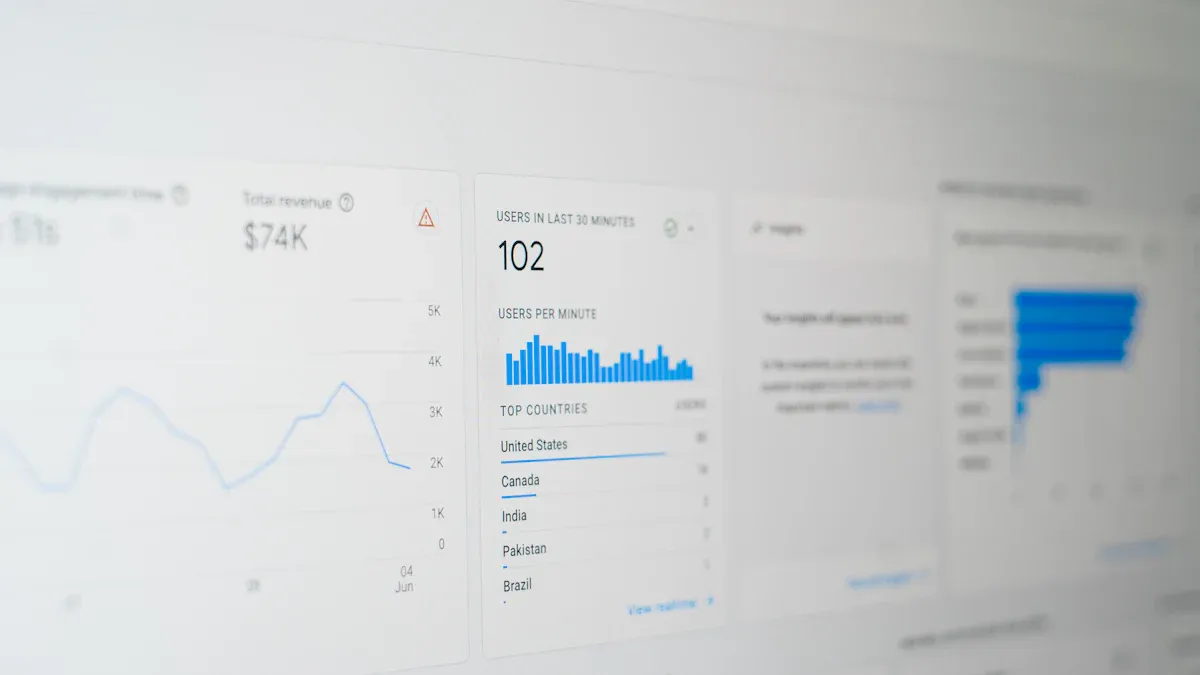
When you look at TikTok analytics, you can see how your account grows. You also learn what your audience likes. TikTok Creator Analytics has different tabs. Each tab helps you track important metrics. You get special insights about your videos, followers, and live streams. Let’s see what each tab shows and how this helps you do better.
Overview Tab
The Overview tab gives you a quick look at your account’s growth. You can check your progress for the last 7 or 28 days. This tab shows how your videos do and how people react to them. Here is a table that explains the main things you will see:
Insight Type | Description |
|---|---|
Follower Growth | Tracks the increase in followers over the selected time frame. |
Video Views | Displays the total number of views received by videos in the chosen date range. |
Profile Views | Indicates how many times the profile was viewed during the specified period. |
Likes | Shows the number of likes received on videos in the selected date range. |
Comments | Counts the total comments made on videos during the chosen time frame. |
Shares | Reflects the number of times videos were shared in the selected date range. |
Engagement Metrics | Includes likes, comments, and shares to assess video performance over the selected time frame. |
You can compare your video views and followers for the last 7 or 28 days. This helps you spot patterns and see if your plan works. If you check these numbers often, you can decide what to post next.
Tip: Use the Overview tab to watch your engagement rate. See which videos get the most attention.
Content Tab
The Content tab gives you details about each video you post. You can see how your videos do and which ones bring new followers. This tab helps you know what your audience likes to watch. Here are the main metrics you will find:
Metric | Description |
|---|---|
Video views | Total number of times your TikTok videos have been watched. |
Average watch time | Average time people watched your video. |
Full video views | Number of people who watched the entire video. |
New followers | Number of followers gained after watching specific content. |
Total watch time | Total amount of time people watched the video. |
Total viewers | Total number of viewers for the content. |
Viewer types | Breakdown of viewers into followers/non-followers and returning/new viewers. |
Viewer gender | Gender distribution of the viewers. |
Video views by region | Distribution of video views based on geographical regions. |
You can use these numbers to see which videos keep people watching. If some topics or styles get more full video views, you can make more like them. Watching your average watch time helps you make better videos and keep your audience interested.
Followers Tab
The Followers tab helps you learn about your audience. You can see where your followers live and their gender. You also see when they are most active. This tab shows how your follower count changes and what content your audience likes.
You can use the Followers tab to:
Find out your audience’s age, gender, and location.
Learn when your followers are most active. This helps you pick the best time to post.
See what videos and sounds your audience likes most.
When you know more about your audience, you can make content they enjoy. You can also use this data to plan your posts and get more engagement.
Note: Posting when your followers are most active helps you reach more people and get more engagement.
LIVE Tab
The LIVE tab tracks how your live streams do. You can see how many new followers you get and how many people send gifts. You also see how viewers interact during your live streams. Here is a table that shows the main engagement metrics you can track:
Engagement Metric | Description |
|---|---|
New followers | The number of new followers gained during your LIVE. |
Gifters | The number of viewers who sent Gifts, showing support and interest in your content. |
New subscribers | The number of viewers who subscribed during your LIVE, helping you grow your community. |
Viewers who commented | The number of viewers who added comments to the LIVE chat. |
Comments | Total number of comments received during the LIVE. |
Likes | The number of likes received during your LIVE. |
Shares | The number of times your LIVE was shared by viewers. |
You can also check how many people watch your stream and how long they stay. These numbers help you see how many unique viewers join and how long they watch. By looking at likes, comments, and shares, you can see how your audience reacts to your live content. Checking audience details helps you make live streams your viewers will like.
Tip: Use the LIVE tab to try new ideas. See what keeps your viewers interested during live streams.
By using all these tabs in TikTok analytics, you can track your growth and make better content. You can also connect with your audience more. Checking your analytics often helps you make smart choices and reach your TikTok goals.
Improve Content with TikTok Insights
TikTok analytics help you make better choices for your videos. When you use TikTok insights, you can see what works well. You can also spot what needs to get better. This helps you make your videos do better and reach more people.
Identify Important Metrics
Start by looking at the most important analytics. These numbers show how your videos do. They also show how your audience reacts. Here is a table to help you track key metrics:
Metric | Description |
|---|---|
Video views | Shows how popular your content is and how many people see it. |
Engagement rates | Measures likes, comments, and shares to show how much people interact. |
Follower growth | Tracks how fast your audience grows, showing if your content connects. |
Hashtag performance | Tells you which hashtags help your videos get noticed and shared. |
Live video metrics | Shows how your live streams perform and how viewers engage. |
Social media reach | Measures how far your content spreads across different platforms. |
Tip: Make clear goals for your TikTok account. Pick three to five metrics that fit your goals. Check these numbers often.
Optimize Posting Schedule
You can use analytics to find the best times to post. Look at when your followers are most active. Posting at these times helps your videos get more views. It also helps you get more engagement. Many creators get better results when they post at busy times. Try making a simple calendar to plan your posts. Check your analytics every week to see if your plan works. If you see changes in when your audience is active, change your posting times.
Post when your followers are most engaged.
Change your schedule if you learn something new.
Experiment with Content
Trying new ideas helps you grow on TikTok. Use analytics to see which video types your audience likes. For example, you can reply to comments with videos. You can also use the Q&A feature to answer questions. Turn your followers’ suggestions into new videos. Watch how each new idea changes your video performance. Sometimes, less common formats like carousels can double your interaction rate. Keep testing new ideas and use your insights to plan your next steps.
Note: Not every new idea will work, but each one helps you learn more about your audience.
When you use tiktok Creator Analytics, you can grow your account. It helps you make videos your audience likes. You can learn many things from tiktok analytics, such as:
You can see your audience’s age, gender, and where they live.
You find out when your followers are most active.
You learn how your videos do, like views and likes.
You can spot trends and see where your viewers come from.
Look at your tiktok analytics often. This helps you make better choices and change your plan if needed. When you use tiktok data, you can build a stronger and more real account.
FAQ
How often does TikTok update analytics data?
TikTok updates your analytics data every 24 hours. You can check your dashboard each day to see new numbers for your videos and followers.
Can you access TikTok analytics with a personal account?
No, you need a Creator or Business account to use TikTok analytics. You can switch your account type in your settings for free.
Why can’t you see any analytics data?
You must have at least one public post before analytics appear. If you just posted your first video, wait up to 48 hours for data to show.
What is the best way to use TikTok analytics?
Make a habit of checking your analytics weekly. Look for trends in your top videos. Use this information to plan your next posts and improve your content.
Does deleting a video affect your analytics?
Yes, deleting a video removes its data from your analytics. You lose all views, likes, and comments for that video in your reports.
See Also
Essential Tools For Analyzing Your TikTok Performance
Discovering Ways To Access TikTok Analytics Easily
Top Free Tools For TikTok Analytics You Need
