What TikTok Live analytics are and why they matter

TikTok live analytics show you how your live videos perform on TikTok. You can see real-time numbers like viewers and gifts, as well as historical data from past streams. This data is easy for both creators and brands to access.
Key Takeaways
TikTok Live analytics show data right away and from the past. This helps creators and brands learn about their audience. It also helps them make better content.
Important metrics include total views, peak viewer count, and new followers. These help you see how well your live stream did. They also show how much people liked it.
Look at your TikTok analytics after each live stream. This helps you spot patterns. You can use these patterns to make your next live stream better.
Use what you learn about your audience to plan live sessions. Pick times when your followers are online. This can help more people watch and join in.
Check your analytics often. Change your content plan if you need to. Try new ideas and work toward your growth goals.
TikTok Live analytics overview
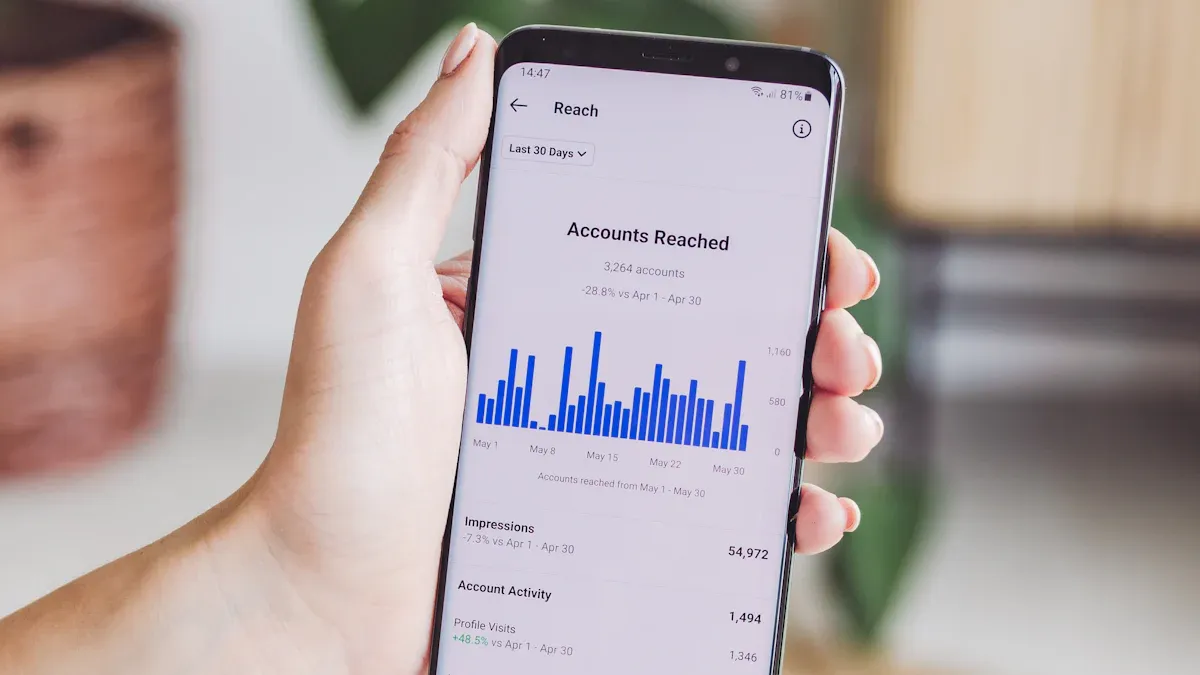
TikTok Live analytics give you a clear picture of how your live streams perform. You can use these analytics to track both real-time and historical data. This helps you see what works and what does not. TikTok makes these tools easy to access for all users, whether you are a creator or a brand. By understanding these analytics, you can make better decisions about your content and connect with your audience in new ways.
Key live analytics metrics
You can measure your success on TikTok by looking at important metrics. These metrics show you how your live videos perform and help you improve your content. Top creators often check these numbers to see what their viewers like most.
Here are some of the main TikTok metrics you should know:
Metric | Description |
|---|---|
The overall number of views during your live sessions. | |
Total Time Spent | The total time viewers spend watching your live videos. |
Peak Viewer Count | The highest number of viewers at one time during your live. |
The number of different people who watched your live video. | |
New Followers Gained | The number of new followers you get during your live stream. |
Viewer Ranking | A list of viewers who interact the most with your live content. |
Virtual Gifts Received | The total number of virtual gifts sent to you during your live session. |
Where to find TikTok analytics
You can find your TikTok Live analytics in the TikTok app. Go to your profile and tap on the "Creator Tools" or "Business Suite" section. There, you will see the analytics dashboard. This dashboard shows you data like total views, total time, new followers, top viewer count, unique viewers, diamonds, and viewer ranking. You can select a date range to see how your live videos perform over time.
Tip: Check your TikTok analytics after each live stream. This helps you spot trends and make your next live even better.
TikTok Live analytics give you the power to understand your audience and grow your channel. Use these tools to track your progress and reach your goals.
Why live analytics matter
It is important to know your audience on TikTok. TikTok live analytics show who watches your videos and when they join. These insights help you learn what your viewers like and when they watch. The Follower Activity section shows the hours and days your audience is most active. If you see your followers online from 7–9 PM, you can plan your live sessions then. This helps you reach more people and get more engagement.
You can check when your followers are most active by hour and day.
Posting before busy times can help your videos do better.
Different groups of viewers have their own activity patterns. You can change your schedule to match these trends.
The tallest bars in the activity graph show the best times to go live.
When you use TikTok analytics, you can make content that your audience likes. This leads to more engagement and better video results.
Content strategy improvement
TikTok live analytics help you make your content better. You can track important numbers like peak viewership, engagement rates, and gift tracking. These numbers show what works and what does not. You can try different types of content and see which ones your audience likes most.
You can use these insights to improve your plan:
Try new content ideas and see how your audience responds.
Look at your posting schedule and change it for better engagement.
Change your plan based on the data you find.
TikTok analytics give you important numbers about your content, audience, and performance. Brands and creators use these numbers to reach their audiences and compare results with others. When you look at more than just follower counts, you can make your marketing better and measure your success.
Growth and monetization
You can grow your channel and earn more money with TikTok live analytics. These analytics show when your audience is most interested and which content gets the most gifts. When you track metrics like peak viewership and engagement rates, you can plan your live sessions for the best results.
TikTok Live gives you new ways to make money. You can join branded giveaways or show products during your live streams. This lets your audience interact with you and your sponsors in real time. You get feedback right away, which helps you make your content better and build trust.
Creators who check their analytics every week see a 41% increase in engagement in 90 days. When you use TikTok live analytics, you can track your progress, set new goals, and keep growing your channel.
Using TikTok analytics for growth
Setting goals with live analytics
You can use TikTok live analytics to set clear goals and measure your progress. Start by deciding what you want to achieve. You might want more viewers, higher engagement, or more gifts during your live streams. When you track TikTok analytics, you see which live video metrics matter most for your growth.
Tip: Check your TikTok analytics dashboard every day. This helps you spot trends and find the best times to go live.
To measure success on TikTok, focus on key numbers like views, follower growth, and engagement rate. You can also look at shares and which content pillars get the most attention. Align your goals with your business or personal brand. For example, if you want to boost sales, watch how many viewers interact with your product demos. If you want more followers, track how many people follow you after each live session.
Here are some best practices for using TikTok content analytics:
Match your analysis to your goals, such as brand awareness or sales.
Review comments, likes, and shares together for a full picture.
Adapting content using TikTok data
TikTok analytics help you improve your live content. You can see what your audience likes and change your approach for better results. Many top creators check their analytics daily. This helps them find the best times to go live and adjust their content quickly.
Many brands use TikTok analytics to find what works. Fenty Beauty changed their posting time to evenings and saw more engagement. Duolingo focused on funny videos with their mascot and gained many followers. Chipotle made food hack videos that got millions of views. E.l.f. Cosmetics ran ads during busy times and reached billions of views. Nathan Apodaca’s trending video brought him many new followers.
You can learn from these examples. Review your TikTok analytics often. Try new ideas and see what your audience enjoys. Use live video metrics to guide your choices and keep growing your channel.
TikTok Live analytics let you learn about your viewers. They also help you make your live videos better. When you use these tools, you can:
Make your viewers trust you by talking with them live.
Get more people to join by showing what they like.
Watch numbers like views, new followers, and top viewers.
Creators who look at analytics every week see more people join in. Use analytics often to help your channel grow and talk to your audience more.
FAQ
How do you access TikTok Live analytics?
You can open the TikTok app, tap your profile, and select "Creator Tools" or "Business Suite." Then, choose "Analytics" to see your live video data.
What is the most important TikTok Live metric?
Many creators watch peak viewer count. This number shows the highest number of viewers during your live stream. It helps you find the best times to go live.
Can you see who watched your TikTok Live?
You cannot see a full list of viewers. TikTok only shows top viewers who interact the most with your live content.
How often should you check your TikTok Live analytics?
You should check your analytics after every live stream. This helps you spot trends and improve your next session.
