TikTok Product Research Tool for Sellers | EchoTik

TikTok Product Research Tool for Smarter Product Selection
A TikTok product research tool helps you narrow down products using sales activity, price, category, and the content behind demand. EchoTik brings product research together with shop, creator, video, and LIVE analysis, so you can investigate an opportunity before ordering samples or committing inventory.
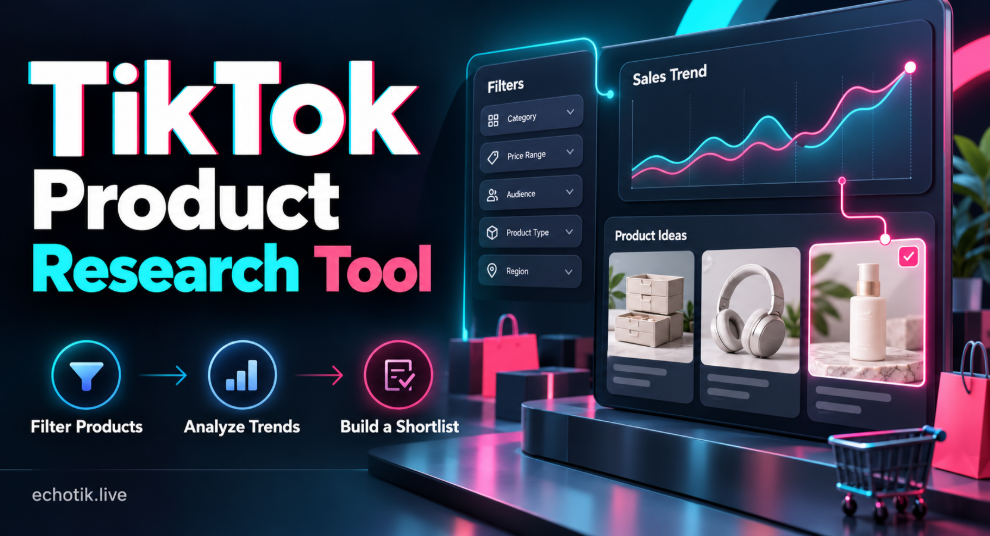
Start with the products you can realistically sell. Then check whether recent sales are consistent, how demand is being generated, and what your offer would need to do differently. The aim is a shortlist you can explain and test.
Explore TikTok product research with EchoTik to begin with your target market and category.
Filter Products Before You Compare Them
EchoTik's product library documentation describes category, price, sales-volume, creator-count, sales-method, and time filters. Its upgrade log also documents GMV and sales-trend filtering. Use the controls available for your selected market and account.
Filter or selector | What to check | Why it matters |
Market | Choose the country you plan to sell in. | Keep demand relevant to your audience. |
Category | Narrow to a suitable subcategory. | Compare similar products and use cases. |
Price | Set a realistic selling-price range. | Exclude offers your costs cannot support. |
Sales volume and GMV | Compare units and sales value for the selected period. | Separate order activity from ticket size. |
Time period | Apply the same available date range. | Make comparisons fair. |
Sales trend | Review recent increases or decreases. | Identify candidates for a closer trend check. |
Creator count | Review how many creators support the product. | Investigate dependence on individual promoters. |
Main sales method | Check the available sales-format filter. | Find products suited to your content approach. |
Begin with a few constraints and tighten them after reviewing the results. Supplier quality, fulfillment capacity, intellectual-property rights, and product eligibility still need separate checks; a filtered result does not establish that a product is ready to sell.
Read Sales Trends Beyond the Biggest Total
A large sales total can hide very different patterns. EchoTik's September 2026 release notes introduce Daily Sales Trends, while its August notes describe sales analysis by format and channel. These views help you ask when demand appeared and how it was supported.
Compare Similar Periods
Compare products over the same dates and inspect the daily shape behind the total. Where your account provides suitable history, use a broader period for context and a recent period for momentum. Note discounts, campaigns, stock changes, and missing observations before interpreting a change.
Fictional units sold across seven days. This chart explains a research method; it is not an EchoTik screenshot or a report of actual product sales.
• Product A grows from 30 to 68 units per day. Check whether demand continues and whether the offer is repeatable.
• Product B has the largest seven-day total, but one temporary spike inflates the result. Investigate the event before treating it as sustained demand.
• Product C declines through the period. Review pricing, stock, content activity, and category context before deciding what the pattern means.
Check What Is Driving the Movement
Look at the associated creators, videos, and LIVE activity. A product carried by one exceptional campaign may need a different launch plan from one supported by several independent promoters. Compare the product with its category's trend and price distribution to avoid judging it in isolation. [3]
Treat third-party sales and GMV figures as research estimates. They help compare opportunities, but your own orders, refunds, and costs are the basis for measuring your shop's results.
How to Use EchoTik for Product Research
Step 1 Define the Product You Can Sell
Choose a target market, category, customer problem, and feasible price range. Also write down your sourcing and fulfillment constraints. A product that cannot meet these requirements should leave the shortlist, even if its sales chart looks attractive.
For example, a seller researching compact home-storage products might examine a $15 to $30 price band. That is an illustrative research brief, not a recommended price range for every seller.
Step 2 Build a Relevant Candidate List
Open the EchoTik product library, apply your initial filters, and search relevant product terms. Sort the results to investigate both established items and products with recent movement. Use category context to decide which comparisons are meaningful.
Step 3 Inspect the Sales Pattern
Open a promising product and look beyond its rank. Compare the available sales history, price changes, and daily pattern. Write a short explanation of what you see, such as steady demand, campaign-led growth, or a recent decline. Record the period and data freshness alongside the observation.
Step 4 Review Creators and Competing Offers
Study the videos and livestreams associated with the product. Identify the problem being demonstrated, the questions buyers ask, and the offer being presented. Compare similar listings for price, variants, and positioning. Use this research to develop your own content and offer; copying someone else's assets is not a launch strategy.
Your next test should answer a concrete question. Can you demonstrate the benefit clearly? Can you offer a useful variant or bundle? Can you reach suitable creators without losing the margin you need?
Step 5 Save the Evidence and Plan a Small Test
Use favorites to revisit candidates and export the relevant records where your account allows it. EchoTik's export guide describes exporting supported page data to an Excel file. Keep the date, market, filters, and a short selection reason with your notes.
Before ordering inventory, inspect a sample, confirm supplier terms, and calculate your costs. Start with a test your team can fulfill, then use its actual results to decide whether to expand.
Use the Research for Your Role
Sellers can prioritize sourcing fit and order economics. Affiliate creators can check audience fit, commission terms, and whether they can demonstrate the product convincingly. Brands can examine competing offers and potential creator partners. Each role needs a different selection reason, even when looking at the same product.
Check Costs Before Committing Inventory
Use your actual sourcing quotes, delivery costs, applicable platform fees, creator commissions, promotions, and expected return costs. A third-party sales chart cannot reveal another seller's profit. Decide what you can afford to test and what result would justify another order.
Frequently Asked Questions
What is a TikTok product research tool
It helps you discover and compare products using market and performance signals. EchoTik combines product research with related shop, creator, and content analysis, so you can investigate the opportunity behind a listing.
Which filters should I use first
Start with your market, category, and price range. Then review sales activity and trends. Keep sourcing and fulfillment constraints in your research brief so an impressive metric does not distract you from operational fit.
What is the difference between sales volume and GMV
Sales volume describes units sold, while GMV describes gross merchandise value. A higher-priced product can generate more GMV with fewer units. Compare both over the same period, and check how the platform defines each metric.
Can TikTok Creative Center replace product research
TikTok describes Creative Center as a free resource for creative inspiration, trends, and ad examples. Use it to study content and advertising ideas. For a sourcing decision, also examine product sales history, competing offers, costs, and fulfillment requirements.
Does every plan include all filters and export options
Check your current EchoTik account and market before relying on a specific field, history range, or export entitlement. Published feature documentation explains capabilities; your current access determines which ones you can use.
Build Your Next Shortlist With EchoTik
Use a TikTok product research tool to make your selection process more deliberate. Begin with relevant filters, inspect the sales pattern, and connect the numbers to an offer you can deliver. Start your research with EchoTik and choose a small set of products with clear reasons to test.
