2026 TikTok Seller Center Temporary Suspension Appeal Guide

Quick Answer
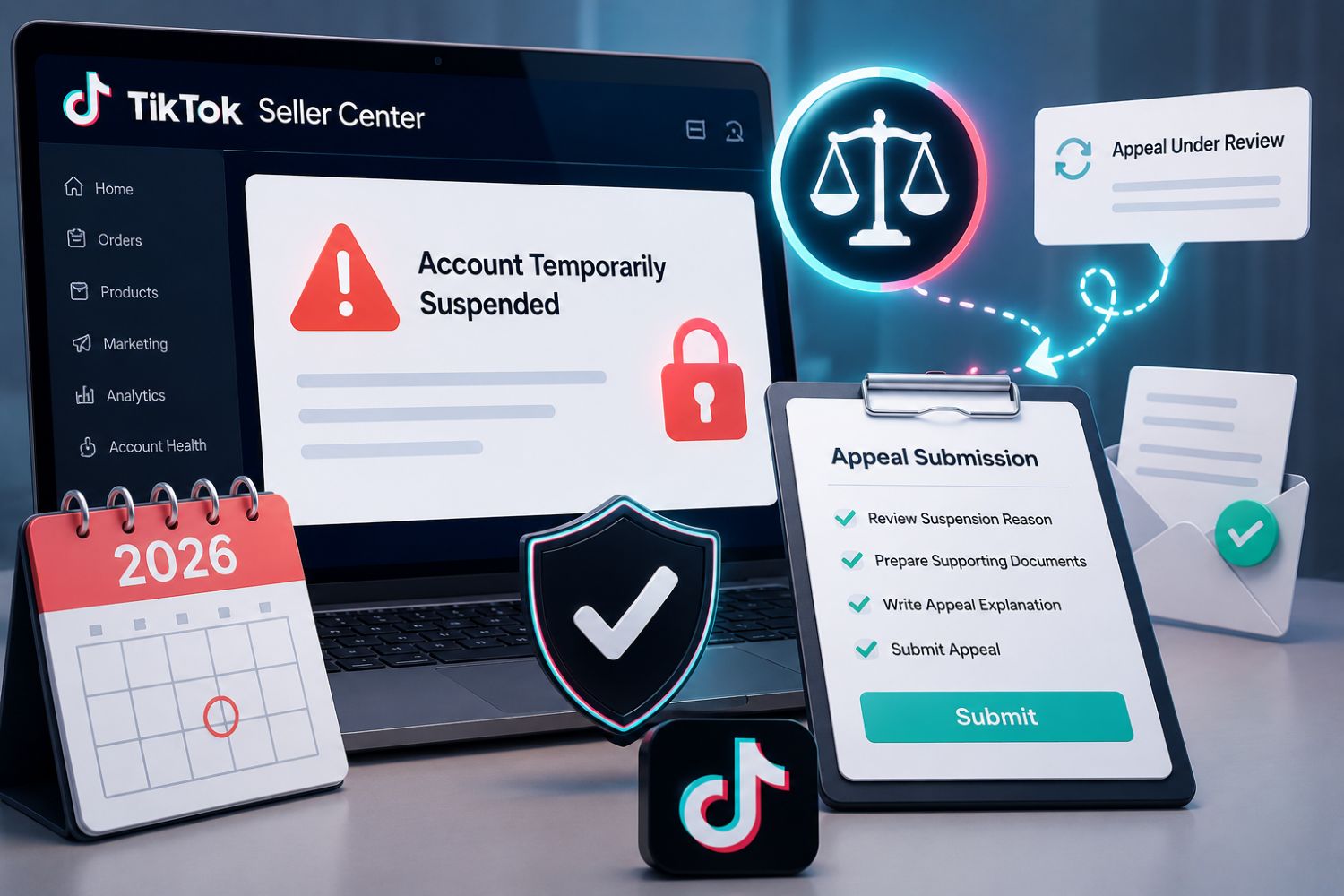
A TikTok Seller Center temporary suspension appeal is the process sellers use when their TikTok Shop account, listings, withdrawal access, campaign access, affiliate access, or order volume is temporarily restricted because of policy, security, risk, verification, account health, or compliance issues.
The first step is not to write an emotional appeal. The first step is to read the violation or restriction notice in Seller Center, identify whether it is a temporary account restriction, an enforcement action, a correctable violation, or a formal appeal case, then prepare evidence that directly answers the reason TikTok Shop gave you.
After the immediate appeal work, sellers should use EchoTik TikTok E-commerce Analysis to rebuild safer product research, competitor monitoring, creator review, and live selling workflows so the same issue does not happen again.
Outline
What Is a TikTok Seller Center Temporary Suspension?
Temporary Restriction vs Suspension vs Violation
Key Takeaways
May 2026 Suspension Appeal Data Checklist
Common Reasons TikTok Shop Sellers Get Temporarily Restricted
Step-by-Step Workflow: How to Appeal in Seller Center
What Evidence Should You Prepare?
How to Write a Strong Appeal Explanation
What to Do While Waiting for Review
How EchoTik Helps Prevent Future Suspensions
Common Mistakes to Avoid
FAQ
Final Thoughts
What Is a TikTok Seller Center Temporary Suspension?
A TikTok Seller Center temporary suspension usually means TikTok Shop has limited part of your seller account while it reviews risk, compliance, security, identity, account health, or policy-related issues.
Depending on the case, sellers may experience:
Limited ability to list products
Restricted campaign access
Reduced or limited affiliate access
Order volume limits
Product listing removal
Temporary withdrawal or settlement restrictions
Required identity or business re-verification
Shop Health or Account Health warnings
Temporary loss of certain selling privileges
TikTok’s official Temporary Account Restriction Requirements explain that some temporary restrictions are precautionary and may be applied while TikTok Shop completes security, risk, or compliance checks. The same policy says restrictions are not always related to a confirmed policy violation.
That distinction matters.
If you treat every restriction like a policy violation, you may submit the wrong evidence. If you treat an enforcement action like a simple technical issue, you may miss your appeal window.
Temporary Restriction vs Suspension vs Violation
Sellers often use these words interchangeably, but they are not the same in practice.
Temporary Account Restriction
This can be precautionary. TikTok Shop may limit certain features while reviewing suspicious activity, unusual selling behavior, missing business information, customer disputes, tracking issues, or compliance documents.
Violation
A violation means TikTok Shop believes a seller broke a policy. The notice usually appears in Seller Center Inbox, email, and Violation Records. Some violations can be corrected before enforcement takes effect.
Enforcement Action
An enforcement action is the consequence attached to a violation. It may include product removal, point deductions, restricted privileges, delayed settlement, withdrawal limits, or account-level penalties.
Appeal
An appeal is a formal request for TikTok Shop to review an enforcement action that you believe was incorrect. According to TikTok Shop’s Seller Enforcement Policy, appeals must be filed through Seller Center and require supporting documentation.
Key Takeaways
Do not appeal blindly. Read the Seller Center notice first.
Temporary restrictions may be precautionary and not always caused by a policy violation.
TikTok Shop notifies sellers at minimum through email and Seller Center Inbox for violations.
Appeals are time-sensitive. Some appeal windows are short, so act quickly.
Corrections are different from appeals. If correction is available, fix the issue before enforcement takes effect.
Evidence matters more than emotion.
EchoTik helps sellers reduce repeat risk by improving product research, creator review, competitor analysis, and live content monitoring.
May 2026 Suspension Appeal Data Checklist
Use this May 2026 checklist when reviewing suspension, restriction, or appeal cases from last month and preparing a cleaner June 2026 recovery workflow.
May 2026 Review Item | What to Check in Seller Center | Why It Matters | Best Action |
|---|---|---|---|
Restriction type | Temporary restriction, violation, correction, appeal, or enforcement | Different cases need different responses | Label the case correctly before acting |
Notification source | Email, Seller Center Inbox, Shop Health, Violation Records | Official notices contain the reason and deadline | Screenshot and save every notice |
Violation reason | Product, account, fulfillment, IP, fraud, verification, safety, or service issue | Appeals must answer the exact reason | Build evidence around the cited reason |
Status | Pending, enforcement action taken, under review, correction available | Shows whether you can correct or must appeal | Choose correction or appeal path |
Deadline | 12-72 hours, 30 days, 15-day second appeal, or case-specific window | Missing deadlines can remove your chance | Put deadline in a tracker immediately |
Documents | ID, business registration, warehouse proof, invoices, authorization, labels, certificates | TikTok reviews evidence, not claims | Prepare a clean PDF/image folder |
Product risk | Prohibited, restricted, counterfeit, misleading, quality or safety risk | Product problems often cause account impact | Pause risky listings and content |
Fulfillment risk | Tracking, late dispatch, refunds, disputes, negative feedback | Operations can trigger restrictions | Continue fulfilling orders and resolving buyers |
Connected accounts | Shared phone, email, bank, device, operator, address, inventory or supplier | Enforcement may affect related accounts | Audit account relationships carefully |
Creator/live content | Risky claims, unauthorized brand use, misleading demos | Content can create seller risk | Review creator briefs and live scripts |
Recovery action | Appeal, correction, support ticket, re-verification, policy quiz, listing cleanup | Each notice may require a different action | Create a written recovery plan |
This checklist is designed for operators. The goal is not just to win one appeal. The goal is to stop the same account health problem from returning.
Common Reasons TikTok Shop Sellers Get Temporarily Restricted
Security or Risk Review
TikTok Shop may apply a temporary restriction while checking unusual selling behavior, unauthorized access risk, sudden sales changes, missing information, or suspicious account activity.
Missing or Incomplete Business Information
Incomplete address, website, contact details, identity information, or business documentation can trigger review.
Customer Feedback and Disputes
Repeated refund requests, delivery issues, negative feedback, or service complaints can create account health problems.
Tracking or Fulfillment Problems
Missing tracking, invalid tracking, late dispatch, undelivered orders, or fulfillment inconsistencies can lead to restrictions or enforcement.
Product Policy Violations
Products may be removed or flagged because of prohibited categories, restricted items, misleading claims, counterfeit risk, intellectual property issues, or safety concerns.
For product-level prevention, use the internal guide on Prohibited Products List on TikTok Shop 2026.
Connected Account Risk
TikTok Shop’s Seller Enforcement Policy says accounts may be considered connected through overlapping contact information, payment information, ownership, operators, devices, systems, inventory, fulfillment, suppliers, or commercial resources. If one account is suspended or enforced, connected accounts may also face corresponding action.
This is why sellers should avoid messy account structures.
Step-by-Step Workflow: How to Appeal in Seller Center
Step 1: Read the Notice Before Writing Anything
Open Seller Center and check:
Seller Center Inbox
Account Health
Shop Health
Violation Records
Product status
Account restriction notice
Any re-verification request
TikTok’s official violation guide says notices direct sellers to the relevant violation ticket in Seller Center, and the ticket includes enforcement actions, violation reason, violation details, next steps, and compliance guidance.
Step 2: Identify Whether Correction Is Available
Correction is not the same as appeal.
TikTok’s correction guide says correction allows sellers to fix certain listing issues before enforcement takes effect. If the status is pending and correction is available, you may be able to update the listing and submit proof.
Correction is usually better for fixable issues such as:
Missing product details
Listing improvement issues
Improper wording
Some intellectual property misuse
Inaccurate images or descriptions
Serious or high-risk issues may not be eligible.
Step 3: If It Is a Restriction, Check Whether a Help Ticket Is Needed
For temporary account restrictions, TikTok’s official temporary restriction policy says sellers can submit a Help Ticket through Seller Center if they believe the restriction was applied in error.
This is different from a violation appeal. If the issue is verification, suspicious activity, missing information, or precautionary review, your evidence should focus on identity, business legitimacy, fulfillment, and operational proof.
Step 4: If It Is an Appeal, Prepare Evidence First
Do not submit a short message like “Please restore my account.” That is weak.
Build an appeal packet.
Include:
Screenshot of the violation or restriction notice
Seller account information
Business registration or identity documents
Product IDs or order IDs involved
Supplier invoices
Brand authorization if relevant
Product labels or packaging
Safety or compliance certificates
Warehouse or fulfillment proof
Tracking records
Customer service records
Photos or videos proving correction
Explanation of what happened and what was fixed
Step 5: Submit Through the Correct Path
TikTok’s appeal guide says sellers can initiate an appeal through:
Seller Center > Shop Health > Violation Records > View & Appeal > Appeal
For account restrictions without a violation appeal path, use the Help Ticket path described in the notice.
Step 6: Write a Clear, Evidence-Based Appeal
Your appeal should be structured:
State the enforcement or restriction.
State why you believe it is incorrect or resolved.
Match each claim with evidence.
Explain corrective actions taken.
Confirm future prevention steps.
Keep the tone factual and respectful.
Step 7: Track the Appeal Window
TikTok’s Seller Enforcement Policy says sellers are limited to two appeals per violation. The first appeal must be filed within the required window after notification, and if rejected, a second appeal may be available within a shorter follow-up window. Some violations have much shorter correction or appeal windows, so always follow the ticket deadline.
Step 8: Do Not Keep Selling Around the Problem
If the issue involves product risk, misleading claims, brand authorization, or live content, pause related activity until the issue is clean.
Do not continue with risky listings, creator scripts, or live pitches while the appeal is under review.
What Evidence Should You Prepare?
For Identity or Verification Issues
Prepare:
Government ID
Business registration
Tax or registration proof if required
Bank account ownership evidence
Address proof
Website or sales channel proof
Photos or videos if warehouse validation is requested
For Product Violations
Prepare:
Product photos
Packaging images
Product labels
Supplier invoices
Certificates or test reports
Brand authorization
Updated listing screenshots
Proof that claims were corrected
For Fulfillment or Tracking Issues
Prepare:
Carrier tracking records
Delivery confirmations
Warehouse logs
Customer service replies
Refund or reshipment proof
Explanation of operational fixes
For Intellectual Property Issues
Prepare:
Authorization letters
Licensing documents
Distributor agreements
Invoices from authorized suppliers
Proof that brand names, logos, or images were removed if needed
For Temporary Restriction or Risk Review
Prepare:
Business legitimacy documents
Order fulfillment records
Tracking health proof
Customer service proof
Explanation of unusual sales or inventory changes
Proof of stable operations
How to Write a Strong Appeal Explanation
A strong appeal is not long. It is organized.
Use this structure:
Subject: Appeal for TikTok Shop Temporary Restriction / Enforcement Action
Hello TikTok Shop Team,
I am submitting this appeal for [restriction/violation ID] related to [brief reason from Seller Center].
After reviewing the notice, I believe the restriction/enforcement should be reviewed because [clear reason]. I have attached supporting documents showing [summary of evidence].
Actions completed:
1. [Correction or document update]
2. [Listing/content/fulfillment fix]
3. [Operational prevention step]
Supporting evidence included:
- [Document 1]
- [Document 2]
- [Document 3]
We understand TikTok Shop policy requirements and have taken steps to prevent this issue from recurring.
Thank you for reviewing the case.
Avoid emotional language. Avoid blaming competitors. Avoid saying “other sellers do it.” TikTok Shop wants evidence tied to the policy reason.
What to Do While Waiting for Review
Continue Fulfilling Orders
TikTok’s temporary restriction guidance says sellers should continue fulfilling orders on time, respond to customer messages, resolve issues quickly, meet performance requirements, and follow TikTok Shop policies.
Clean Up Risky Listings
Audit related products, titles, images, claims, and categories.
Pause Risky Creator or Live Claims
If affiliates or hosts are making aggressive claims, pause or correct scripts.
Review Account Health Daily
Check Seller Center Inbox, Shop Health, and Violation Records until the case is resolved.
Build a Recovery Log
Track:
Date of notice
Violation ID
Restriction type
Documents submitted
Appeal date
Review status
Result
Follow-up actions
This helps you handle second appeals or support tickets more cleanly.
How EchoTik Helps Prevent Future Suspensions
EchoTik TikTok E-commerce Analysis is not a legal appeal tool and does not replace Seller Center or official TikTok Shop policy review. Its value is prevention.
EchoTik helps sellers reduce future risk by improving market decisions before they list, promote, or scale products.
Use EchoTik to:
Research safer product categories
Compare competitor shops without blindly copying
Identify product trends with lower policy risk
Study creator content before outreach
Monitor product-linked videos
Review live selling patterns
Avoid overreliance on one risky product
Build weekly product and competitor reports
For live commerce risk, EchoTik Live Monitor helps sellers study live rooms, product activity, traffic movement, and host talking points.
For faster browsing research, EchoTik Browser Extension can support product and creator checks.
For teams that need structured reporting, EchoTik TikTok Data API can support product, creator, shop, video, and live data workflows.
FAQ
What is a TikTok Seller Center temporary suspension appeal?
It is a formal request submitted through Seller Center when a seller believes a temporary suspension, restriction, or enforcement action was applied incorrectly or should be reviewed based on supporting evidence.
Where do I appeal a TikTok Shop violation?
TikTok’s official appeal guide says sellers can go to Seller Center > Shop Health > Violation Records > View & Appeal > Appeal.
Is a temporary account restriction always a policy violation?
No. TikTok Shop’s temporary account restriction policy says some restrictions are precautionary and may be applied during security, risk, or compliance checks.
How long can temporary restrictions last?
TikTok’s temporary restriction policy says restrictions are usually lifted once checks or verifications are complete and typically take no more than 30 days, depending on the case.
How many appeals can I submit?
TikTok Shop’s Seller Enforcement Policy says sellers are limited to two appeals per violation, and decisions after the second appeal are final.
What evidence should I include in my appeal?
Include a clear explanation, relevant supporting documents, images, videos, invoices, certificates, authorization documents, tracking records, identity proof, or other materials requested by TikTok Shop.
Can EchoTik help me appeal directly?
No. EchoTik does not submit Seller Center appeals. EchoTik helps sellers prevent future issues by improving product research, competitor monitoring, creator analysis, and live selling review.
Final Thoughts
A TikTok Seller Center temporary suspension appeal is not a place for panic. It is a place for discipline.
Read the notice.
Identify the case type.
Check the deadline.
Prepare evidence.
Submit through the correct Seller Center path.
Continue operating cleanly.
Then rebuild your product and content workflow so the same issue does not happen again.
Seller Center is where you handle the appeal.
EchoTik is where you rebuild safer growth decisions.
Start with:
