TikTok Shop Affiliate Analytics: How to Track Creator Sales

A creator can bring in a lot of GMV and still be the wrong person to scale.
That sounds strange until you look past the top-line number. Maybe the sales came from one lucky video. Maybe they only happened because the commission was high and the product was heavily discounted. Or maybe the creator has plenty of views, but buyers are clicking around without placing orders.
TikTok Shop affiliate analytics helps sort that out.
The point is not to turn every creator into a spreadsheet. It is to figure out who is genuinely helping your shop sell, who needs a better product match, and who is costing more than they are worth.
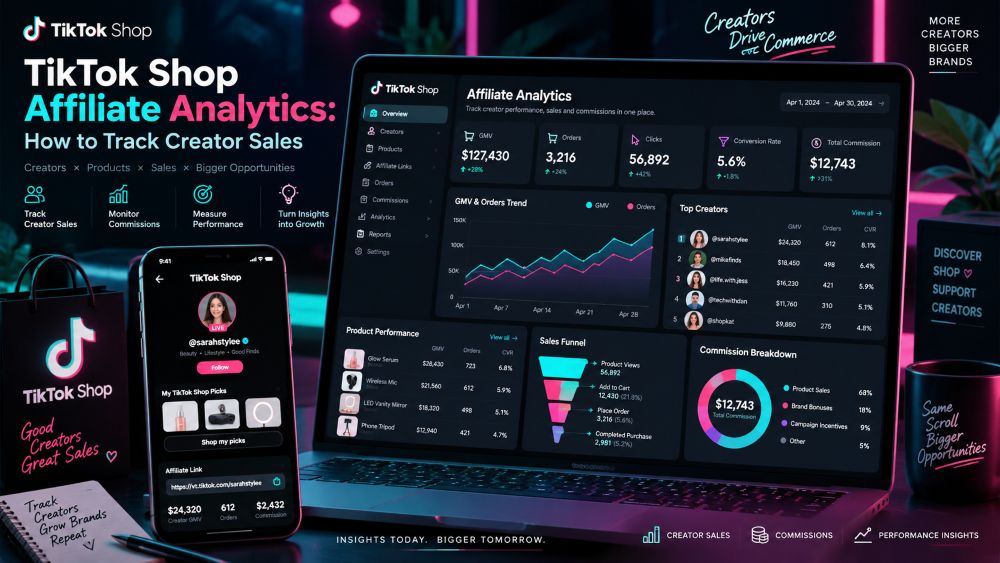
TikTok’s Affiliate Center gives sellers a starting place for this. In Seller Center, go to Affiliate Center → Analytics → Performance. That area can show affiliate GMV, orders, items sold, creator activity, content performance, and LIVE data. TikTok updates features often, so it is worth checking the current Affiliate Seller Analytics guide inside Seller Center when something looks different.
Start with the sales story, not the creator’s follower count
When I am looking at affiliate results, I usually start with four things:
GMV
Orders
Items sold
Estimated commission
That gives a quick picture of what happened.
GMV tells you the dollar value attached to the creator’s activity. Orders show how many customers actually checked out. Items sold matter when a creator is moving bundles, multipacks, or repeat-purchase products. Estimated commission shows the cost sitting behind that sales number.
A creator who brought in $10,000 in GMV from 400 orders is a different case from someone who brought in the same amount from 80 orders. The first may be strong with affordable products or bundles. The second may be selling a higher-ticket item. Neither is automatically better. It depends on your margin and what you need from the partnership.
Then I look at the product split.
If nearly all of a creator’s sales came from one SKU, do not assume they can sell the rest of your catalog. They may have found a perfect match. That is valuable, but it is different from having broad selling power.
Some of the best affiliate relationships start with one product, then slowly expand once the seller sees that the audience is responding for the right reasons.
GMV can look healthy while the partnership is not
TikTok shows more than one GMV number, and sellers should not treat them as interchangeable.
Affiliate GMV can include sales connected to affiliate activity over TikTok’s attribution window. Direct GMV is more closely tied to orders placed directly through a creator’s video, LIVE, or product card. TikTok explains the current definitions in its data metric FAQ.
Here is why that matters.
Imagine a creator drives a product discovery video. A shopper watches it, clicks away, comes back two days later through search, and buys. That creator may still be part of the buyer’s journey. But the video did not necessarily close the sale on its own.
There is nothing wrong with that. Some creators are great at discovery. Others are better at getting people over the finish line.
The problem comes when a seller expects one type of creator to do the other job.
A product demo creator may be excellent for generating clicks. A LIVE host who answers questions about sizing, ingredients, shipping, or setup may be much better at conversion. You can work with both, but the performance review should reflect what each person is actually contributing.
Views are useful until they get in the way
High video views can be exciting, especially when a creator is new to your affiliate program. But views can make sellers overlook what is happening farther down the funnel.
The question is simple: did viewers care enough to open the product page, and did those product-page visitors buy?
Product CTR helps with the first part. Click-to-order rate helps with the second.
Click-to-order rate =
Product orders ÷ Product clicks × 100
If a creator’s video gets plenty of views but barely any product clicks, the issue is probably in the content. The product may appear too late, the CTA may be weak, or the audience may simply be there for entertainment.
If clicks are strong but orders stay low, I would check the listing before blaming the creator. Price, reviews, shipping time, variants, product photos, and unclear descriptions can all kill the sale after the click.
A seller will sometimes send the same product to five creators, see weak conversion across all five, and conclude the creators did not work. Usually that is a sign to inspect the product page or offer.
The creator got people interested. The shop did not make the final decision easy enough.
What a useful creator comparison looks like
You do not need a complicated scorecard to compare creators. Put a few creators side by side and ask what their numbers are actually telling you.
Here is an illustrative example:
Creator | GMV | Items Sold | Shoppable Videos | CTR | Click-to-Order Rate |
|---|---|---|---|---|---|
Creator A | $20,000 | 800 | 18 | 3.2% | 4.5% |
Creator B | $18,000 | 500 | 3 | 5.1% | 6.2% |
Creator C | $12,000 | 700 | 25 | 1.4% | 2.1% |
Creator A is dependable. They have enough content and enough volume to suggest this was not just one lucky post.
Creator B is the one I would watch closely. They produced less content, yet their clicks and order conversion look strong. Before increasing commission, I would give them a second product or a new angle on the same product. If the result holds, they may have more upside than the GMV ranking suggests.
Creator C has sold a fair amount of product, but the path there looks inefficient. Maybe the creator is posting too often without a clear hook. Maybe the product is not a clean fit for their audience. Maybe the discount is doing most of the work.
The answer is not always to cut that creator. Sometimes a product change fixes the problem faster than a new creator search.
If you are trying to build a wider shortlist before sending samples, you can analyze TikTok Shop creators by category, visible sales patterns, content style, and product fit.
Commission is where a good-looking campaign can get expensive
GMV does not tell you what the shop kept.
This is especially important when creators ask for higher commission rates. A higher rate can make sense when someone consistently converts buyers or sells a product that is hard to move. But it is easy to say yes to a rate before checking the full cost.
Take a $40 order. The creator earns $8. Product cost is $5. Shipping and fulfillment take $4. Discounts, platform costs, and other operating costs add another $5.
There is still money left, but the margin is no longer as comfortable as the $40 GMV headline suggested.
Now add a refund.
That is where sellers start to see why affiliate analytics should sit beside cost data. TikTok’s commission and GMV reports can include different order statuses depending on the report, including orders that are later canceled or refunded. TikTok’s earnings analytics documentation explains why those totals can differ.
If one creator has unusually high returns, watch their content before assuming it is a product issue. They may be making claims that the listing cannot support. They may be skipping details that customers need before buying. Or the audience may simply be wrong for that product.
A creator who sells fewer units with fewer refunds can be more useful than someone who pushes a big week of sales that comes back as returns.
Video creators and LIVE creators should not be judged the same way
Some products sell in a 20-second video. Others need questions answered.
A simple gadget, beauty item, snack, or home find can work well in a quick demonstration. The product is visible, the benefit is easy to understand, and the buyer can make a fast decision.
Higher-priced products—or anything with sizing, ingredients, setup, or performance questions—often need more explanation. That is where LIVE can help.
For LIVE creators, I would look beyond GMV. Watch how they handle real objections. Do they explain who the product is for? Can they answer the same question three times without getting vague? Do they move viewers toward a product card at the right moment?
A host with smaller traffic but strong trust can sometimes outperform a larger creator who mainly drives curiosity clicks.
TikTok provides creator and LIVE conversion-related reporting in its analytics areas, including viewer and engagement signals. The exact view varies by account and market, so use the in-product labels as your final reference. TikTok’s current overview of creator metrics is here.
Look for repeatability before you scale
The cleanest affiliate win is not always the biggest one. It is the result you can repeat.
Before increasing a creator’s commission, sending more inventory, or putting them on a longer-term deal, look at the last few weeks instead of one viral day.
Ask a few practical questions:
Did sales come from more than one post?
Did the creator sell more than one product?
Did product clicks remain healthy after the first video?
Are customers leaving buying-intent comments?
Are refund signals normal?
Does the creator’s audience fit the product without a huge discount?
You do not need perfection. TikTok is too unpredictable for that.
You are looking for enough proof that the creator’s result is not hanging on one trend, one coupon, or one unusually lucky video.
For market context around products, shops, and creator activity, use the EchoTik TikTok Shop analytics dashboard. It can help you see where a creator or product sits within a broader category before you make the next investment.
Keep the review simple
A regular affiliate review does not need to take half a day.
Pick one date range. Keep each country separate. Pull the active creators, then sort by GMV, orders, and commission. Open the creators at the top and the creators whose numbers changed sharply from the previous period.
Watch a few of the videos behind the strongest sales. Then look at a few videos that got traffic but failed to convert.
You will usually find something useful pretty quickly: a product that keeps selling, a creator who is ready for a bigger test, a listing that needs work, or a commission rate that no longer makes sense.
That is more helpful than trying to rank every creator in your program with one perfect score.
A final note on creator data
Seller Center data is your confirmed shop data. That should guide decisions about payouts, product allocation, and long-term partnerships.
Public creator data and third-party estimates have a different job. They help you research categories, spot active creators, and decide where to investigate. They are not a substitute for the order data inside your own shop.
For a broader look at product and sales reporting, read our guide to TikTok Shop sales and market metrics.
