Step-by-Step Guide to TikTok Shop API Integration

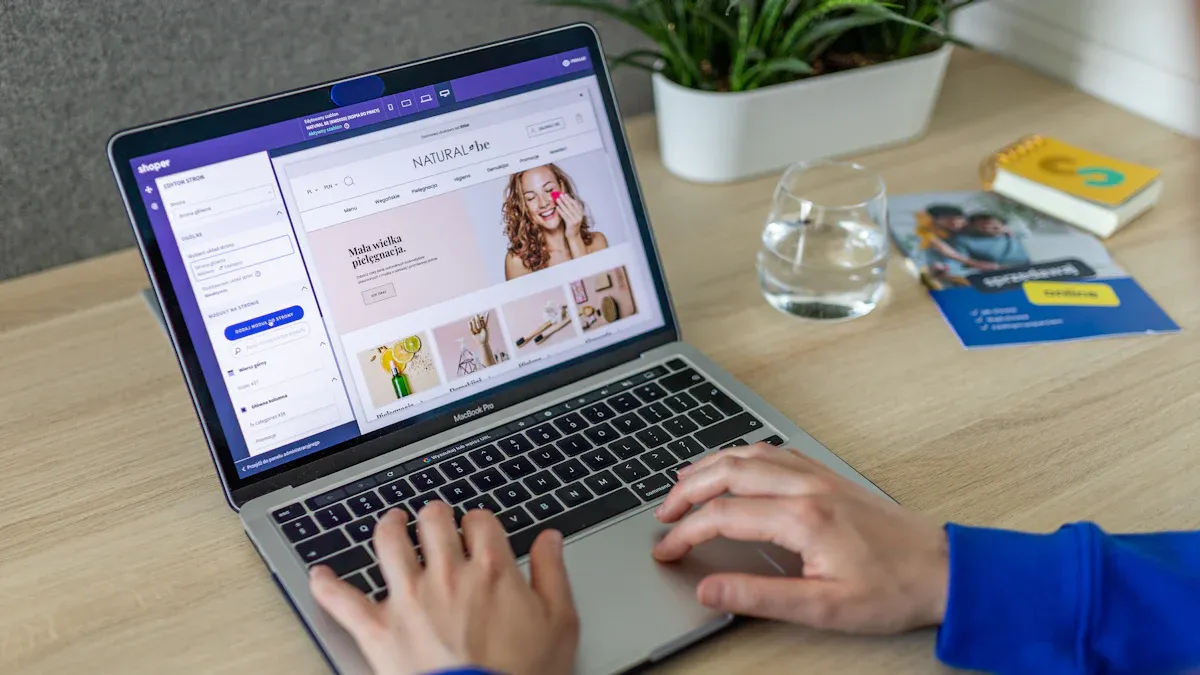
You can grow your online store with tiktok shop api integration. Secure authentication keeps your data safe. Webhooks send you quick updates about orders and inventory. Adding tiktok shop as a sales channel helps you find more buyers and keep your inventory updated. Many online sellers have already seen the benefits:
75% of German online sellers use tiktok shop in their sales plans.
Tiktok gives you new ways to grow your business and handle sales right away.
Key Takeaways
Make a TikTok Shop seller account. Sign up on the TikTok Partner Center to begin your integration.
Use safe login methods like OAuth 2.0. This helps keep your shop data and customer info safe.
Set up webhooks to get updates right away about orders and inventory changes. This keeps your store in sync.
Check and manage your API permissions often. This makes sure your app only gets the data it needs and keeps things safe.
Test your integration well before you start using it. This helps you avoid problems with sales, orders, and inventory.
Getting Started with TikTok Shop API Integration
Prerequisites and Registration
You have to get ready before using tiktok shop api integration. There are some steps you need to follow first. Here is a checklist to help you prepare:
Make a tiktok shop seller account.
Register on the TikTok Partner Center for your area.
Give your business details and upload all needed documents.
Wait until tiktok shop approves your account.
Get your product catalog ready to list items.
Check that your server is safe for api requests.
Look at privacy rules like GDPR and CCPA to keep customers safe.
You need to collect some papers for signing up. These are your business license, personal ID, legal business name, bank info, phone number, and email address. Some sellers have trouble when signing up. The biggest problem is when names do not match on your ID, business papers, and bank account. Check your information to stop any hold-ups.
Tip: Keep your papers neat and use the same name everywhere. This makes it easier to get approved fast.
Supported Platforms and Scenarios
Tiktok shop works with many online store platforms and systems. You can link your shop to other tools to help manage your store. Here are some ways you can use tiktok shop api:
Connect with ERP systems to handle orders and payments easily.
Send settlement data automatically for better money tracking.
Match your product info with PIM systems to manage SKUs.
You can finish setting up in a short time. Most online stores finish in just a few hours. The table below shows what you might see:
Time to Set Up | Difficulty | Cost |
|---|---|---|
2-4 hours | Intermediate | 2-8% commission |
Tiktok shop lets you grow your business in a flexible way. You can find more buyers and keep your inventory updated right away.
Application Setup and Authentication
Registering Your App on TikTok Partner Portal
You need to register your app before you can use tiktok shop api integration. This process helps you connect your store to tiktok shop and use available tiktok shop apis. Follow these steps to get started:
Choose the Correct Partner Portal
Pick the right portal for your business. If your company is in the US and you want to sell only in the US, use the US partner portal. If your company is in the US but you want to sell outside the US, use the Global partner portal. If your company is not in the US and you want to sell in the US or other countries, use the Global partner portal.Submit Business Information
Log in to the portal. Click 'Get Started'. Select your business region and target market. Choose your business category. If you work as an in-house developer for a tiktok shop, pick 'Seller in-house developer' and use your tiktok shop admin email for verification.Create Application
After approval, go to 'App & Service'. Click 'Create app & service'. You will need to choose between a Public app or a Custom app.Setup and Apply API Permissions
Once you create your app, you will get your App ID and app secret token. Apply for the API permissions you need for your integration.Start Testing API
Use the development kits and API testing tool to check your API endpoints. This helps you make sure your connection works before you go live.
Note: Always double-check your business details before you submit. This helps you avoid delays in the approval process.
Choosing App Type: Public vs Custom
You must choose the right app type for your tiktok shop. Each type fits different needs:
App Type | Who Should Use It? | Features |
|---|---|---|
Public | Developers who want to serve many sellers | Can be used by multiple shops |
Custom | Sellers who build for their own shop | Only works for your own shop |
If you want to build a tool for many sellers, pick Public. If you only want to connect your own shop, pick Custom. This choice affects how you manage your integration and who can use your app.
Setting Up Secure Authentication
You must keep your tiktok shop safe. Secure authentication protects your data and your customers. Here are some best practices:
Use OAuth 2.0 authorization. This is the safest way to connect to tiktok shop.
Access the tiktok authorization endpoint to manage authentication.
Handle the callback to get your access tokens.
You need your App ID and app secret token for authentication. Store these in a safe place. Never share them with anyone. If you lose them, someone could access your shop data.
Tip: Change your app secret if you think someone else has it. This keeps your shop safe.
You can now use available tiktok shop apis to connect your store, sync inventory, and manage orders. Secure authentication helps you trust every connection. You can test your setup before you go live. This makes sure your tiktok shop api integration works well and keeps your data safe.
Configuring Permissions and Webhooks
Selecting API Scopes and Permissions
You need to set up the right permissions before you connect your store to TikTok Shop. Permissions control what your app can do. You will see a list of API scopes when you create your app. Each scope gives your app access to a different part of your shop. For example, you can allow your app to read orders, update inventory, or manage products. Choose only the permissions you need for your integration. This keeps your shop safe and limits risks.
Tip: Review your permissions often. Remove any you do not use.
Adding Webhooks for Real-Time Updates
Webhooks help you get updates from TikTok Shop right away. You do not need to check for new orders or inventory changes all the time. When something happens, TikTok Shop sends a message to your system. This message tells you about events like new orders, product purchases, or tracking updates. You can react fast and keep your data in sync.
Here is how webhooks help your integration:
Webhooks send real-time notifications for order placements and inventory changes.
You get instant alerts when someone buys a product or updates tracking.
Your product data, orders, and inventory stay updated across all systems.
You do not need to poll the API all the time, which saves resources.
To add a webhook, enter your server URL in the TikTok Shop Partner Portal. Test your webhook to make sure you receive messages. Handle each event in your system to update your store right away.
Managing API Credentials
You must keep your API credentials safe. These include your App ID and secret token. Store them in a secure place. Do not share them with anyone. If someone gets your credentials, they can access your TikTok Shop data. Change your secret token if you think it is not safe. Update your credentials in your system when you make changes.
Note: Always use strong passwords and keep your credentials private.
You now know how to set up permissions, add webhooks, and manage your credentials. These steps help you build a strong TikTok Shop API integration.
Testing and Launching TikTok Shop Integration
Connecting to Your E-commerce Platform
You can set up a connection between your shopify store and tiktok shop in a few steps. First, install the TikTok app on shopify. Next, set up a TikTok Ads account. After that, link your TikTok account to shopify. Then, sync your shopify product catalog with tiktok shop. Your store must be in an approved country like the United States, United Kingdom, or Singapore. You also need a TikTok for Business account and a shopify store with a real address.
Here is a quick guide to create connection between shopify and tiktok shop:
Install the TikTok app on shopify.
Set up a TikTok Ads account.
Link your TikTok account to shopify.
Sync your shopify product catalog with tiktok shop.
When you finish these steps, you can use shopify integration to manage your sales and inventory. This helps you reach more buyers and boost your sales on tiktok shop.
Testing API Endpoints and Data Sync
Before you launch, you should test your tiktok shop api integration. Always check your API request fields before sending them to tiktok shop. This keeps your shop data correct. Use automatic inventory updates in the tiktok shop app settings. This stops overselling and keeps your sales data right. Look at sample requests in the tiktok shop API docs. Test with your own shopify store to see how the data sync works.
Enable real-time inventory sync in tiktok shop app settings.
Use sample requests from the API docs.
Test with your shopify store before going live.
Testing helps you avoid problems with sales, orders, and inventory. You can fix issues before they affect your shopify integration.
Troubleshooting Common Issues
You may see some common problems when you set up a connection between shopify and tiktok shop. Here are some issues and how to fix them:
Issue | Suggested Fixes |
|---|---|
Connection Failed | Log out from both platforms, clear cache, and log in again. Retry after a short wait if needed. |
Products Not Syncing | Make sure your product listings follow tiktok rules. Trigger a manual sync from the shopify dashboard. |
Pixel Not Firing | Reinstall the app, clear theme cache, and test in incognito mode. |
Sync Delays | Schedule updates during off-peak hours. Reconnect if delays last more than 24 hours. |
Order Mismatches | Check webhook setups and compare dashboards to find issues. |
Geolocation Issues | Confirm your shopify store is in a supported country. |
App Crashes During Setup | Switch browsers and turn off extensions. |
Getting Further Help | Use live chat in TikTok Shop Seller Center or check the Merchant Help Center. |
You may also see inventory sync problems, shipping mismatches, or catalog mapping errors. Check your sync settings, review tiktok shop rules, and audit your shopify product data. Fixing these issues helps you keep your sales running smooth and your shopify integration strong.
Best Practices and Considerations for TikTok Shop
API Rate Limits and Security
You should know about TikTok Shop’s API rate limits. Each API endpoint lets you send up to 600 requests. If you send more, syncing will stop until it resets. TikTok Shop allows 1,000 requests every day. Each request can give you up to 100 items. This means you can get 100,000 items each day. Most shops use about 65% of this daily limit. If you go over the limit, you get an HTTP 429 error. This slows your shop and can cause syncing problems.
Security is very important when using TikTok Shop API integration. You must follow seller registration rules and give correct business details. Always check TikTok’s product rules so you do not list banned items. Make sure your product listings are clear and use good images. Keep your compliance papers organized because TikTok can check your store at any time. Use trusted fulfillment services to meet shipping goals and lower cancellations.
Tip: Check your API use and security every week. This helps you avoid trouble and keeps your shop safe.
Ongoing Maintenance and Updates
You need to keep your TikTok Shop working well. Watch your setup and check how it performs to find problems early. Use tools to track your shop’s numbers and review your integration often. Protect your data with encryption and do security checks. Sign up for TikTok updates and plan for new versions. TikTok Shop has had 51 API updates since 2020. You must stay up to date to avoid issues.
Keep making your shop better by fixing slow parts and tuning your setup. When you take care of your TikTok Shop integration, you get many good things:
Benefit | Description |
|---|---|
Syncs sales data and saves you time. | |
Improved Cash Flow Management | Automates invoices and keeps records current. |
Enhanced Inventory Management | Keeps inventory synced and stops overselling. |
Efficient Tax Compliance | Automates tax math and makes filing easier. |
Data-Driven Insights for Growth | Shows sales trends and helps you plan marketing. |
Seamless API Integration | Connects your tools for a better workflow. |
Reduced Operational Costs | Cuts manual work and saves money. |
Scalability and Flexibility | Grows with your shop and handles more sales. |
You can reach more people and get more engagement by marketing on TikTok. Try making ads, creating content that helps sales, and working with influencers. Use TikTok marketing ideas to help your shop grow. Team up with influencers to reach more people and try new ways to market. Keep your setup updated and focus on TikTok marketing to grow your business.
You can do well with tiktok shop api integration if you follow easy steps. The table below lists the main things you need to do:
Description | |
|---|---|
Obtain API Access | Get permission to use the TikTok API and begin. |
Work with Product Catalogs | Take care of your product lists, stock, and deals. |
Implement Order Management | Manage orders from customers, returns, and refunds. |
Analyze Sales Metrics | Use TikTok Commerce APIs to check sales and results. |
Choose Integration Approach | Decide if you want to build it yourself or use a service. |
You should always use secure authentication to keep your data safe. Webhooks help you get updates right away. Test your setup to make sure it works well. Tiktok shop lets you find new buyers and helps your business grow. If you need help, look for guides in the TikTok Help Center. You can also join forums, use testing tools, or watch webinars. Keep your tiktok shop up to date and try new features to get the best results.
FAQ
How do you connect your store to TikTok Shop?
You start by creating a seller account on tiktok. Then, you use the Partner Portal to set up your app. After that, you link your store and follow the steps to finish the connection.
Why do you need to set up ads for TikTok Shop?
You set up ads to reach more buyers. Ads help you show your products to people who use tiktok. You can use ads to boost sales, get more views, and grow your shop fast.
What types of ads can you run on TikTok Shop?
You can run video ads, collection ads, and dynamic showcase ads. Video ads show your products in action. Collection ads let buyers see many items at once. Dynamic showcase ads match products to each shopper.
How do you track the results of your ads?
You use the TikTok Ads Manager. This tool shows you how many people see your ads, click on them, and buy your products. You can check reports, compare ads, and see which ads work best.
Can you use ads to retarget shoppers on TikTok Shop?
Yes, you can use retargeting ads. These ads show your products to people who visited your shop but did not buy. Retargeting ads remind shoppers to come back and finish their purchase.
See Also
Simple Steps To Launch Your Business On TikTok Shop
EchoTik |Managing Your Orders Effectively In TikTok Shop
EchoTik Introduces U.S. Pricing Calculator For TikTok Shop Upgrade
Essential Tips For Newcomers To Choose TikTok Products
EchoTik |Three Effective Ways To Locate TikTok E-Commerce Accounts
