How to Track TikTok Shop Sales Attribution

A creator can get a lot of views and still bring in very few orders.
Another creator may have lower reach, fewer likes, and a smaller audience—but consistently drive sales from buyers who do not return the product.
That is why views alone are not enough when you are deciding who to pay, who to send samples to, or which content deserves more budget.
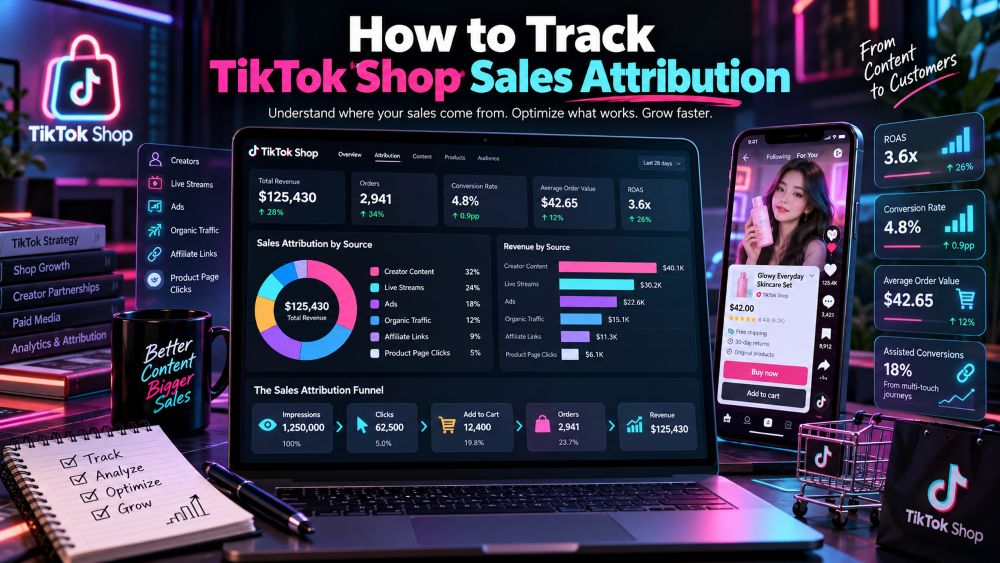
TikTok Shop sales attribution connects a completed order back to the creator, video, LIVE session, product link, or traffic source that influenced it. The numbers are rarely as clean as people expect. Buyers may watch a video, click later, join a LIVE, compare products, and purchase the next day.
The point is not to pretend every sale has one simple cause. It is to use one clear method so you can compare creators and content without counting the same revenue twice.
What Sales Attribution Actually Means
Sales attribution is the rule you use to decide where an order gets credit.
A customer sees Creator A’s video, clicks the product link, and buys the item. That is a straightforward creator and video attribution case.
Now picture a different customer. They watch Creator A’s video on Monday, see Creator B discussing the same product on Tuesday, join a seller LIVE on Wednesday, then buy from the Shop Tab that evening.
Every touchpoint influenced the purchase. But your report cannot give the full order value to all three without overstating revenue.
That is why you need to separate two ideas:
Platform attribution: the source or creator TikTok Shop recognizes for commission and reporting.
Internal analysis: the way your team reviews the customer journey, content influence, and budget decisions.
Platform attribution should be your source of truth for commissions. Internal analysis helps you understand what happened around the sale.
Start With the Data That Can Be Matched
A useful attribution review needs more than a creator name beside a GMV number.
For each order or reporting group, try to connect:
Order status
Product ID and SKU
Creator ID
Video or LIVE identifier
Product-link clicks
Order count
GMV
Commission cost
Cancellations
Refunds
Date and time
Traffic source, where available
Keep refunds and cancellations separate from completed sales. A creator who drives a large amount of paid GMV but also produces high refunds may not be as valuable as they first appear.
You should also protect buyer information. Your internal spreadsheet does not need names, addresses, phone numbers, or other customer details to compare creator performance. Use order-level data responsibly and keep access limited.
The Main TikTok Shop Sales Sources
TikTok Shop orders can come from several places. The source matters because different formats play different jobs in the customer journey.
Affiliate creator videos are often the easiest to connect with a particular creator. They can create demand, answer a problem, or give buyers a reason to click the product link.
Seller videos come from the shop’s own account or linked accounts. They may work well for product education, launches, repeat buyers, and seasonal offers.
LIVE shopping can convert differently from videos because shoppers can ask questions, see the product in use, and respond to limited-time offers. A buyer may also watch a LIVE and come back later to purchase.
Product cards and Shop Tab traffic often capture buyers who are already closer to a decision. These shoppers may have discovered the product through a video earlier, but the final order can occur from a product page or storefront.
Search traffic can indicate direct product demand. A buyer searching for a specific product type is often further along than someone casually watching content.
Paid campaigns need their own attribution review. Ads Manager settings, click-through logic, and view-through reporting should not be added directly to creator GMV without checking whether the same conversion is already credited elsewhere.
A simple customer path can look like this:
Creator video
      ↓
Product click
      ↓
Product page visit
      ↓
LIVE or Shop Tab revisit
      ↓
Paid order
      ↓
Cancellation, delivery, refund, or completed sale
The path is not always linear. That is why the reporting rule needs to be consistent.
How to Track Sales by Creator
Start with one market and one reporting period.
A seven-day period is usually useful for regular monitoring. A 30-day period gives you a better view of creator consistency. Do not compare a creator’s full month with another creator’s three-day campaign and call it a fair result.
In Seller Center, affiliate reporting can usually be reviewed by creator, product, video, and LIVE. Menu names can change over time, but the affiliate analytics area is where you should begin for first-party creator results.
Pull the creator-level results, then match each creator with the products they promoted during that period.
Look at orders, GMV, estimated commission, refunds, and product clicks. If possible, also review the actual videos. Numbers tell you who converted. The videos often explain why.
A creator with 100,000 views may be sending curiosity clicks. Another creator may get fewer views but show the product in a way that answers buyer questions clearly. That person may be far more valuable for your shop.
Do not judge creators only by gross sales. Look at sales that remain after cancellations and refunds.
How to Track Which Videos Drive Sales
A video is not automatically a sales video just because it has a product link.
Start with the basics:
When was the video posted?
When was the product linked?
Did product clicks rise after it went live?
Did orders rise during the same period?
Was there another major creator, LIVE, or promotion running at the same time?
Did the video continue generating orders after the first day?
For a single creator with several videos, compare them against each other before comparing them with other accounts.
One video may get attention because it is funny. Another may receive fewer views but show the product in use, explain sizing, or answer a common objection. The second video can be the better commercial asset.
Watch the comment section as well. Comments asking about price, delivery, compatibility, colors, or product details often show stronger purchase intent than broad reactions alone.
If several videos promote the same SKU, do not assign all product sales to each video manually. Use the platform’s attribution fields where available, then keep your own notes on assisted content separately.
LIVE Sales Need a Different Review
LIVE can make attribution look messy because the customer journey is often longer.
Someone may click the product during a LIVE but place the order later. Another shopper may see the product in a video first, then purchase during the stream after hearing the host answer questions.
For LIVE, track the session date, duration, featured products, product clicks, orders, GMV, coupon use, and any special price offered during the stream.
Then compare the session with other LIVE events using the same type of product and similar time frame.
Do not assume all sales during a LIVE were caused by the host. Some buyers may already have been planning to purchase. At the same time, do not dismiss a LIVE because its immediate order count looks modest. Some products need demonstration and buyer questions before people are ready to check out.
The useful question is whether the LIVE produced a stronger order rate, higher basket value, or better post-sale quality than other content sources.
Attribution Windows: Same-Day, Seven-Day, and Platform Rules
A same-day view is useful for spotting immediate impact.
If a creator posts at noon and product clicks and orders rise sharply that afternoon, you have a strong short-term signal. But same-day reporting can miss buyers who need time to decide.
A seven-day internal window can be more practical for comparing creator campaigns. It captures slower purchases while keeping the review period tight enough to limit unrelated activity.
For longer consideration products, you may choose a 14-day internal review. That does not mean you should change TikTok Shop’s commission logic. It simply gives your team a consistent way to study delayed sales.
Keep paid advertising separate. TikTok Ads Manager uses its own click-through and view-through attribution settings. Depending on campaign setup, those windows may differ from Shop affiliate reporting. Do not combine them into one number unless you have checked for overlap.
A clean report should state the window clearly:
Creator performance: 7-day post-publication review
LIVE performance: session day plus 7-day follow-up
Paid ads: Ads Manager attribution window
Commission reporting: TikTok Shop platform attribution
That small note prevents a lot of confusion later.
Avoid Double-Counting Sales
Double-counting is one of the fastest ways to make a creator program look more profitable than it is.
It happens when the same $50 order is credited to a creator, a LIVE, a paid campaign, and a product card without any rule for choosing one primary source.
Use a simple hierarchy for internal reporting.
First, use TikTok Shop’s recognized attribution for commission and affiliate reporting. That is the number tied to the platform’s payout logic.
Then create separate “assisted” notes for other touchpoints. A creator may have introduced the product, even if the final order was placed during a LIVE. That contribution is still useful to know, but it should not inflate direct creator revenue.
Also remove canceled orders and monitor refunds. Gross GMV is useful for seeing demand, but net GMV gives you a better view of revenue that held up after the sale.
Avoid another common mistake: treating all shop sales during a creator campaign as creator-driven sales. Some of those orders may be organic, repeat purchases, search traffic, or sales from another affiliate.
A Creator Attribution Example
The table below is an illustrative example, not live platform data.
Creator | Videos | Product clicks | Orders | GMV | Refunds | Net GMV |
|---|---|---|---|---|---|---|
Creator A | 4 | 1,250 | 58 | $3,480 | $260 | $3,220 |
Creator B | 2 | 760 | 44 | $3,960 | $120 | $3,840 |
Creator C | 7 | 2,100 | 51 | $2,550 | $430 | $2,120 |
Creator C generated the most clicks, but not the best net result.
Creator B brought fewer clicks and fewer videos, yet produced the highest net GMV. That could mean the product fit their audience better, their content handled buyer objections more clearly, or their buyers were less likely to return the item.
This is why a creator decision should not come down to views or click volume alone.
Metrics Worth Watching After the First Campaign
Once you have basic attribution in place, a few ratios make comparison easier.
Click-to-order conversion rate shows how well product interest turned into orders.
Orders ÷ product clicks × 100GMV per 1,000 views helps compare commercial output between content pieces with different reach.
GMV ÷ video views × 1,000Refund rate tells you whether the orders are holding up.
Refunded orders ÷ total orders × 100Commission cost shows what you paid to generate attributed sales.
Net GMV helps you see past inflated gross numbers caused by returns or cancellations.
For creator ROI, use your own cost base. Include commission, sample costs, paid amplification, shipping support, and any flat fee. A creator can have good attributed GMV and still be a weak investment if the partnership cost is too high.
Native Reporting and Market Research Serve Different Jobs
Seller Center is where you confirm your own orders, affiliate results, commissions, refunds, and traffic sources.
Third-party market research is better for the questions Seller Center cannot answer on its own: Which creators are promoting competing products? Which shops are gaining traction? Which categories are seeing more content and LIVE activity?
Use the TikTok Shop market and sales data dashboard to compare products, shops, creators, and category trends outside your own account.
If you need to compare reporting coverage, integrations, and competitor-research features, review our TikTok analytics tools comparison.
The two data sources are not substitutes. One tells you what happened in your shop. The other helps you see what is changing around it.
Keep the Weekly Review Grounded
Once a week, export or review attributed orders for the same time range.
Remove canceled orders. Separate refunds. Group results by product, creator, video, and LIVE. Then compare the period with the one before it.
You do not need to rebuild the whole program every Monday.
Look for a few clear decisions. Which creators are worth supporting again? Which products convert after clicks? Which videos create attention but weak sales? Which LIVE sessions bring higher-value buyers? Which partnerships are producing too many refunds?
Put more effort behind the people and formats that bring in orders your shop can keep.
Frequently Asked Questions
Can you see which creator generated a TikTok Shop sale?
For affiliate sales, TikTok Shop reporting can show creator-level performance such as GMV, orders, and content contribution. The exact fields and views can vary by market, account status, and reporting update.
Can one order be credited to both a video and a LIVE?
A buyer may interact with both, but your internal reporting should not count the same order twice as direct revenue. Use platform attribution for commission reporting and track other interactions as assisted touchpoints.
Should refunded orders be included in creator ROI?
Review them separately. Gross GMV shows initial demand, while net GMV after refunds gives a clearer picture of sales quality and long-term creator value.
