Fresh Features for TikTok Sellers


You want to be noticed as a seller on TikTok shop, but learning new features can be hard. I tried the newest tools myself. I saw that AR try-ons help buyers pick items fast. LIVE Billboard templates let you show products live. PUMA used this and saw sales go up by 737%. Shopify integration makes it easy to sync your catalog. The new Shop Chat answers customer questions quickly. The Seller Center dashboard helps you see your progress. These features from the TikTok shop TikTok seller official site make selling easier and faster.
Key Takeaways
Use AR try-ons so customers can see products first. This helps them trust you and decide faster.
Use LIVE Billboard templates in live streams to show deals. This gets people’s attention and can help you sell more.
Connect your Shopify store with TikTok Shop for easy inventory checks. This saves time and stops you from selling too much.
Use the new Shop Chat to answer customer questions fast. Quick answers make customers happy and help you sell more.
Watch your progress with the Seller Center dashboard. Checking sales and views helps you make smart choices to grow.
TikTok Shop 2025 Feature Highlights

AR Try-Ons & Interactive Shopping
You can use AR try-ons in TikTok Shop. Buyers see how products look before buying. Shoppers use their phone camera to try on things. They can try glasses, hats, or makeup. You give customers a preview in real time. This helps build trust and helps them decide fast. Interactive shopping is more than just AR. TikTok Shop 2025 has livestreaming, polls, pinned comments, co-hosting, and urgency tactics. These tools make your videos fun and help you connect with viewers.
Here is a quick look at the interactive elements you can use:
Interactive Element | Description | Value for Sellers |
|---|---|---|
Livestreaming | You talk to viewers live and show products. You can answer questions. | This builds trust and helps people buy right away. |
Polls | Viewers vote on products or features. | This gets people involved and keeps them interested. |
Pinned Comments | You show important info like discounts or product stock. | This keeps details easy to see and helps sales. |
Co-hosting | You add another person for fun talks. | This makes shows more exciting and keeps viewers watching. |
Urgency Tactics | You offer deals for a short time during live shows. | This makes people buy fast and decide quickly. |
You can use these tools to make your videos special. Many sellers get more sales with interactive shopping. If you add polls or co-hosts, you keep viewers watching. This helps you sell more.
LIVE Billboard Templates
LIVE Billboard templates help you show products and deals during live streams. You can tell viewers about flash sales or special offers on the screen. This grabs attention and guides people to your products. Billboard templates make your shop look neat and professional. Many sellers say these templates help them get more viewers and sales during live shows.
You can use Billboard templates to:
Tell people about deals that end soon.
Show your best-selling products.
Share news with your viewers.
These templates make it easy for viewers to see your offers. This means more clicks and more sales.
Shopify Catalog Integration
Shopify catalog integration links your Shopify store with TikTok Shop. You can sync products, manage stock, and track orders in one place. This saves time and helps you avoid mistakes. You do not need to update your catalog twice. The integration stops you from selling too much, since stock updates by itself.
Here is a table showing how Shopify integration works for your business:
Feature | Description |
|---|---|
Real-time Inventory Sync | Your stock updates automatically on both platforms. |
Centralized Management | You manage TikTok sales from your Shopify dashboard. |
Order Tagging | You track TikTok orders for better reports. |
Overselling Prevention | Stock goes down as soon as someone buys, so you do not sell too much. |
Targeted Product Selection | You pick which products to show on TikTok for better marketing. |
Shopify integration helps your business get seen by more people. TikTok Shop connects you to a big audience. This helps you grow your brand. You can show your store to the right people. This helps you keep customers and sell more.
Upgraded Shop Chat
The upgraded Shop Chat in TikTok Shop 2025 helps you reply to customers faster. You now see a 12-Hour Response Rate, so you answer quickly. Fast replies make customers happy and get better reviews. TikTok does not give violation points for slow replies anymore. New metrics like Chat Satisfaction Rate and Average Response Time help you see how well you help customers.
Shop Chat improvements include:
12-Hour Response Rate to help you reply fast.
No more violation points for slow replies.
New ways to measure customer happiness and reply speed.
You can use Shop Chat to answer questions and fix problems. This helps build trust. When you reply fast, you sell more. Customers feel important, and your business grows.
Seller Center Dashboard
The Seller Center dashboard shows you how your business is doing on TikTok Shop. You can track sales, see which videos do best, and watch your progress. The dashboard shows what works and what needs fixing. You can use this to make better choices and grow your business.
Key benefits of the Seller Center dashboard:
Track sales and order status right away.
See which videos and products get the most attention.
Watch your business grow and set new goals.
You can use the dashboard to plan your next steps. When you know what works, you can focus on the best ideas for your shop. This saves time and helps you sell more.
Quick Comparison Table: TikTok Shop 2025 Features
Feature | Accuracy | Language Support | Real-Time Capability | Collaboration | Best For |
|---|---|---|---|---|---|
AR Try-Ons | High | Multi-language | Yes | No | Fashion, Beauty |
LIVE Billboard Templates | High | Multi-language | Yes | Yes | Live Sales, Promotions |
Shopify Integration | High | Multi-language | Yes | Yes | Inventory Management |
Upgraded Shop Chat | High | Multi-language | Yes | Yes | Customer Service |
Seller Center Dashboard | High | Multi-language | Yes | Yes | Business Analytics |
Selection Criteria:
Pick AR Try-Ons if you sell fashion or beauty and want more engagement.
Use LIVE Billboard Templates to show deals in live videos.
Choose Shopify Integration for easy stock and order tracking.
Use Upgraded Shop Chat to make customers happy.
Use the Seller Center Dashboard for business planning.
You can use these features together to build a strong business on TikTok Shop. Each tool helps you connect with viewers, manage your store, and sell more.
Using TikTok Shop Seller Tools
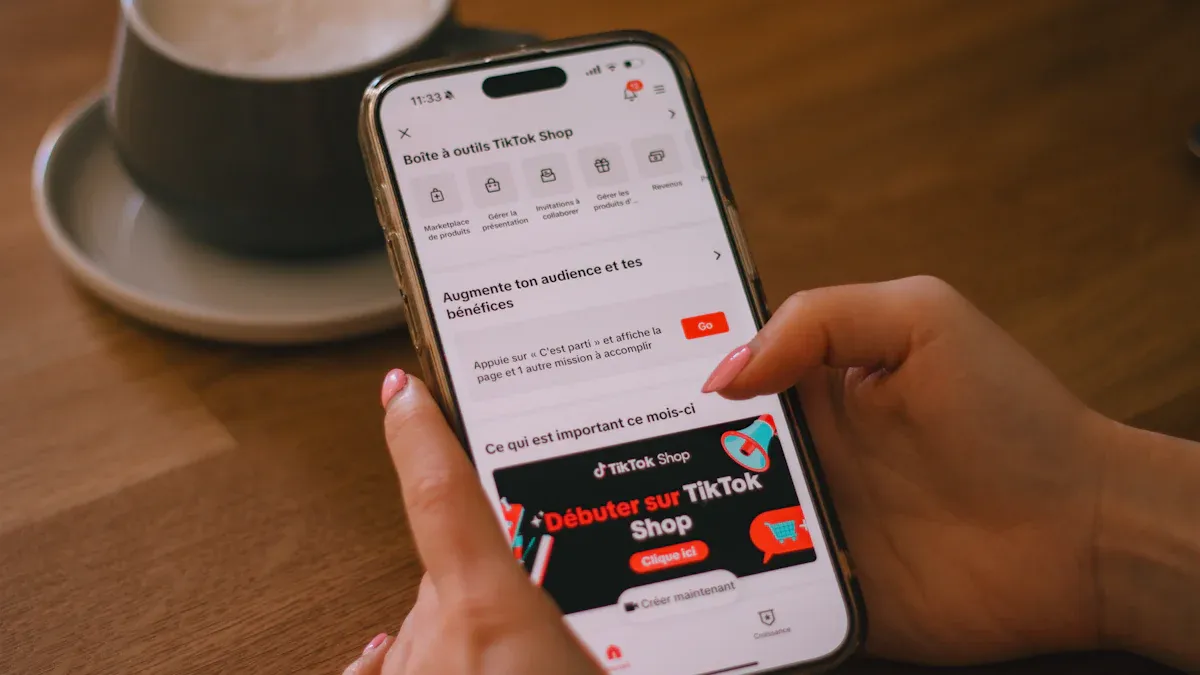
Setting Up AR & Interactive Features
You can make your TikTok Shop special with AR try-ons and interactive shopping tools. First, open your TikTok Seller Center. Go to "Product Tools." Pick "AR Try-On." Follow the steps to upload your product pictures. The system helps you set up AR overlays for things like glasses, hats, or makeup. Try the AR feature on your phone to see how it works for buyers.
For interactive shopping, use the "Livestream" tab in your dashboard. Add polls, pinned comments, and co-hosts by clicking the icons during your live video. You can also use urgency tactics, like limited-time offers, with the countdown timer. These tools help you get more TikTok engagement and keep viewers watching your videos.
Tip: Test different interactive features in your shoppable videos. See which ones get the most reactions. This helps you make your TikTok sales strategy better and find what works best for your business.
Managing LIVE Billboard Templates
LIVE Billboard templates help you show deals and products during your TikTok live streams. To use them, open the "LIVE" section in Seller Center. Pick "Billboard Templates" and choose a design that matches your brand. Add your product info, discounts, or special messages. Preview the template before you go live.
During your live video, click the "Billboard" button to show your template on the screen. You can change templates for different products or deals. This keeps your videos interesting and helps guide viewers to your best offers.
Note: Make your billboard messages short and easy to read. Use them to show flash sales or top products. This helps viewers decide and buy quickly.
Syncing Shopify Products
Syncing your Shopify products with TikTok Shop lets you manage your business in one place. There are a few ways to connect your store:
TikTok for Shopify App: Good for small product lists. This app links your Shopify and TikTok accounts. You can track sales and manage products easily.
CSV Upload via TikTok Seller Center: Use this for uploading many products at once. Download the template, fill in your product info, and upload the file.
Third-party Connectors: Best for big catalogs. These tools give advanced mapping and real-time inventory sync.
Before syncing, make sure both accounts are active and verified. Check that your products follow TikTok's rules and your inventory settings are right.
Tip: Check your product details before syncing. This helps stop mistakes and keeps your TikTok Shop working well.
Optimizing Shop Chat Responses
The upgraded Shop Chat lets you answer customers faster and see your response time. Open the "Shop Chat" tab in Seller Center. Set up quick replies for common questions. Use new metrics, like 12-Hour Response Rate and Chat Satisfaction Rate, to see how well you help customers.
Reply to messages as soon as you can. Fast replies get better reviews and more sales. The system does not give violation points for slow replies now, but quick answers still help your business grow.
Tip: Look at your chat stats every week. Find patterns in customer questions. Update your quick replies to save time and give better service.
Navigating Seller Center
The Seller Center dashboard is your main tool for tracking how your business is doing on TikTok Shop. Log in and go to the dashboard. You can see your sales, order status, and which videos get the most views. Use the analytics to find trends and set new goals.
If you have problems, like too much content or changes in the algorithm, use the dashboard to change your TikTok business plan. The table below shows common problems and solutions for TikTok sellers:
Challenge | Solution |
|---|---|
Content saturation | Post often and follow new trends. |
Algorithm changes | Show what makes your business special. |
Severe competition | Check TikTok's rules often. |
Compliance with platform policies | Stay updated on TikTok Shop rule changes. |
Meeting Service Level Agreements (SLAs) | Use third-party shipping for better order management. |
Managing fulfillment | Build a strong order system and think about 3PL support. |
Note: Use Seller Center to track your progress and change your TikTok sales plan. This helps you stay ahead in social commerce and influencer marketing.
You can use these tools to build a strong TikTok business. Try new features, watch your results, and keep learning. This helps you grow your sales and reach more buyers with videos and influencer partnerships.
Benefits for TikTok Sellers
Boosting Sales with New Features
You can grow your business by using new TikTok features. Many sellers say their sales go up with AR try-ons and live shopping. Interactive videos help buyers find what they want. TikTok’s video discovery shows products to more people. You reach shoppers who want to buy now. Personalized content matches your brand with the right users. This makes people buy on impulse and come back again.
Here is a table that shows how TikTok Shop helps businesses grow:
Evidence Description | Data |
|---|---|
Year-over-year sales growth for TikTok Shop | |
Percentage of U.S. small businesses selling on TikTok Shop | Over 171,000 small businesses |
Year-over-year sales growth for small businesses on TikTok Shop | 70% increase |
These numbers prove TikTok Shop helps sellers. You can use videos and work with influencers to find new buyers and sell more.
Improving Efficiency
TikTok’s new tools help you save time and run your business better. The Seller Center dashboard lets you check your inventory and results in one spot. In-video product tags make shopping easy for viewers. Live shopping and native checkout help you finish sales fast.
Feature | Benefit |
|---|---|
In-video product tags | You add links in videos for easy shopping. |
Live Shopping | You sell and talk with buyers live. |
Native checkout | Buyers pay inside the app, so fewer leave before buying. |
Seller Center Dashboard | You manage inventory and see results quickly. |
These features let you focus on growing your business, not small tasks.
Enhancing Customer Engagement
TikTok’s interactive features help you connect with customers. Videos, live streams, and chat tools let you talk to buyers right away. You can track business metrics to see how well you engage people.
Metric | Description |
|---|---|
Contribution Profit | Shows profit for each product after costs. |
Return on Ad Spend (ROAS) | Shows money made for every dollar spent on ads. |
Customer Acquisition Cost (CAC) | Shows cost to get a new customer. |
Customer Lifetime Value (LTV) | Shows money a customer brings over time. |
You can use these facts to make better videos and influencer campaigns. Social commerce on TikTok keeps buyers interested and loyal. When you use these tools, you see real benefits for your business.
Tips from TikTok Shop Seller Official Site
Best Practices for Feature Adoption
You can get more from TikTok Shop TikTok Seller Official Site by using smart strategies. Start by making videos that look real and connect with viewers. Many brands do well when they use new trends and make content people want. Lauren, who runs a creative agency, helped a brand grow its TikTok Shop revenue by 400 times in two months. She used pop culture and got viewers to join in. You should focus on TikTok engagement by asking questions and adding polls to your videos. This works great for ecommerce and helps you reach Gen Z, who are a big part of TikTok users. More than half of users interact with brand content every day, so you have a big chance to grow your business.
Make real videos that show your products in use.
Use TikTok Shop TikTok Seller Official Site tools like AR try-ons and live shopping.
Follow TikTok marketing strategy tips to reach more people.
Look for new ecommerce features in the TikTok Shop seller center.
Avoiding Common Pitfalls
Many sellers on TikTok Shop have problems if they do not keep up with changes. You might miss out if you ignore new features or forget to update your business plan. Some sellers do not check their analytics in the TikTok Shop TikTok Seller Official Site dashboard. This can mean missed sales or low TikTok engagement. Do not copy other brands without adding your own style. Being real is important in ecommerce and influencer marketing.
Tip: Check your analytics in the TikTok Shop TikTok Seller Official Site every week. Change your videos and business plan based on what works best.
Staying Updated
You can stay ahead in ecommerce by following news from the TikTok Shop TikTok Seller Official Site. Sign up for newsletters and join the TikTok for business community. Watch for new features and trends to watch in 2025. Many brands see a 'halo effect' when they use TikTok marketing strategy. This means your business can grow on TikTok and other places like Amazon or Google. Working with influencers and posting videos often helps you reach more buyers. The TikTok Shop TikTok Seller Official Site shares updates about new tools and best ways to sell.
Join webinars and training from the TikTok Shop TikTok Seller Official Site.
Follow influencer accounts for new ideas.
Try new features in your videos to see what helps sales.
You can use these tips to build a strong ecommerce business and keep your TikTok Shop growing.
You can use new features in TikTok Shop to grow your business. AR try-ons, live shopping, and upgraded chat tools help you connect with buyers. Try adding polls and co-hosts to your TikTok videos. Use the dashboard to track your sales and improve your videos. Start by testing each feature in your TikTok Shop. Watch for updates from TikTok and keep learning. You will see better results when you use videos and new tools together.
FAQ
How do I start selling on TikTok Shop?
You need a TikTok account. Open the Seller Center and sign up as a seller. Add your products and set up your shop. Follow the steps in the dashboard to finish your profile and start listing items.
What are the main benefits of using TikTok’s new seller features?
You get tools like AR try-ons, live shopping, and upgraded chat. These features help you show products, answer questions, and connect with buyers. You can track your sales and improve your shop with the Seller Center dashboard.
Can I connect my Shopify store to TikTok?
Yes. You can link your Shopify store to TikTok. This lets you sync products, manage inventory, and track orders in one place. You save time and avoid mistakes by using both platforms together.
How do I make my TikTok videos more engaging for shoppers?
Use interactive tools like polls, co-hosts, and live shopping. Show your products in real time. Ask questions and use features that let viewers join in. This keeps people interested and helps you sell more.
What should I do if I have problems with TikTok Shop features?
Check the Seller Center for help guides. Use the chat support if you need answers fast. You can also join TikTok webinars or visit the official site for updates and tips.
See Also
Essential Guidance for Newcomers on TikTok Product Choices
Simple Methods to Discover Trending Products on TikTok
EchoTik Introduces U.S. Pricing Tool for TikTok Shop Enhancements
