Top TikTok Conversion Tracking Solutions to Maximize ROI


2026 are Cometly, TikTok Ads Manager, Triple Whale, Northbeam, Rockerbox, Supermetrics, Sprout Social, Conjura, TikTok Events API with GTM, and Conversions API with Pixel. These tools help you see how your TikTok ads make money and what causes good results. Tracking things the right way is important. Brands get better ROI because they can find trends, make better choices, and improve ads. If you know what viewers do and use more than one platform, your campaigns do better.
Key Takeaways
Use TikTok conversion tracking tools to check your ads. This helps you see what makes people buy things.
Set up a server GTM container so ad blockers do not stop your data. This makes sure you track conversions the right way.
Track important events like purchases and sign-ups to see if your campaigns work. Pay attention to actions that help your business.
Pick the best tool for what you need. Tools like Cometly and TikTok Ads Manager have special features for better results.
Test your tracking setup often after updates. This keeps your data correct and helps you make smart choices.
Best TikTok Conversion Tracking Tools

Introduction to popular tools
There are many tools for TikTok conversion tracking. Here are the best ones for 2026:
Cometly: This software uses server-side tracking. It helps you see every conversion, even ones other tools do not catch.
TikTok Ads Manager: You can check ad metrics and track conversions. It gives you basic TikTok analytics right on your dashboard.
Triple Whale: This tool puts data from TikTok and other channels together. You get a full view of your TikTok performance.
Northbeam: Northbeam helps you track TikTok sales optimization. You can see how your ads work with other marketing.
Rockerbox: This tool shows how TikTok ads fit into your whole marketing plan.
Supermetrics: You can pull TikTok shop analytics and other data into one place. This makes reporting easy.
Sprout Social: This tool gives you social analytics. It helps you measure TikTok engagement.
Conjura: You get advanced analytics and reporting for TikTok campaigns.
TikTok Events API + GTM: This setup sends conversion data from your site to TikTok. It makes tracking more accurate.
Conversions API + Pixel: You can use this combo to track browser and server-side events. This helps you track conversions better.
These tools help you collect data and measure TikTok performance. They let you make smart choices for your ads.
How to use tools to improve return on investment
You might wonder how these tools help you earn more money. Here is a quick look:
Tool Feature | How It Boosts ROI |
|---|---|
Server-side tracking | Finds conversions that other tools miss |
Multi-touch attribution | Shows how TikTok ads work with other channels |
Real-time tracking | Connects TikTok ad actions to real revenue |
Unified analytics | Combines TikTok data with other sources |
Advanced reporting | Helps you spot trends and improve campaigns |
When you use the best TikTok analytics tools, you see how your ads really work. Cometly’s server-side tracking shows every conversion. Multi-touch attribution tells you how TikTok ads help with sales, even if the sale happens later. Real-time tracking lets you see how ads turn into money right away. These conversion tracking tools help you spend smarter and get better results. You can use the data to make your campaigns better and boost your ROI.
What Is TikTok Conversion Tracking
Tracking Basics
You want to know if your TikTok ads work. That’s where tiktok conversion tracking comes in. This process lets you see what happens after someone views or clicks your ad. You can track if people visit your site, add items to their cart, or make a purchase.
Here’s how you can set up tracking for your TikTok campaigns:
Set up a server GTM container or Gateway. This helps you avoid losing data from ad blockers.
Share full user data, but keep it safe by hashing it. This step improves how well TikTok matches users and tracks conversions.
Measure what happens after someone sees your ad. Focus on actions like purchases or sign-ups.
Track key events such as ViewContent, AddToCart, InitiateCheckout, and Purchase. If you want more leads, you can track extra events.
Tip: Don’t just look at clicks. Sometimes people click but don’t buy. Make sure you track what really matters for your business.
You should also check if users drop off after clicking your ad. If your landing page isn’t working, you might lose sales. Always look at the whole journey, not just the first step.
ROI Impact
When you use TikTok tracking, you can see how your ad spend turns into real results. You want to know if your money brings in more money, right? That’s where return on ad spend (ROAS) comes in. ROAS shows you how much revenue you get for every dollar you spend on ads. If you spend $20,000 and make $50,000, your ROI is 150%. That’s a win!
Investment Type | Amount |
|---|---|
Ad Spend | $10,000 |
Creator and Production Fees | $5,000 |
Staff Time and Tools | $5,000 |
Total Investment | $20,000 |
Attributed Revenue | $50,000 |
ROI | 150% |
You should also look at cost per conversion. This tells you how much you pay to get a new customer. If you keep this number low, your ads work better. Conversion rate is another key metric. It shows how many people take action after seeing your ad.
TikTok can boost your brand for weeks after someone sees your ad. You get more sales, better brand recall, and real-time feedback from users. When you track the right things, you make smarter choices and get more from your TikTok campaigns.
TikTok Analytics Tools Comparison
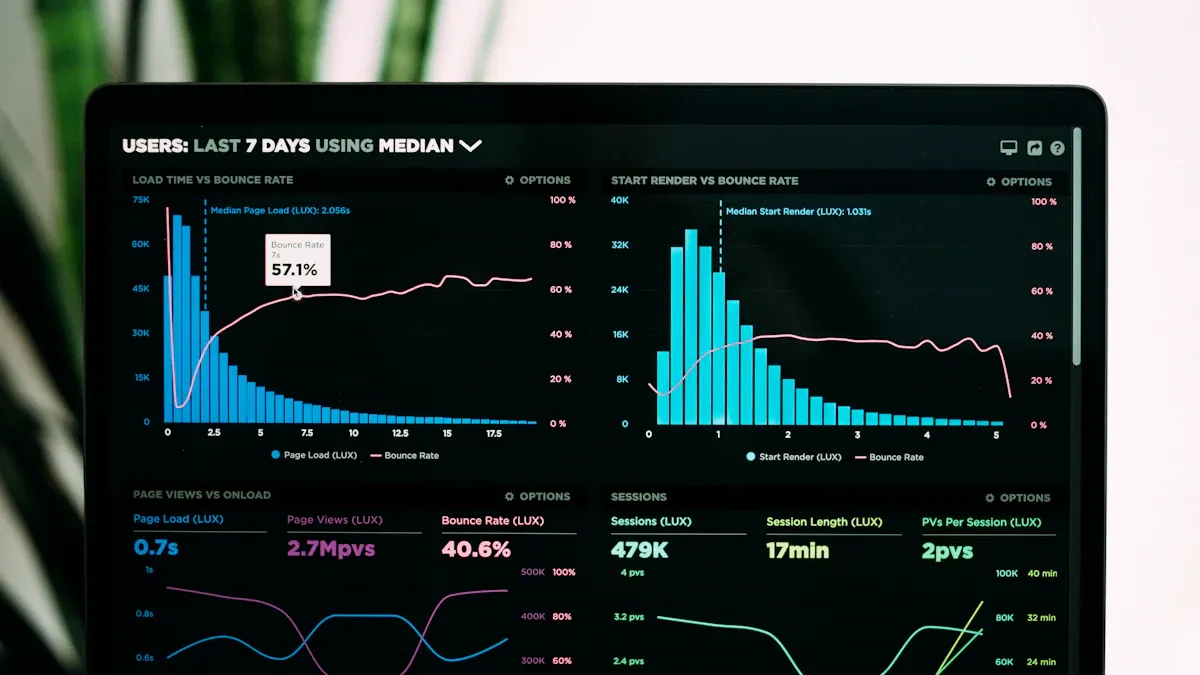
Features Table
You need to choose the best tool for your TikTok ads. Here is a quick guide to what each tool does well:
Tool Name | Key Features |
|---|---|
Keyhole | Historical trend tracking, influencer tracking, optimal posting times, deeper audience insights |
Rival IQ | Hashtag analytics, social media audits, overview of TikTok performance metrics |
Quintly | Custom reports with 500+ metrics, dashboard templates, fast analysis for instant insights |
Dash Social | Predictive AI for trends, content segmentation, cohesive reporting tools |
Hootsuite | Centralized TikTok data, engagement rate analysis, automated reporting, competitive benchmarking |
These conversion tracking tools show you what works on TikTok. You can follow trends and see how influencers help your brand. Some tools use AI to find new trends before they get big.
price list
You might wonder how much these tools cost. Here is a simple list:
Basic packages are usually $50 to $100 per month.
Mid-tier plans range from $100 to $299 monthly.
Advanced features for bigger brands cost $200 to $500 each month.
Enterprise packages have custom prices and special support.
Pick a plan that matches your budget and TikTok needs.
Strengths & Weaknesses
Let’s look at what each tool does well and where it could be better:
Keyhole is great for tracking trends and influencers, but it might not give you the best TikTok shop analytics.
Rival IQ is strong with hashtag analytics and audits, but its conversion tracking tools are not as advanced.
Quintly has lots of metrics and quick reports, but the dashboard can be confusing if you want something easy.
Dash Social uses AI to spot trends, but you may need to set up custom reports by hand.
Hootsuite puts all your TikTok data in one place and helps with benchmarking, but some advanced analytics cost more.
Tip: Try a free trial if you can. This helps you see which tool fits your work style and makes tracking conversion and performance simple.
These TikTok analytics tools give you the info you need to make your campaigns better and smarter.
Best Conversion Tracking Tools Reviewed
Cometly
Cometly helps you see how your TikTok ads make sales. It shows you real-time revenue attribution, so you know which ad brings in money. Cometly uses server-side tracking. This means you catch conversions that browser pixels might miss. This is helpful if iOS updates block your data. You can also see how TikTok works with Google and Facebook. Cometly gives you the whole story, so you know where to spend for the best ROI.
Real-time revenue attribution links TikTok ad actions to sales.
Server-side tracking beats browser and iOS limits.
Cometly shows TikTok’s part in your marketing mix.
TikTok Ads Manager
TikTok Ads Manager is the main tool for tiktok conversion tracking. You can use the TikTok Pixel or Events API for better data. The Pixel is easy to add to your site and tracks things like purchases or sign-ups. The Events API sends conversion data from your server. This helps you follow privacy rules and get more accurate results.
Description | |
|---|---|
TikTok Pixel | JavaScript code for tracking actions, easy to set up, and cost-effective. |
Events API | Server-side way to send conversion data, more reliable and follows privacy policies. |
You get a clear look at your TikTok ad tracking. This helps you see what works and change your campaigns quickly.
Triple Whale
Triple Whale gives you more control over your TikTok analytics. You can use their first-party pixel tracking for better accuracy. The Creative Cockpit lets you see which TikTok ads sell the most, not just get clicks or likes. Triple Whale also shows blended ROAS, so you know how TikTok and other channels work together to help your profits.
First-party pixel tracking makes attribution more accurate.
Creative Cockpit shows which ads really sell.
Blended ROAS gives you a full look at your marketing.
Northbeam
Northbeam helps you with tiktok sales optimization by putting all your orders and data in one place. You can connect TikTok Shops and Meta Shops to Shopify or your custom backend. Northbeam uses UTM parameters for good reporting and attribution. If you have a custom store, you can send orders to Northbeam with a special order tag. This setup lets you see how TikTok ads affect your sales and track everything in your main system.
Details | |
|---|---|
TikTok Shops and Meta Shops Setup | Orders must go into your main system (Shopify or custom backend). |
Shopify Stores | Make sure TikTok and Meta Shop orders sync with Shopify. |
Custom Stores | Use Orders API to send TikTok and Meta Shop orders to Northbeam with a special order tag. |
UTM Parameters | Needed for good reporting and attribution; delays in adding UTMs can slow things down. |
Rockerbox
Rockerbox helps you see how TikTok fits into your whole marketing plan. You can track conversions from TikTok and compare them to other channels. Rockerbox uses multi-touch attribution, so you know if TikTok started the customer journey or helped close the sale. This tool gives you a clear look at your marketing mix and helps you spend your budget where it works best.
Tip: Use Rockerbox to see if TikTok brings new customers or helps with repeat sales.
Supermetrics
Supermetrics makes it easy to mix data from TikTok and other places. You can make dashboards that show all your marketing results together. Supermetrics helps you build quick charts, so you spot trends and improve your campaigns fast. You own your data, so you can make choices without waiting for reports from others.
Data Blending | Mix data from different places for a full view of performance. |
Quick Visualizations | Make charts in weeks for fast insights. |
Centralized Data | Own your data, remove silos, and get info easily. |
Sign up for Supermetrics to bring your TikTok analytics together.
Build a blended ROAS dashboard for a big-picture view of ROI.
Use UTM parameters to track data across platforms.
Sprout Social
Sprout Social connects to your TikTok profile and tracks your performance. You can use the TikTok Profiles Report to see video views, engagement, audience growth, and top posts. Sprout Social helps you watch likes, comments, and shares, so you know what your audience likes. This tool makes it easy to understand your TikTok performance and change your content for better results.
Connect your TikTok profile to Sprout Social.
Track video views, engagement, and audience growth.
Use insights to make your TikTok campaigns better.
Conjura
Conjura gives you deep insights into your TikTok ads. You can track ad spend for each product, so you know how much you spend on each one. Conjura shows you real-time ROAS and customer acquisition cost by campaign, creative, product, and audience. You can see when TikTok ads bring traffic that buys other products, so you give credit where it’s due. Daily data sync keeps your insights fresh, so you can make smart choices every day.
Feature | Description |
|---|---|
SKU-Level Ad Spend Attribution | Track how much TikTok budget is spent on each product using landing page and product ID data. |
Real-Time ROAS & CAC | See true return on ad spend and customer acquisition cost by campaign, creative, product, and audience. |
Cross-Product & Landing Page Insights | Know when TikTok ads bring traffic that buys other things - giving credit where it’s due. |
Creative & Campaign Performance | See which TikTok ads are converting, which are not, and where your spend brings real margin. |
Daily Data Sync | Your TikTok data is refreshed daily, so your insights stay sharp and your choices stay smart. |
TikTok Events API + GTM
You want better attribution accuracy for your TikTok ads. The TikTok Events API with Google Tag Manager helps you get back lost conversions and improve event matching. This setup uses hashed user data for better accuracy and gives TikTok’s machine learning good signals. You get faster reporting and more stable cost per acquisition, even as you grow your campaigns.
Benefit | Description |
|---|---|
Restores lost conversions | Fixes problems caused by browser blocking. |
Improves event matching | Uses hashed user data for better accuracy. |
Feeds TikTok’s ML | Gives better signals for machine learning. |
Reduces attribution lag | Cuts down delays in reporting conversions. |
Stabilizes CPA | Keeps cost per acquisition steady as you scale. |
Higher match quality means better attribution.
Less loss from blockers and cookie rules.
Stable Purchase/Lead counts make reporting better.
Cleaner feedback loop helps ads perform better.
Conversions API + Pixel
The Conversions API and Pixel combo gives you the most accurate TikTok ad tracking. You can track both browser and server-side events, which is important in a cookieless world. This integration helps you lower customer acquisition costs by up to 50%. Event deduplication makes sure you don’t count conversions twice. Advanced matching data helps you target your audience better. You also get checks and monitoring, so your tracking stays reliable.
Description | |
|---|---|
TikTok Pixel and Events API Integration | Makes ads work better and lowers customer acquisition costs by 20% to 50%. |
Server-side API Tracking | Needed for good event tracking in a cookieless world. |
Event Deduplication | Makes tracking right by using unique event IDs with each server event. |
Advanced Matching Data | Helps target audiences on TikTok by sending advanced matching data. |
Quality Assurance Checks | Makes sure TikTok Pixel and Events API are set up well. |
Diagnostics Monitoring | Watches TikTok Events Manager to find and fix problems. |
Documentation | Gives clients setup guides for reference and maintenance. |
You can use these conversion tracking tools to get the most from your TikTok campaigns. Each tool has something special, so pick the one that fits your goals and setup. When you use the right tracking and analytics, you make smarter choices and see better results.
Choosing TikTok Ads Reporting Tools
Key Selection Criteria
You want to pick the best tiktok ads reporting tools for your business. First, think about what success means for your team. Make a list of features you must have and some you would like. Ask vendors questions before you decide. The right tools help you find your best ads and ways to get better. You can also see how influencers and hashtags help your tiktok results and sales.
Here’s a table to help you compare:
Criteria | Description |
|---|---|
Find your best ads and see what works. | |
Influencer performance analysis | Measure how creators help your brand and profits. |
Hashtag tracking and analysis | Track hashtag engagement to grow your reach. |
Simplified reporting formats | Get real-time reporting in a format everyone understands. |
Tip: Pick conversion tracking tools that show real-time analytics and easy reports.
Integration & Usability
You need tiktok ads reporting tools that work with your other software. Look for tools that connect with tiktok easily. This lets you link your ad account and keeps your data safe. Good reporting tools show installs, purchases, and revenue for each ad. You can compare your tiktok ads with other channels to improve tiktok sales.
AgencyAnalytics pulls data from tiktok, Instagram, Facebook, and more.
You can connect with email marketing and e-commerce platforms.
Many tools work with over 80 marketing apps for full analytics.
If you want real-time sales info, pick tools that update data often. This helps you make quick choices and improve your ads.
Privacy & Compliance
Privacy is important when you use conversion tracking software. In 2026, tiktok ads reporting tools must follow strict rules. You need to get permission before tracking users. Delete personal data after 12-24 months. Let people see or delete their data if they ask. Always explain what data you collect in your privacy policy.
Here’s a table of key standards:
Compliance Standard | Key Requirements |
|---|---|
Consent, data retention, user rights, privacy policy, data processing agreements | |
CCPA | Disclosure, opt-out rights, correction rights, deletion rights |
International Laws | Stricter rules for users in the EU or California |
Pick reporting tools that help you follow these rules. This keeps your brand safe and helps people trust you.
Maximizing Value from Conversion Tracking Tools
Setup Best Practices
Getting the most out of tiktok ads reporting tools starts with a strong setup. If you want to track every sale and action, follow these steps:
Use a server GTM container or Gateway. This helps you avoid losing data from ad blockers and gives you more control.
Share hashed user data like IP, name, and email. This boosts match rates and keeps you compliant.
Measure what happens after someone views your ads. Focus on purchases or subscriptions that happen after ad views.
Track important events such as ViewContent, AddToCart, InitiateCheckout, and Purchase. If you want more leads, add extra events.
Tip: Set up your tiktok ads reporting tools early. This way, you can see real-time analytics and fix problems fast.
Common Mistakes
Many marketers make simple mistakes with tiktok ads reporting tools. You can avoid these by knowing what to watch for:
Some people only look at clicks, not conversions. This can lead to low return on ad spend because clicks do not always mean sales.
Others forget to check if their tracking works after updates. You might miss out on important data.
Some ignore tiktok performance across all channels. This means you do not see the full picture.
Note: Always test your conversion tracking software after changes. This keeps your reporting tools accurate.
Campaign Optimization
You want your ads to work harder for you. Start by using tiktok’s native analytics tools to see how people engage with your content. Set clear KPIs like conversion rate and ROI. These numbers show if your tiktok sales optimization is working. Add the tiktok Pixel to track what users do after seeing your ads. This gives you detailed data for conversion optimization.
Use analytics to spot trends and improve your ads.
Watch your conversion rate. This tells you how many viewers become customers.
Real-time analytics help you make quick changes for better results.
“Without proper tracking, everything else in this article is useless. You can’t optimize what you can’t measure, and you can’t scale what you can’t attribute.”
If you follow these steps, you will get more from your tiktok ads reporting tools and see better results from your campaigns.
You have a lot of great options for tiktok conversion tracking. Here are the top picks:
Cometly for accurate revenue tracking
TikTok Ads Manager for free, easy analytics
Triple Whale for Shopify brands
Northbeam for big teams
Hyros for long sales cycles
Accurate tiktok ads reporting tools help you see what works and boost your ROI. Brands that track conversions well often see more sales and smarter spending. Try different tiktok ads reporting tools, see what fits, and follow these steps:
Set up your tracking with a server GTM container.
Share hashed user data for better results.
Track key events and test your setup.
With the right tiktok ads reporting tools, you can grow your business on tiktok.
The most pressing problem to be solved
How to understand TikTok conversion?
You use TikTok conversion tracking to see what people do after they see your ad. It helps you know if someone buys, signs up, or takes another action. This way, you can see if your TikTok ads work.
Are there any other tools to track sales?
Yes, you need a TikTok Pixel or Events API to track actions on your website. The Pixel helps you collect data about what users do after clicking your TikTok ad. It’s easy to set up and gives you important info.
Can I track TikTok sales with other tools?
You can! Many tools connect with TikTok to track sales and actions. Some tools even show how TikTok ads work with your other marketing channels. This helps you see the full picture and improve your results.
How do I improve TikTok ad ROI?
Start by using TikTok analytics tools. Track key events like purchases and sign-ups. Test different ads and see what works best. Make changes based on your data. This helps you get more value from your TikTok campaigns.
Is TikTok conversion tracking safe for privacy?
Most TikTok tracking tools follow privacy laws. You should always ask for user consent and keep data safe. Good tools use hashed data and let users control their info. Check your privacy policy to make sure you follow the rules.
See Also
Essential Tools For Analyzing TikTok Performance Effectively
A Complete Guide To Understanding TikTok Analytics
Top Free Tools For Analyzing TikTok Data
