Starting as a Global Seller on TikTok Shop in 2025

You might feel confused when you first want to become a seller on TikTok Global Shop. I felt that way too. There are millions of people—about 15 million by 2025—trying to stand out as a seller on TikTok Global Shop. Many sellers have trouble with strict rules or hard-to-understand policies. If you want to skip those problems, first collect your business details. Check if you meet the eligibility rules for becoming a seller on TikTok Global Shop. Signing up and logging in are important steps. They help you get closer to buyers everywhere.
Key Takeaways
Look at the eligibility rules before you try to sell on TikTok Shop. Make sure you are the right age and live in the right place. Have all the needed documents so you do not get delayed.
Get all your important papers ready before you start. Have your ID, business papers, and product details ready. This helps you sign up faster.
Pick the correct business type and country when you set up. This choice changes what your shop can do and who will see it.
Learn how to use the TikTok Shop Seller Center well. Get to know how to manage products, handle orders, and check sales. This will help you sell better.
Keep your account safe by using strong passwords. Turn on two-factor authentication. Check your account settings often to keep your business safe.
Seller TikTok Global Shop Requirements
You need to check if you fit the main rules before you sell on tiktok shop. Many new sellers feel stressed by the rules, but you can split them into easy steps. This part shows what you should get ready for your seller tiktok global shop journey.
Eligibility Criteria
You have to follow some basic rules to join tiktok shop as a global seller. Here is a quick list of the main rules:
Requirement Category | Specific Details | Regional Variations |
|---|---|---|
Age & Location | You must be 18 or older and have a real address in a country that is allowed. | Some places ask for a face check or ID check. |
Business Structure | You can sign up as a person or a business. | Some countries want you to register your business. |
Documentation | You need a government ID, tax papers, and bank account info. | The US needs a W-9 form. Other places have their own tax forms. |
Follower Requirements | Creators need between 1,000 and 5,000 followers. Product sellers do not need followers. | Affiliate programs might have other rules. |
Product Requirements | You must list at least one real product. | Some products need extra checks. |
Financial Setup | Your bank account name must match your registration name. | Local banking rules might be different. |
Fees & Costs | There is a 6% referral fee (5% for jewelry). | Minimums and fees for taking out money can change by region. |
Business and Product Information
You need to get some details ready before you sign up for seller tiktok global shop. The details you need depend on if you sign up as a person or a business.
If you are a person, you need:
Your legal name
Your birth date
Your address
A government ID
Your own bank account
If you are a business, you need:
Company registration info
Type of business
Company name
Employer Identification Number (EIN)
Business bank account
You also need to make sure your product info is true and clear. tiktok shop checks for fake claims and wrong use of brands. Always use your own pictures and get permission for any brand logos.
Follower and Region Requirements
You may wonder if you need lots of followers to start. For tiktok shop, creators need at least 1,000 followers to use the Shop feature. If you sell products, you do not need any followers. This helps new sellers join more easily.
tiktok shop works in many places, like the United States, United Kingdom, Indonesia, Malaysia, Thailand, Vietnam, Philippines, Japan, Singapore, Spain, Ireland, Germany, France, Italy, Brazil, and Mexico. You can sell to buyers in Asia, Europe, North America, and Latin America. Make sure your address is in a country that is allowed before you apply.
Tip: Check your documents and product info twice before you start your application. This helps you avoid problems and makes your seller tiktok global shop setup easier.
Set Up Your TikTok Shop Account
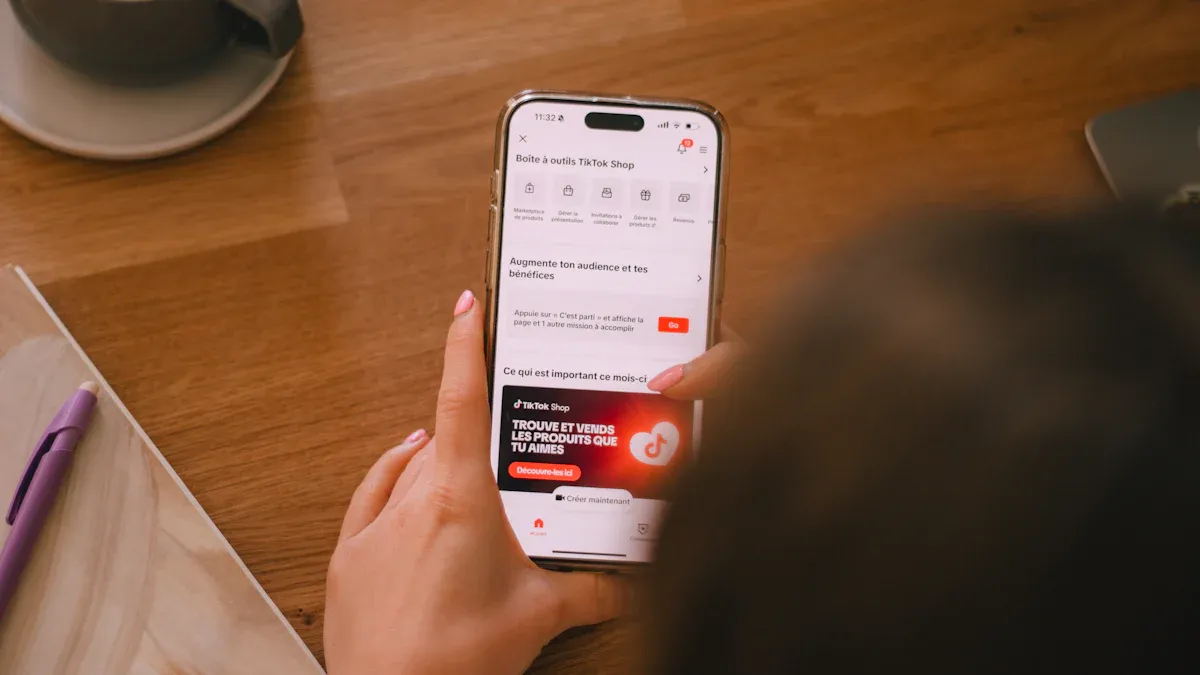
Getting started with your seller tiktok global shop journey can feel overwhelming. I remember my first time trying to set up your tiktok shop account. The process looked simple, but I ran into a few bumps along the way. Let me walk you through the steps, share what worked for me, and point out where you might need to pay extra attention.
Registration Steps
You want to set up your tiktok shop account as smoothly as possible. Here’s a step-by-step guide based on my own experience:
Start by visiting the TikTok Shop Seller Center. You’ll see a sign-up option. Use a phone number and email address that you haven’t used for tiktok shop before.
Fill out the application form. You’ll need to upload your business documents and a government-issued ID. If you’re registering as a business, have your company registration papers ready. If you’re signing up as an individual, your personal ID will do.
Double-check all your details. Make sure your bank account matches the name on your documents.
Submit your application. The platform will review your information. You’ll get an update by email or through the Seller Center.
I found that having all my documents ready before I started made the process much faster. If you want to register for a tiktok business account, you’ll need to follow these steps closely. Don’t rush—take your time to avoid mistakes.
Tip: Save copies of everything you upload. If you need to resubmit, you won’t have to start from scratch.
Choosing Country and Business Type
When you set up your tiktok shop account, you’ll need to pick your country and business type. This step matters because it affects your shop’s features and who can buy from you.
Here’s a quick look at your options:
Business Type Options | |
|---|---|
Various | Domestic Shop |
Cross-Border Shop |
If you’re not sure which to choose, think about where your buyers live. Domestic shops work best if you want to sell in your own country. Cross-border shops let you reach buyers in other countries. I chose cross-border because I wanted to sell to customers in the US and Europe. The interface made it easy to select, but I had to check the rules for each region.
Note: Some countries have extra steps, like tax forms or ID checks. Read the instructions for your region before you move on.
Common Registration Issues
Even if you follow every step, you might run into problems. I did, and I learned a lot from fixing them. Here are some common issues and how you can avoid them:
Explanation | |
|---|---|
Documentation inconsistencies | If your business documents and bank account don’t match, your application may get rejected. |
Incomplete information | Leaving out details, especially banking info, can slow down your verification. |
Misunderstanding product category restrictions | Picking the wrong category for your products can cause delays. |
Low-quality document scans | Blurry or unclear scans mean you’ll have to upload them again. |
Missing required certifications | Some products need special certificates. If you forget them, you’ll have to resubmit. |
I once uploaded a scan that was too dark. The system asked me to try again, which delayed my approval. Make sure your scans are clear and easy to read. Double-check your product categories. If you’re not sure, look up the rules for your items.
Tip: Take your time with each step. Rushing can lead to mistakes that slow you down.
Setting up your tiktok shop account takes patience, but it’s worth it. Once you finish, you’ll be ready to explore the Seller Center and start understanding the dashboard. You’ll see how easy it is to manage your shop and reach buyers around the world.
Verification and Profile Setup
Identity and Business Verification
You must prove who you are before selling on tiktok shop. This step keeps everyone safe. You will need to show some documents. Here is a table that lists what you need:
Document Type | Description |
|---|---|
Government ID | The Primary Business Representative (PBR) must show this to prove identity. |
Social Security Number | The PBR also needs to give this for checking identity. |
Live Selfie Video | The PBR must send a selfie video. If you do not pass, you cannot sell. |
Passport or Driver's License | The Ultimate Beneficial Owner (UBO) may need to show this for checking. |
Legal Name, Date of Birth, Nationality, U.S. Residential Address | The UBO must give this info if they own 25% or more of the company. |
Get your documents ready before you start. If you skip a step or send a blurry photo, you may need to do it again. I learned that clear photos and checking my info helped a lot.
Shop Profile Customization
After you finish checking, you can set up your tiktok shop profile. This is your chance to show buyers why your shop is special. Here are some tips that helped me get more customers from around the world:
Make sure your shop info is correct and easy to read.
Show your best items in videos and link your product list.
Use tiktok shop analytics to see how many people visit and follow.
Change your profile often so it stays new and interesting.
Show sales or special deals.
Answer comments and ask buyers to share their own content.
Make fun posts like polls or ask for feedback.
If you do these things, people will trust you and notice your shop.
Professional Appearance Tips
You want your tiktok shop to look neat and professional. Start with a clear shop logo and banner. Use good pictures for your products. Write short and honest descriptions. I saw that buyers trust shops with real photos and easy info. Be friendly and helpful in your posts. If someone asks a question, answer fast. This shows you care about your buyers. When you change your shop, make sure everything looks tidy. A neat shop helps you do well as a seller tiktok global shop.
Log In to Your TikTok Shop Seller Account
You have set up your shop and finished your profile. Now, you want to log in to your tiktok shop seller account and start working. This step is simple, but you might face a few bumps if you are new. I will walk you through the process, share tips for smooth access, and help you feel confident every time you log in.
Accessing TikTok Shop Seller Center
You can log in to your tiktok shop seller account from your computer or your phone. Here is how you do it:
Go to the TikTok Shop Seller Center website for your region. Make sure you use the official site.
Enter your registered email or phone number and your password.
If TikTok asks, complete the identity check. This step keeps your account safe.
Once you pass the check, you will see your seller dashboard. Now you can access your tiktok shop and start managing your business.
If you use the TikTok app, open it and tap the "Profile" icon. Then, select "TikTok Shop" and log in with your seller details. This way, you can manage your tiktok shop from anywhere.
Sometimes, you might forget your password or get locked out. If this happens, use the "Forgot Password" link to reset it. If your account gets locked after too many tries, wait a bit or reach out to TikTok support. Always use the correct regional version of the site. If you use a VPN, turn it off to avoid login problems.
Tip: Save the Seller Center website as a bookmark. This makes it easy to find and helps you avoid fake sites.
Dashboard Navigation
After you log in to your tiktok shop seller account, you will see the Seller Center dashboard. This dashboard is your main tool for running your shop. At first, it might look busy, but you will get used to it quickly.
Here is a table that shows the main features you will find:
Feature | What You Can Do |
|---|---|
Product Management | Add new products, update listings, check inventory, and handle shipping orders. |
Order Processing | Track orders, answer customer questions, and make sure shipments go out on time. |
Sales Insights | See your total sales, profit, and customer trends. Use this to plan your next steps. |
Marketing Tools | Set up promotions, flash sales, and work with influencers to boost your sales. |
You can also bulk upload products, track your stock in real time, and set up alerts for restocking. The dashboard lets you automate customer service and manage campaigns for special deals. If you want to grow, check the sales insights often. This helps you see what works and what needs to change.
Note: Spend some time exploring each section. The more you know about the dashboard, the easier it is to manage your tiktok shop and reach more buyers.
Account Security Tips
Keeping your shop safe is very important. You do not want to lose access or put your business at risk. Here are some best practices you should follow:
Best Practice | What You Should Do |
|---|---|
Data Minimization | Only collect the data you need. This lowers your risk and helps you follow privacy rules. |
Security Measures | Turn on two-factor authentication. Use strong passwords and do not share them with anyone. |
Regular Compliance Audits | Check your account settings every month. Make sure you follow TikTok’s privacy and security rules. |
Use TikTok’s Privacy Tools | Use TikTok’s built-in tools for encryption and verification. These help protect your data. |
Stay Informed | Read updates in the Seller Center and sign up for TikTok’s newsletters. This keeps you aware of new rules. |
If you ever see something strange, change your password right away. Only let trusted people access your account. Always log out when you finish your work, especially on shared devices.
Tip: Set reminders to review your account security every month. This habit keeps your shop safe and gives you peace of mind.
Logging in and keeping your account secure does not have to be hard. With these steps, you can log in to your tiktok shop seller account, use the dashboard with confidence, and protect your business as you grow.
TikTok Shop Seller Center Management
Add Products
When you start using the tiktok shop seller center, adding products feels simple once you know the steps. You log in and find the ‘Manage Products’ tab on the left. You see a clear button for ‘Add new product’ in the top right. The system asks you to pick a category, write a short description, and upload up to five photos. You also enter sales and shipping details. After you finish, you hit ‘submit for review’ in the top right. If you have many items, you can use the ‘Bulk action’ button. Download the template, fill it out, and upload it back. This saves time if you want to grow your tiktok shop fast. The tiktok shop seller center makes it easy to see which products are live and which need changes.
Manage Orders and Inventory
Managing orders in the tiktok shop seller center gives you several choices. You can handle shipping yourself, pick a provider from the list, or let TikTok take care of everything. The dashboard shows your orders and inventory in real time. This helps you avoid selling items that are out of stock. You can also connect your own system using the TikTok Shop API. This keeps your product data and inventory up to date. Flexible fulfillment helps you handle busy days. You see every order and can track each package. The tiktok shop seller center makes it easy to keep buyers happy and avoid mistakes.
Real-time inventory sync is important. It keeps your shop running smoothly and protects your reputation.
Use Seller Tools
The tiktok shop seller center gives you tools to boost your sales. You can set up promotions, flash sales, and work with influencers. The dashboard shows your sales, profits, and customer trends. You can use bulk upload tools, automate customer service, and set alerts for restocking. The seller center also tracks key performance indicators like on-time delivery and customer satisfaction. You see which products do well and which need work. Navigating the tiktok shop seller center helps you spot new trends and improve your shop.
Metric | Description |
|---|---|
On-Time Delivery Rate | Shows how often you deliver on time. |
After-Sales Handling Time | Measures how fast you solve problems. |
Instant Message Satisfaction | Tracks how happy buyers are with your replies. |
Troubleshooting Common Issues
You may face some problems in the tiktok shop seller center. Sometimes, you see errors when adding products. Check your details and make sure everything is correct. If your inventory looks wrong, update your stock and refresh the page. Some sellers cannot access all features because of their location. If you have trouble, check your internet, payment info, and clear your app cache. Always follow tiktok shop rules to avoid blocks. Navigating the tiktok shop seller center gets easier with practice. If you get stuck, support is just a click away.
Setting up and managing your tiktok shop seller center usually takes three to five days. Most new sellers need patience, but the tools help you learn how to sell on tiktok shop. Shops that use all the features have a better chance to earn more and last longer. If you want to know how to sell on tiktok shop, start by exploring every part of the tiktok shop seller center.
You now know the main steps to start selling on tiktok shop. First, get your documents ready. Next, make your account and look at the Seller Center. You can do better by joining learning programs like the Introduction to TikTok Shop Course or dropshipping training. Try new ideas, watch for feedback, and change your plans when tiktok shop rules change. Keep learning and update your shop often to reach more buyers. Every step you take helps your tiktok shop grow.
Introduction to TikTok Shop Course
Dropshipping on TikTok Shop in 2025
FAQ
How long does it take to get approved on tiktok shop?
You usually get approved within three to five days. If you submit clear documents and accurate information, you speed up the process. Sometimes, extra checks or missing details can slow things down.
Can you sell in more than one country on tiktok shop?
Yes, you can sell in multiple countries if you set up a cross-border shop. You need to follow each region’s rules. Make sure your products meet local requirements before you list them.
What should you do if your tiktok shop account gets locked?
Try resetting your password first. If you still cannot log in, contact TikTok support for help. Always use the official site and keep your login details safe to avoid future problems.
Do you need a business license to sell on tiktok shop?
You do not always need a business license. Individual sellers can use personal identification. If you register as a business, you must provide company documents. Check your country’s rules before you apply.
How do you handle returns and refunds on tiktok shop?
Go to the Seller Center dashboard. You see requests for returns or refunds there. Follow the steps TikTok provides. Respond quickly to buyers and keep your shop’s reputation strong.
See Also
Simple Steps To Launch Your Business On TikTok Shop
Effective Strategies For Pricing Products On TikTok Shop
The Rise Of TikTok E-commerce In The Philippines
Furniture Store Achieves $1.5 Million GMV In One Week On TikTok Shop
