TikTok LIVE Replay Missing? Availability and Troubleshooting

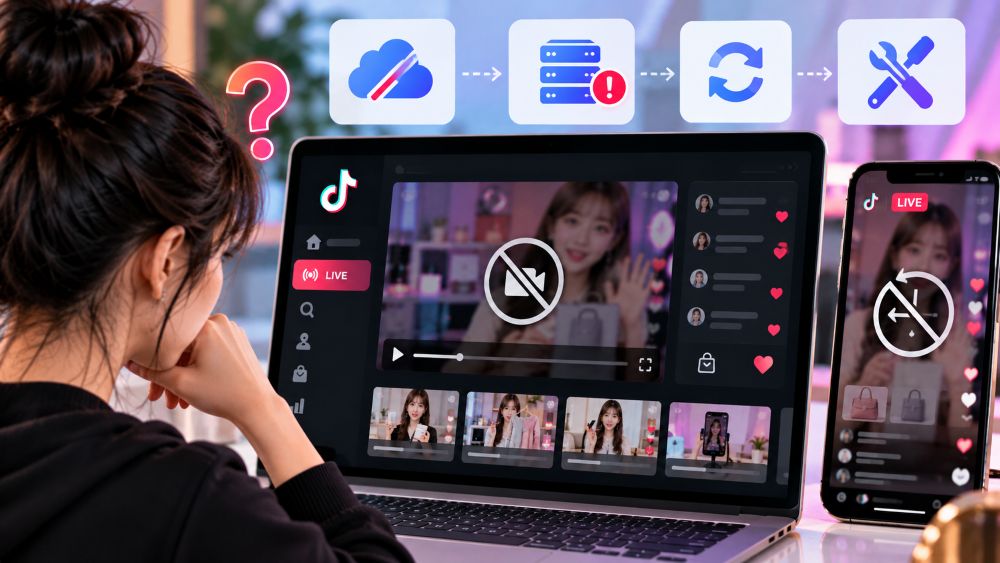
TikTok LIVE Replay Missing?
A TikTok LIVE replay can go missing because it expired, was deleted, has not finished processing or belongs to a different account. There is also a simpler explanation: completed LIVE sessions are not automatically published for everyone to watch.
If it was your stream, check TikTok Studio and LIVE Center rather than your public profile. TikTok currently keeps creator LIVE replays available for viewing and downloading for 30 days.
If you were trying to watch someone else’s LIVE, the creator may never have published a replay.
First, Make Sure a Replay Should Exist
TikTok LIVE recordings do not work like regular videos. Ending a stream does not place the entire broadcast on the creator’s public profile.
The creator can usually find the recording in TikTok Studio:
Profile → Menu → TikTok Studio → LIVE → LIVE recordingsThe replay may also appear in LIVE Center.
That access mainly belongs to the account that hosted the stream. Viewers might see highlights or clips later, but they are not guaranteed access to the full broadcast.
A link shared while the creator was live may stop working when the session ends. It opened an active LIVE room, not a permanent video page.
Before changing app settings, establish two things:
Did your account host the LIVE?
Did the broadcast happen within the last 30 days?
Those answers rule out most of the confusion.
Check the Account, Date and Recording Menu
Teams often use separate TikTok accounts for the shop, creator and agency. Each account has its own recording history.
Confirm the username shown in the app. If another team member hosted the stream from a creator account, the replay will not appear while you are signed into the shop account.
Next, check the broadcast date. TikTok’s replay storage is temporary. A recording that is more than 30 days old may have expired, even if an old notification or link still exists.
Open TikTok Studio and LIVE Center directly. Do not use the public profile as proof that the recording is gone.
If the LIVE is recent and the correct account still shows an empty page, update TikTok and restart the app. Try another internet connection or device before reinstalling anything. Clearing the app cache may also help if TikTok Studio is loading old information.
Long streams do not always appear immediately. Give a newly completed recording some time to process, then check again.
If a Recent Replay Is Still Missing
A replay that disappeared within the 30-day window needs a closer look.
Start with the people who have access to the account. Someone may have downloaded and deleted the recording without telling the rest of the team. This is easy to miss when several people manage the same creator or shop.
Check account notifications as well. If TikTok interrupted the LIVE, restricted the account or flagged part of the broadcast, the recording may not appear like a normally completed stream. Look for an actual notice instead of assuming that a policy issue caused it.
The interface can also vary between accounts and app versions. One account may show LIVE recordings inside TikTok Studio while another relies more heavily on LIVE Center.
When the correct account, date and menu have all been checked, report the problem through TikTok’s in-app support. Include the username, broadcast date, approximate start time, device and app version. Attach a screenshot of the empty recording page and mention any warning that appeared during the LIVE.
That gives support more to work with than a message that only says the replay disappeared.
Why You Can’t Watch Someone Else’s TikTok LIVE Replay
If you missed another creator’s stream, there may be nothing wrong with your account.
TikTok does not maintain a public archive of every completed LIVE. The creator can access the saved recording for a limited time, but viewers only see what the creator later chooses to post.
Check the creator’s profile for:
Highlight clips
Product demonstrations
Follow-up videos
Reposted moments
Announcements for the next LIVE
Avoid websites that claim they can recover any deleted, expired or private TikTok LIVE. A third-party service cannot create legitimate access to a recording that the creator never published.
For competitor research, waiting until after the stream is usually too late. Track the creator’s schedule and prepare to observe the next session while it is live.
If competitor LIVE research is part of your routine, use
EchoTik to study TikTok Shop products, creators, shops and LIVE activity without depending on a public replay being available later.
What Sellers Can Still Review Without the Video
A missing video makes a proper review harder, but the session may still have useful reporting attached to it.
Open the available LIVE and shop reports. Check when traffic, product clicks, orders and GMV changed. Match those times with any notes kept by the host or moderator.
For example, a sales increase may have followed a coupon announcement, product demonstration or switch to a bundle. A drop in viewers may line up with a long explanation or an awkward product transition.
Without the footage, you cannot confirm exactly what caused the change. You can still identify the moments that deserve attention.
Save whatever remains available:
Products featured
Session duration
Viewer activity
Product clicks
Orders and GMV
Coupon timing
Host or moderator notes
Do not treat estimated or incomplete data as a substitute for the recording. Use it to narrow the questions your team needs to answer.
If you want to study product order, traffic changes, host pitches and competitor LIVE behavior in more detail, read our guide to rewatching TikTok LIVE for business analysis
Save the Next LIVE Before It Disappears
Important streams should not depend on TikTok’s temporary replay window.
Download your own replay soon after the broadcast. If your streaming setup supports local recording, turn it on before the LIVE begins. A local recording may not include every TikTok element, such as comments or gifts, but it preserves the host’s video and audio.
For major sales sessions, ask the moderator to keep a rough timeline:
8:05 PM — First product introduced
8:14 PM — Coupon announced
8:18 PM — Viewer count increased
8:27 PM — Host answered sizing question
8:34 PM — Bundle introduced
The notes do not need to capture every minute. Record product changes, offers, unusual traffic movement and repeated customer questions.
After the LIVE, store the video, notes and sales report together. Include the account, date and campaign name in the filenames so another team member can locate the correct session later.
Download useful product demonstrations while the replay is still available. Those sections can help with host training, future LIVE scripts and short-form content.
A missing replay is much easier to handle when the rest of the session record has already been saved.
The Short Version
If your TikTok LIVE replay is not available, check the account that hosted it, the original broadcast date and the LIVE recordings section inside TikTok Studio or LIVE Center.
A replay older than 30 days may have expired. A recent recording may still be processing, may have been deleted by another account manager or may be affected by an account notice.
Viewers cannot assume that another creator’s completed LIVE will remain publicly available. For your own business sessions, download the replay early and keep it with the matching sales report and operator notes.
