TikTok seller center register 2025

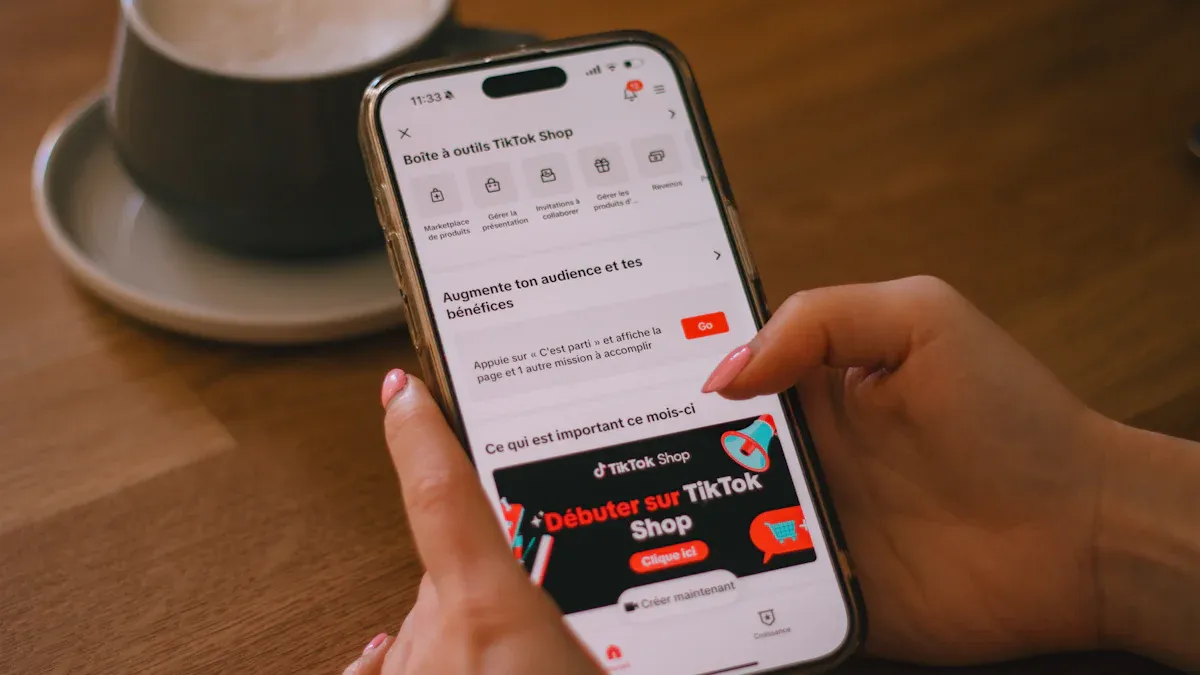
You can register for the TikTok seller center by creating an account and submitting your information online. The platform gives you quick access to start selling, with most new sellers getting approved in less than two days. If you provide accurate details, you may get approved even faster.
Here is how long approval usually takes:
Approval Timeframe
Description
24 to 48 hours
Typical approval time for new sellers.
A few hours
Fast approval for accurate information and documents.
Key Takeaways
Registering on the TikTok seller center is quick. Most approvals happen within 24 to 48 hours, especially with accurate information.
Prepare your documents in advance. Having your ID, business license, and tax documents ready speeds up the registration process.
Double-check your information before submitting. Small errors can lead to application rejections, so accuracy is key.
Choose the right registration method. You can sign up using your TikTok account, email, or phone number for convenience.
Selling on TikTok opens doors to over 1 billion users. This platform offers great visibility and easy access to potential customers.
Register on TikTok seller center
Access the Seller Center
You can start your journey as a seller by accessing the TikTok seller center through your web browser or mobile device. The process is simple and does not take much time. Here is how you can get started:
Visit the TikTok Shop Seller Center website for your country.
Enter your registered email or phone number and password.
If prompted, complete the identity verification step.
Once logged in, you will see your seller dashboard.
If you prefer using your phone, you can also register through the TikTok app:
Open the TikTok app on your device.
Go to your profile and find TikTok Shop.
Log in with your TikTok account details.
Manage your shop directly from the app.
Tip: Using the TikTok app makes it easy to manage your shop on the go.
Sign Up or Log In
You have several options to sign up or log in to the TikTok seller center. This flexibility helps you choose the method that works best for you. The table below shows the available sign-up methods:You can use your existing TikTok account, your email address, or your phone number. Each method is quick and secure. If you already have a TikTok account, you can use it to save time during registration.
Identity Verification
The TikTok seller center uses strong security measures to protect your information during identity verification. You may need to upload documents or verify your identity to complete the process. The platform uses military-grade encryption and stores your documents on secure servers. Only authorized staff can access your sensitive information. TikTok also uses two-factor authentication and real-time threat monitoring to keep your account safe.
Security Measure | Description |
|---|---|
Military-grade encryption | Your business documents are stored securely. |
Restricted access protocols | Only authorized personnel can view sensitive data. |
Two-factor authentication (2FA) | Adds extra security when you log in. |
Automated security monitoring systems | Detects threats and suspicious activity in real time. |
Compliance with privacy regulations | Follows GDPR and CCPA to protect your privacy. |
You can feel confident that your personal and business information stays protected throughout the registration process.
Complete Seller Profile
After you verify your identity, you need to complete your seller profile. Fill in your business name, contact details, and other required information. Make sure all details are accurate. This step helps TikTok seller center approve your account faster. You can update your profile later if your business information changes.
Note: Double-check your information before submitting. Accurate details help speed up approval.
Registering on the TikTok seller center is a fast and convenient process. You can finish most steps in just a few minutes. Once you complete your profile, you are ready to start selling and reach new customers on TikTok.
Registration Requirements

Age and Location Criteria
You must meet certain age and location rules before you can register on the TikTok seller center. The platform only allows adults to open a seller account. You need to be at least 18 years old. The table below shows the minimum age requirement:
Minimum Age Requirement |
|---|
18 years old |
You also need to live in a country where TikTok Shop operates. Here are some of the main countries where you can register:
If you live outside these countries, you may still join through cross-border ecommerce. This lets you sell to buyers in supported regions, like the US or Southeast Asia.
Note: You must use your real age and location. TikTok checks this information during registration.
Personal and Business Info
When you sign up, you need to give both personal and business details. You should prepare the following:
Full legal name
Date of birth
Email address and phone number
Business name (if you have one)
Business address
Tax identification number or business registration number
You should make sure all information matches your official documents. This helps the TikTok seller center approve your account faster.
Document Verification
You must upload documents to prove your identity and business details. Common documents include:
Government-issued ID (like a driver’s license or passport)
Business license or registration certificate
Tax documents
TikTok reviews these documents to keep the marketplace safe. You should scan or take clear photos of your documents before uploading. If your documents are hard to read, your registration may take longer.
Tip: Prepare your documents before you start. This makes the process smoother and faster.
Troubleshooting Registration
Common Errors
You may face some issues during registration on the TikTok seller center. Knowing these problems helps you avoid delays and get approved faster. The most frequent error happens when your brand or company name does not match the name on your official documents. Even small differences, such as extra spaces or different capitalization, can cause your application to be rejected.
Spelling errors in your business name
Incorrect capitalization or spacing
Using a nickname instead of your legal name
Tip: Always check your brand name and company details before you submit your application. Make sure every letter and space matches your official documents.
Other common mistakes include uploading blurry or incomplete documents, entering the wrong date of birth, or using an email address that does not work. You should review your information and documents before you finish registration. This step helps you avoid most errors.
If you see an error message, read it carefully. The message usually tells you what went wrong and how to fix it. You can correct the mistake and try again.
Contacting Support
Sometimes you need extra help to solve registration problems. TikTok offers support for new sellers. You can reach out to the TikTok seller center support team in several ways:
Use the live chat feature on the seller center website
Send an email to the official support address
Check the help center for answers to common questions
Note: When you contact support, include your seller account details and a clear description of your problem. This helps the team assist you faster.
You can also find guides and FAQs in the TikTok seller center. These resources answer many questions and show you how to fix common issues. If you still need help, the support team responds quickly and guides you through the process.
Tips for Smooth Registration
Prepare Documents Early
Getting your documents ready before you start registration saves you time and helps you avoid mistakes. You need different documents depending on whether you register as an individual or a business. The table below shows what you should prepare:
Seller Type | Required Documents |
|---|---|
Individual | Full name, birthday, home address, government ID (U.S. passport or driver’s license) |
Business | Company setup details, business type, company name, EIN, owner information |
Additional Requirements | U.S. phone number and email, all details matching official papers |
You may also need these items:
National ID card
Taxpayer Number (if available)
Bank book or proof of bank account ownership
Active email and phone number
Business legal documents (if registering as a business)
Tip: Collect all your documents and keep digital copies ready. This makes uploading easier and faster.
You should also create a TikTok business account and decide if you want to register as an individual or a business seller. Make sure you have a valid bank account to receive payments. Linking your bank account early helps you avoid delays later.
Double-Check Information
Many sellers face problems because of small mistakes in their application. You can avoid these issues by reviewing your details before you submit them. Here are the most commonly overlooked details:
Legal business name
Business address
Registration and tax numbers
Business type (LLC, Corporation, Sole Proprietorship)
Store Information
Store name and description
Logo and banner images
Return policy and shipping details
Banking Details
Bank account information
Payment preferences
Identity Verification
Valid government ID
Extra verification steps if needed
Note: Make sure your banking details match your business name. This helps you receive payments without problems.
You should also check your shop name, description, and logo. These details help customers trust your store. Setting up your shipping zones, return policy, and customer service contact makes your shop look professional from the start.
By preparing your documents early and double-checking your information, you set yourself up for a smooth and successful TikTok Seller Center registration.
You can register on the TikTok Seller Center by following a few simple steps and preparing your documents. Make sure you meet the age and location requirements, then double-check your information before submitting. Selling on TikTok gives you many advantages:
Over 1 billion active users for strong brand visibility
Easy in-app shopping and live product showcases
Cost-effective ads and detailed analytics
Start your registration today and reach new customers on one of the world’s fastest-growing platforms.
FAQ
How long does TikTok Seller Center approval take?
You usually get approval within 24 to 48 hours. If you submit clear and accurate documents, you may get approved in just a few hours.
Can you register as a business and an individual?
You can choose to register as either a business or an individual. Select the option that matches your selling needs and prepare the right documents.
What documents do you need for registration?
You need a government-issued ID, business license, and tax documents. Make sure your documents are clear and match your registration details.
What should you do if your registration gets rejected?
Check your information for mistakes. Fix any errors in your documents or details. If you still have trouble, contact TikTok Seller Center support for help.
Is there a fee to register as a TikTok seller?
You do not pay a fee to register. TikTok lets you set up your seller account for free. You only pay fees when you make sales.
See Also
Simple Steps To Launch Your Business On TikTok Shop
EchoTik Assists Sellers With Inventory Issues After TikTok Shop Closure
In-Depth Analysis Of TikTok US Shop Trends And Categories
