tiktok shop analytics

If you want your TikTok shop to grow, you must know what makes people click, watch, and buy. TikTok shop analytics help you see how your videos and products do. When you check the data, you can find patterns that help you sell more. For example, half of users buy after watching a TikTok Live. More than half buy after seeing a product on TikTok. Look at the table below to see how important numbers connect to sales growth:
Metric | Statistic |
|---|---|
Conversion Rate (Live Shopping) | 50% of TikTok users purchase after watching a TikTok Live |
General Purchase Influence | 55% of users buy after seeing a product on TikTok |
User Engagement | 62% of Live viewers watch daily |
Average Time Spent | 95 minutes per day |
Shopping Inspiration | 58% use TikTok for shopping inspiration |
Watching the right analytics helps you not get confused by too much information. It lets you focus on what really helps your shop do better.
Key Takeaways
Check your TikTok shop analytics often to find patterns. This helps you make smart choices. If you check every day, you can find problems fast.
Look at important numbers like conversion rates and engagement. These numbers show what helps you sell more. They also show if your content interests viewers.
Use the analytics dashboard to see how your products do. Find out which items sell best. Change your marketing plans using real data.
Learn about your audience’s age and interests. This helps you make better content. When you know who shops with you, you can make videos they like.
Make your product listings and content better using analytics. Good photos and clear descriptions help you sell more.
Accessing TikTok Shop Analytics
Navigating to Analytics in TikTok
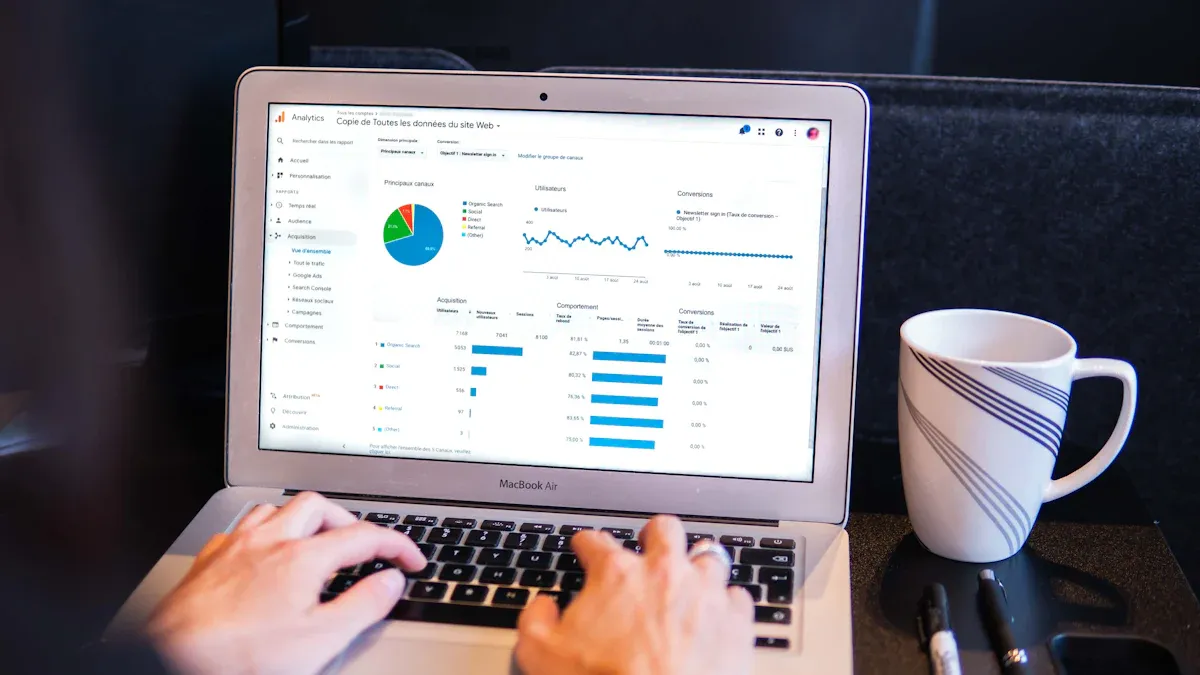
You want to know how your TikTok shop is doing. Start by opening the TikTok app and going to your profile. Look for the menu called "Creator Tools." This menu gives you access to native tiktok analytics. You can find a dashboard that shows your shop’s performance at a glance. The dashboard makes it easy to check important numbers like product views, sales, and engagement. You don’t have to dig through lots of screens. Everything you need sits in one place.
Tip: Check your dashboard every day. Quick checks help you spot changes fast and keep your shop on track.
Here’s a simple way to get started:
Open TikTok and tap your profile icon.
Tap "Creator Tools."
Select "Analytics."
Review your shop’s dashboard for key stats.
Using Creator Tools for Insights
Creator Tools give you more than just numbers. You can see how your videos perform and which products get the most attention. The analytics dashboard offers details about product performance, engagement metrics, and conversion rates. These features help you understand what your audience likes and how they behave. If you notice one product gets lots of views but few sales, you might want to change your video or update your listing.
You can also use the dashboard to compare different products. Try making a table to track your top sellers:
Product Name | Views | Sales | Conversion Rate |
|---|---|---|---|
Lip Gloss | 1,200 | 100 | 8.3% |
Face Mask | 900 | 80 | 8.9% |
Hair Oil | 1,500 | 120 | 8.0% |
This table helps you see which items perform best in your TikTok shop. Use these insights to decide what to promote next. When you use analytics every week, you learn what works and what needs fixing. Your shop gets better because you make choices based on real data.
Essential Analytics Metrics
When you run a TikTok shop, you need to know which numbers help you make smart decisions. TikTok shop analytics gives you a lot of data, but not every number matters the same. Let’s break down the metrics that matter most for ecommerce success. If you focus on these, you can boost your shop’s performance and grow your sales.
Video Views and Engagement
Video views show how many people see your content. Engagement tells you if viewers like, comment, or share your videos. These two metrics work together. High engagement means your videos catch attention and spark action. On TikTok, the algorithm rewards videos that keep people watching and interacting. This can push your content to more users and help your shop reach new buyers.
Here’s a quick look at what good engagement looks like on TikTok:
Metric | Average Performance | Strong Performance | Viral Territory |
|---|---|---|---|
Engagement Rate by Views | 4-6% | 8-10% | 12%+ |
Like-to-View Ratio | 4% | 5-10% | 10%+ |
Most brands see engagement rates between 3% and 9%.
If your like-to-view ratio hits 10%, you’re doing great.
The average engagement by view is about 4%.
When you see high engagement, you know your content connects with your audience. This often leads to more sales. TikTok influences 39% of purchases, and users spend about 95 minutes a day on the platform. If you keep your videos fun and helpful, you can turn viewers into buyers.
Tip: Track your engagement rates for each video. If you spot a drop, try new hooks or styles to keep your audience interested.
Conversion Rates and Sales
Conversion rate shows how many viewers become buyers. This is one of the most important ecommerce metrics. On TikTok Shop, the average conversion rate sits between 0.3% and 0.6%. If you want to grow, you need to know which videos and products turn interest into sales.
Here’s a table with key sales metrics for TikTok Shop:
Metric | What it Measures | Why it Matters | Benchmark Targets | Tracking Method |
|---|---|---|---|---|
Total sales value before returns and cancellations | Main growth indicator | 100%+ YoY growth for scaling brands | TikTok Shop Seller Center → Performance → GMV Overview | |
Conversion Rate by Traffic Source | Purchase rate from different discovery methods | Shows which content types drive sales | Short-form videos: 2-4% | Analytics → Traffic Sources → Conversion Analysis |
Return on Ad Spend (ROAS) | Revenue per dollar spent on TikTok Ads | Shows ad profitability | New brands: 3:1 minimum | Track automated campaign ROAS separately from manual campaigns |
Average Order Value (AOV) | Average transaction size | Higher AOV improves unit economics | N/A | N/A |
You can use conversion rate data to spot your best products. If one item gets lots of views but few sales, try changing the title, photos, or price. Focus on your top 20% of products, since they often bring in 80% of your revenue. Keep an eye on click-through rates for each product. If you see a drop, check your listing and make updates.
Identify high-performing products and promote them more.
Optimize listings with better photos and clear descriptions.
Adjust prices during busy times to boost sales.
Product Performance Data
Product performance data tells you which items sell best and what trends are rising. TikTok shop analytics shows you top sellers, customer trends, and popular products. This data helps you make smart choices about inventory and marketing.
“If you're watching these metrics closely on a daily basis, you will be able to catch these trends on if something is changing or if a product isn't doing as well as you initially thought, which gives you as a brand all the tools to pivot quickly and get ahead, instead of being reactive.”
— Amanda Young, Senior TikTok Shop Specialist at Zeroto1
You can use this data to decide what to restock, which products to promote, and when to try new ideas. If you see a product slowing down, you can act fast and avoid losing sales.
“First and foremost, sales and GMV are going to be the primary KPI. That's why they're here. They're here to sell products, and that's what they want to achieve.”
— Oliver Silzer, Partnerships and Business Development TikTok Shop
Audience Demographics
Knowing who shops in your store helps you create better content and ads. TikTok shop analytics gives you data on age, gender, income, and location. Here’s a quick look at the main audience groups:
Demographic Category | Details |
|---|---|
Age | 18–24: 3.2× more likely to shop, 25–34: 1.8×, 35–44: 1.3×, 45–54: 1.1× |
Gender | 70–75% female purchasers; men are the fastest-growing segment in tech and apparel |
Income | Highest spenders earn $55K–$90K per year |
Geography | 95% of sales from Southeast Asia; U.S. leads in sales value ($9B 2024) |
When you understand your audience, you can make content that speaks to them. For example, if most of your buyers are young women, show products they love and use language they relate to. If you want to reach more men, try featuring tech or apparel items.
A good TikTok shop strategy starts with knowing your audience. This helps you get your products on the For You Page and reach the right people. When you match your content to your audience, you get more engagement and more sales.
Note: Review your audience data every month. If you see new trends, update your content and ads to match.
You don’t need to track every number. Focus on the metrics that matter most for your shop. Set up a simple tracking system. Check your analytics dashboard every week. Write down your top products, best videos, and who your buyers are. This way, you won’t get lost in too much data, and you’ll always know what to do next.
Interpreting TikTok Shop Data
Reading Reports and Spotting Trends
When you look at your TikTok shop reports, you want to spot patterns that help you grow. Start by checking your real-time data. This helps you see what’s working right now. You can catch sudden spikes in sales or drops in product performance. Use historical sales data to see what worked last month or last season. This helps you plan for the future and avoid guessing.
Here’s a table with best practices for reading your TikTok analytics:
Best Practice | Description |
|---|---|
Real-time data | Lets you optimize TikTok Shop campaigns for better results. |
Understanding customer behavior | Shows you when people buy and what makes them act fast. |
Tracking sales trends | Helps you keep your best products in stock and spot new winners. |
Optimizing marketing campaigns | Points out which ads and videos bring in the most sales. |
Analyzing refund and return rates | Tells you why customers might not be happy, so you can fix problems. |
You can also use this table to tell the difference between short-term changes and long-term trends:
Evidence Type | Description |
|---|---|
Helps you spot quick changes in sales or product interest. | |
Historical sales data | Shows you what your customers liked over time. |
Agility in decision-making | Lets you act fast during busy times, like holidays or sales events. |
Tip: Check your metrics every week. This keeps you ready to act when you see a new trend.
Identifying Actionable Insights
You want to turn your TikTok analytics into real results. Start by focusing on the metrics that matter most for your shop. Don’t get lost in too much data. Look for patterns in your video views, sales, and customer behavior.
Here are some ways to find actionable insights:
Use TikTok analytics tools to go beyond simple numbers. These tools help you see what drives sales and what needs work.
Track your performance against your goals. If a product does well, promote it more. If a video flops, try a new style.
Compare your shop to others. See what top sellers do and learn from their strategies.
Watch your refund and return rates. High numbers here mean you may need to improve your products or listings.
Review your tracking regularly. This helps you spot new trends and act before your competitors.
When you use these methods, you turn your TikTok shop data into smart decisions. You get clear insights that help you grow your shop and boost your sales.
Improving Shop Performance with Analytics
Optimizing Listings and Content
You want your shop to get noticed on TikTok. Use tiktok shop analytics to see which products and videos get attention. Track views, clicks, and conversion rates to find what works best. Update your listings often with clear photos and strong descriptions. Try different video styles to boost engagement and sales. Test your content with A/B testing to find the best hooks and calls to action. Using data helps you make smart choices and grow your shop.
Here’s a table of strategies you can use to improve your shop performance score:
Strategy | Description |
|---|---|
Optimize Product Listings | Show top products using analytics data. |
Track Conversion Metrics | See where shoppers leave the sales funnel. |
Test Content Variables | Try new video openings and product demos to find what works. |
Regular Analytics Review | Check your metrics often to keep improving your shop. |
Tip: Listen to your audience. Update your shop using feedback and performance data.
Enhancing Marketing Strategies
TikTok is a great place for your shop. Use analytics to see which marketing ideas help your shop grow. Products under $50 sell well, so keep prices low. Send traffic to your TikTok shop, website, or app. Watch how each channel does. Using more than one channel helps you reach more buyers and boost sales. TikTok’s fun format helps more people learn about your shop, even if they don’t buy right away.
Use TikTok’s high engagement to help your shop grow.
Schedule promotions when your analytics show high conversion rates.
Good TikTok content can send more visitors to your shop and website.
Boosting Customer Engagement
You want shoppers to come back again and again. Use engagement data to split your audience into groups. Make content for each group. Post updates, run promotions, and share messages made just for them. Create rewards and referral programs to keep buyers excited. Track likes, shares, and comments to see what your audience enjoys. Watch customer retention rates and acquisition costs to measure growth and revenue.
Talk to your audience through comments and direct messages.
Use tracking to find trends in customer behavior.
Build relationships, not just make sales.
When you use tiktok shop analytics and insights, you turn data into action. This helps your shop do better, get more sales, and grow over time.
Advanced Tips for TikTok Shop Analytics
Tracking Live Selling KPIs
Live selling on tiktok can boost your shop’s sales fast. To get the most out of your streams, you need to focus on the right KPIs. These numbers show how well your live sessions turn viewers into buyers. Here’s a table to help you see which KPIs matter most:
KPI | Description |
|---|---|
Live Buyers | Unique people who buy during or after your live stream. |
Click-to-Order Rate (C_O) | Percentage of users who buy after clicking a product card. |
Gross Merchandise Value per Mille (GPM) | Revenue per 1,000 views during a live session. |
GMV / LIVE Revenue | Total revenue from live selling. |
Item Sold / LIVE Product Sales | Number of items sold during the live. |
Product View | Total product views during the stream. |
Product Click | Number of clicks on product cards. |
CTR (Click-Through Rate) | Percentage of viewers who click product links. |
Live Orders | Total orders placed during the live. |
Keep tracking these KPIs every time you go live. This helps you spot what works and what needs to change. You can use these numbers to boost your sales and make your streams more fun for viewers.
Using Third-Party Tools like Kixmon
Sometimes, tiktok’s built-in analytics do not show the full picture. Third-party tools like Kixmon give you deeper insights into your shop’s performance. Kixmon connects to your tiktok shop and tracks real-time profit, not just sales. It looks at fees, affiliate payouts, shipping, and returns to show your true earnings. Here’s a quick comparison:
Feature | TikTok Native Analytics | Kixmon |
|---|---|---|
Real-time Profit Tracking | No | Yes |
GMV (Gross Merchandise Value) | No | Yes |
Affiliate Commission Tracking | No | Yes |
Integration with Seller Center | Limited | Seamless |
With these tools, you get more accurate data and better insights. You can see where your money goes and find ways to improve your shop’s profit.
Setting Goals and Avoiding Common Mistakes
You want your tiktok shop to grow, so set clear goals for your analytics. Focus on tracking numbers that link to real sales, not just likes or views. Avoid common mistakes like chasing vanity metrics. If you see lots of clicks but not many sales, check your checkout process. Listen to customer feedback and compare your data over time. This helps you spot patterns and make smart choices.
Tip: Use your analytics and tools together to get the best results. Always look for insights that help you turn data into action.
You can unlock real growth with tiktok shop analytics by checking your numbers often and acting on what you learn. Try reviewing your shop’s performance daily, weekly, and monthly to catch trends and fix problems fast.
Frequency | Purpose | Details |
|---|---|---|
Daily | Track sales and top products | Spot issues early each morning. |
Weekly | Review content performance | See which videos drive the most sales every Monday. |
Monthly | Plan for long-term growth | Study customer value and category trends. |
A systematic approach helps you spot patterns, test new ideas, and work with experts. You make smarter decisions and keep your tiktok shop ahead.
Find what works by analyzing your content.
Test changes with A/B testing.
Team up with creators to boost your strategy.
Regular reviews and smart testing help you build a shop that lasts.
FAQ
How often should you check your TikTok Shop analytics?
You should check your analytics at least once a week. Daily checks help you spot trends and fix problems fast. Regular reviews keep your shop growing and help you make smart choices.
What is the most important metric for new sellers?
Focus on conversion rate first. This number shows how many viewers become buyers. If you improve your conversion rate, you will see more sales and faster growth.
Can you use analytics to improve your videos?
Yes! Analytics show which videos get the most views and engagement. Try new hooks, styles, or product demos based on what works best. Keep testing and learning from your results.
Do you need third-party tools for TikTok Shop analytics?
You can start with TikTok’s built-in analytics. If you want deeper insights, try third-party tools. These tools help you track profit, fees, and other details that the basic dashboard might miss.
How do you know if your audience is changing?
Check your audience data every month. Look for changes in age, gender, or location. If you see new trends, update your content and products to match your shoppers.
See Also
Essential Tools For Analyzing TikTok Performance Data
Exploring Data Insights To Improve TikTok Shop Success
Steps To Access Analytics Data On TikTok
Top Free Tools For TikTok Analytics Insights
EchoTik.live: The Ultimate Analytics Tool For TikTok Sellers
