TikTok Shops Analytics


TikTok Shops Analytics show you how your shop is doing on TikTok. You can use this information to make better choices for your online store. Analytics help you see what is working and what needs to get better. With TikTok, you can see live data about your products, customers, and how people interact. This data helps you use facts to grow your shop. Sellers use TikTok’s own analytics and other tools to get more people interested and to sell more. You can:
Make product listings better by using information from data.
Set smart prices by looking at old data and what others charge.
Make content that fits with what is popular on TikTok.
Plan how much to stock by looking at past results.
Find customers based on what they do for better results.
Key Takeaways
Use TikTok Shops Analytics to see how your shop is doing. Check things like sales, traffic, and what customers do. This helps you make smart choices.
Make your product listings better by using analytics data. Change titles, descriptions, and pictures to get more customers and sell more.
Watch for trends and what customers like. Use analytics to make content that your audience likes and wants to see.
Use third-party analytics tools to learn even more. These tools help you see market trends, watch competitors, and improve your marketing.
Do not make common mistakes by using analytics the right way. Look at your data often to find problems early and fix your plans for better results.
TikTok Shops Analytics Overview

What Are TikTok Shops Analytics
TikTok Shops Analytics help you see how your shop is doing. This tool shows what happens with your products, customers, and sales. When you post a video, you can add product tags. These tags turn your videos into catalogs people can click. Shoppers can tap on the tags and buy things right away. This makes it easy for people to shop from your videos. It also helps you connect your videos to your shop.
Here is a quick look at the main features you get with TikTok Shops Analytics:
Component/Feature | Description |
|---|---|
Lets you see how your products do, how people react, and your conversion rates. | |
Data-Driven Decisions | Gives you tools to make your content better using real data. |
Product Tagging | Lets you add product tags in videos, so viewers can go to your shop. |
You can check how well your products sell and see how people act in your shop. You can also look at conversion rates. These tools help you make your content better and choose what works best for your shop. TikTok Shops Analytics is different from other platforms. It focuses on ecommerce, finding influencers, and spotting trends fast. You can also see how your shop does on other social channels.
Why Analytics Matter
You should look at your TikTok Shop Analytics often. Analytics show which products sell the most and what trends are new. They also help you know what your customers like. When you use this data, you can make better choices for your shop.
Sellers who use analytics have a big advantage. They can make better product choices, improve marketing, and do better than others who guess.
With TikTok, you can:
See how well your shop sells
Find out what products are popular
Make your marketing better
Use data to make smart choices
Using analytics helps you make your shop better and reach more people. It also helps your business grow. Checking your data often keeps you ahead in TikTok ecommerce.
Access TikTok Shop Analytics
Where to Find Analytics
You can find your shop’s analytics in two main places on TikTok. First, go to the TikTok Shop Manager Dashboard. This dashboard gives you a clear view of your shop’s performance. You will see how customers act and what sales trends look like. Second, you can use the TikTok Shop Seller Center. Here, you can track important performance metrics. You will find information about your total revenue and profit margins. Both places help you with sales tracking and give you the tools you need to make smart choices for your shop.
Tip: Check your analytics often. This helps you spot changes in customer behavior and adjust your shop’s strategy quickly.
How to Access Data
You can access detailed analytics data by following these steps:
Log in to TikTok Shop Seller Center with your account.
Go to the dashboard and find the 'Analytics' tab.
Click on the tab to see different sections. You will find Overview metrics, Content performance, Follower insights, and Live shopping analytics.
The Product Analytics feature stands out because it gives you real-time data. You can see how your products perform as it happens. This includes impressions, clicks, and conversion rates. Real-time tracking lets you react fast to what your customers do. You can change your ads or product listings right away. This helps you improve your shop’s results and get better returns on your efforts.
With TikTok Shop Analytics, you always have the latest data. You can use this information to make better decisions and grow your shop. Tracking your shop’s performance with analytics gives you a strong advantage in the fast-moving world of TikTok.
Key Analytics Metrics
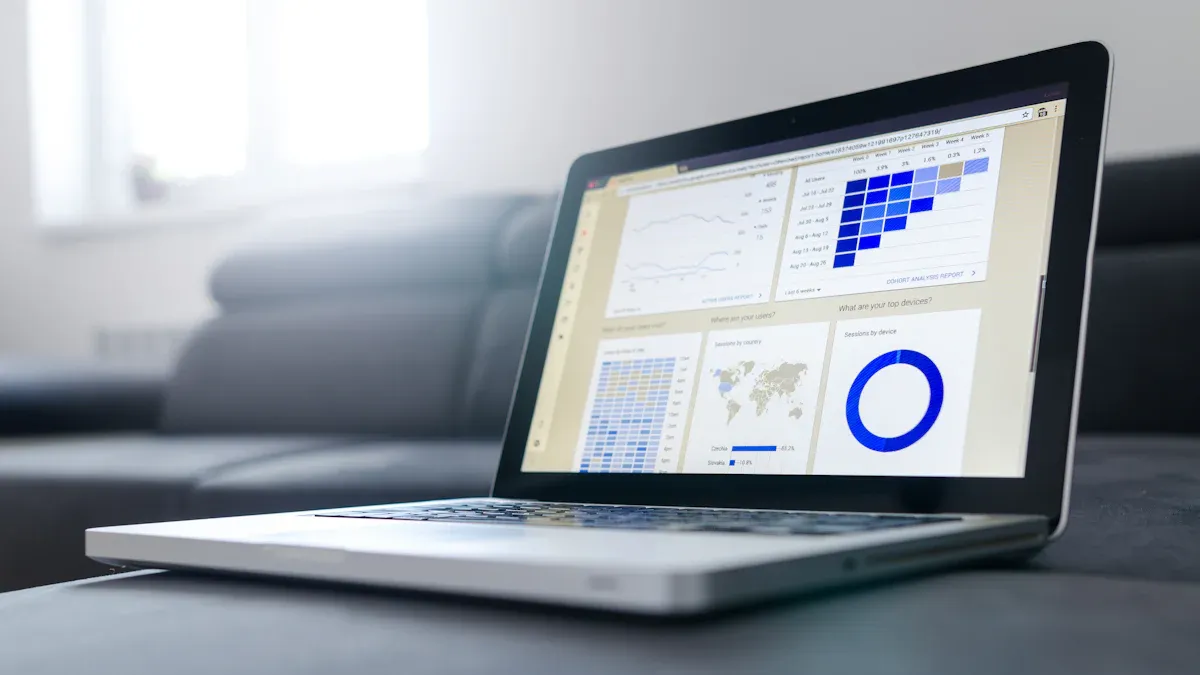
Knowing the right metrics in TikTok Shops Analytics helps you see how your shop is doing. These numbers help you make smart choices using data. Each metric shows a different part of your shop’s performance. When you watch these metrics, you get clear ideas that help your shop grow and get better.
Traffic Metrics
Traffic metrics tell you how many people visit your shop and look at your content. You can see how many people watch your videos, visit your profile, or click your product links. These numbers help you know how far your shop reaches and what your audience likes.
Metric | Description | Impact on Shop Performance |
|---|---|---|
Video Views | Total daily views across all videos. | High views mean more people see your products. |
Profile Views | Number of times users visit your shop profile. | More profile views show deeper interest in your shop. |
Click-Through Rate | How often viewers click on your product links. | High CTR means your content drives action. |
FYP Hit Rate | How often your videos appear on the For You Page. | More FYP hits boost your shop’s visibility. |
Tip: If your video views go up but profile visits stay low, try adding stronger calls-to-action in your videos.
You can use traffic data to try new content ideas. For example, if a video with a trending sound gets more views, you can make more videos like that to keep your audience interested.
Conversion Rate
Conversion rate shows how many visitors do something, like buy a product. This number is important for seeing how well your shop turns interest into sales. TikTok Shops usually have a higher conversion rate than other online shops.
Platform | Average Conversion Rate |
|---|---|
TikTok Shop | 3.2% |
Amazon | 2.6% |
Google Shopping | 1.91% |
A higher conversion rate means your shop’s content and product listings work well together. If your conversion rate is over 3%, you are doing better than most online shops. You can use this data to test new product photos or descriptions. If your conversions go down, try changing your product tags or making new videos.
Note: TikTok Ads have an even higher average conversion rate of 5.17%. Creative content often leads to more conversions.
Sales Data
Sales data tells you how much you sell and which products do best. You can use this information to find your top sellers and see which products need help. TikTok Shops Analytics lets you look at sales by category, brand, or campaign.
Key Aspect | Description |
|---|---|
Analyze sales data to pinpoint top-selling products across various marketplaces. | |
Performance Breakdown | Break down sales by category and brand to assess what products are performing well. |
Opportunities for Improvement | Spot underperformers and refine strategies to enhance sales and revenue. |
Consumer Behavior Insights | Gain insights into shopper trends to adjust marketing and product offerings accordingly. |
You can use sales data to plan what to keep in stock and focus on products that make the most money. For example, if one product sells much more than others, you can promote it more or make bundles. If a product is not selling, you can try new marketing ideas or update its listing.
Customer Behavior
Customer behavior metrics help you learn about your audience and how they act in your shop. These metrics include follower growth, demographics, and engagement like likes, comments, and shares. You can use this information to make your marketing and content better.
Metric | Description | Importance in Marketing Strategy |
|---|---|---|
Follower Growth Rate | Shows how quickly your audience grows. | Helps you see if your content attracts new followers. |
Audience Demographics | Gives details about follower age, gender, and location. | Lets you target your marketing and adjust your inventory. |
Click-Through Rate | Measures how often viewers click on links. | Shows if your content encourages action. |
Conversion Rate | Tracks the percentage of traffic completing desired actions. | Helps you refine your marketing approach. |
Attribution Tracking | Connects TikTok performance with customer behavior across sales channels. | Measures the impact of TikTok on your overall sales. |
67% of TikTok users say they are more likely to buy from a brand after seeing it on TikTok.
A click-through rate above 1% is strong for TikTok content.
A healthy follower growth rate is usually between 2-5% per month for established shops.
You can also track likes, comments, and shares. High engagement means your content connects with your audience. If engagement drops, try using trending hashtags or sounds to reach more people.
Pro Tip: Use live shopping analytics to see how viewers act during live streams. You can change your pitch right away to get more sales.
When you use TikTok Shops Analytics, you get helpful information about your customers. These insights help you make better content, improve your shop, and get more sales. You can use TikTok’s own analytics for quick checks or use advanced tools for more details. Always look for data to help your shop grow and get better.
TikTok Shop Analytics Tools
Third-Party Tools Overview
You can help your shop grow by using third-party TikTok shop analytics tools. These tools give you more details than TikTok’s own analytics. You can spot trends, watch engagement, and find new product ideas. Many sellers use these tools to stay ahead in online selling.
Here are some popular TikTok shop analytics tools and what makes them special:
Hootsuite tracks your revenue, order numbers, and changes in Average Order Value (AOV). You can see how your sales go up or down over time.
Sprout Social checks your TikTok ad campaigns. You can see ROI, impressions, and cost-per-click (CPC) to find the best ads.
Kolodata shows you what your competitors charge and which products are trending. You can compare your prices and find new chances.
Brand24 looks at your audience’s age, gender, and likes. You learn who visits your shop and what they enjoy.
Exolyt gives you deep info about your content and how your audience acts. You can see which videos get the most attention.
Pentos gives you detailed reports on how your content does and what is trending. You can see what is popular and change your shop’s plan.
Socialinsider watches important numbers like video views and engagement rates. You can track how your shop’s content is doing.
You can also use FastMoss, Kalodata, Shoplus, and Tabcut. These tools help you spot trends, find new products, and check out your competition. The table below shows how each tool can help your shop:
Tool | Key Features |
|---|---|
Kalodata | Live Stream Analytics: Check e-commerce live streams. Competitive Analysis: Compare with top sellers worldwide. Affiliate Program: Good for creators who want partnerships. |
FastMoss | Competitor Tracking: Watch sales and shoppable videos from rivals. Influencer Outreach: Get contact info for working together. Free Trial: Try it free for 7 days. |
Tabcut | Product Ranking: Find top-selling items by category and region. Trend Analysis: See new product categories each week. Affiliate Support: Creators can join its program. |
These TikTok shop analytics tools give you real-time data on trending products and items with low supply. You can see how buyers act and what they want to find market gaps. You also get top searched keywords, trending hashtags, and popular subcategories. This way, you can find new ideas for your shop and stand out.
Tip: Use engagement numbers from these tools to see which products and videos get the most attention. This helps you focus on what works best for your shop.
Competitor Analysis
Competitor analysis is an important part of using TikTok shops analytics. You can learn from other shops and make your shop better. Many TikTok shop analytics tools make it easy to track your competition. You can measure your shop’s numbers, look at content plans, and use AI for more insights.
Here are some common ways to do competitor analysis:
Method | Description |
|---|---|
Measure your social accounts’ numbers and check competitors. | |
Analyzing content strategies | See how competitors make and share content to get attention. |
Utilizing AI for insights | Use smart tools to get more info about competitors’ results and plans. |
Identifying competitors | Start by listing competitors and checking their numbers. |
Looking beyond direct competitors | Think about brands outside your area that may affect your customers’ choices. |
You can use competitor analysis data to change your prices and product plans. For example:
Competitor analysis data shows numbers, content plans, and market trends.
You can change your prices based on demand and what others charge.
Knowing your competitors’ content helps you show why your product is good.
You can find ways to make your shop different from others.
You can follow these steps to use competitor data for your shop:
Raise prices on popular products to earn more during trends.
Lower prices on slow products to get new customers and clear stock.
Show your product’s best features and benefits with fun content.
When you use TikTok shop analytics tools for competitor analysis, you get a clear look at the market. You can spot trends, boost your engagement, and make smart choices using data. This helps your shop grow and keeps you ahead in the fast-changing TikTok ecommerce world.
Interpret Analytics Data
Reading Reports
When you look at your TikTok shop analytics reports, you want to find clear answers. Start by checking the main numbers, like video views, likes, and sales. These numbers show how your shop is doing. Use charts and graphs to see changes over time. Trend charts and heat maps make complex data easy to understand.
You should focus on metrics that lead to real business results. For example, if your video views go up but sales stay the same, you may need to improve your product listings. Always connect each metric to a goal for your shop.
Here are some best practices for reading analytics reports:
Use visual tools like charts to spot patterns quickly.
Make sure every number leads to an action or decision.
Keep your reports simple and clear for your team.
Track the same metrics each time for fair comparisons.
Give short summaries for leaders and detailed breakdowns for your team.
You can use a table to organize key metrics and their purpose:
Metric Type | Purpose of Tracking | |
|---|---|---|
Engagement Metrics | Video Views, Likes, Comments, Shares, Average Watch Time | See what content your audience likes and shares. |
Audience Metrics | Follower Growth, Demographics, Active Times | Learn who your audience is and when they are most active. |
Sales Metrics | Click-Through Rate, Conversion Rate, Cart Abandonment, AOV | Measure sales and find ways to improve your shop. |
Tip: Focus on business outcomes, not just big numbers. Ask how each metric helps your shop grow.
Spotting Trends
Spotting trends in your TikTok shop analytics helps you stay ahead. Look for videos that get high engagement soon after posting. If you see many creators using the same idea, it may be a new trend. Watch for topics that move into different shop niches or connect to current events.
You can use these techniques to find trends:
Check TikTok’s Discover page for popular hashtags and sounds.
Use tools like TrendTok Analytics or Exolyt for AI-powered trend predictions.
Set a daily routine to review your analytics data and watch top creators.
Pay attention to content linked to viral news or big events.
When you spot a trend early, you can adjust your shop’s products or marketing. For example, if a certain product style becomes popular, you can feature it in your next video. Tracking trends helps you create data-driven strategies that boost engagement and sales.
Brands that use trend analysis can launch timely campaigns, improve content, and increase shop performance.
Use Analytics for Growth
Optimize Listings
Analytics can help your shop listings get more attention on TikTok. First, watch which pictures and videos bring more people to your shop. Try out different call-to-actions to see which ones get more clicks. Look at videos with trending sounds and compare them to videos with your own music. Post your videos when most people are online to reach a bigger crowd. Make special deals for different places based on how your audience acts. Put your top-selling products at the front of your shop. Use what you learn about your customers to make your product pictures and descriptions better. Test two types of content to find out which one works best.
Here is a table to help you focus on key listing elements:
Element | Description |
|---|---|
Product Title | Use important keywords and keep it short so people can find it easily. |
Product Description | Give lots of details and use bullet points to make it easy to read. |
Amazing Pictures and Videos | Show clear pictures and videos of your product to get buyers interested. |
Price and Promotion | Make sure your prices are fair and show all costs clearly. |
User Reviews and Ratings | Ask for reviews and show good ratings to help people trust your shop. |
Return and Shipping Procedures | Tell customers about shipping and returns so they feel safe buying from you. |
Performance Monitoring | Watch your numbers to see what works and keep making your listings better. |
Tip: Check your analytics often and use what you learn to plan your next posts.
Improve Marketing
Analytics can make your marketing better on TikTok. You can use data to learn if your audience is mostly boys or girls and where they live. This helps you make videos that fit your main group of viewers. Post your videos when most people are using TikTok to get more likes and comments. Watch how many people view your videos to see what they like best. Keep track of important numbers to know if your marketing is working. Figure out if your ads are helping your shop grow by checking your ROI.
Metric | Importance |
|---|---|
Gender | Helps you make videos that match your audience’s gender. |
Geographical location | Lets you make content that fits where your viewers live. |
Helps you post when your audience is most active. | |
Video views | Shows you what videos your audience likes the most. |
Key performance indicators | Lets you see if your marketing is working well. |
ROI calculation | Makes sure your ads are worth the money and help your shop grow. |
Use TikTok analytics to split your audience into groups and plan your videos. This helps you get more likes and sales.
Enhance Customer Experience
Analytics can help you make your shop better for your customers. Audience insights tell you who visits your shop and what they enjoy. Content performance numbers, like shares and comments, show you what videos work best. Conversion tracking lets you see which actions lead to sales.
Insight Type | Description |
|---|---|
Audience Insights | Gives you facts about your customers so you can make better videos for them. |
Content Performance Metrics | Shows you which videos get the most likes, shares, and comments. |
Conversion Tracking | Lets you see which clicks and actions turn into sales. |
When you use analytics to make your shop better, your customers have a nicer time. This means more people will like your shop and buy from you on TikTok.
Best Practices & Pitfalls
Common Mistakes
You can stop many problems in your TikTok shop if you know what other sellers do wrong. Many shop owners miss out on good ideas because they do not use analytics the right way. Here are some mistakes you should look out for:
Working with creators who do not fit your shop’s brand. This can mean fewer likes and less sales.
Not using affiliate links. If you skip these, you cannot see how well creators help or pay them for sales.
Not starting your video with a strong hook. People might scroll away before they see your product.
Forgetting to add a clear call-to-action. This makes you lose chances to sell and hurts your shop.
Making TikTok videos like Instagram posts. TikTok needs a different style to get more likes and sales.
Tip: Check your analytics often to find these mistakes early. You can use the data to change your plan and help your shop do better.
Tips for Success
You can help your TikTok shop do better by following smart tips. Use analytics to help you make choices and grow your shop online. The table below shows how you can use data to get more likes and sales:
Best Practice | Description |
|---|---|
Create high-quality content | Make videos that follow trends and use good keywords and hashtags to get more likes. |
Refine content strategies | Change your plan often by looking at analytics and how your videos do to keep your shop strong. |
Monitor performance metrics | Watch likes, sales rates, and watch time to see how well your shop is doing. |
Analyze peak activity times | Use analytics to find when your viewers are online and post at those times. |
Utilize analytics tools | Use TikTok analytics to learn about your viewers and how your videos do. |
Identify content trends | Look at your data to see what kinds of videos get the most likes and sales. |
You can use these tips to learn more from your analytics. Checking your numbers often helps you find new trends and make your shop better. Keep learning about TikTok analytics to stay ahead of other shops.
You can make your shop better on TikTok by using analytics every day. TikTok shops analytics let you see data, find trends, and boost sales. Check your analytics often to learn what works best for your shop. Use TikTok shop analytics and other tools to get more details. The table below shows how often you should look at your data:
Metric Tier | Review Frequency |
|---|---|
Tier 1 (GMV, conversion rates) | Daily |
Tier 2-3 (customer and content metrics) | Weekly |
Tier 4 (operational metrics) | Monthly |
To use analytics in your daily shop routine, follow these steps:
Step | Description |
|---|---|
Data Compliance | Keep user information safe and get permission before sharing data. |
Security Practices | Check who can see your data and learn about TikTok’s security tools. |
Performance Metrics | Watch reach, engagement, and conversions with TikTok’s analytics. |
Expert Support | Ask experts for help to follow TikTok’s rules and laws. |
Analytics tools help you learn about your audience and make your shop plan better. Using data helps you get good ideas and grow your shop for a long time.
FAQ
How often should you check your shop analytics?
You should check your shop analytics every day. This helps you spot changes quickly. You can use the data to make smart choices and keep your shop growing.
Can you use analytics to find new product ideas?
Yes, you can use analytics to see what products get the most attention. Look at what people like and buy. This helps you pick new items for your shop.
What is the best way to track sales on tiktok?
You can track sales using the TikTok Shop Seller Center. The dashboard shows your sales numbers and top products. This helps you see what works best.
Do you need third-party tools for tiktok shop analytics?
You do not need third-party tools, but they give you more details. These tools help you watch trends, check your competition, and find new ways to grow your shop.
See Also
Essential Tools For Analyzing TikTok Performance Metrics
Steps To Access Your TikTok Analytics Data Easily
Exploring Data Insights To Boost TikTok Shop Success
Top Free Tools For Analyzing TikTok Engagement Metrics
EchoTik.live: The Ultimate Analytics Tool For TikTok Sellers
