TikTok Data API Explained Simply for Everyone


The TikTok Data API is a set of tools that lets apps and websites ask TikTok for information, like a waiter carrying orders between a customer and the kitchen. The diner never enters the kitchen. The waiter simply takes the request, delivers it, and returns with the plate. An api works the same way: one program asks, another answers, and the user sees only the result. This guide explains what the TikTok Data API is, how it works, what data it offers, who can use it, and how to start. No advanced coding background is needed to follow along.
Key Takeaways
The TikTok Data API is a set of tools that lets apps ask TikTok for information and get answers back.
You can get public data like videos, profiles, comments, and hashtags through the official APIs.
Developers, businesses, marketers, and researchers can all use the API for different goals.
Start by creating a developer account, registering an app, and testing in sandbox mode.
The official APIs are free, but you must follow access rules and rate limits.
What Is the TikTok Data API?
A Plain-English Definition
The term "TikTok Data API" describes a family of official tools, not a single product. Each tool serves a different job, and each one speaks to TikTok through the same basic request-and-response pattern. Four tools make up the core set.
API | Purpose |
|---|---|
Research API | Gives qualifying researchers public video and account data for academic and market studies |
Display API | Shows TikTok videos and profile information inside other apps and websites |
Data Portability API | Lets users move their own account data to third-party applications |
Content Posting API | Shares content to TikTok from other apps, including scheduled uploads |
A developer picks the tool that matches the goal. A news site that embeds trending clips needs the Display API. A university team studying hashtag trends needs the Research API. A scheduling tool that publishes videos needs the Content Posting API. The TikTok Data API name covers all of them.
How It Works
Every call follows the same rhythm. A program sends a request to a TikTok endpoint. The request names what it wants, such as a username or a video ID. TikTok checks the request, then returns a response, usually as structured data in JSON format. One request produces one answer.
Some tools go further. Certain endpoints can push data in real time, so the app receives updates without asking again and again. This suits live dashboards and monitoring tools.
Getting in takes a few gates. Developers register an app, complete an oauth flow, and receive an access token. That token proves identity on each call, and authentication happens through it rather than through a password sent every time. The official APIs cost nothing to use, which makes api pricing a non-issue for most teams. Two practical limits still apply. New apps pass a sandbox audit before they reach live data. The Content Posting API also enforces a posting rate limit of 6 requests per minute per user token, according to Phyllo. Those rate limits keep traffic predictable for everyone.
A friendly example makes this concrete. Imagine a travel blog that wants to show its own TikTok videos beside each article. The site sends a request with the account name. TikTok replies with the video list and profile details. The blog renders the clips, and readers never leave the page. That is the whole exchange: ask, verify, receive, display.
What Data Can You Get?
Public Content and Profiles
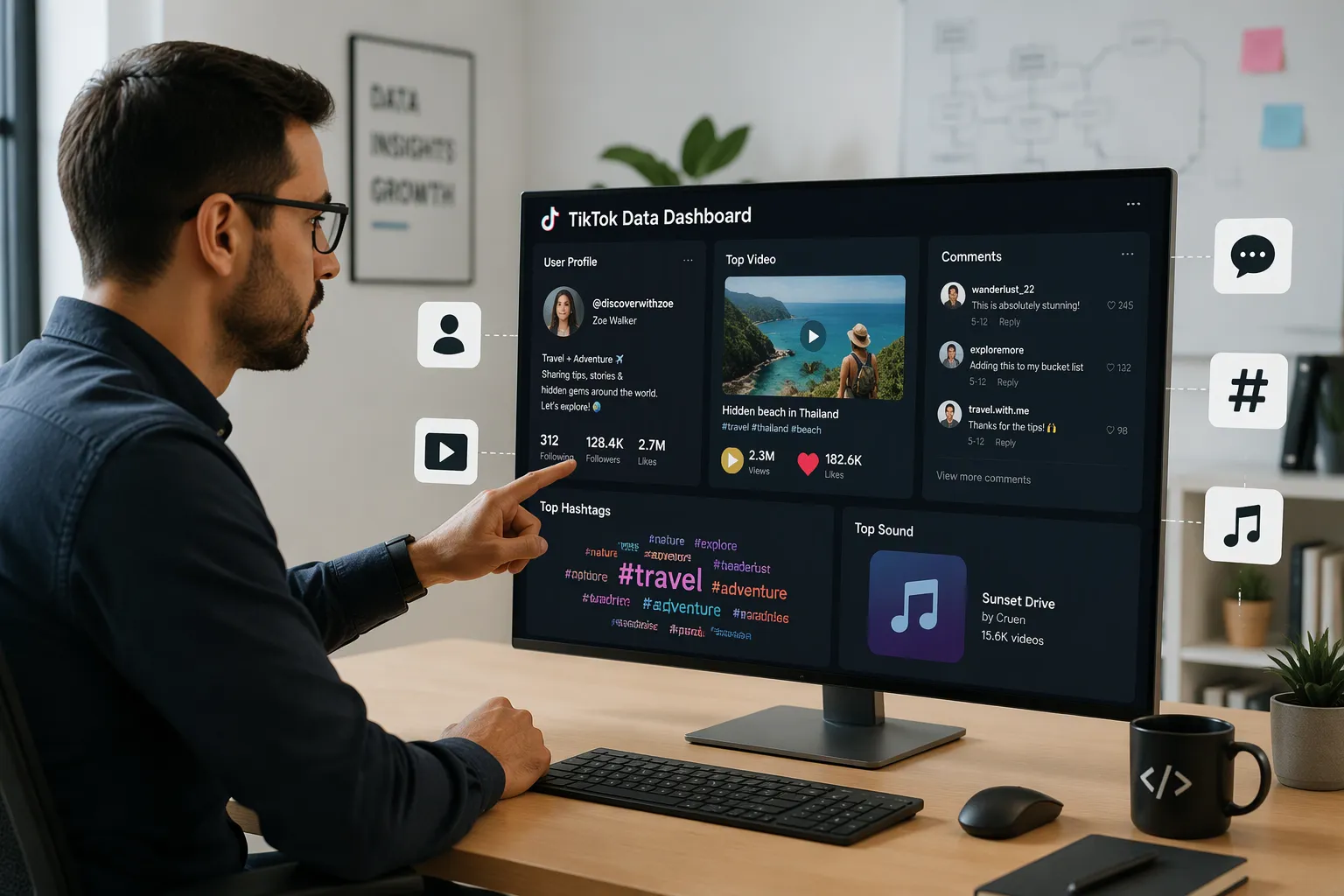
The official APIs return a wide range of public TikTok data. A developer can pull videos, profiles, comments, search results, hashtags, music metadata, follower counts, and engagement data. Data365 describes a typical set: public profile information such as bio, followers, and posts; video-level data such as captions, views, likes, and shares; comments and threaded replies; hashtag and trend usage; sounds and music metadata; and profile search by handle, ID, or keyword.
Public profile fields: bio, follower count, post history
Video details: captions, views, likes, shares
Comments and threaded replies
Hashtags and trend usage
Sounds and music metadata
Profile search by handle, ID, or keyword
Private user data stays out of reach through official APIs. That boundary protects account holders. Third-party scraping APIs, such as the one Data365 offers, reach structured public profiles, videos, comments, and hashtags without login or user authentication. Each route fits a different job. Official APIs suit compliant, app-integrated work. Web scraping alternatives suit teams that need broader public TikTok data and accept the trade-offs that come with them.
Research Data and Analytics
The Research API returns detailed fields for each video. A study can collect the video ID, description, creation time, region code, share count, view count, like count, comment count, music ID, hashtag names, username, effect IDs, playlist ID, and text converted to speech. Query parameters filter results by date, region, and keyword, which lets a researcher narrow a large pool to a focused sample.
Data type | What you can retrieve | Common research use |
|---|---|---|
Video metadata | Captions, hashtags, play/like/comment/share counts, timestamps | Engagement and trend analysis |
Comments | Comment text and counts on public videos | Discourse and sentiment studies |
User profiles | Public profile fields, follower/following counts | Influence and network mapping |
User videos | A creator's public video history | Content strategy and longitudinal tracking |
Approved projects receive 1,000 requests and up to 100,000 records per day, resetting at 00:00 UTC, according to xpoz.ai. Those caps shape what a team can study. TikTok's terms also prohibit redistributing raw content, so published datasets usually carry video IDs or aggregated statistics only.
Who Can Use It and Get API Access?
Common Users and Goals
Four groups reach for these tools most often. Developers build apps that embed TikTok clips or publish scheduled videos. Businesses connect their storefronts and marketing tools to TikTok content. Marketers track hashtag performance and engagement trends. Researchers study public platform behavior at scale. Each group wants something different, and each one picks the API that fits the job. A small studio and a large agency can both find a fit.
The Research API serves a specific crowd. TikTok released this free tool so researchers can apply to use it for data on videos, users, and comments through three primary endpoints, according to arXiv. A university team studying trend cycles fits this model well. A brand analyst who wants aggregated, anonymized trend data also fits, provided the analyst meets the eligibility bar. Neither group should assume approval.
API Access Rules
The rules differ by tool, and api access is not automatic. The Display API and Content Posting API serve approved apps with a registered TikTok developer account, according to Octoparse. The Research API serves vetted academic researchers at qualifying institutions. A team should check access requirements before writing any code, because approval is never guaranteed. Each tool publishes its own terms, and those terms change over time.
The path to api access follows a set sequence. A developer creates an account in the developer portal, registers an app, and completes an oauth flow. That flow produces an access token, and the token proves identity on every call. OAuth also powers the user consent flow, so account holders approve what an app can read. A user access token limits each session to that user's own data. Authentication through oauth keeps credentials out of each request. Teams then pass a sandbox audit to earn production access. The official APIs carry no fee, so api pricing rarely blocks a project. Consent and user data handling still demand care, and public TikTok data remains the main target for most integrations. Data access through these routes stays within TikTok's published rules.
How to Get Started with the API
Sign Up and Get Your Keys
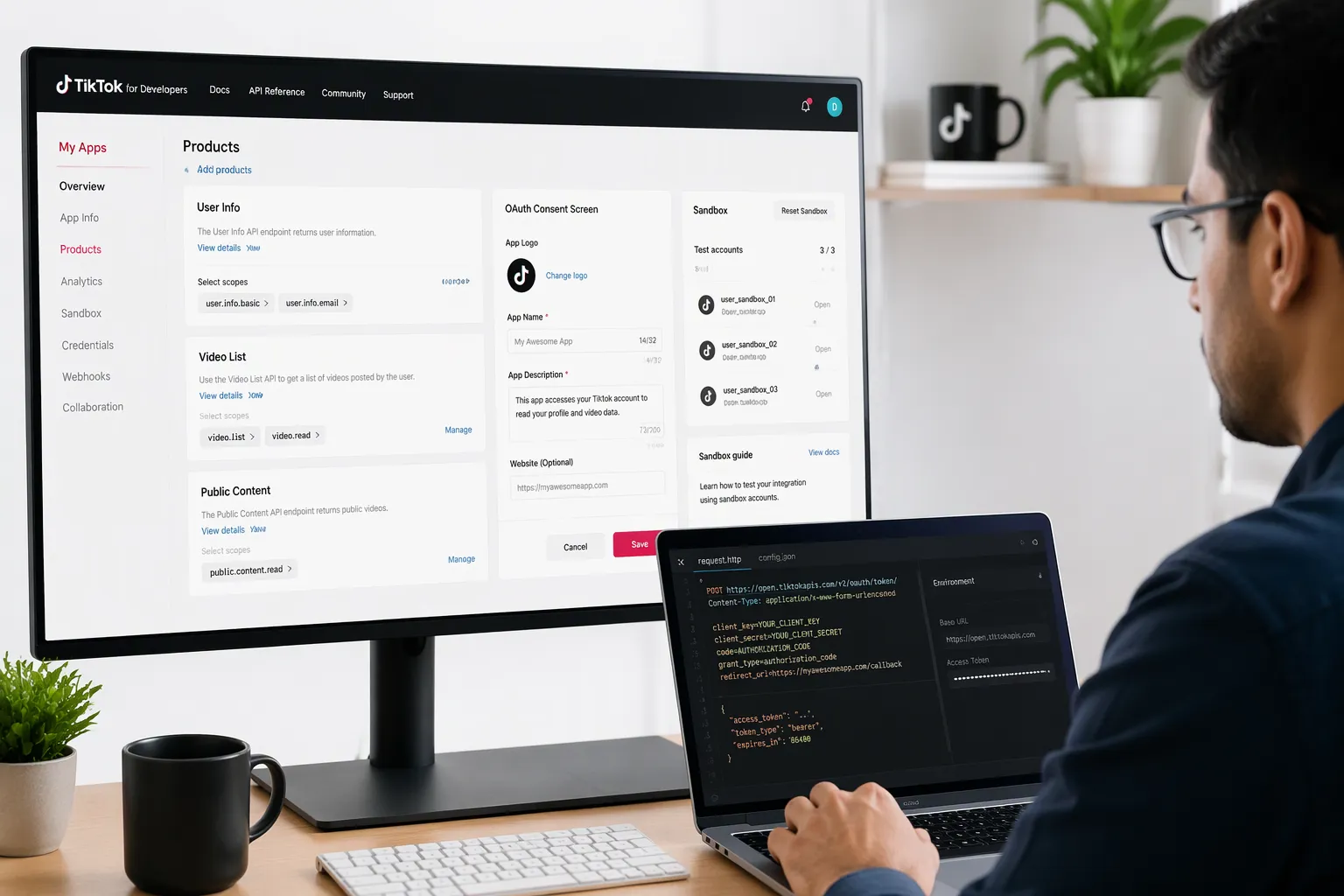
A developer begins at the TikTok developer portal and creates an account. The developer portal lists every product with its own scopes and rules. The team reviews the available APIs, picks the right one, and applies for api access. Approval is never automatic.
Sandbox mode now serves as the default environment for new apps, according to Phyllo. A developer can create up to five sandboxes per app and share each one with up to ten TikTok accounts. This setup allows full testing of the oauth flow and the upload path without a review. The oauth flow produces an access token, and that access token proves identity on each call. A refresh token extends a session, and access token refresh keeps long-running apps alive. A second refresh token covers rotation, and a second access token refresh handles expiry. The oauth consent screen lets account holders approve oauth scopes. A user access token limits each session to one user's data. A second user access token serves each additional account. User authentication through oauth keeps passwords out of requests, and oauth authentication also supports token revocation. Strong authentication matters at every step.
The sandbox audit takes two to four weeks, per Postproxy, and often runs multiple rounds. Reviewers check the use case, UX compliance, privacy controls, and content policy. While the audit is pending, posts stay private and only five accounts can authorize the app in any 24-hour window. A clean submission with a demo video clears in roughly one to two weeks, Phyllo notes. Production access follows a passed audit. That production access unlocks real users and real content.
Make Your First Request
A first request is simple in plain language. The app sends a call to a TikTok endpoint with the access token attached. TikTok checks the token, then returns a response. The developer reads the response and confirms the fields.
Official documentation lives at the TikTok developer portal. The Get Started page, the Scopes overview, and each product guide cover setup.
Resource | Purpose |
|---|---|
Get Started | First steps |
Scopes | Permission list |
Content Posting API guide | Upload setup |
Research API guide | Study setup |
Unofficial Python wrappers exist as a learning aid. They handle oauth and token storage, yet they add api limitations of their own. Teams weigh api pricing (official APIs are free), api rate limits, and web scraping alternatives before choosing a path. The oauth flow stays the same across tools, and oauth documentation explains each scope. A final oauth check confirms every scope before launch.
The TikTok Data API is a family of official tools. Each tool carries requests between an app and TikTok, then returns a response. The tools deliver public videos, profiles, comments, hashtags, and engagement data. Developers, businesses, marketers, and researchers each find a fitting option. Access rules vary by tool, and approval is never automatic. A newcomer starts with a developer account, an app registration, and a sandbox test.
The whole system stays approachable. A reader needs no advanced coding background to understand it or to begin. Anyone curious can explore the official TikTok developer resources and send one simple request. That first response often makes the entire process click.
FAQ
Is the TikTok Data API free to use?
Yes. The official APIs cost nothing, so api pricing rarely blocks a project. Teams still compare api pricing across third-party scraping options, which charge for broader public data. The tiktok data api stays free, and no api pricing applies to sandbox access.
Do I need coding skills to work with an API?
No. A reader needs no advanced coding background to understand an api or send a first request. Official guides walk through each api step. Unofficial Python wrappers handle oauth and token storage for learners, and they add api limits of their own.
How long does approval take?
The sandbox audit takes two to four weeks and often runs multiple rounds. A clean submission with a demo video clears faster. Production access follows a passed audit, and approval is never guaranteed for any api. Each api publishes its own terms.
What limits should a new team expect?
The Content Posting API enforces a posting rate limit of 6 requests per minute per user token. The Research API allows 1,000 requests and up to 100,000 records per day. A third api, the Display API, serves embedded clips. Each api publishes its own limits, and content rules vary by tool.
Can someone test without a developer account?
A developer registers an app in the developer portal and completes an oauth flow. That flow produces an access token, and the token proves identity on every api call. Sandbox access allows testing before review, and each api lists its scopes. Official api pricing stays at zero.
See Also
Essential TikTok Analytics Tool For Tracking Performance And Growth
How To Access And Understand Your TikTok Analytics Data
Mastering TikTok Analytics For Better Content Strategy Decisions
Step-By-Step Guide To Maximize TikTok Insights Using EchoTik
Analyzing United States TikTok Data Effectively With EchoTik Tools