TikTok Seller Center

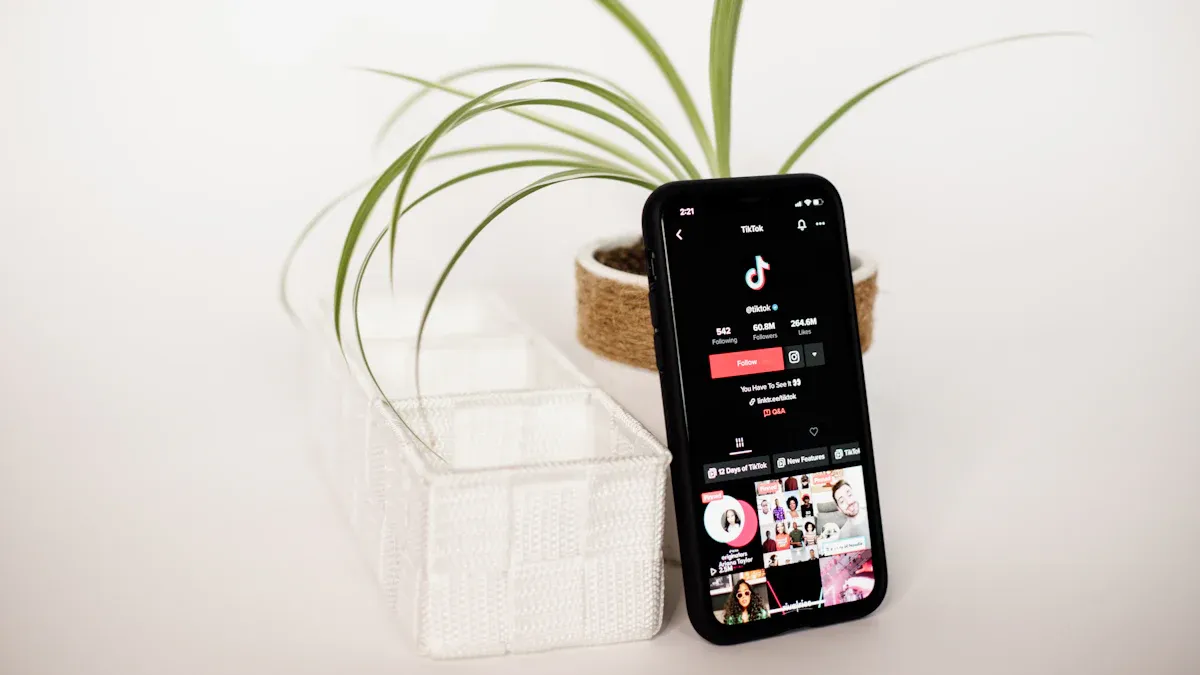
You can set up a TikTok shop in just a few steps. First, create your shop through TikTok Seller Center and complete the login. Get your documents ready and link your bank account. This platform helps you grow your e-commerce business fast. You also get perks like referral fee discounts and free shipping incentives. Many sellers manage their shops on mobile. Right now, TikTok has about 15 million merchants worldwide, with more than 500,000 in the United States.
TikTok Seller Center connects you with millions of active sellers.
Mobile management lets you handle your shop anywhere.
Key Takeaways
Making a TikTok shop is fast and simple. Just follow the steps to make your account. Upload your documents and connect your bank account.
Use the TikTok Seller Center app to run your shop anywhere. You can look at orders, change products, and talk to customers from any place.
Get seller perks like lower referral fees and free shipping offers. These perks help you save money and get more buyers.
Use marketing tools like working with influencers and live shopping. Fun content can help you get more sales.
Check your seller dashboard often for analytics. Knowing your sales data helps you make smart choices and grow your shop.
What Is TikTok Seller Center

TikTok Shop Seller Center gives you a place to run your online store right inside TikTok. You can manage your products, track your orders, and see your sales all in one spot. This platform helps you reach shoppers who love short videos and live streams. You get tools to make your shop stand out and connect with buyers in real time.
Key Features
You will find many helpful features in the TikTok Shop Seller Center. Here are some of the best ones:
Easy Product Listing: Add new products with just a few clicks. You can upload photos, write descriptions, and set prices.
Order Management: Track every order from start to finish. You can see what needs to ship and what has been delivered.
Seller Dashboard: The dashboard shows your sales, traffic, and top products. You can spot trends and make smart choices.
Marketing Tools: Use video content, live shopping, and influencer partnerships to boost your sales.
Customer Chat: Talk to buyers right in the app. Answer questions fast and build trust.
Tip: The seller dashboard helps you see what works best for your shop. Check it often to keep your business growing.
Seller Center vs. Profile Shop
You might wonder how the TikTok Shop Seller Center compares to other e-commerce platforms. Here’s a quick look at how it stands out, especially when compared to Shopee:
Feature | TikTok Seller Center | Shopee |
|---|---|---|
Core Focus | Social commerce with video content | Traditional e-commerce with organized feeds |
Sales Strategy | Influencer marketing and live shopping | Search tools for product discovery |
Engagement Method | Short, engaging videos to showcase products | Simple tools for listing products |
Algorithm | Smart algorithm for viral product visibility | Standard search and feed algorithms |
The TikTok Shop Seller Center puts your products in front of people who love watching videos. You can use live streams and influencers to get more eyes on your items. Shopee focuses more on search and product feeds. If you want to use video and social trends, TikTok Shop Seller Center gives you the edge.
You can also manage your shop from anywhere using the TikTok Shop Seller Center app. This makes it easy to update your store, even when you are on the go.
Seller Center Perks
When you join TikTok Shop, you get access to perks that help you grow your business faster. The seller center gives you special benefits that make selling easier and more rewarding. Let’s look at some of the most popular perks you can enjoy.
Description | |
|---|---|
Affiliate Program | You can start an affiliate program. Other people promote your products and earn a commission on sales. |
Sales and Customer Service Management | You set up processes to manage sales and answer customer questions. This helps you provide the best support possible. |
Sales Monitoring and Data Analytics | You monitor and analyze sales data. This helps you make smart decisions and improve your strategy. |
Tip: Use the affiliate program to reach new customers. Let creators and influencers help you sell more.
Referral Fee Discounts
You save money with referral fee discounts. TikTok Shop often lowers the fees you pay for each sale, especially when you join special campaigns or meet certain goals. This means you keep more of your earnings. Lower fees help you offer better prices to your customers. You can also use the extra savings to invest in ads or improve your products.
Here’s how these perks can boost your revenue:
Impact on Revenue | |
|---|---|
Large, engaged audience | You reach over 150 million active users. More people see your products, so you get more sales. |
Content-driven discovery | The algorithm shows your products to users who may not be searching. You get more chances to sell. |
Authentic promotion | Real content leads to higher conversion rates. People trust what they see from creators. |
Seamless shopping experience | In-app checkout makes buying easy. Fewer people leave their carts, so you get more completed sales. |
Viral potential | Products can go viral. Sharing helps you sell more, fast. |
Creator partnerships | Work with creators. Their followers can become your customers. |
Lower competition | If you start early, you face less competition. Your products stand out more. |
Free Shipping Incentives
Free shipping incentives make your shop more attractive. TikTok Shop sometimes covers shipping costs or gives you discounts on shipping fees. You can offer free shipping to your customers without losing money. Shoppers love free shipping. They are more likely to buy when they see it. You can use this perk to increase your sales and get repeat customers.
Note: Free shipping can help you stand out from other sellers. Try offering it during special events or holidays.
You get these perks when you use the seller center. They help you save money, reach more buyers, and grow your shop faster.
Prerequisites to Set Up a TikTok Shop
You need to get ready before you set up a TikTok shop. Being prepared now will help you later. It saves time and stops problems. Here is what you should know first.
Country and Region Availability
Check if TikTok Shop Seller Center works in your country. TikTok only lets sellers join from certain places. If your country is not listed, you must wait for TikTok to add it.
United States
United Kingdom
Indonesia
Malaysia
Thailand
Vietnam
Philippines
Japan
Singapore
Spain
Ireland
Germany
France
Italy
Brazil
Mexico
Tip: You can start if you live in one of these countries. If not, watch for news from TikTok.
Required Documents
You need to collect some documents before you sign up. Having them ready makes things easier.
Business Information
Legal business name
Business address
Registration number
Tax ID
Business type (LLC, Corporation, Sole Proprietorship, etc.)
Store Information
Store name
Description
Logo and banner images
Return policy
Shipping details
Banking Details
Business bank account info
Payment preferences
Identity Verification
Valid government ID
Sometimes, extra steps based on your region
Note: TikTok may take 3-7 business days to check your documents.
Bank Account Info
You need a business bank account before you start. TikTok uses this account to pay you. Check your account details before you add them. The name should match your business info. This helps stop payment problems.
If you get these things ready first, setup will be fast and simple. You will not waste time looking for papers. You can focus on building your shop.
How to Set Up a TikTok Shop
Ready to open your own shop on TikTok? You can do it in just a few steps. The process is simple, and you can manage everything from the seller dashboard once you finish. Here’s how you can get started with the TikTok Seller Center.
Create a Seller Center Account
First, you need to create your account. Go to the TikTok Seller Center website and choose your country. You’ll see a sign-up option. Click it and follow the prompts. You’ll need to use your TikTok login, so make sure you have your account details ready.
Here’s a step-by-step guide to help you:
Sign up on the TikTok Seller Center website.
Choose your country from the list.
Use your TikTok login to connect your account.
Select your business type (individual or business).
Enter your shop’s name and details.
Upload the required documents for verification.
Submit your registration and wait for review.
Most sellers get approved in 24 to 48 hours. Sometimes, you might even get approved in just a few hours if your information is correct.
Tip: Double-check your details before you submit. This helps you avoid delays.
Choose Business Type
You can pick between a business account and an individual account. Your choice depends on how you want to run your shop.
Here’s a quick look at the differences:
Feature | Business Account | Personal Account |
|---|---|---|
Purpose | For brands and businesses to sell products | For individuals selling as themselves |
Access to Commercial Music | Yes, you can use commercial music in your videos | No, only personal music available |
Business Tools | Advanced tools for marketing and analytics | Basic tools |
Analytics | Detailed reports on your shop’s performance | Simple insights |
Promote Feature | You can run ads and boost your products | No advertising tools |
Website Link | Add your website link to your profile | No website link option |
TikTok LIVE | Go LIVE to connect with your audience | Go LIVE, but with fewer features |
If you run a company or brand, choose the business account. If you sell as an individual, pick the personal account. You can always check the seller center for more details about each type.
Enter Business and Contact Info
Next, you need to fill in your business and contact information. This step is important because TikTok uses this info to verify your shop and send you payments.
Enter your legal business name (or your name if you’re an individual).
Add your business address and contact number.
Upload your business registration number and tax ID if you have them.
Set up your shop’s address for shipping.
Add your email so TikTok can contact you about your shop.
Make sure everything matches your documents. If your info is correct, the review process goes faster.
Agree to Terms
Before you finish, you need to agree to TikTok’s terms and conditions. Read through the agreement and check the box to accept. This step is required for every seller.
Once you agree, submit your application. TikTok will review your details and documents. Most sellers hear back within a couple of days. When you get approved, you can start adding products and managing your shop from the dashboard.
Note: You must verify your account within 7 days of registration. If you miss this step, you might need to start over.
Now you know how to set up a TikTok shop. The seller center makes it easy to track your progress and manage your shop. Once you finish, you can explore the seller dashboard and see all your shop’s stats in one place.
Verification in TikTok Shop Seller Center
Getting verified in tiktok shop seller center is a big step. You want your shop to look trustworthy. Buyers feel safe when they see a verified badge. You can finish the process in a few steps. Let’s walk through what you need to do.
Upload Business Documents
You need to upload your business documents to tiktok shop seller center. The platform asks for things like your business license, tax ID, and proof of address. You can scan or take clear photos of these papers. Make sure the names and numbers match what you entered during login. If you miss something, the system might reject your application.
Here’s a quick checklist:
Business license or registration
Tax identification number
Proof of address
Government-issued ID
Tip: Double-check your uploads before you hit submit. Blurry images or missing info can slow down your approval.
Product Listing Verification
After you upload your documents, you need to verify your product listings. tiktok shop seller center wants to make sure you sell real and safe products. You must add clear photos, honest descriptions, and correct prices. The dashboard shows you which items need review. If you follow the rules, your products go live faster.
Here’s what helps:
Step | What to Do |
|---|---|
Add product photos | Use bright, clear images |
Write descriptions | Keep it simple and honest |
Match your market |
Troubleshooting Verification Issues
Sometimes, you run into problems with verification. tiktok shop seller center gives you alerts if something goes wrong. You might see a message in your dashboard. Common issues include mismatched info, blurry uploads, or missing documents. You can fix most problems by re-uploading or editing your details.
If you get stuck, try these steps:
Check your dashboard for alerts.
Review your uploads for errors.
Update your info and resubmit.
Contact support if you need help.
Note: Stay patient. Most shops get verified in a few days. If you follow the steps, you’ll be ready to sell soon.
Link Your Bank Account
Connecting your bank account is a key step in getting paid on TikTok Shop. You want to make sure your money goes to the right place. The process is simple, but you need to follow each step carefully.
Add Bank Details
You must have a TikTok Business Account before you can link your bank. If you have not switched to a business account yet, go to your profile, open the menu, and select the option to switch to a Pro Account. Once you have your business account ready, enable TikTok Shop in your settings.
Now, you can add your bank details:
Open the Seller Center and go to the Payment Setup section.
Enter your payment method and bank account information.
Follow the instructions to connect your bank account to TikTok Shop.
Tip: Double-check your bank account number and name. They must match your business info to avoid payment issues.
After you finish, you are ready to start selling and receiving payments.
Verify Account
TikTok wants to keep your money safe. They use a secure process to make sure you own the bank account you link. Here is what usually happens:
Step | Description |
|---|---|
1 | TikTok may send a small test deposit (usually less than $1) to your bank account. |
2 | Check your bank statement for this deposit. |
3 | Go back to TikTok Shop and enter the exact amount to confirm your account. |
4 | This process takes about 1-3 business days. |
Most sellers get verified in 24-48 hours. Sometimes, it can be even faster—some people see approval in less than a day. If TikTok needs more information, it might take a bit longer.
Always use a secure internet connection when entering your bank details.
Check your bank account often for any unexpected activity.
Note: Keeping your account secure helps protect your earnings and your shop.
Once your bank account is verified, you can receive payments from your TikTok Shop sales without worry. 🎉
Manage Your Shop in Seller Center
It is simple to manage your shop in seller center once you learn the basics. The dashboard shows you all the important things in one place. You can look at your orders, check your sales, and see your shop’s analytics. The tools make it easy to handle your products and keep track of your inventory.
Add Store Info and Addresses
You want your shop to look nice and professional. Start by putting in your store information. Choose a name that fits your brand. Add a logo and a banner image. Write a short description so shoppers know what you sell. You can also add your return policy and shipping details here.
Now, set up your addresses. You need a main business address and a shipping address for orders. Make sure these match your documents. If you move or change your warehouse, update your addresses right away. This helps your shop work well.
Tip: A good store description and correct addresses help buyers trust you.
List Products
It is fast to list products in seller center. You can upload one product at a time or use bulk upload if you have many items. The platform lets you add photos, write descriptions, and set prices with just a few clicks. You can also watch your stock in real time and get alerts when you need to restock.
Here’s a table of important shop management features:
Feature | Description |
|---|---|
Product listing and inventory management | Tools for bulk uploads, real-time stock checks, and restock alerts. |
Order processing and customer communication | Track orders, use customer service tools, and answer questions in one place. |
Access to sales performance analytics | Dashboard to see your revenue, conversion rates, and customer trends. |
Campaign management features | Tools to make promotions, flash sales, and track campaign results in real time. |
You may see that TikTok Seller Center makes listing products easier than other sites. Amazon has more steps and focuses on shipping. TikTok lets you start quickly, so you can follow trends. During Black Friday in 2023, sellers saw their daily orders go up by 300%. Some brands, like Glow Recipe, even had a 600% sales jump when their products went viral.
If you want your shop to grow, keep your listings new and check your analytics often. You can manage products, answer customer questions, and run campaigns all from the dashboard.
TikTok Shop Seller Center App
The tiktok shop seller center app makes running your shop simple, even when you are not at your desk. You can use your phone to check orders, upload new products, and talk to customers. This app helps you stay connected to your business all day.
Mobile App Features
You get many powerful tools in the tiktok shop seller center app. Here is a quick look at what you can do:
Functionality | Description |
|---|---|
Product Management | Upload products right from your phone. |
Order Management | See new orders and update their status fast. |
Performance Tracking | Check your sales numbers and shop analytics anytime. |
Customer Interaction | Reply to customer questions quickly. |
Inventory Management | Watch your stock levels and get alerts when you need to restock. |
Batch Uploads | Add one product or upload many at once—up to 1,000 products online. |
Tip: Use the app to upload new products as soon as you get them. This keeps your shop fresh and exciting.
Managing Your Shop on the Go
You do not have to sit at a computer to run your shop. The tiktok shop seller center app lets you manage everything from your phone. You can check your sales while waiting in line or answer a customer question during a break. If you see a product selling fast, you can update your inventory right away.
Here are some ways you can use the app every day:
Get notifications for new orders so you never miss a sale.
Respond to customer messages quickly to build trust.
Track your shop’s performance and spot trends as they happen.
Update product details or prices in just a few taps.
The tiktok shop seller center app gives you freedom. You can grow your business from anywhere. If you want to stay ahead, use the app to keep your shop running smoothly, even when you are on the move.
Next Steps After Setup
Launch Your First Product
You finished your shop setup in tiktok shop seller center. Now, you want to launch your first product. Most sellers go from setup to launch in about a week. Here’s a simple path to follow:
Pick the right product. Choose something that fits your brand and has demand.
Use user-generated content. Ask real people to share videos or reviews.
Look at what works for others. Model your content after top sellers.
Check your data. Make content that speaks to your audience.
Grow your followers. Aim for 1,000 followers to get a boost from the algorithm.
Tip: Keep your product listings fresh. Update your catalog often so you avoid outdated items or order issues.
You might face some challenges after your first login. Common problems include setup errors, outdated catalogs, or order fulfillment issues. Stay on top of your orders and focus on customer service and communication. This helps you build trust and keeps your shop running smoothly.
Explore TikTok Shop Ads
You can reach more buyers by running ads through tiktok shop seller center. Start by creating a campaign in TikTok Ads Manager. You can also join the TikTok Shop Affiliate program to boost your sales.
Here are the main ad types you can use:
Ad Type | Description |
|---|---|
Video Shopping Ads | Make your TikTok videos shoppable and turn content into sales. |
LIVE Shopping Ads | Promote products during live streams for real-time interaction. |
Product Shopping Ads | Show off products with images and details from your listings. |
Sellers see strong results with TikTok ads. On average, you get nearly 12 times your investment back within six weeks. The sales impact can last up to four weeks after your ads finish.
Note: Treat creators as partners, not just tools. Authentic ads and good communication help you connect with buyers.
The seller center gives you everything you need to manage ads, track results, and keep your shop growing.
You have learned how to set up your shop in tiktok shop seller center. First, make your account. Next, upload your documents. Then, link your bank account. Use seller perks to help your business. You can manage your shop anywhere with the app. Try advanced features in tiktok shop seller center to help you sell more:
Feature | How It Helps You Grow |
|---|---|
Creator Collaborations | Work with influencers to reach more buyers |
In-Depth Performance Analytics | Track sales and spot trends easily |
Streamlined Product Management | Organize your products fast |
If you need help, tiktok shop seller center support is there for you. Keep looking at tiktok seller center for new tools and updates.
FAQ
How long does TikTok Shop verification take?
Most shops get verified in 1 to 3 days. Sometimes, you might see approval in just a few hours if your documents are clear and correct.
Can you manage your TikTok Shop from your phone?
Yes! You can use the TikTok Shop Seller Center app. It lets you upload products, check orders, and talk to customers right from your phone.
What happens if you enter the wrong bank details?
TikTok will not send payments if your bank info is wrong. Double-check your account number and name before you submit. If you make a mistake, update your details in the Seller Center.
Do you need a business license to sell on TikTok Shop?
You usually need a business license or government ID. Requirements depend on your country. Check the Seller Center for the exact documents you need.
Can you sell used or handmade items on TikTok Shop?
You can sell handmade items if they meet TikTok’s guidelines. Used items are not allowed. Always review TikTok’s product policies before listing anything.
See Also
EchoTik Aids Indonesian Sellers With Inventory Challenges
TikTok Shop Now Allows Single Product Uploads
Top Selling TikTok Products Across The United States
