TikTok Shop Seller Center App 5 Key Features

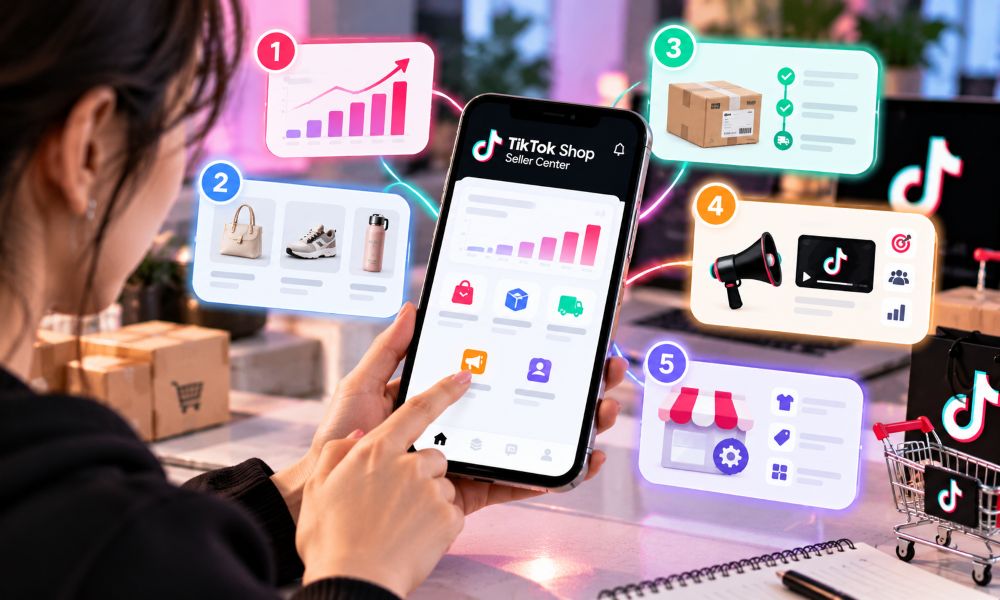
Managing a TikTok Shop shouldn't lock you to a desktop, especially when flash sales, buyer messages, and order spikes happen 24/7. The official TikTok Shop Seller Center app essentially condones mobile store operations—letting you track real-time GMV, resolve customer disputes, and manage order fulfillment right from your phone. Whether you're adjusting live-stream promotions on the fly or handling urgent inventory updates, operating mobile gives you the agility needed to stay competitive.
TikTok Shop Seller Center App Overview
TikTok Shop is the online store where you sell things. Seller Center is the control panel where you run your shop. The TikTok Shop Seller Center app puts that control panel on your phone. You don't need a computer anymore to do your daily work.
Core Functions on Mobile
The app puts the main Seller Center tools into one mobile dashboard. You get order management, product listing, messaging, performance metrics, and basic account settings. Each tool works just like it does on a computer. The layout just fits a smaller screen.
You can check new orders as soon as they come in. You can look over store activity during a lunch break. You can run your shop from anywhere. This mobile access changes how a TikTok Shop seller works. You are no longer stuck at a desk. The app sends push notifications for tasks that can't wait. You reply quickly. Your customers see the difference.
Seller Account Setup Basics
A seller account begins with business verification. You need certain documents to pass the review. Identity verification takes a US passport, driver's license, state ID, or permanent resident card. Proof of address needs a utility bill, bank statement, or insurance policy. Proof of business needs an IRS-issued document like Form 147C or CP 575. All documents must be valid, uncropped, and under 10 MB in JPG, PNG, JPEG, or PDF format.
You also need a W-9 form after you earn $2,000. This keeps your payouts coming. The app walks you through each upload step. You can finish the whole setup from your phone. Once verified, you unlock all TikTok Shop features inside the app.
Set Up a TikTok Shop and List Products
You can set up a TikTok Shop from your phone in a few clear steps. The app guides you through each one.
Sign Up and Business Verification
First, choose the legal account owner. This is the person or business that receives revenue, files taxes, owns the bank account, and holds product rights. Next, build one master record with your legal name, address, entity type, taxpayer details, representative, and bank owner. Copy from this record during the whole process. Consistency prevents delays.
Then register in Seller Center with a unique phone number and email. Select your business type and submit complete, current documents. After that, configure tax, payouts, pickup, and returns. Complete the W-9, bind your bank account, and enter a usable warehouse and return address. Finally, choose your product catalog system. You can manage products directly in the app or connect an ecommerce platform like Shopify.
Prepare four evidence groups before you start:
Evidence Group | Required Contents |
|---|---|
Identity or entity records | Government ID or business registration and representative information |
Tax and payout records | Correct taxpayer name, tax ID, completed tax forms, and a matching bank account |
Operational addresses | A physical pickup warehouse and return address |
Product authority | Supplier invoices, brand authorization, safety documentation, or category approvals |
Verification time varies with seller type, document quality, information consistency, and whether TikTok requests more evidence. Submit current, uncropped documents and keep every record matching.
Product Listings and Showcase Tab
Launch one hero product first. Build a complete listing that follows the TikTok Shop Product Listing Policy. Use clear titles with relevant keywords. Write detailed descriptions that answer common buyer questions. Add high-quality images. These factors influence where your products rank in TikTok Shop search results and recommendation feeds.
The Showcase tab gives you a dedicated product display on your TikTok profile. You can add and edit listings directly from your phone. Keep every listing complete, accurate, and visually appealing. Strong reviews and consistent sales volume improve your chances of appearing in the main Shop discovery feed. Good inventory management keeps popular items in stock. The app makes all of this possible on the go.
Order and Fulfillment Management
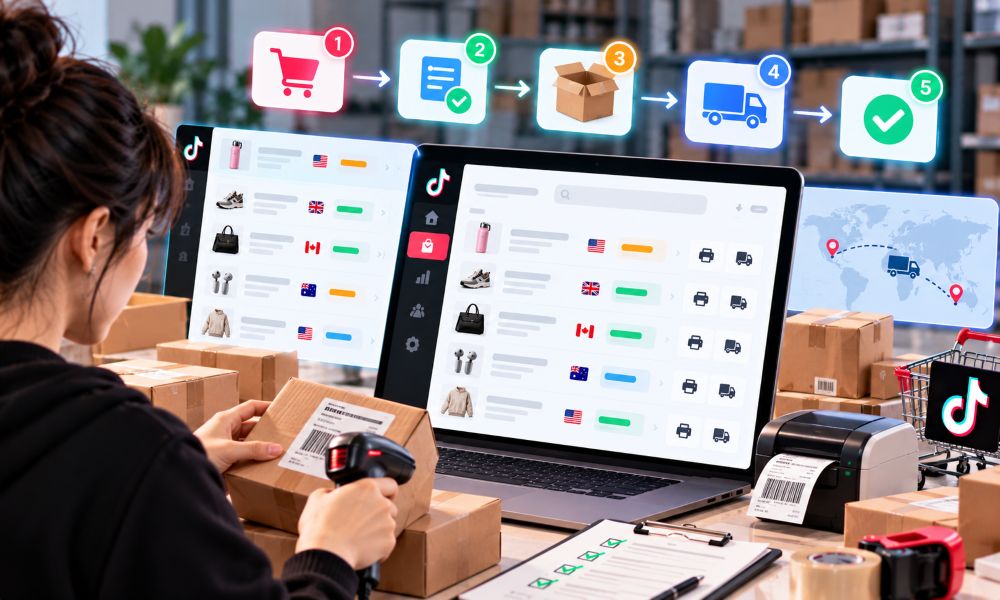
The app lets you control every order from start to finish. You can check order status, print labels, and update shipping without a computer. New orders show up in your queue right away. Tap an order to see the buyer's address, items, and shipping method. Then you confirm the order and mark it as shipped. The app works with major carriers for every delivery step.
Carrier Role | Carriers Available |
|---|---|
Primary/General Carriers | USPS, FedEx, UPS |
Pick-up Carrier | GOFO, CBT Carrier |
Last Mile Carrier | UniUni, USPS, FedEx, Ontrac, GOFO, SwiftX, UPS, Veho |
Regional Carriers | Other regional carriers (in addition to USPS, FedEx, UPS) |
Good inventory management keeps your fulfillment running smoothly. You track stock levels in the app and restock popular items before they run out. This stops canceled orders and keeps your TikTok Shop running without gaps.
Tracking Orders and Shipping
You can watch every shipment from one screen. The app shows which orders need labels, which are on the way, and which have arrived. You update tracking numbers as soon as you ship. Buyers see this info too, so they know where their package is.
When a carrier picks up your package, you mark it shipped in the app. The system then tells the buyer automatically. If a package gets stuck, you see the delay and can contact the carrier. This clear view builds trust with every TikTok Shop customer.
Returns and Refunds
Returns happen in every TikTok Shop. The app helps you handle them quickly and fairly. Customers can ask for a return within 30 calendar days from delivery. You then answer that request within 2 working days for non-auto-approved cases. For unshipped orders, you must respond to refund requests within 24 hours.
Scenario | Timeframe |
|---|---|
Seller must handle return/refund requests | 48 hours of submission |
Customer must upload return logistics info after approval | 5 calendar days |
Seller must confirm receipt of returned product | 8 days after customer uploads logistics info |
Extension if seller selects 'extend receiving' | Additional 4 days |
Customer second request after seller rejection | 48 hours |
You review each request in the app and approve or reject it. After approval, the customer uploads return logistics info within 5 calendar days. You then confirm you received the returned product within 8 days. If you need more time, you select extend receiving for an additional 4 days. Handling returns fast and fairly keeps customer trust high and protects your TikTok Shop rating.
Real-Time Analytics Dashboard

The app shows you how your shop is doing right now. You open the dashboard and watch the numbers change as buyers shop. This quick feedback helps you fix problems before they get worse.
Sales, Traffic, and Conversion Metrics
The dashboard tracks the numbers that matter most. You can see total sales, active orders, conversions, and customer engagement. You can sort sales by product, category, and time period. Conversion rates show you how many visitors actually buy something.
Traffic metrics cover impressions, clicks, conversions, and product clicks. Customer insights show demographic data, buying habits, and engagement patterns. Content analytics measure your videos and LIVE sessions. Creator performance analytics show which affiliates bring in results. The TikTok Shop seller center gives you detailed analytics across all these areas.
Analytics reports on sales, products, traffic, content such as videos and LIVE sessions, and creator performance. TikTok Shop also provides Service Analytics for customer service.
You can look at these performance metrics on your phone anytime. The TikTok Shop app keeps every number in one place.
Turning Data into Quick Decisions
Data only helps when you use it. The app helps you find a slow-selling item and change its price that same day. You check which listings get clicks but no sales. Then you rewrite the title or swap the main image.
A drop in traffic tells you to push a new video or LIVE session. Strong creator numbers tell you to send more samples to that affiliate. Weak conversion rates point to a checkout problem or a confusing description. You fix it fast.
The TikTok Shop seller center gives you detailed analytics so you never guess. You test a change, watch the numbers, and keep what works. This cycle builds momentum for your TikTok Shop. The app turns raw data into clear next steps. You stay ahead of trends instead of reacting late.
In-App Messaging and Customer Service
Fast replies win sales. The TikTok Shop Seller Center app puts a full chat system in your hand. You answer buyer questions, send product cards, and close orders without leaving the app. This direct line to your customers changes how you run your TikTok Shop.
Chatting with Buyers Directly
Direct chat shortens the distance between a question and a sale. A buyer asks about a size, a color, or a shipping date. You answer in seconds. That speed builds trust and moves the buyer closer to checkout. The TikTok Shop app tracks how well you handle these moments.
The app measures your chat performance with clear numbers. You can see your conversion rate from chat sessions. This metric shows revenue from buyers who started a chat. It compares one period to another. A rising number means your conversations turn into orders.
Your 12h response rate shows the percentage of customer sessions you answer within 12 hours. The formula is simple: sessions responded within 12h divided by total sessions started, times 100. Sessions include text, images, videos, emojis, product cards, and order cards. Weekend and holiday sessions count. Holiday-mode sessions do not. FAQ auto-replies count as responded only when the buyer asks no follow-up questions.
Your satisfaction rate tracks chat sessions where buyers give 4 or 5 stars. The app sends a survey when a session closes or when a buyer taps evaluate service. A high satisfaction rate lifts customer trust and store ratings. That trust leads to more sales in your TikTok Shop.
Metric | What It Measures | Why It Matters |
|---|---|---|
Conversion Rate | Revenue from buyers who started a chat | Shows how chat turns into orders |
12h Response Rate | Sessions answered within 12 hours | Tracks your speed and consistency |
Satisfaction Rate | Sessions rated 4 or 5 stars | Builds trust and store ratings |
Session Allocation | Whether chats reach an agent | Delays here hurt response time |
Session allocation needs your attention. Sessions cannot go to agents when no agents are online. They also stall when session capacity is full and customers wait in queue. You should monitor your queue count and keep it at zero during working hours. Adjust the maximum session capacity per agent, with a suggested minimum of 200. End completed sessions promptly. Schedule shifts well. These steps keep your TikTok Shop responsive.
The app gives you tools that speed up every conversation. Automated greetings fire the moment a buyer starts a chat. This instant first response reduces the buyer's perceived wait time. A chatbot and FAQ knowledge base handle common product and logistics questions right away. This frees your agents for complex issues.
You can send active coupons during a chat to push a buyer toward a decision. You can also send product cards to guide buyers to relevant items. Both tools raise conversion opportunities. A reply recommendation feature detects high-satisfaction responses and suggests them to you. This improves both response quality and speed.
Post-purchase support tools let buyers help themselves. You can send order cards, logistics cards, and aftersales request buttons. Buyers then handle returns, refunds, and delivery tracking on their own. This cuts your agent workload and speeds up responses to new inquiries. Team management lets you watch agent availability and capacity. Chat transfer reassigns open chats to available agents. This prevents bottlenecks that delay responses in your TikTok Shop.
Quick Replies and Notifications
On TikTok Shop, buyer response time isn't just about good customer service—it directly impacts your store's Chat Response Rate and overall Account Health score. Utilizing saved quick-reply templates for frequent shipping and product inquiries eliminates repetitive typing while keeping response times under 5 minutes. Combined with mobile push notifications and multi-agent chat routing, team leads can immediately reassign high-volume inquiries during sales spikes, ensuring zero unattended chats without tying staff to desktop stations.
Promotions, Shoppable Videos, and Live Selling
Discounts and Flash Sales
You can make discounts and flash sales right in the TikTok Shop Seller Center app. Go to Seller Center, then Marketing, then Campaigns. Pick a Flash Sale Campaign and sign up. Look at the benefits and rules before you add products. TikTok Shop gives out Flash Sale sessions 3 days before the campaign starts. A 1% campaign service fee applies to every order line during the campaign.
The app works with several flash sale types. Each type has its own setup and display rules.
Attribute | Flash Sale | LIVE Flash Sale | Creator LIVE Flash Sale |
|---|---|---|---|
Configure | Seller Center PC & App | Seller Center PC, App & TikTok App | Seller Center PC only |
Display Channel | All channels on TikTok Shop | Livestream only | Livestream only |
Duration | Min 10 min; Max 3 days | Min 1 min; Max 20 min | Min 10 min; Max 3 days |
Max Discount | 99% | 99% | 99% |
For a LIVE Flash Sale, go to Marketing, then Promotions, then LIVE Flash Sale, then Create. Type in the promotion name, display channel, and promotion period. Pick products and set the flash sale price as a fixed price or a percentage off. Your price must beat the lowest product price in the last 30 days for a standard Flash Sale. For a LIVE Flash Sale, your price must beat the lowest discount price in the last 14 days and the lowest campaign price in the last 24 hours. Check everything and publish.
Managing Live Streams and Product Links
Executing timed flash sales and managing live-stream product anchors requires split-second adjustments—something a desktop dashboard simply can't accommodate on the fly. The Seller Center app bridges that gap, giving merchants real-time control over inventory limits, pricing overrides, and customer disputes. Ultimately, mobile access isn't just about convenience; it’s about maintaining operational agility when traffic spikes during live commerce events.
FAQ
Is the TikTok Shop Seller Center app free to download?
Yes. You download it free on Google Play or the Apple App Store. New sellers also unlock a 30-day referral fee 50% discount, free shipping incentives, and $1,000 in coupons. The app is a legitimate tool that TikTok provides for sellers.
Can you list and edit products from your phone?
Yes. You add and edit listings directly inside the app. The Showcase tab displays your products on your TikTok profile. Complete listings with clear titles, detailed descriptions, and high-quality images rank better in search results and recommendation feeds.
How fast must you answer a return request?
You handle return and refund requests within 48 hours of submission. For unshipped orders, you respond to refund requests within 24 hours. Customers then upload return logistics info within 5 calendar days. Fast, fair handling protects your TikTok Shop rating.
What does the 12h response rate measure?
It measures the share of customer chat sessions you answer within 12 hours. The app divides sessions answered in time by total sessions started, then multiplies by 100. Weekend and holiday sessions count. A high rate builds trust in your TikTok Shop.
How long can a flash sale run?
A standard Flash Sale runs from 10 minutes up to 3 days. A LIVE Flash Sale lasts between 1 and 20 minutes. You set the price, purchase limits, and countdown timer in the app. A 1% campaign service fee applies to each order line.
