TikTok shop seller centre 2025


You can make a TikTok shop seller account by signing up with your TikTok account. You need to send in your business documents. You also have to link your bank account in the seller center. New sellers often get special deals like lower referral fees and free shipping on their first orders. Businesses and TikTok shop creators use the center to run their shop and sales. Follow each step to start selling without problems.
Key Takeaways
It is simple to start a TikTok Shop. You sign up with your TikTok account. You upload your business documents. You link your bank account. Then you can start selling.
The TikTok Shop Seller Center has tools to help you. You can manage your products. You can track your orders. You can check your sales performance. These tools help you save time and get better results.
New sellers get special perks. There are lower fees, between 1% and 3%. You get free shipping on your first orders. This makes TikTok Shop cheaper than other online selling sites.
Making fun product videos helps your shop. Using TikTok trends can help you get noticed. Many people buy things they see in popular videos.
Great customer service is very important. You should answer questions fast. You should set clear return rules. You should ask for customer reviews. This helps you build a good reputation.
TikTok Shop Overview
What Is TikTok Shop
TikTok Shop lets you sell things right on TikTok. You can show your products to many people who like watching short videos. Lots of sellers think TikTok Shop is simple to use. You can handle your shop, products, and orders all in one spot. You do not need to be a tech expert to begin. You just need a TikTok account and access to the seller center. New sellers often say the setup is easy. They also like meeting buyers who enjoy shopping on social media.
Tip: TikTok Shop has tools to help you grow your business. You can promote your products and see your sales. You can join campaigns and use trends to make your shop more popular.
Key Features of Seller Center
The seller center helps you run your shop. You can add products, check your stock, and handle orders. The center gives you a dashboard to see your sales and what customers do. Many sellers use these tools to save time and get better results.
Here is a table that shows what the seller center can do:
Function | Description |
|---|---|
Product listing and inventory management | You can upload lots of products, see your stock, and get alerts when you need to restock. |
Order processing and customer communication | You can track orders, use automatic customer service, and send messages from one place. |
Access to sales performance analytics | You can check your revenue, conversion rates, and see how customers act. |
Campaign management features | You can make promotions, flash sales, and watch how your campaigns do in real time. |
New TikTok Shop sellers get special perks. These include lower fees and free shipping for first orders. TikTok Shop is cheaper than other online selling sites. You pay only 1-3% of your sales in fees. This is less than most other places. You also get to reach lots of people and use viral trends to help sell your products.
Here is a quick comparison:
TikTok Shop Perks | Traditional E-Commerce Platforms |
|---|---|
It is cheaper to start selling | Starting costs are higher |
You can reach many people | You reach fewer people |
You can use viral trends | You need to pay for ads |
Fees are higher and change by platform |
You can use the seller center to run your shop better and find more buyers. Many sellers say these tools help them grow faster and spend less money on fees.
Set Up a TikTok Shop

Starting your own shop on TikTok Shop Seller Center is simple if you know what to do. You need to finish a few steps to sign up, check your documents, and connect your bank account. Each step helps you sell your products and run your shop with ease.
Registration Steps
First, go to the TikTok Shop Seller Registration Page. Type in your email and make a password. Pick the account type that fits you best. You can choose Individual Seller or Business/Organization. You need to upload documents to prove your business. Enter your tax details, like your W-9 form and your SSN or business tax ID. Add your first product by uploading it or linking an online store.
Here is a step-by-step guide:
Visit the TikTok Shop Seller Registration Page.
Type your email and password.
Pick Individual Seller or Business/Organization.
Upload your business documents.
Enter your tax details.
Add your first product.
Note: Use your real information when you sign up. This helps TikTok check your account faster.
Required Documents
You need to get some documents ready before you start. The documents you need depend on your seller type. Individual sellers and business sellers need different things. The table below shows what each seller needs:
Seller Type | Required Documents |
|---|---|
Individual Seller | Legal name, date of birth, home address, government-issued ID (U.S. Passport or Driver’s License) |
Business Seller | Company registration, business type, company name, Employer Identification Number (EIN), owner information if needed |
Check your documents before you upload them. Make sure your name and address match your sign-up details. This helps you avoid waiting longer.
Verification Process
After you send your documents, TikTok checks your information. The check usually takes about 10 minutes. Sometimes, it is even faster. You get a message when your account is ready. If TikTok needs more details, you get a message in the seller center.
Most sellers finish the check in less than 10 minutes.
Check your email and seller center for news.
Tip: If you have trouble with the check, look at your documents again. Make sure they are easy to read.
Link Bank Account
You must connect your bank account to get paid from your shop. The seller center shows you each step. Log in to your checked account. Add your bank details, like your bank name, account number, routing number, and business name. TikTok sends a small test deposit to your account. You check the deposit amount in the seller center. Upload any extra documents, like your business registration, tax ID, government-issued ID, and proof of address. Look at the dashboard to see if your bank status says "Verified."
Step | Action | Details |
|---|---|---|
1 | Log In | Go to your TikTok Shop Seller account in the Seller Center. |
2 | Add Bank Details | Type bank name, account number, routing number, and business name. |
3 | Confirm Test Deposit | Check the small deposit from TikTok and enter the amount in the Seller Center. |
4 | Upload Verification Docs | Send documents like business registration, tax ID, government-issued ID, and proof of address. |
5 | Final Check | Make sure your linked status says 'Verified' in the Seller Center Dashboard. |
Callout: If your bank account does not get checked, make sure your business name matches your documents. This problem happens a lot for new sellers.
Shop Listing vs Profile Listing
You might wonder what makes shop listing and profile listing different on TikTok Shop. Shop listing is for sellers who want to control their own products and stock. You sign up in the seller center, send your documents, and link your bank account. You run your shop and upload your own products.
Profile listing is for creators who show products from other sellers. You set up your profile listing in the TikTok app. TikTok has rules for followers and age for creators. You need approval to use the product marketplace.
Aspect | Profile Listing Process (Creator) | |
|---|---|---|
Registration | Sign up in TikTok Shop Seller Center | Set up in the TikTok app |
Product Management | Handle your own products and stock | Show products from other sellers |
Eligibility Criteria | Send documents and link a bank account | Meet TikTok’s follower and age rules |
Approval Process | Shop must be checked before you upload products | Approval needed to use product marketplace |
Tip: Pick shop listing if you want to control your products and sales. Profile listing is good if you want to show products as a creator.
Setting up a TikTok Shop lets you reach many people and use simple tools. You can run your shop, add products, and see your sales in the seller center. Follow each step to start selling and grow your business.
Seller Center Account Types
Seller vs Creator Accounts
When you make a TikTok Shop, you pick a seller or creator account. Each one has different tools and jobs. Sellers use the seller center to run their shop. They upload products and check orders. Creators make videos and help sell other people's products.
Here is a table that shows the main differences:
Creators | Sellers | |
|---|---|---|
Requirements | You need 1,000–5,000 followers and regular posts. | You provide business details like tax ID and product info. |
Inventory | You do not manage inventory. | You handle sourcing, packaging, and shipping. |
Revenue Generation | You earn commissions (10–20% or more) for promoting products. | You keep most profits after expenses. |
Risk | You face minimal risk. | You take on higher risk with production and marketing. |
Functionality | You create videos and live streams to encourage purchases. | You use a storefront to manage listings and analytics. |
Content Focus | You make authentic, relatable content. | You create product-focused videos and ads. |
Note: Sellers work to build a business that lasts a long time. They sell products on TikTok and other places. Creators can earn money fast but depend on trends and TikTok’s popularity.
Switching Account Types
You may want to change your account type if your goals change. If you start as a creator and want your own shop, you can apply for a seller account in the seller center. You must give business documents and link your bank account. If you start as a seller but want to make content, you can use your TikTok profile to get creator features.
Follow these steps to switch your account type:
Log in to your account in the seller center.
Go to account settings.
Pick "Switch Account Type."
Fill in the needed information for your new account type.
Send your application and wait for approval.
Tip: Changing your account type helps you try new ways to grow. Pick the one that fits your skills and goals.
You can always go back to the seller center to run your shop or change your account details. TikTok Shop lets you change as your business gets bigger.
Manage Products on TikTok Shop
Upload Products
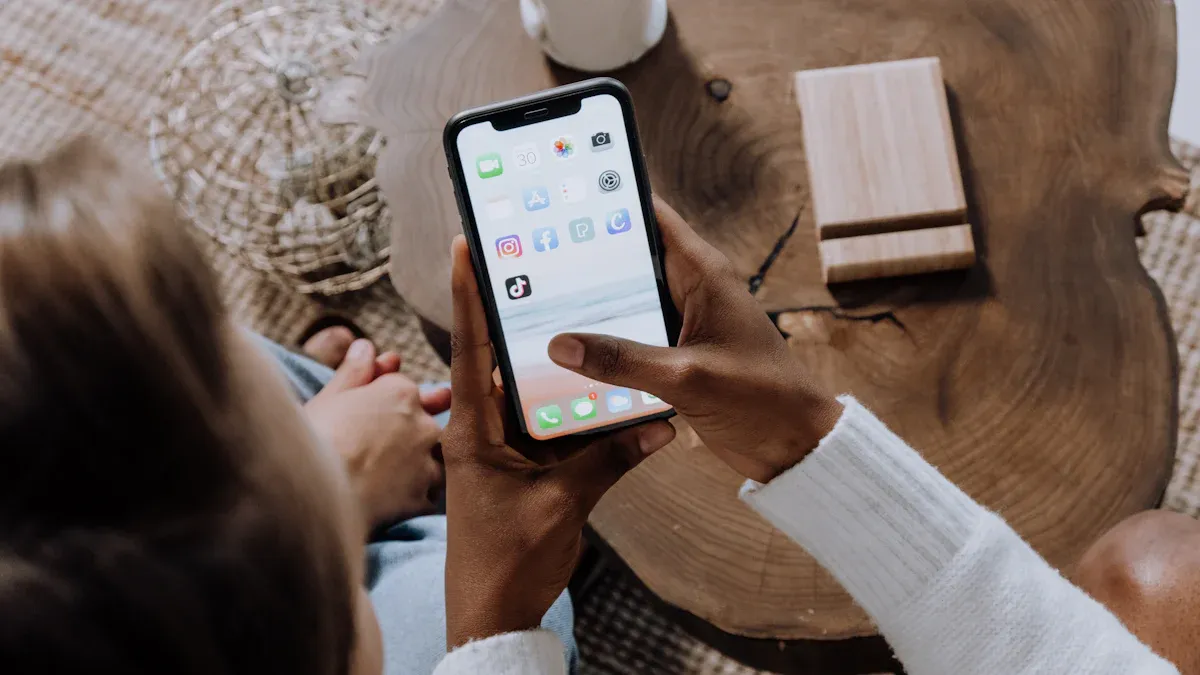
You can add products to your shop in the seller center. The screen is simple and easy to use. You will see buttons and tips that help you. Most sellers start by logging in to the seller center in the TikTok app. Click ‘Add Product’ to start. Fill in the product name, description, price, and shipping. Then, send the product for review. If you have lots of products, use the bulk upload template. Download the template and fill it with your product details. Upload the finished template back to the seller center. This way, you save time when you have many items.
Product Upload Steps:
Log in to the TikTok Seller Center in the app.
Click ‘Add Product’ and enter product details.
Submit the product for review.
Wait for approval. Your product appears in your shop.
Bulk upload helps you add many products at once:
Download the bulk upload template from the seller center.
Fill in product names, descriptions, prices, and shipping.
Upload the finished template.
Submit to add all products together.
Tip: Use clear pictures and short descriptions. Buyers like listings that are easy to read.
Product Listing Approval
After you upload products, TikTok checks each one. The approval process makes sure your products follow the rules. You can see updates in the seller center dashboard. Most sellers get a quick review, but some products need more checks. The table below shows what TikTok checks for:
Description | |
|---|---|
Compliance with Community Standards | Products must follow TikTok's community guidelines. |
Regional Regulations | Listings must meet local laws and rules. |
Specific Product Guidelines | Some products need extra documents or special guidelines. |
Prohibited Categories | Items like adult products, drugs, and weapons are not allowed. |
Restricted Products | Beauty and wellness items must meet FDA and other restrictions. |
Ethical and Legal Standards | Counterfeit goods and items promoting hate speech or exploitation are banned. |
Note: If your product is not approved, check the rules and fix any problems. You can send it again after changes.
Inventory Management
The seller center helps you keep track of your products. You get alerts when you are low on stock. You can change the number of items and watch sales live. The dashboard shows which products sell fast and which need more stock. Many sellers use these tools to plan and keep their shop working well.
Set reminders to check your inventory every week.
Change product numbers after each sale.
Use the analytics to see trends and update your stock.
You can see how your shop is doing. This helps you make good choices and keep buyers happy. Selling on TikTok Shop is easier when you use the inventory tools in the center.
Content Strategy for TikTok Shop
Create Product Videos
You can get buyers on TikTok Shop by making product videos that show real results. When you make videos, show how your product fixes a problem or helps people. Use bright lights and clear sound. Show your product being used. For example, you can film a room makeover with home decor items. You can also show a mini waffle maker working in the kitchen. Many sellers see more views on videos with pet care tools or fashion accessories. The table below shows which product videos do best:
Product Category | Description |
|---|---|
Room Makeover Videos | Turn simple home items into popular must-haves. |
Home Decor | LED strip lights and sunset lamps make rooms look cool. |
Kitchen Appliances | Mini waffle makers and blenders make cooking easy and fun. |
Pet Care | Pet grooming tools and smart feeders shown by influencers. |
Fashion Accessories | Hair accessories get popular through styling videos. |
Cleaning Tools | Electric scrubbers and spray mops help with smart cleaning. |
Smart Kitchen Tools | These tools got famous from the “What Is In My Smart Kitchen” series. |
Tip: Use short videos and add captions. Buyers like videos that are quick and easy to understand.
Use TikTok Trends
You can help your shop by using TikTok trends. Many people buy things they see in trending videos. More than half of TikTok users buy after seeing products on TikTok. About 71% shop for things they find in their feeds. TikTok’s system shows fun and real content, so your products reach more people. Seasonal campaigns and real-time proof can make people buy fast. Local marketing helps you talk to buyers in their own language and match what they like.
Look for trending hashtags and sounds.
Join seasonal campaigns to get more views.
Share real customer stories to build trust.
Collaborate with Creators
Working with creators helps you find new buyers and build trust. You can use the seller center to find creators who fit your audience. There are many ways to work with creators. The table below shows the best ways:
Format | Description | Best For |
|---|---|---|
Product Integration | Creator adds your product to their usual content style. | Building brand awareness and showing everyday use. |
Dedicated Review | Creator reviews or shows your product in detail. | Getting more sales and showing product features. |
Giveaway/Contest | Creator runs a contest where fans can win your product. | Getting more engagement and user content. |
Brand Challenge | Creator starts a hashtag challenge for your brand. | Going viral and getting people to join in. |
Duet/Stitch | Creator interacts with your video using TikTok features. | Starting conversations and showing before-and-after results. |
Find creators with TikTok’s Creator Marketplace.
Make sure your offer is good for both sides.
Ask creators to use clear calls-to-action to send fans to your shop.
Track clicks and sales to see how well it works.
Note: Working with creators helps you build trust and reach more people. Pick partners who share your values and audience.
Orders, Fees, and Payouts
Order Management
You can use the seller center to manage orders. The dashboard helps you track orders and update your inventory. You can see all your product listings in one spot. Many sellers connect their shop with other platforms. You might use Shopify, WooCommerce, or Salesforce Commerce to keep things updated. Some sellers use the TikTok Shop API for fast updates and automatic inventory changes. Other tools like ChannelEngine, Linnworks, and Tradebyte help you handle orders on different sites. These tools save time and help you make fewer mistakes.
Tip: Look at your dashboard every day. This helps you find new orders fast and keep customers happy.
Commission Fees
When you sell on TikTok Shop, you pay a fee for each sale. Most products have a 6% commission fee. If you sell some jewelry, the fee is 5%. You might also pay extra fees based on how your customer pays. The seller center shows your fees so you know what to expect.
Product Type | Commission Fee |
|---|---|
Most Products | 6% |
Certain Jewelry | 5% |
Check these fees before you set your prices.
Payout Delays
You get paid after TikTok sends your payout. Sometimes, there can be a delay. This happens if your bank details do not match your documents or if there is a holiday. The seller center shows your payout status and tells you if there is a problem. You can get paid faster by making sure your bank account is checked and your info is right.
Note: If your payout is late, check your bank details in the seller center. Ask support for help if you need it.
Tips for Success on Seller Center
Optimize Listings
You can help your shop get noticed by making your product listings better in the seller center. Use good photos and videos that are clear and bright. Show your product being used so buyers know how it works. Try using TikTok’s effects and filters to make your videos fun. Make videos in different lengths and styles to see what people like most. Ask your customers to share their stories about your product. This helps build trust and shows why your product is useful. Work with influencers to reach more people. Watch your results and change your plan if needed. Keep up with new TikTok trends to make your listings interesting.
Strategy | Description |
|---|---|
High-Quality Photos and Videos | Use clear, appealing images and videos. |
Showcase Your Product in Action | Demonstrate products in real-life scenarios. |
Use Creative Editing | Enhance videos with TikTok effects and filters. |
Experiment with Video Length | Try different video styles and lengths. |
Leverage User-Generated Content | Feature customer experiences for authenticity. |
Utilize Influencers | Collaborate to boost reach and credibility. |
Measure Performance | Track engagement and adjust strategies. |
Stay Updated with Trends | Adapt to new TikTok trends. |
Tip: Videos that show real use and clear pictures help you get more buyers and build trust.
Customer Service
You can make your shop better by giving great customer service. Answer questions fast and be polite. Use the seller center to reply to messages and fix problems. Help buyers track their orders and handle returns. Listen to feedback and make changes when you need to. Happy customers come back and tell friends about your shop. You can set up auto-replies for common questions. This saves time and keeps buyers updated.
Reply to messages in less than a day.
Give clear return and refund rules.
Ask for reviews after each sale.
Note: Good customer service helps you get a good reputation and brings buyers back.
Track Performance
You can do better by watching important numbers in the seller center. Look at your click-through rate to see how many people click your listings. Check your conversion rate to see how many people buy. Watch your engagement rate for likes, shares, and comments. Figure out your return on ad spend to see if your ads work well. Track how much it costs to get a new customer and how much money each customer brings in.
Metric | Description |
|---|---|
Click-Through Rate (CTR) | Shows how many users click your ad after seeing it. |
Conversion Rate | Measures how many visitors make a purchase. |
Engagement Rate | Tracks likes, shares, and comments. |
Return on Ad Spend (ROAS) | Reveals revenue for each dollar spent on ads. |
Customer Acquisition Cost | Tells you the cost to get a new customer. |
Customer Lifetime Value | Estimates total revenue from each customer. |
Tip: Check your dashboard every week. Change your plan based on what works best for your shop.
You can start your TikTok Shop by using simple steps in the seller center. First, upload your documents. Next, link your bank account. You can manage your shop with easy tools. Sellers reach more people and get smooth shopping. Ads cost less and help you sell more. Some sellers have problems with money and slow orders. You can fix these by using Seller University and Spark Ads. Make fun content and run ads to grow. Work with creators to get more buyers. Check the center and policy pages every week to stay updated.
FAQ
How do you start selling on TikTok Shop Seller Center?
You sign up with your TikTok account. You upload your business documents. You link your bank account. The seller center guides you through each step. You can begin listing products after approval.
What documents do you need for registration?
You need a government-issued ID if you are an individual. You need company registration and tax ID if you run a business. Make sure your information matches your account details.
How do you get paid from TikTok Shop?
You add your bank account in the seller center. TikTok sends a test deposit. You confirm the amount. After your account is verified, you receive payouts for completed orders.
Can you switch between seller and creator accounts?
You can change your account type in the seller center settings. You fill out the required information. You submit your application. Approval lets you access new features.
What should you do if your product is not approved?
Check TikTok’s product guidelines. Fix any issues with your listing. You can update your product and submit it again. The seller center shows feedback and next steps.
See Also
EchoTik Aids Sellers In Overcoming Inventory Challenges
Managing Orders Effectively Within TikTok Shop Using EchoTik
Uploading A Single Product On TikTok Shop Simplified
