Sora 2 product promotion video generation made easy for everyone

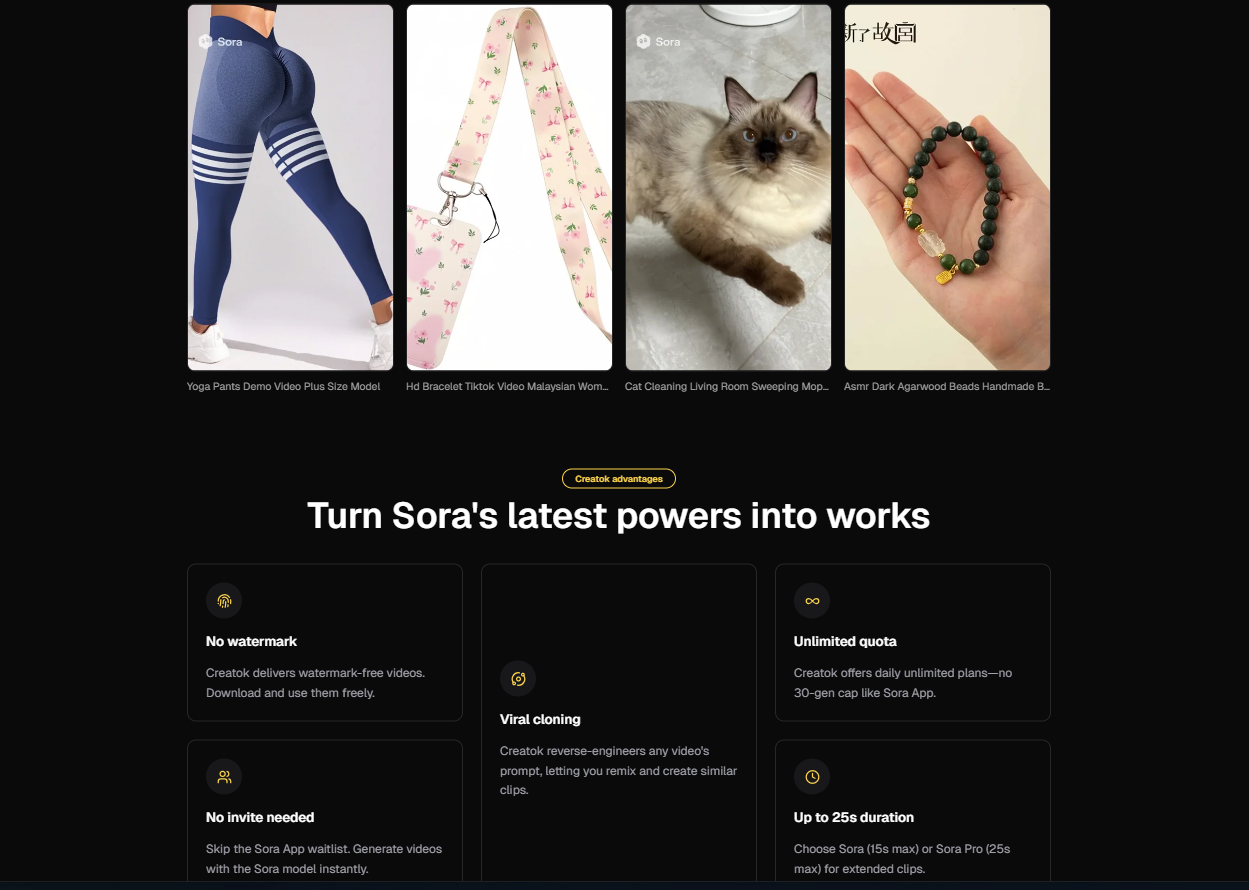
You can jump right into Sora 2 product promotion video generation, even if you 2have zero editing experience. Sora 2’s ai lets you create stunning videos with just a few clicks. You can upload images or simply type what you want to see—Sora 2’s ai will handle the rest. Want to know why beginners love it?
Sora 2 has a simple interface and quick results, so you can focus on your content.
Other platforms feel more complex for new users.
You will also find plenty of tutorials and friendly support. Try new ideas and see what Sora 2 can do for your brand!
Key Takeaways
Sora 2 lets anyone make great videos fast, even if they have never edited before. You can upload pictures or write prompts to start, so making videos is easy for everyone. Templates help you work faster and make sure your videos look like your brand. Adding music and sound effects makes your videos more fun and real. Sora 2 makes it simple to share on social media, so more people can see your videos.
Getting started with Sora 2
Account setup
Getting started with sora 2 is simple and quick. You can set up your account in just a few steps. Here’s what you need to do:
Check your device. Make sure your phone or tablet meets the requirements. You’ll also need an invite code.
Download the app. If you use iOS, open the App Store and search for 'Sora by OpenAI'. Download and install it.
Open the app. When you launch it for the first time, log in or create an OpenAI account. Enter your invite code to continue.
Allow permissions. The app will ask for camera and microphone access. You’ll record a short video for portrait verification.
Set up your workspace. Pick your video’s aspect ratio and style presets. Now you’re ready to explore!
Tip: Keep your invite code handy. You’ll need it during setup!
Sora 2 takes your security seriously. You get several protections right from the start:
You can’t use browser developer tools, so your settings stay safe.
The app blocks blacklisted websites to help prevent phishing.
If you don’t need your account anymore, it will deactivate automatically.
You won’t see pop-up or password notifications, so you can focus on your videos.
The app turns off local extension installs for extra safety.
Multi-open mode lets you use shared accounts securely.
Dashboard overview
Once you finish setup, you’ll land on the sora 2 dashboard. This is your creative hub. Here’s what you can do:
Create an account. Sign up with your email or a single sign-on provider. Many users start with a free trial.
Explore your dashboard. Start new projects, browse templates, and manage your video library.
Write or import a script. Type a prompt or bring in a script. You can control each scene.
Customize your video. Choose avatars, upload images, and pick styles. Add voiceovers and music if you want.
Generate and review. Hit the button to make a draft video. Watch it and make changes as needed.
Export and share. Download your video or publish it straight to your favorite platform.
The dashboard makes it easy to jump from idea to finished video. You don’t need to be a pro—just bring your creativity!
Sora 2 product promotion video generation
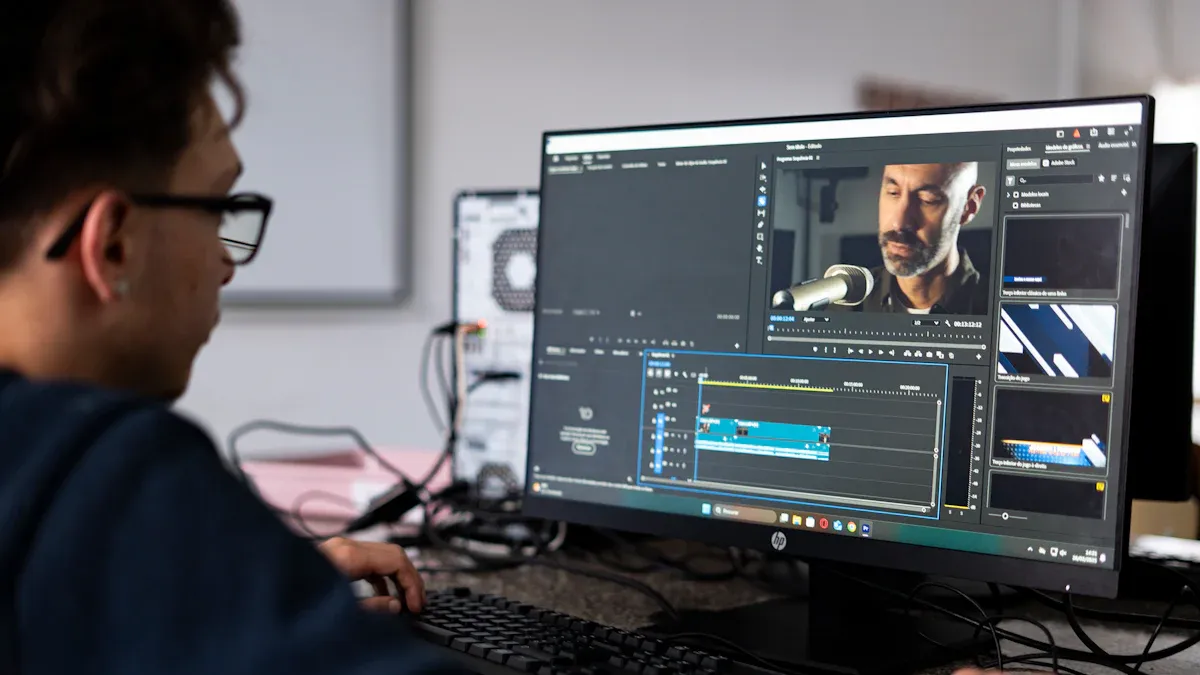
Making cool product videos is now much easier. With sora 2 product promotion video generation, you can make pro-looking videos fast. You do not need to know how to use ai video generation before. Let’s see how you can use images or prompts, pick a template, and add your own branding to make your videos stand out.
Using images or prompts
You have two easy ways to begin. You can upload your own images or type a prompt. If you have product photos, just add them. Sora 2 will use these to make videos that match your brand. If you want something new, type what you imagine. The ai will turn your words into real-looking pictures.
Sora 2 uses your images and prompt to make animations that look real.
You can add real things from your life to your videos, making them more personal.
The video generation model follows real-world rules, so scenes look natural.
Want your videos to look great? Try to be clear when you write a prompt. The more details you give, the better the ai understands you. For example, if you want a video of a sneaker on a rainy street at night, say the lighting, mood, and camera angle. This helps sora 2 product promotion video generation give you what you want.
Tip: Pretend you are a movie director! Tell about the scene, action, and feeling you want. The ai will do the rest.
Here is a quick guide for writing a good prompt:
Component | Description |
|---|---|
Scene setup | Tell the mood, weather, time, and place. |
Subject and action | Say who is doing what, with what feeling, and how fast. |
Camera grammar | Pick the angle, framing, and movement. |
Lighting and color | Describe the light, mood, and colors. |
Physics and materials | Add details about surfaces, forces, and how things touch. |
Audio cues | Mention sounds or short lines people say. |
Exclusions | Say what you do not want in the video. |
Sora 2 product promotion video generation works on desktop and web. You can log in, type your prompt, and make a video anywhere. This means you can create at your desk or while out.
Choosing templates
Templates make sora 2 product promotion video generation even faster. You do not have to start from nothing. Just pick a template that fits your product and message. Templates help your videos look sharp and match your brand.
Here are some popular template types you can use:
Template Type | Description |
|---|---|
Product Showcases | Close-up shots for showing small details, great for ads. |
Brand Stories | Short videos with hooks and calls-to-action, plus background sounds for easy editing. |
Business Template Example | Simple styles for certain products, made for good advertising. |
When you pick a template, you set the mood for your video. Templates help keep your visuals clear and focused. For best results, remember these tips:
Element | Description |
|---|---|
Character | Focus on one main character for clarity. |
Action | Show one clear action to avoid confusion. |
Camera Move | Use one camera move for realism. |
Scene-Defining Setting | Add details about the setting and time of day. |
Lighting and Color Palette | Use simple words to set the visual style. |
Optional Audio Hint | Suggest background sounds or a short line of dialogue. |
Avoid Brand Names | Do not use copyrighted names or real people’s faces. |
Smooth Prompt | Make sure your prompt reads smoothly in 10–12 seconds. |
Style Consistency | Repeat the same style for a uniform look. |
You will see that sora 2 product promotion video generation makes high-quality, real-looking videos. In tests, the ai showed real physics, like natural ball bounces and smooth moves. You will not see the fake look that old models had. Your videos will look more real and fun to watch.
Customizing branding
Now you can make your videos truly yours. Sora 2 lets you add your brand’s style to every video. You can change colors, add your logo, and adjust the style to match your brand’s voice.
Here is what you can change:
Feature | Description |
|---|---|
Personalized Video Ads | Make many versions for different groups, each with its own message. |
Product Videos | Show your items in any place, with any model, in any style, all made on demand. |
You can make videos that fit your brand, no matter what you sell. Sora 2 lets you control the look and feel, so your content stands out. The ai video generation tools help you keep your visuals fresh and special. The platform’s flexibility means you can make a video for any campaign.
With sora 2 product promotion video generation, you can create, change, and share videos that grab people’s attention. Try different prompts, use templates, and see how easy it is to bring your ideas to life.
Editing and refining ai-generated videos
After you make your first draft, you can start making it better. Sora 2 gives you tools that are much easier than old editing software. You can change how your video looks, sounds, and moves. You will not feel confused or lost.
Adding music and effects
You can make your videos more fun by adding music, sound effects, and voiceovers. Sora 2 lets you:
Match talking with what is happening in the scene
Use music that fits the mood of your video
Add background sounds to make it feel real
Put in character voices to tell a story
When you add layers of sound, your video feels more real. Think about a café scene. You hear cups, people talking, and soft music. This makes the video feel like you are really there. If you use music that matches the action, like in sports, it feels more exciting. Good sound makes your video special and keeps people watching.
Tip: Try out different songs and effects. You might find a mix that makes your ai-generated videos stand out.
Preview and edit
Before you finish, Sora 2 lets you watch and fix your video. You can see what you like and change what you do not. The app makes it simple to give clear instructions about the subject, place, camera moves, and sounds.
Here is what you can do with Sora 2’s editing tools:
Feature | Description |
|---|---|
Storyboards | Put scenes in order to make the story flow better. |
Edit each scene individually | Change pictures, words, and effects for each part. |
Reduce editing time | Fix scenes fast without starting from the beginning. |
Time savings | Using storyboards can save up to 40% of your time. |
You can try different versions. Use new prompts, change music, or add effects until your video feels perfect. Sora 2 makes editing quick, so you can be creative and not get stuck in menus.
Do not worry about trying again. Sometimes the best videos come after a few changes and new ideas.
Export and share
Once you finish your video, you probably want to show it off. Sora 2 makes it easy to get your content out into the world. You can download your videos or share them right from the platform. Let’s look at how you can do both.
Download options
You have a few ways to save your work. Sora 2 lets you:
Download your video in an MP4 format for easy playback on any device.
Favorite your video so you can find it quickly in your Library.
Share your video with a link if you want to send it to someone fast.
You can also pick from different export formats. Sora 2 supports:
MP4
AVI
MKV
When you download, you get high-quality files. Sora 2 exports videos in MP4 with a maximum resolution of 1080p. Your video can be between 10 and 20 seconds, depending on your account and how complex your prompt is. Each video includes a visible watermark and C2PA provenance metadata. This helps keep your video ads transparent and trustworthy.
Tip: If you want to make short videos for different groups, just download each version and keep them organized in your Library.
Social sharing
You do not have to stop at downloads. Sora 2 lets you share your ads straight to social media. You can pick the platform that fits your content best. Here’s a quick guide:
Platform | Recommended aspect ratio | Notable duration guidance | Key notes |
|---|---|---|---|
TikTok | 9:16 (1080×1920) | Up to 10 minutes for ads | Requires AI labels for realistic media; see 2025 policy. |
YouTube Shorts | 9:16 vertical | Up to 3 minutes | Check 2025 updates on Shorts length. |
Instagram Reels | 9:16 (1080×1920) | Commonly up to ~90 seconds | Verify current limits in Instagram Help Center. |
You can make your ads look great on any platform. Sora 2 helps you match the right size and length for each site. This way, your content stands out and reaches more people. If you want to boost your brand, sharing your videos on social media is a smart move.
Tips for better results
Engaging video tips
You want your videos to grab attention and keep people watching. Start by uploading a clear product image or writing a short, detailed prompt. Pick a preset that matches your goal. You can choose cinematic, energetic, or minimalist modes. Adjust the pacing to fit your platform—fast for TikTok, slow for YouTube, or auto for feeds.
Here’s a simple formula that works for engagement:
Hook your audience in the first three seconds.
Reveal your product with a clear shot.
Show emotion to connect with viewers.
End with a call to action.
You can also try product-based storytelling. Show a problem, introduce your product, and finish with the payoff. Sora 2 adapts trending video styles, so your videos always feel fresh and relevant. Preview and refine your clips. Sora 2 lets you see different aspect ratios, like 9:16 for social or 16:9 for YouTube. This helps you match your audience’s favorite way to watch.
Tip: Use detailed prompts and reference images. This helps the ai create scenes that look real and keep your engagement high.
Mistakes to avoid
Some mistakes can hurt your results. Avoid writing vague prompts. Always include camera angles or mood details. Sora 2 works best with short videos, so keep your clips under 20 seconds. If you need longer videos, try the Pro version.
Don’t ignore platform rules. If you skip this, your video might default to a vertical format. Check OpenAI’s status page if you see glitches. Sometimes, rephrasing your prompt works better than editing the same one.
Here’s how mistakes can impact your engagement:
Insight | Impact |
|---|---|
Over half of viewers leave if the opening is weak | |
Opening quality directly affects ROI | Great openings can boost click-through rates by 3-5 times |
E-commerce conversion differs 10x | A strong opening can increase purchases up to ten times more than average |
Stay focused on your opening. Use trending video styles and product-based storytelling to keep your audience interested from start to finish.
You can make videos that look professional with sora 2, even if you have never made videos before. Sora 2 gives you quick results and has powerful tools. This means you do not have to spend a lot of time editing. You can share your ideas faster. Look at the table below to see why sora 2 is special:
Feature | Description |
|---|---|
Advanced Features | Realistic scenes, synced audio, easy controls |
Production Speed | |
Accessibility | Works on ChatGPT and a simple app |
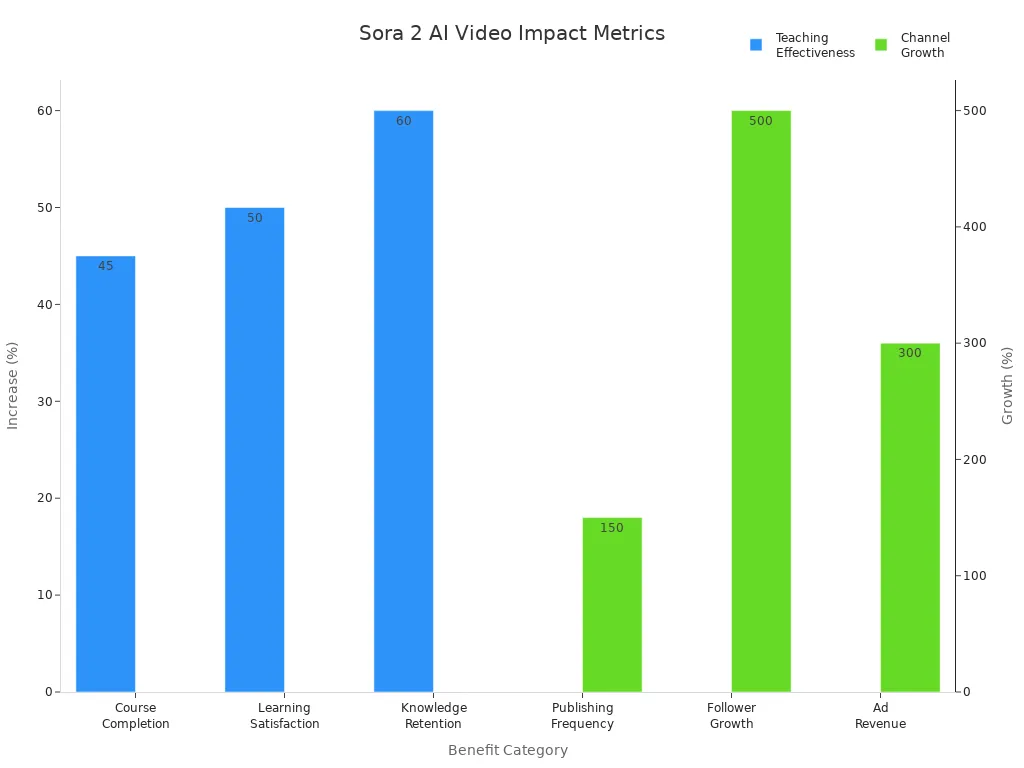
Lots of people say sora 2 helps them get more viewers and make more money. Try sora 2 to make videos for your products. Watch tutorials and try different prompts to get the best videos.
FAQ
How long does it take to make a video with Sora 2?
You can make a short product video in just a few minutes. Sora 2’s AI works fast. You only need to upload your images or type your prompt. The app handles the rest.
Can I use Sora 2 on my phone or computer?
Yes! You can use Sora 2 on both desktop and web platforms. The app works on most modern devices. You can start a project at your desk or on the go.
What file formats can I export my videos in?
You can export your videos in several formats. Here’s a quick table:
Format | Use Case |
|---|---|
MP4 | Social media |
AVI | Editing software |
MKV | High quality |
Do I need video editing experience to use Sora 2?
No experience needed! Sora 2 is beginner-friendly. The interface guides you step by step. You can follow tutorials if you want extra help.
Tip: Try different prompts and templates. You will learn faster by experimenting.
See Also
Streamline Your Choices With The TikTok Product Selector
Essential Advice For Newcomers In TikTok Product Choices
Single Product Uploads Made Simple In TikTok Shop
Simple Steps To Launch Your TikTok Shop Business
Discover Trending TikTok Products Effortlessly With These Tips
