10 Best Free TikTok Influencer Analytics Tools for 2026


TikTok Creator Marketplace, TikTok Native Analytics, and HypeAuditor's free tools are the top free tiktok influencer analytics tools. The first gives you official creator data, the second tracks your own account, and the third checks audience quality fast. Free access to influencer analytics tools matters because you can check creators, track campaigns, and spot competitor trends without spending a dollar. This list ranks options by overall value. Each entry covers free features, limits, and the best use cases, so you know exactly where each influencer analytics tool fits. You will find tools for every goal, from quick authenticity checks to on-page analytics for influencers you already follow.
Key Takeaways
You can check TikTok creators without spending money using free tools.
Pick a tool that matches your goal, like vetting creators or tracking campaigns.
Always check if a creator's followers are real before you work with them.
Use more than one tool to get a complete picture of a creator.
Free tools give you snapshots, not live tracking for ongoing campaigns.
What Free TikTok Influencer Analytics Can Do
Core Metrics to Expect
Free tiktok influencer analytics usually covers four areas: follower growth, engagement rate, audience demographics, and content performance. You can track how quickly a creator gains followers over time. You can also see how many likes, comments, and shares each post gets. That engagement data shows you whether an audience really cares.
Audience demographics matter just as much. A good tiktok audience analyzer shows where followers live, their age ranges, and their gender split. These influencer marketing metrics help you judge fit before you reach out. Content performance completes the picture. You see which videos beat the creator's average, so you know what kind of content connects. Together, these signals support solid creator and audience analytics without a paid subscription.
Common Free-Tier Limits
Free plans come with real boundaries, and you should know them upfront. Most tiktok influencer analytics tools limit how many searches you can run per day or month. Some update their data on a delay, so a creator's numbers may lag behind live activity. Others cut historical depth, which means you see recent weeks instead of full years.
These limits rarely block basic vetting. They do shape how you work. Plan your searches around the cap. Check refresh rates before you trust a snapshot. Treat free starter access as a starting point, not a full replacement for paid depth. A quick check of follower demographics and engagement still gives you plenty to work with.
1. TikTok Creator Marketplace
Free Features and Data
TikTok Creator Marketplace is the official, first-party choice for finding influencers and matching them to campaigns. You look through a checked pool of tiktok creators right inside TikTok's own system. Every profile comes from the platform itself, so the follower counts and engagement numbers you see are first-party data. That helps when you want a trusted starting point for your influencer search tool.
The free side gives you good basics. You can filter creators by location, audience size, and content category. You can look at performance snapshots and see how a creator's posts do over time. You can also send collaboration requests and handle campaign details in one place. For a free way into influencer analytics, this covers a lot.
Best Use Cases and Limits
Use Creator Marketplace when you want official data and a direct way to reach creators. It works great for campaign matching, because you can make a shortlist of tiktok creators and reach out without leaving the platform. If you need to confirm that a profile is real and active, this is your safest first stop.
The limits here are about scope, not quality. The tool only covers creators inside TikTok's official system. Creators who work outside that system won't show up in your searches. Think of it as a focused, reliable lane rather than a wide-open one. Pair it with a third-party analytics tool when you need wider coverage, and you get the best of both worlds.
2. TikTok Native Analytics
Free Features and Data
TikTok Native Analytics lives right inside the app, and it costs nothing. You open it from your profile settings, and it only shows data for accounts you own or manage. That makes it the simplest way to see how your own posts perform.
The dashboard gives you solid numbers. You can check follower growth, profile views, and video watch time. You also see likes, comments, shares, and total engagement on each post. Audience details show where your followers live and when they are most active. These tiktok insights help you plan posts around real behavior. You can also compare videos side by side and spot which ones hold attention longest.
Best Use Cases and Limits
This tool shines for first-party performance tracking. Use it to measure your own campaigns, test posting times, and learn what content your followers love. If you run a brand account, you can watch follower growth week by week and adjust your strategy fast. It is a free, reliable source of truth for your own numbers.
The limits are clear. Native analytics only covers accounts you control. You cannot look up another creator's audience or check their engagement history. For third-party vetting, you need a separate influencer analytics tool. Think of native data as your home base. Pair it with outside tools when you want to research other influencers before a partnership. That combo keeps your own reporting sharp and your creator checks honest.
3. HypeAuditor Free Tools
Free Features and Data
HypeAuditor opens the door with two free entry points. The TikTok Email Finder helps you track down contact details for creators you want to reach. The TikTok Average Views Calculator gives you a quick read on how many views a creator pulls per post. Both tools run without a paid plan, so you can start your research right away.
These tools fit neatly into a broader influencer analytics workflow. You can pull a creator's contact info, check their typical view counts, and decide whether a deeper look is worth your time. The calculator helps you spot creators whose views look strong next to their follower count. That gap often hints at real engagement, not just a big audience.
Best Use Cases and Limits
Reach for these tools when you need fast answers before a campaign. The Email Finder saves you time hunting for contact details across profiles and bios. The Average Views Calculator works well as a first filter. Run a batch of tiktok creators through it, and you quickly see who deserves a closer look.
The deeper audience-quality reports sit behind paid tiers. That means detailed audience analysis, like fake follower checks and demographic breakdowns, needs a subscription. You can still get a solid first impression for free. Think of the free tools as your entry point. If you like what you see, a free trial or paid plan unlocks the full picture. For many teams, the free tier alone covers the basics of vetting influencers before a first outreach.
4. Social Blade
Free Features and Data
Social Blade gives you a public window into any creator's follower count and growth history. You type in a username, and the site shows you a running chart of gains and losses over time. That timeline is the real draw. You can see whether a tiktok account is climbing steadily, flatlining, or dropping followers week after week.
The free tier covers the basics well. You get current follower totals, daily and weekly changes, and a projected future count. You also see how many videos a creator posts and how those posts track against audience growth. This makes Social Blade a handy influencer analytics stop for a fast gut check. You do not need an account to start scanning profiles.
Best Use Cases and Limits
Reach for Social Blade when you want a quick scan before deeper research. It works great for spotting sudden spikes, which often signal a viral moment or a bought audience. You can also compare several influencers side by side and see whose growth looks organic. The charts load fast, and the data stays easy to read.
The tool stays shallow on purpose. You will not find follower demographics, audience quality scores, or detailed engagement breakdowns here. Treat it as a first filter, not a full analytics suite. Run a creator through Social Blade, note any odd jumps, then move to a tool that digs into audience authenticity. That two-step habit keeps your vetting sharp without slowing you down.
5. Exolyt
Free Features and Data
Exolyt helps you see if a creator's followers are real. The platform gives each audience an authenticity score. This lets you spot strange follower patterns before you commit. You also get an estimated reach for each profile. That number shows how many people a post likely reaches, not just how many followers a profile has.
The free tier covers the basics of influencer analytics. You can open a creator's profile and check authenticity signals next to reach estimates. You can also review recent video performance and see which posts got the most engagement. That mix helps you judge a tiktok creator from more than one side. A big follower count means little if the authenticity score looks weak.
Best Use Cases and Limits
Use Exolyt when audience quality is your top concern. Run a group of influencers through the authenticity check, and you quickly tell real audiences from inflated ones. The estimated reach figure also helps you compare creators with very different follower counts. A smaller creator with strong reach often beats a larger one with weak reach.
Campaign-tracking depth varies by plan. The free version gives you solid profile-level data, but deeper campaign tools need a paid tier. That split works fine for vetting. You get the authenticity and reach signals you need at no cost. For ongoing campaign measurement, plan on upgrading or pairing Exolyt with another tool. Either way, the free tier earns its place in your audience analysis routine.
6. Analisa.io
Free Features and Data
Analisa.io lets you study creators for free before you contact them. You enter a handle, and the tool makes a profile report for you. You can see follower counts, posting habits, and how often people like and comment on videos. That engagement picture helps you decide if a creator's audience really shows up.
The platform also checks if an audience is real. You get signals that point out strange follower patterns, like sudden jumps or big groups of inactive accounts. These signals help with solid audience analysis without a paid plan. You can compare two creators side by side and see whose followers look healthier. For a free influencer analytics stop, that is a helpful combo.
Best Use Cases and Limits
Use Analisa.io when you want a quick look at a shortlist of influencers. Run each handle through the tool, note the authenticity signals, and set aside anyone with suspicious patterns. The profile reports also help you compare engagement across creators with very different audience sizes. That makes your first-round vetting faster and more honest.
The free tier has limits. Search and report caps limit how many profiles you can pull in a set period. Plan your checks around that cap, and save the deepest dives for your top candidates. If you need more volume, a free trial or paid plan opens things up. For most teams, the free version covers the basics of tiktok creator vetting just fine.
7. Upfluence Free TikTok Audit
Free Features and Data
Upfluence offers a free TikTok audit tool, and you do not need to sign up to use it. You just paste a creator's profile link and get a report back. That low barrier makes it easy to check a creator on the spot, even mid-meeting.
The report goes deeper than a follower count. You get a read on the creator's performance, including how their posts land with their audience. You can see engagement patterns and get a sense of whether the account's growth looks healthy. For a free influencer analytics check, that is a solid amount of detail. You walk away knowing more than the profile page tells you.
Best Use Cases and Limits
Treat this tool as a fast pre-campaign check. You have a shortlist of creators, and you want a quick read before you reach out. Run each profile through the audit, compare the reports, and flag anyone whose numbers look off. The whole process takes minutes, and it costs nothing.
This is not an ongoing tracker. The audit gives you a snapshot, not a live dashboard. You will not get alerts when a creator's numbers shift or a campaign starts to slip. For that kind of monitoring, you need a dedicated analytics platform. Use Upfluence's audit to make the first call, then move to a fuller tiktok analytics setup once a partnership is live. That split keeps your vetting fast and your campaign tracking separate.
8. Influencer Hero Free Tool
Free Features and Data
Influencer Hero offers a free tool that puts authenticity front and center. You paste in a creator's handle, and the tool returns a fake follower percentage. That single number tells you a lot. A high share of fake followers means the audience may not be real, and your campaign budget could reach bots instead of buyers.
The report also shows the creator's engagement rate and audience demographics. You see how often followers like and comment, plus where they live and how old they are. These signals support solid audience analysis before you commit. The tool runs on the free tier, so you can check several creators without spending anything. For a quick influencer analytics stop, it packs useful detail into one screen.
Best Use Cases and Limits
This tool fits best during vetting. You have a shortlist, and you want to know whose followers look genuine. Run each creator through the check, compare the fake follower percentages, and set aside anyone with weak numbers. The engagement rate and demographics help you confirm that the audience matches your target market. That makes your first-round screening faster and more honest.
The free version covers profile-level checks well. Deeper features, like campaign tracking and outreach workflows, sit in paid plans. That split works fine for early research. Use the free tool to filter your list, then move to a fuller tiktok analytics setup once you pick your final creators. You get the authenticity signals you need at no cost, and you keep the paid depth for the partnerships that matter.
9. SocialInsider Free TikTok Audit
Free Features and Data
SocialInsider offers a free TikTok audit that gives you a clear snapshot of a creator's recent performance. You paste in a profile, and the tool returns a report built around the last 30 days of activity. That window keeps the data current and easy to compare across creators.
The report covers the numbers that matter most for vetting. You see the creator's engagement rate, so you know how often followers actually interact with posts. You also get posting frequency, which tells you whether a creator shows up consistently or posts in bursts. Average likes and comments round out the picture, and the tool lists the creator's top videos from that period. Those top posts show you what kind of content resonates with the audience. For a free influencer analytics check, that is a useful set of signals in one place.
Best Use Cases and Limits
Use this audit when you want a fast read on recent performance. Run a shortlist of creators through it, compare their engagement rates, and see whose top videos match your campaign goals. The 30-day window works well for spotting creators on an upswing. It also helps you confirm that a creator still posts regularly before you reach out.
The 30-day scope is the natural boundary of the free audit. You get a recent snapshot, not a long history. If you need to trace growth over months or track a live campaign, you will want a fuller analytics setup. For first-round vetting, though, the free audit delivers solid tiktok engagement data without any cost. Pair it with an authenticity checker, and you have a strong two-step screening process.
10. Influencer Analytics Tool Extension
Free Features and Data
The Influencer Analytics Tool Chrome extension puts creator data right on the page you are already viewing. Open a TikTok profile in your browser, and the extension reads the public numbers for you. You get a profile analysis without copying handles into another site. That saves time when you are scanning a long list of creators.
The extension also checks engagement rate on the spot. You can sort a creator's videos by performance, so their best posts rise to the top. That view shows you what content actually connects with the audience. When you finish a review, you can export the analytics to a file for your team. The free version covers these core checks, and you run them without leaving the tab.
Best Use Cases and Limits
Reach for this influencer analytics tool when you want quick on-page checks. You are browsing profiles, and you need a fast read on engagement and top videos. The extension fits that workflow well. Sort the videos, note the engagement rate, and move to the next creator. You can also export a batch of results and share them with colleagues before a planning call.
The extension works as a browser-based helper, not a full platform. It reads what the page shows, so deep audience demographics and long-term growth history stay outside its scope. Treat it as a fast first pass. Pair it with a fuller tiktok analytics tool when you need audience quality scores or campaign tracking. That combo keeps your browsing fast and your vetting thorough.
Comparing Influencer Analytics Tools

Technical Performance and Fit
Speed and depth pull in different directions. Official sources like TikTok Creator Marketplace refresh fastest. Third-party influencer analytics tools often trade refresh speed for extra signals like authenticity scores. Match the tool to your job. Vetting calls for audience quality checks. Campaign tracking calls for live dashboards. On-page checks call for a browser extension.
Here is how the options stack up on the factors that decide your pick.
Tool | Technical Performance | Best Fit | Compliance | Cost |
|---|---|---|---|---|
TikTok Creator Marketplace | First-party data, fast refresh | Official discovery and outreach | Native to TikTok's ecosystem | Free |
TikTok Native Analytics | Real-time, account-level | First-party reporting | Native to TikTok's ecosystem | Free |
HypeAuditor | Contact lookup, view estimates | Fast pre-outreach checks | Public data only | Free entry tools |
Social Blade | Fast public charts | Quick growth scans | Public data only | Free |
Exolyt | Authenticity scoring | Audience quality checks | Public data only | Free tier |
Analisa.io | Profile reports | Shortlist vetting | Public data only | Capped free plan |
Upfluence Audit | No sign-up snapshot | Pre-campaign checks | Public data only | Free |
Influencer Hero | Fake follower percentage | Authenticity screening | Public data only | Free tool |
SocialInsider Audit | 30-day snapshot | Recent performance reads | Public data only | Free |
Analytics Extension | On-page reading | Browsing workflows | Public data only | Free |
Compliance and Cost
Every option here costs nothing at entry, and each one pulls from public or first-party data. That keeps your tiktok influencer analytics work on solid ground. Check each vendor's terms before you export or share creator data with your team.
A few honorable mentions deserve a spot. Iconosquare suits teams that want a broader social media analytics tool across platforms. Social Status fits agencies tracking many creator accounts at once. Sotrender works well for structured reporting. Kalodata shines for product and trend research on TikTok. Brand24 fits teams watching creator mentions and sentiment. Each offers a free trial, so you can test creator and audience analytics against your own goals before you commit.
How to Choose a Free Tool
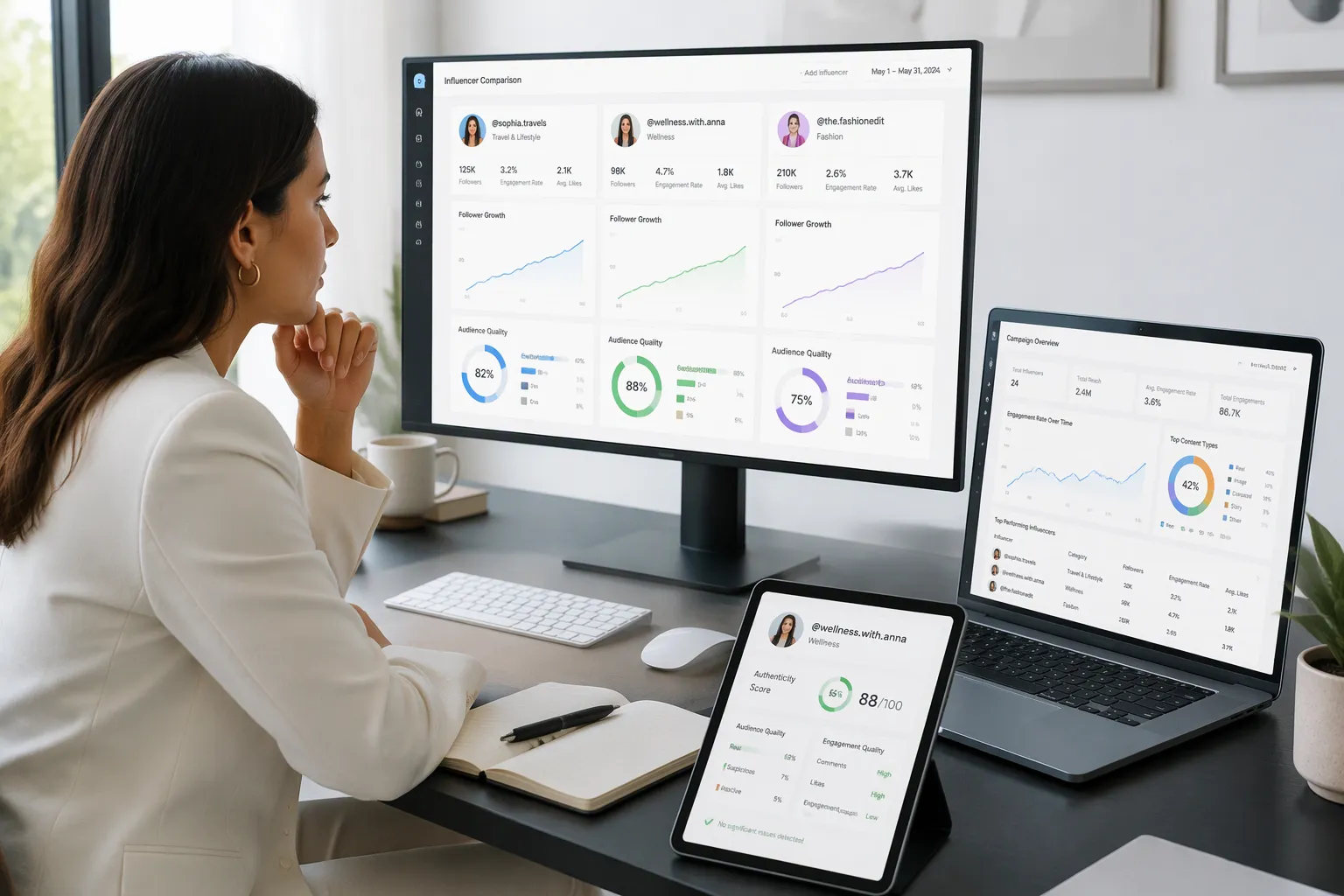
Match Tool to Goal
Start with your goal, not the tool list. Each job points to a different kind of pick.
Vetting creators: reach for authenticity checkers and profile audits.
Campaign tracking: lean on first-party dashboards and live reporting.
Competitor analysis: use public growth charts and trend research.
First-party reporting: stay inside native analytics for your own accounts.
That mapping saves you time. A free tiktok audience analyzer built for vetting will not track a live campaign well. A growth chart tool will not tell you if followers are real. Pick the tool that matches the question you are asking today.
Think about influencer performance too. If you need a quick read on engagement rate before outreach, a profile audit fits. If you need to watch a creator's numbers shift over weeks, a tracking tool fits better. One influencer analytics tool rarely covers every job. A small stack often beats one do-it-all platform.
Verify Accuracy and Limits
Test before you trust. Run two or three free options against the same real influencer profiles. Compare what each one reports. If the numbers diverge, dig into why. Maybe one tool refreshes slower. Maybe another counts engagement differently.
Check refresh rates and caps before you commit. A tool that updates weekly will lag behind a creator's viral moment. A tool with a tight search cap will slow your shortlist work. Note both limits upfront, then plan around them.
Accuracy matters most for creator and audience analytics. Cross-check a creator's follower count against the platform itself. Then compare audience analysis signals across tools. Two tools agreeing on a weak authenticity score is a strong warning. Free tiers vary, so a quick test run tells you more than any feature list. Start with one goal, test a couple of influencer analytics tools, and keep the one that answers your question cleanly.
The right choice depends on what you need to do. TikTok Creator Marketplace gives you official data. Influencer Hero and Exolyt take care of authenticity checks. Social Blade covers quick competitor tracking. The Chrome extension gives you fast on-page analysis. Each one earns a place in your tool set.
Free tiers differ in their limits, so test two or three influencer analytics tools against one clear goal. Compare their numbers on real creator profiles. Keep the one that answers your question cleanly.
You have solid tiktok influencer analytics options at no cost. Start checking creators today, and let real engagement data guide your next partnership.
FAQ
Are these TikTok influencer analytics tools really free?
Yes. Every tool on this list gives you a working free tier or a no-cost audit. Some cap your searches or limit history depth. Others push deeper reports into paid plans. You still get real data at no cost, which covers most first-round vetting.
How many creators can I check for free?
It depends on the tool. Social Blade and the Upfluence audit place no strict cap on profile lookups. Analisa.io and HypeAuditor limit searches per period. Plan your shortlist first, then spend your free checks on the creators who matter most.
Can I trust free analytics data?
Mostly, yes. These tools pull from public or first-party sources, so follower counts and engagement rates stay close to reality. Refresh delays can make numbers lag. Cross-check one creator across two tools before you trust a single snapshot.
Do I need more than one tool?
Often, yes. One tool rarely covers discovery, authenticity, and campaign tracking at once. A small stack works better. Pair an authenticity checker with a growth tracker, and you cover most of your tiktok vetting needs without paying a cent.
Can free tools track a live campaign?
Not well. Free tiers give you snapshots, not live dashboards. For campaign tracking, lean on TikTok Native Analytics for your own posts. For creator-side monitoring, you will likely need a paid plan once a partnership goes live.
See Also
Discover The Best Free Tools For TikTok Analytics
A Complete Guide To Mastering TikTok Analytics Tools
Essential TikTok Analytics Tool For Tracking Your Performance
Learn How To Access And Use TikTok Analytics
Comparing EchoTik Data Tool With Traditional TikTok Analytics Methods