How to Sell More on TikTok Shop in 8 Simple Steps

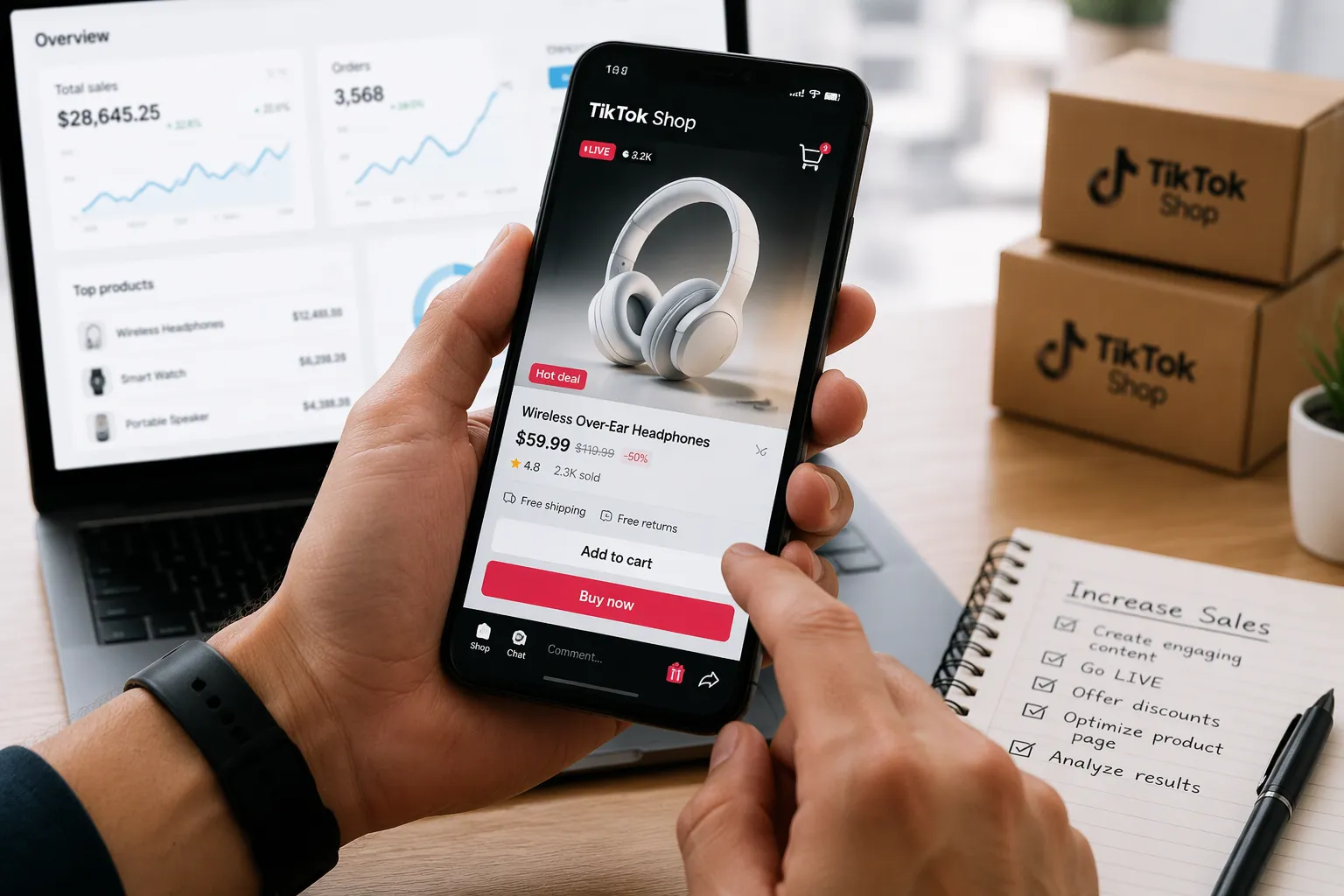
TikTok Shop puts your products right in front of buyers as they scroll their feed. You do not need a big budget to start. Small businesses close sales every day by showing real products to real people.
The path to sell more on TikTok Shop starts with a few clear moves. Set up your shop, build strong listings, and post videos that let viewers buy on the spot. Add live sessions, ads, and creator partners as you grow. Track your numbers each week. Follow the steps in order, and you finish with a working shop and a repeatable system for sales.
Key Takeaways
Set up your shop correctly with a Business Account and clear shipping and return policies.
Create product listings with simple titles, clear photos, and fair prices to attract buyers.
Post shoppable videos that show products in use and include product tags for easy buying.
Use live sessions, ads, and creator partners to reach more people and boost sales.
Track your numbers weekly and fix small problems to keep your shop healthy and growing.
Step 1: Set Up Your TikTok Shop
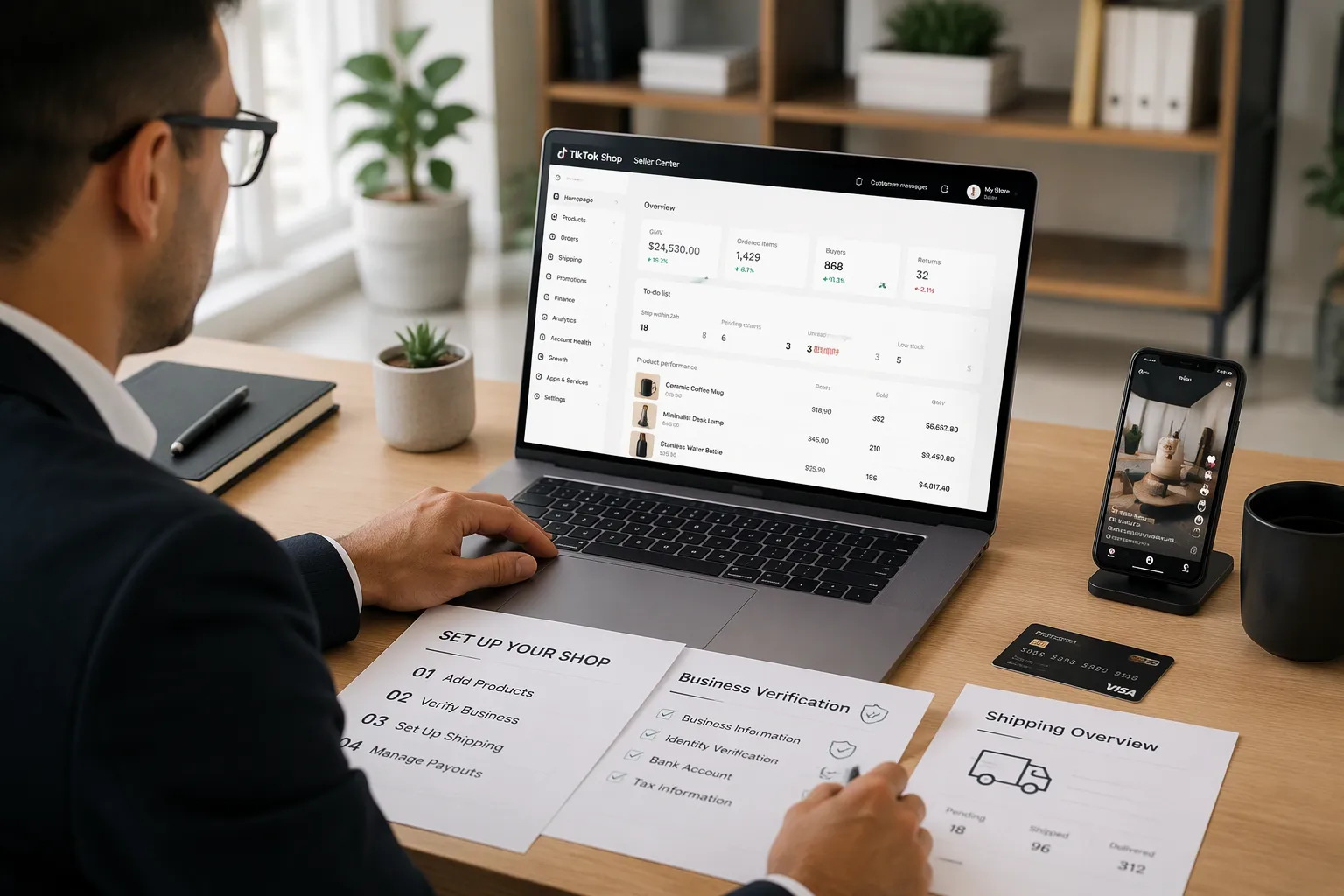
Your shop is the foundation for every sale you make on the platform. Build it correctly once, and the later steps become much easier.
Register and Verify Your Seller Account
Start at TikTok Shop Seller Center. Create your seller account with a business email address you check often. Then submit your business information. This includes your legal business name, your registered address, and your tax details. TikTok asks for legal documents to confirm your identity and your business status. Upload clear, current copies. Blurry photos or expired documents slow down the review.
Next, bind a bank account for payouts. Use an account that matches your business name. A mismatch can delay your first payout or trigger a manual review.
Follow this order to keep the process smooth:
Create your seller account on TikTok Shop Seller Center.
Submit your business information and legal documents.
Bind your bank account for payouts.
Create a TikTok Business Account.
Link your Business Account to your shop.
That fourth step matters more than it looks. Create a TikTok Business Account before you link your shop. The Business Account gives you access to shop features, analytics, and ad tools. Linking a personal account first can force you to redo setup later.
Configure Shipping, Returns, and Payouts
Now set your shipping rules. Choose your shipping options and define your handling time. Handling time is the window between an order and the moment you hand the package to the carrier. Set a window you can hit every week, not just on your best day. Buyers see estimated delivery dates based on this setting. A realistic window protects your ratings. An optimistic one invites late-delivery complaints.
Set up your return policy next. State clearly how many days buyers have to request a return and what condition the item must be in. A clear policy reduces disputes and builds trust with new buyers.
Configure your customer service settings too. Turn on notifications so you see buyer messages quickly. Fast replies keep small questions from turning into refund requests.
Finally, review your payout settings. Confirm your bank details and check how often payouts are scheduled. Many sellers miss this step and then wonder why money has not arrived. Check the payout schedule in your Seller Center dashboard so you know exactly when to expect funds.
With your account verified and your settings configured, your shop is ready for products. Step 2 covers the listings that turn browsers into buyers.
Step 2: Add Optimized Product Listings
Write Listings That Convert
Your listing is the last thing a buyer sees before tapping the buy button. Treat the title as a search tool first and a sales pitch second. Buyers on TikTok search in plain, everyday language. Write your title the way a customer would describe the product out loud. Put the product type and the most important detail near the front. Skip the clever wordplay. Save that for your videos.
Photos carry the next load. Use bright, clear images on a plain background. Show the product from several angles. Add one photo that shows scale, such as the item in a hand or on a table. Buyers cannot touch the product, so your photos must answer their size and texture questions.
Pricing deserves a careful look. Check what similar products sell for on TikTok Shop. Set a price that feels fair next to those listings. A slightly lower launch price can help you collect early reviews and sales history.
Write your description in short, scannable lines. Lead with the benefit, then list the details: materials, dimensions, and what comes in the box. Answer the questions buyers ask most in the comments.
Sync Your Product Catalog
Accurate inventory keeps your shop healthy. When a buyer orders an item you no longer have, you face a cancellation. Cancellations hurt your shop health score and push buyers away.
Connect your product catalog to TikTok Shop Seller Center. A synced catalog updates stock counts and prices automatically. You avoid the manual work of editing each listing by hand. If you sell on other channels, a catalog sync keeps every storefront on the same numbers.
Check your sync status weekly. Confirm that new products appear and that sold-out items show as unavailable. A quick review takes minutes and prevents overselling during a busy live session.
Step 3: Post Shoppable Content
Link Your TikTok Account to Your Shop
Your shop now holds products. The next move connects those products to your videos. Open your TikTok Business Account settings and find the shop link option. Follow the prompts to connect your Seller Center account. The link gives every eligible video a product tag button.
Test the connection before you post. Create a draft video and add a product tag. Tap the tag yourself and confirm the product page loads with the right price and stock count. A broken link wastes views and frustrates buyers. Fix any issue in Seller Center first, then return to your draft.
Keep one account for your shop. Switching between personal and business profiles confuses the link and splits your analytics. Stay consistent so your data stays clean.
Create Videos That Drive Sales
Shoppable videos follow a simple pattern. Show the product in the first seconds. Demonstrate one clear benefit. End with a direct prompt to tap the product link. A viewer scrolling past should understand what you sell without sound.
Film in natural light and keep the camera steady. Show the product in use, not just on a table. A kitchen tool should chop something. A bag should hold real items. Real use answers buyer questions faster than any description.
Vary your formats across the week. Try a quick demo, a before-and-after clip, and a short answer to a common comment question. Post on a steady schedule so the algorithm and your audience learn when to expect you. Check which videos earn taps and views in your analytics, then make more of those.
Add product tags to every eligible video. A tag turns a viewer into a shopper with one tap. Skip the tag and you lose the sale to a competitor's feed.
Step 4: Go Live, Run Ads, and Partner with Creators
Host Live Shopping Sessions
Live sessions turn your shop into a storefront with a host. Viewers watch in real time, ask questions in the chat, and tap product links while you talk. Start with one short session each week. Pick a time when your audience tends to scroll, and announce it in a video a day ahead. A steady weekly slot beats a burst of long streams that you cannot sustain.
Plan each session around a small set of products. Open with your best seller to hold early viewers. Demo one item at a time, answer chat questions out loud, and repeat the product link prompt every few minutes. New viewers join constantly, so repetition helps rather than hurts. Keep a co-host or a second phone on hand to watch comments while you present.
Launch TikTok Shop Ads and Recruit Affiliates
Ads amplify content that already works. Choose your top-performing shoppable video and put a small budget behind it first. Set a daily cap you can afford to lose for a week, then judge results on clicks and sales, not views alone. Raise the budget only on ads that return more than they cost. Cut the rest without guilt.
Affiliates extend your reach to audiences you cannot build alone. Browse the TikTok Shop affiliate marketplace and filter for creators who already post about your product category. Watch a few of their videos. Look for an engaged comment section and a tone that fits your brand. Send a short, personal message with your offer and a free sample when possible.
Track each affiliate's sales in your Seller Center. Keep the creators who drive orders, and send them new products early. A small group of reliable partners often outsells a large list of one-time collaborations.
Step 5: Track Performance to Sell More on TikTok Shop
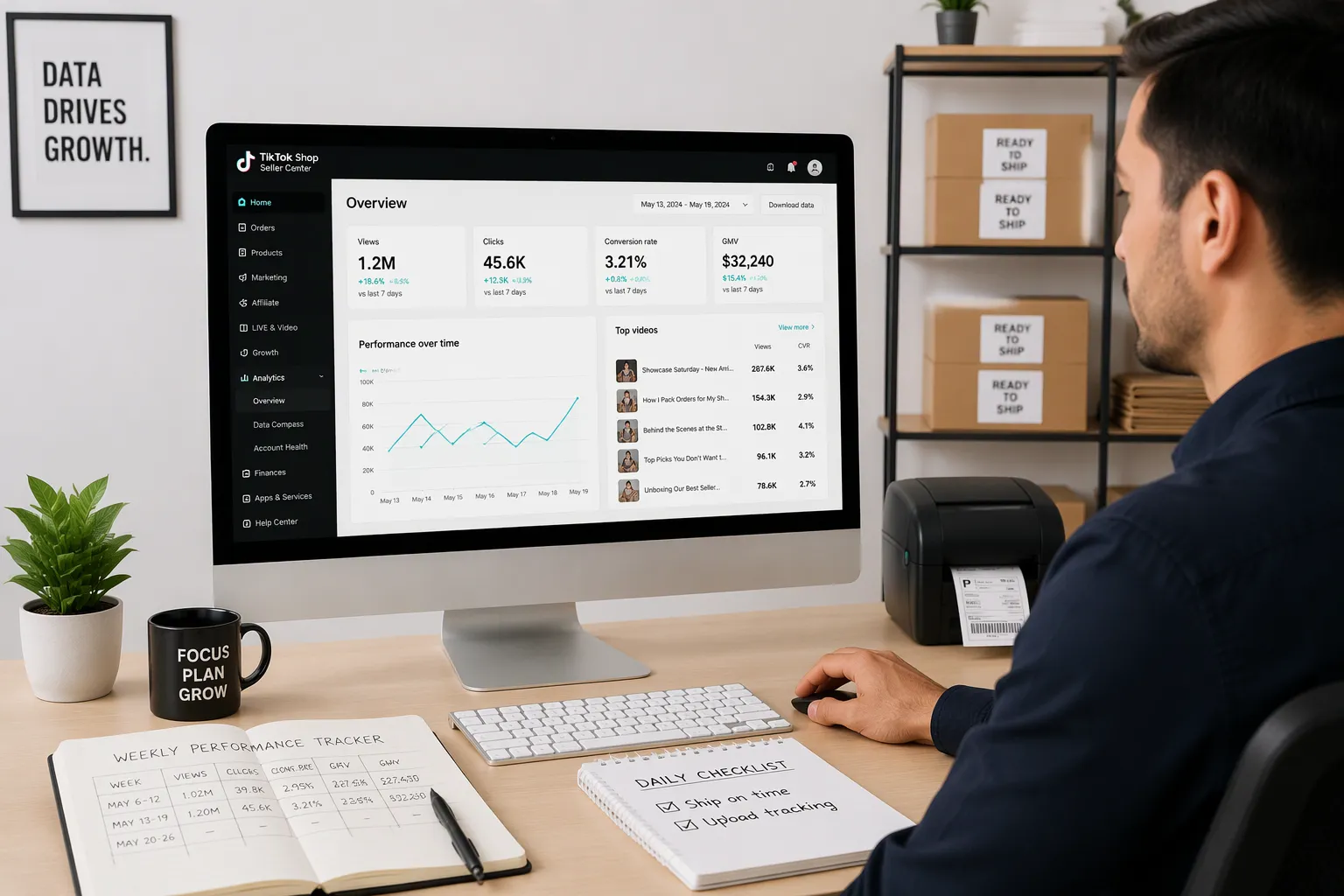
You now have a shop, listings, videos, live sessions, and partners. Step 5 turns all of that activity into decisions. Data tells you where to spend your time next.
Read Your Analytics
Open your Seller Center analytics once a week and read four numbers. Views show how many people saw your content. Clicks show how many tapped through to a product. Conversion rate shows how many of those clicks became orders. Top videos show which content earned the most of each. Track these numbers in a simple sheet so you can compare one week to the next.
Conversion rate is the number to watch most closely. Calculate it as conversion rate = orders / product page views x 100. A video with a million views and a weak conversion rate brings attention but little revenue. A modest video with a strong conversion rate pays the bills. When you find a winner, double down. Make three more videos in the same style, put ad budget behind it, and feature that product in your next live session.
Look at your top videos by sales, not just by views. The gap between the two lists often surprises sellers. A quiet demo clip can outsell a viral joke video. Study the winner. Note the hook, the length, and the product angle. Then repeat that pattern.
Maintain Shop Health and Fulfillment SLAs
Shop health decides how much traffic TikTok gives you. The platform tracks your order cancellation rate, your late shipment rate, and your policy compliance. Keep cancellations low by syncing inventory, as you did in Step 2. Ship on time by setting a handling time you can meet every single day. Follow the platform's product and content policies closely. A policy strike can pause your shop and erase weeks of momentum.
Fulfillment SLAs are the promises you make to buyers. Ship within your stated handling window. Upload tracking numbers as soon as you hand packages to the carrier. Answer buyer messages quickly. These habits protect your ratings and keep your shop eligible for promotions.
Consistency pays off here. One seller made over $50,000 in 60 days with a single product. That result came from steady posting, regular live sessions, and weekly number reviews, not from one lucky video. The same system can help you sell more on TikTok Shop over time.
Review your shop health score alongside your sales numbers each week. Fix small problems before they grow. A late shipment today becomes a lost badge next month. Sellers who sell more on TikTok Shop treat fulfillment as seriously as content. Both drive the same result.
You now have the full path. Here is your checklist:
Set up and verify your shop.
Build optimized listings and sync your catalog.
Post shoppable videos with product tags.
Go live, run ads, and recruit affiliates.
Track analytics and protect shop health.
Refine your winning content.
Scale your best products.
Repeat the cycle weekly.
Results come from steady execution. Post on schedule, host your live sessions, and review your numbers every week. One strong video will not carry you. A consistent system will.
Start today. Pick step one, finish it, and move to step two. That is how you sell more on TikTok Shop.
FAQ
Do you need a big budget to start selling on TikTok Shop?
No. You can open your shop and post shoppable videos at no cost. Add ads only after a video earns clicks and orders on its own. Start with a small daily cap you can afford to lose for a week, then scale the winners.
Should you use a personal account or a Business Account?
Create a TikTok Business Account first, then link it to your shop. The Business Account unlocks shop features, analytics, and ad tools. Linking a personal profile first can force you to redo your setup later. Keep one account so your data stays clean.
How often should you post videos and go live?
Post on a steady schedule so your audience learns when to expect you. Host one short live session each week at a time when your viewers scroll. A reliable weekly slot beats a burst of long streams you cannot sustain.
Which number matters most in your analytics?
Watch your conversion rate most closely. It equals orders divided by product page views, times 100. High views with weak conversion bring attention but little revenue. A modest video with strong conversion pays the bills, so make more content like it.
What happens if your shop health score drops?
TikTok gives less traffic to shops with high cancellations, late shipments, or policy strikes. Sync inventory to avoid overselling, ship within your stated handling window, and upload tracking numbers right away. Fix small problems weekly before they grow.
See Also
How To Set Product Prices On TikTok Shop
Easy Registration Steps To Start Your TikTok Shop Business
How To Manage Your Orders In TikTok Shop
Three Practical Strategies To Find TikTok E-Commerce Accounts